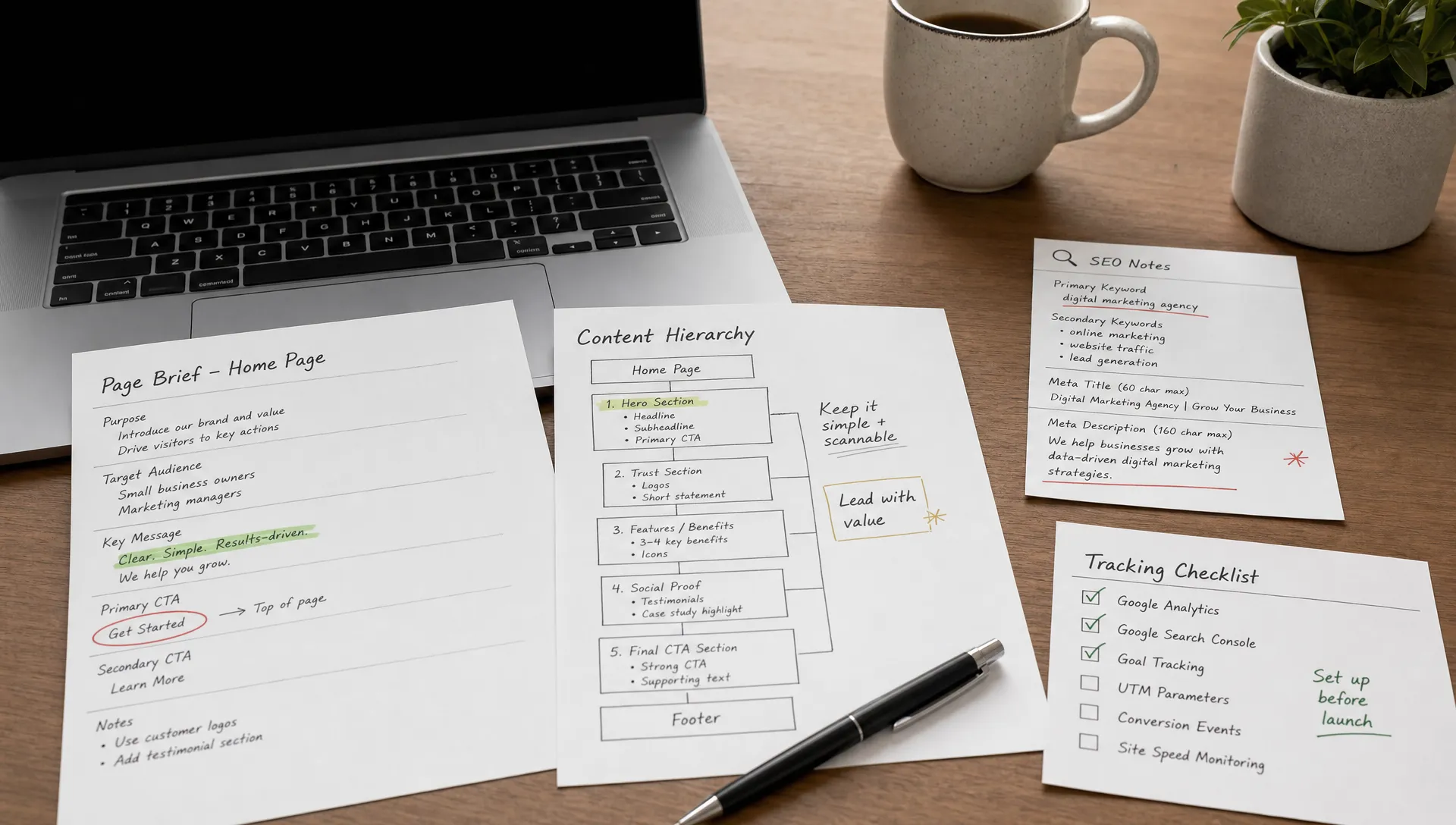
How to start a website with the right structure
Development
•
X min
•
Published on
03.08.2026
•
Updated on
22.08.2026
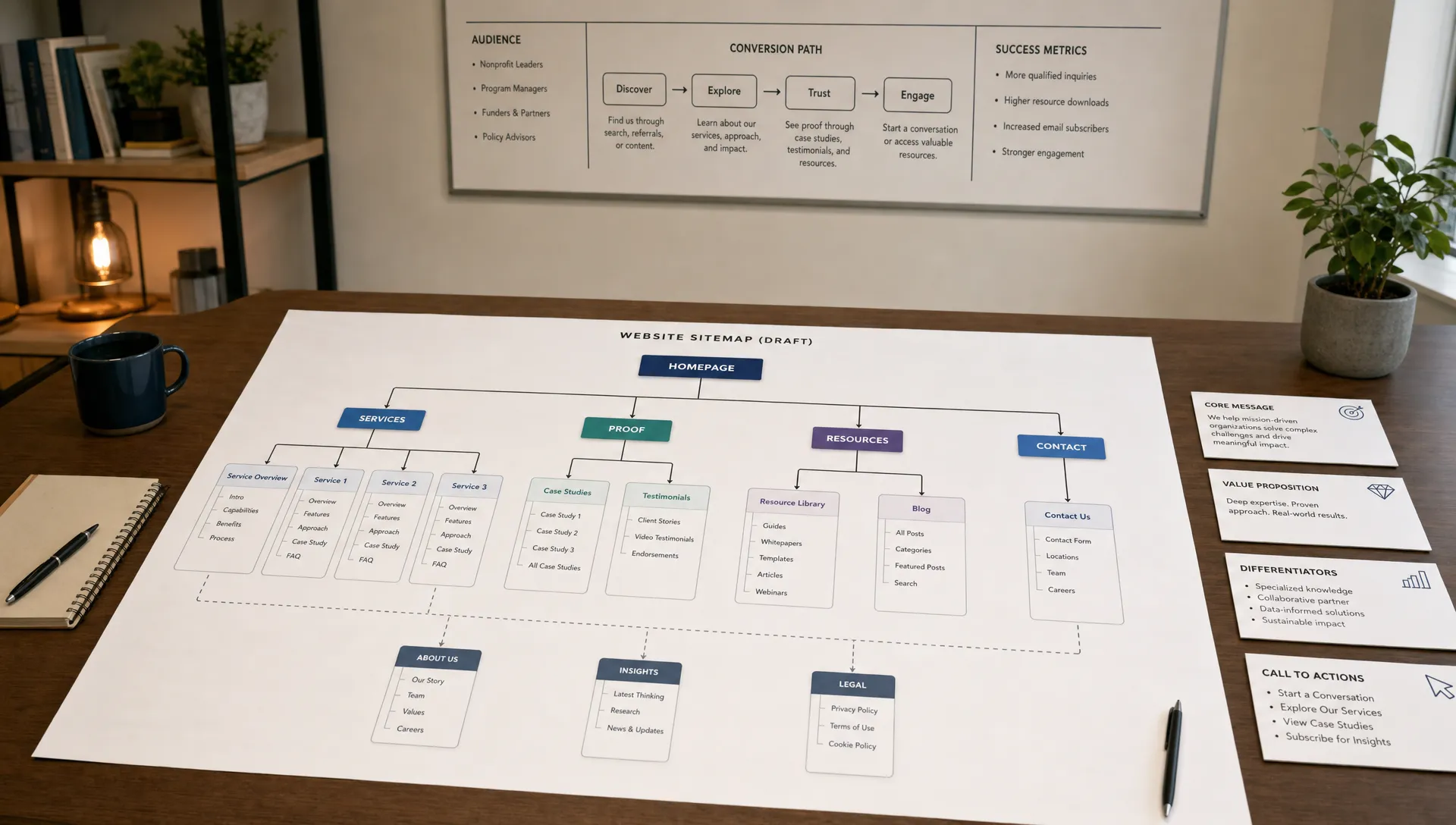
Starting a website gets harder when structure is treated as a visual detail. Teams often jump into templates, homepage mockups, or platform decisions before they know what the site must explain, rank for, and convert.
This guide shows how to start a website with the right structure before design or development begins. The goal is not to plan every pixel. The goal is to define the page hierarchy, navigation, content model, and conversion paths so the build has a clear direction.
For founders, CMOs, and marketing managers, this step saves time later. A clear structure makes the website easier to write, easier to build, easier to scale, and easier for users to understand.
A website structure is the way pages are organized, connected, named, and prioritized across a site.
It includes the sitemap, main navigation, URL logic, internal links, CMS collections, and the role of each page in the buyer journey. A good structure helps users answer three questions quickly: where am I, is this relevant to me, and what should I do next?
It also helps search engines understand which pages matter and how topics relate to each other. Google’s own SEO Starter Guide recommends making sites easy to navigate and organizing content logically for users.
If you want a deeper view of structure from both the user and SEO angle, BeBranded has a separate guide on website structure that helps users and Google find the right pages. This article focuses on what to decide before you start building.
Before listing pages, make a few business decisions. Structure should follow strategy, not internal preferences.
Start with the audience. A website built for enterprise buyers, local service clients, investors, and job candidates at the same time will usually become unclear. You can serve several audiences, but one or two must drive the main structure.
Then define the primary action. For a B2B website, this might be booking a call, requesting a proposal, starting a trial, downloading a resource, or contacting sales. Every key page should help move the right visitor toward that action without forcing them too early.
Finally, decide how the website will be maintained. A site that depends on developers for every update will slow down marketing. If your team plans to publish articles, case studies, product updates, or landing pages regularly, the structure needs a CMS model from the start.
Use this framework before opening a design tool or choosing a template. It keeps decisions practical and prevents the sitemap from becoming a random list of pages.
Write one clear sentence that describes who the website is mainly for and why they are visiting. For example, a founder comparing agencies has different questions than a marketing manager preparing a redesign brief.
This decision affects navigation labels, page order, proof points, content depth, and calls to action. If the audience is too broad, the site will need too many explanations on the same page.
Most business websites do not need dozens of pages at launch. They need the right page types, each with a clear job.
A focused starting structure often includes a homepage, service or solution pages, proof pages, an about page, resource pages, and a conversion page. If your site is primarily informational and does not include complex product flows, the complete guide to brochure websites can help you decide what is necessary and what can wait.
The table below summarizes the job each core page type should carry, so nothing ends up duplicated or forgotten during planning.
| Page type | Primary job | What it typically contains |
|---|---|---|
| Homepage | Orient every visitor within seconds | Value proposition, primary paths, a proof snippet, and clear navigation |
| Service or solution page | Explain one offer in depth | Outcomes, process, pricing signal, and relevant proof |
| Proof page (case studies, results) | Reduce perceived risk | Client context, problem, result, and a quantified outcome |
| About page | Build credibility | Team, positioning, values, and track record |
| Resource or blog page | Answer research stage questions | Educational content, internal links, and supporting calls to action |
| Conversion page (contact, pricing, booking) | Turn intent into action | A short form, a calendar, or one clear next step with minimal friction |
Every page should have one primary purpose. A homepage orients visitors. A service page explains an offer. A case study reduces perceived risk. A pricing or contact page supports action.
When one page tries to educate, sell, recruit, explain company history, and rank for multiple topics, it becomes weak. The structure should distribute those jobs across the site.
Visitors do not all arrive with the same level of awareness. Some are discovering a problem. Some are comparing vendors. Some are ready to contact you.
Your structure should give each type of visitor a logical next step. A blog article can lead to a service page. A service page can lead to proof. A case study can lead to a contact page. These paths should be planned before design so internal links and calls to action feel natural.
If you expect to publish regularly, define your CMS collections early. Common collections include blog posts, authors, case studies, services, industries, resources, and team members. The complete guide to Webflow CMS explains how collections, fields, and references fit together in practice.
The CMS should support how marketing will work over time. The table below shows a few common collections and why each one tends to matter once content volume grows.
| Collection | Typical fields | Why it matters |
|---|---|---|
| Blog posts | Category, author, SEO metadata, featured image, related articles | Keeps articles consistent and easy to filter as volume grows |
| Case studies | Industry, service, challenge, result, client type | Lets you surface proof relevant to each visitor segment |
| Services | Description, process steps, pricing signal, related case studies | Supports commercial pages without duplicating content by hand |
| Team members | Role, bio, photo, department | Lets an about page scale with hiring instead of being rebuilt each time |
| Testimonials | Client name, company, quote, related service | Lets the same proof be reused across several pages |
Navigation is not a full sitemap. It is a decision system for visitors.
The main navigation should show the most important paths, not every page. For most marketing websites, five to seven top-level items are enough. If users need to decode your labels, the structure is already creating friction.
Use plain language. “Services” is usually clearer than “What we do.” “Work” or “Case studies” is clearer than “Impact.” “Resources” is clearer than “Insights hub” unless your audience already understands that label.
A practical navigation model can follow this order:
The footer can hold secondary pages such as legal pages, careers, privacy, social links, and deeper resource categories. It should not become a place to hide important conversion paths.
Content planning does not mean writing every sentence before design. It means knowing what each page must communicate.
For each core page, define the headline, audience, key objections, proof required, primary CTA, and supporting sections. This gives designers and developers a real brief instead of placeholder text.
It also prevents the common problem of designing sections that look good but do not answer buyer questions. BeBranded’s guide on what growing teams should prioritize in website design and development explains why buyer journey alignment should come before visual polish.
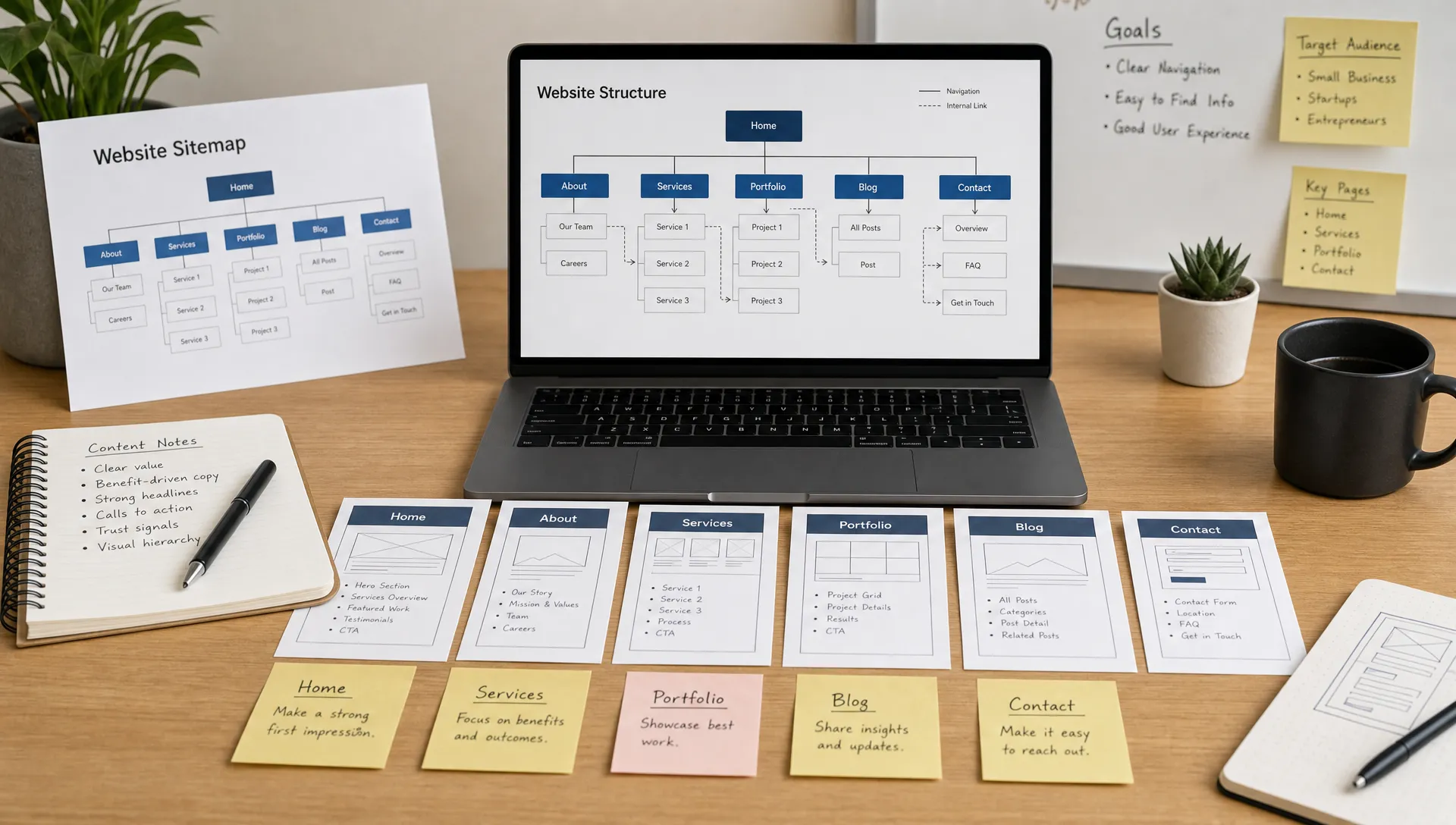
Structure decisions do not need a heavy toolset. A few lightweight tools are usually enough to document a sitemap and check that it makes sense before committing to design.
A simple sitemap in Notion, Google Sheets, or a whiteboard tool such as Whimsical keeps the page hierarchy visible to the whole team. FigJam or Figma can then turn that sitemap into a visual flow a designer can work from directly.
A short card sorting session with five to eight target users shows whether your page labels and grouping make sense to people outside the project. A crawler such as Screaming Frog, run against an early prototype or a comparable competitor site, can confirm that navigation and internal links behave as planned before development starts.
None of these tools replace the strategic decisions from the framework above. They simply make it easier to check that the plan holds together before design and development begin.
SEO is easier when structure is planned before pages are built.
A search-friendly website structure connects related content, gives important pages clear internal links, and avoids orphan pages. It also helps teams avoid creating multiple pages that compete for the same search intent. The complete SEO guide for Webflow covers the on-page and technical checks that build on top of a clear structure.
Start by matching page types to search intent. Service pages should target commercial intent. Blog articles should answer informational queries. Case studies should support evaluation. Resource hubs can connect related content so users and search engines understand the topic area.
URLs should also be simple and consistent. A service page might sit under /services/, while articles sit under /blog/. The exact format matters less than clarity and consistency.
If you are using AI to accelerate research, use it to draft page inventories, content outlines, and first-pass sitemap ideas. Do not let it replace strategic decisions. The guide on how to create a website with AI explains where AI helps and where human judgment is still required.
Most website structure problems happen before development starts. The table below lists the issues to catch early, why each one hurts, and how to fix it.
| Mistake | Why it hurts | How to fix it |
|---|---|---|
| Letting a template decide the structure | Templates can shape layout, not your buyer journey or priorities | Define the sitemap first, then choose a template that fits it |
| Starting with the homepage only | The homepage becomes overloaded when it carries the whole site | Plan the full site before overworking the first screen |
| Using internal company language | Visitors do not think in departments or internal product names | Use labels that match how buyers describe their needs |
| Creating too many pages at launch | More pages do not create more clarity, only more upkeep | Start with pages needed to explain the offer and support conversion |
| Combining unrelated audiences on one path | The main message gets diluted when it serves everyone at once | Give each priority audience its own entry point and path |
| Forgetting the CMS model | A late CMS often forces a structure that is hard to update or scale | Define collections and fields during the structure phase, not after |
| Ignoring the existing site before a rebuild | Existing traffic, rankings, and conversions can be lost without notice | Audit the current site before changing the structure |
If you already have traffic, rankings, or conversion data, the guide on how to successfully redesign your website covers that audit process in more detail.
Use this checklist before briefing a designer, developer, agency, or internal team. It is grouped by area so each decision is easier to track and assign.
| Area | What to confirm |
|---|---|
| Strategy and audience | Confirm the primary audience for the website and define the main conversion action. |
| Pages and content | List the core pages needed at launch, write one job for each page, and prepare a content outline before designing page sections. |
| Navigation and user paths | Choose navigation labels in plain language, map the main user paths from discovery to conversion, and identify which pages need proof, testimonials, or examples. |
| Technical and SEO | Decide which content types need CMS collections, define URL patterns for services, resources, and articles, check that important pages are reachable from navigation, and remove pages that do not support user needs, SEO intent, or conversion. |
This checklist is intentionally simple. If a decision cannot be explained clearly at this stage, it will become harder to solve during design or development.
Once the structure is clear, platform decisions become easier.
A no-code website builder such as Webflow or Framer can be a strong fit when the site is marketing-led, needs a polished front end, and should be manageable without heavy engineering involvement. If your team is considering Webflow specifically, the guide on getting started with Webflow explains the basic concepts before you commit to a build.
A custom-coded approach may make more sense if the website is part of a complex product, requires advanced backend logic, or depends on highly specific engineering workflows. In that case, the structure should still be planned first, but the development process will involve more technical architecture. The table below summarizes how the two approaches compare on a few criteria that usually decide the choice.
| Criterion | No-code (Webflow, Framer) | Custom-coded build |
|---|---|---|
| Best fit | Marketing-led sites that need a polished front end | Complex products or advanced backend logic |
| Time to launch | Usually faster, especially with reusable components | Usually longer, depending on the custom architecture |
| Team autonomy | Marketers can usually edit content and layout directly | Most changes typically require a developer |
| Engineering involvement | Concentrated mostly at setup | Ongoing throughout the project |
| Best for | Businesses that publish content regularly | Teams with specific technical requirements |
If you hire an external partner, check that the scope includes strategy, structure, UX, development, SEO setup, CMS planning, launch support, and maintenance expectations. The article on what website development and design services should include gives a useful benchmark for evaluating proposals.
What is the first step to start a website? The first step is to define the website’s main audience, primary goal, and required user action. Page structure should come after those decisions, not before.
How many pages does a new website need? A new business website usually needs only the pages required to explain the offer, build trust, answer key objections, and support conversion. The exact number depends on the audience, services, and content strategy.
Should I design the homepage first? No. Plan the full structure first, then design the homepage as part of the wider system. Otherwise, the homepage may become overloaded with content that belongs on dedicated pages.
How does website structure help SEO? Structure helps SEO by making important pages easier to find, connecting related content, reducing duplicate intent, and giving search engines clearer signals about what each page covers.
Should I use AI to plan my website structure? AI can help generate first drafts, page ideas, and content outlines. It should not make final decisions about positioning, audience priority, conversion paths, or business goals.
Is Webflow a good option for a structured marketing website? Webflow can be a good option for marketing websites that need custom design, CMS flexibility, and fast iteration. The fit depends on the site’s complexity, content needs, and internal team workflow.
A website structure is the operating plan for the site. It defines what pages exist, why they exist, how users move between them, and how the site can grow without becoming unclear.
Before you start a website, map the audience, page jobs, navigation, CMS needs, SEO paths, and conversion flow. Once those decisions are clear, design and development become more focused.
If you want an external team to turn that structure into a focused Webflow or Framer website, BeBranded can help you move from plan to build with a clear execution process.