
Automation and AI agency to remove the busywork.

We find where time leaks in your company, then automate it: processes, CRM integrations, AI agents and reporting. Every automation is audited first, kept under human control where it matters, documented and handed over.
  • n8n
  • Make
  • Zapier
  • Claude
  • OpenAI
  • REST APIs

5/5 on Google · 50+ companies

What we automate

Four kinds of work that should not need a person.

Most companies lose hours every week copying data between tools, chasing information and rebuilding the same report. That work can run on its own, reliably, while your team keeps the decisions.

Business processes

Onboarding a client, preparing a quote, following up an unpaid invoice, creating accounts for a new hire: sequences of steps that someone repeats by hand. We turn them into workflows that run on a trigger, apply your rules and only ask a person when a decision is needed. It all starts with an automation that fits your process, not the other way around.

CRM and tool integrations

Your CRM, billing tool, website forms, support desk and spreadsheets each hold part of the truth. We connect them so a contact, a deal or an invoice exists once and is updated everywhere. See our CRM integrations service.

AI agents

An AI agent reads what comes in, an email, a PDF, a form, then classifies it, extracts the data or drafts an answer. We give each agent a narrow task, the minimum access it needs and a person to approve anything sensitive. Our AI agents service covers the details.

Reporting

Figures pulled every week from your ads, CRM, shop and analytics, written into a sheet or a database, and summarised in a short message, sometimes with an AI-written commentary checked against the raw numbers. The Monday morning export disappears.

How we build an automation with AI: a trigger starts the workflow, an AI step reads, sorts or drafts, a person approves what matters, and your tools are updated. Every run is logged and errors raise an alert.Triggerform, email, new deal, scheduleWorkflown8n, Make or Zapier: your rulesLogs, alertsevery run keptAI stepclassify, extract, draftHuman checkapproves or editsYour toolsCRM, billing, Slack, database
How we build an automation with AI: a trigger starts the workflow, an AI step reads, sorts or drafts, a person approves what matters, and your tools are updated. Every run is logged and errors raise an alert.

Our tools

n8n, Make, Zapier and AI models.

We are not tied to one platform. We pick the tool from your volume, your data and who will maintain the automation, and we tell you why.

The automation and AI tools we use: what for, when we choose them, what to watch
Tool
n8nWhat we use it forCritical workflows, integrations, AI agentsWhen we choose itVolume, sensitive data, self-hosting, code steps. Our n8n agency page goes deeperWhat to watchLonger to learn for non-technical users
MakeWhat we use it forVisual scenarios with branchingWhen we choose itMedium complexity, a team that wants to see the flowWhat to watchBilled by credits used by each step
ZapierWhat we use it forSimple links between two or three toolsWhen we choose itYour team will manage it aloneWhat to watchBilled per task, costly at volume
AI models (Claude, GPT, Mistral)What we use it forRead, classify, extract, draftWhen we choose itUnstructured inputs: emails, PDFs, free textWhat to watchErrors possible, data terms of each provider

Our reading

n8n is our default for automations a business depends on, Zapier or Make when your team should run things alone. For AI, we pick the model per task, from Claude to smaller, cheaper models for simple sorting. Model prices are billed by usage and change often: we estimate the cost on your volumes and point you to each provider’s pricing page rather than quote figures that will age.

Detailed comparisons

Read Zapier vs n8n, Make vs n8n and Zapier vs Make, or our reviews of n8n, Make and Zapier.

Process audit

We audit before we automate.

Automating a messy process makes the mess faster. The audit tells you what to automate first, what to simplify, and what to leave to people.

The process as it really runs

We sit with the people who do the work, not only with managers, and map each step: who does it, in which tool, with what data, and where it gets stuck. The written procedure and the real one are rarely the same.

Time, errors and risk, measured

For each process we estimate how often it runs, how long it takes and what an error costs. That turns a list of ideas into a ranked backlog, with the time saved on one side and the effort and risk on the other.

Automate, simplify or leave alone

Some steps should be automated, some should simply be removed, and some need human judgement. You leave the audit with a written scope, a price per stage and a clear first workflow to build. The process audit can also be ordered on its own.

Roland and Maxime, the two founders of BeBranded, on a rooftop terrace overlooking the city
Roland and Maxime, the two founders who audit and build your automations.

Control and data

A human in the loop, and your data under control.

AI makes mistakes and automations can fail silently. We design for both from the start, and treat GDPR as part of the build, not a form to fill in afterwards.

Human approval where errors cost

An AI can draft the reply, a person sends it. An agent can prepare the quote, a salesperson validates it. We decide with you which steps run alone and which wait for a click, and we move the line only once the results have been checked on real cases.

Only the data each step needs

Each workflow gets the narrowest access possible, personal data is sent to an AI model only when the task requires it, and we can self-host the automation platform in the EU. We check each AI provider’s data and retention terms for your use, and document the processing for your GDPR records.

Logged, monitored, documented

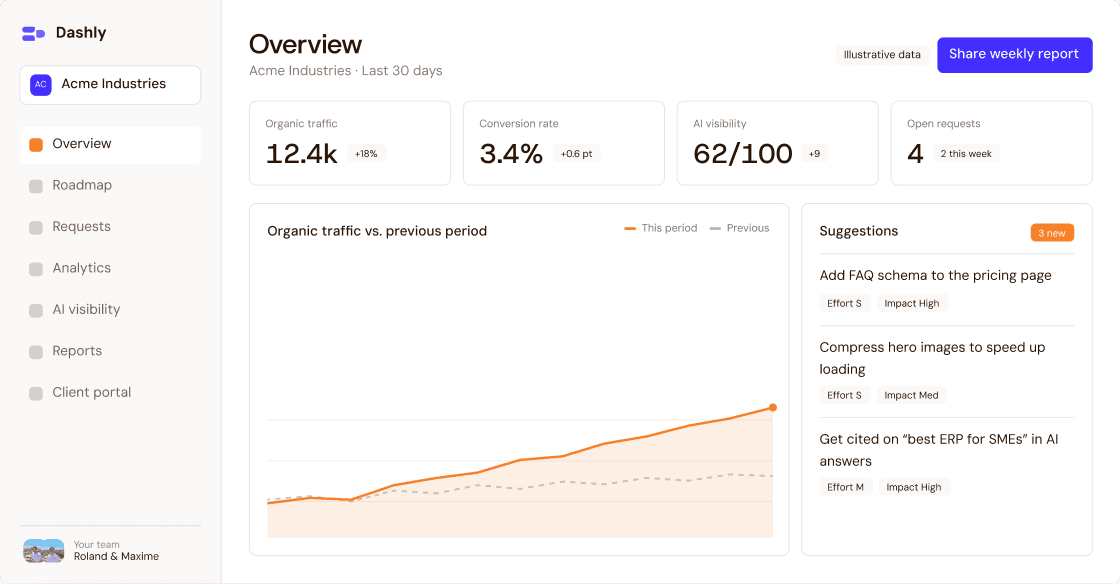
Every run is logged, failures raise an alert with the context needed to fix them, and what the AI did is traceable. Each automation is named, commented and described in a short guide, and requests are tracked in Dashly.

Dashly overview screen with key figures, open requests and suggested improvements for a client account
Requests and changes to your automations are tracked in Dashly (illustrative data).

Typical examples

What an automation project can look like.

These are typical examples to show what is possible, not client case studies. Your project will follow your own tools and rules.

From form to signed deal

A lead fills in a form, gets enriched and scored, lands in the CRM with the right owner, who is notified in Slack. When the deal is won, the client is created in the billing tool automatically.

CRM integrations

Support triage with AI drafts

Incoming emails are classified by topic and urgency, the answer is drafted from your help content, and a team member checks and sends it. Anything unusual goes straight to a person.

AI agents

Documents read for you

Supplier invoices, purchase orders or application files arrive as PDFs; an AI extracts the fields, a workflow checks them against your rules, and only the exceptions need a human look.

Automation service

The Monday report, already sent

Ads, CRM, shop and analytics figures collected overnight, written into one sheet and summarised in a message to the managers who need them, with the raw data one click away.

Process audit

An honest answer

When automation is not worth it.

A rare or short task

A task that takes ten minutes once a month rarely justifies a workflow to build, host and maintain. The audit makes this visible: we would rather tell you to keep doing it by hand.

A process still changing every week

If the team has not agreed on how the process works, automating it fixes today’s version in place. We start by simplifying and stabilising, then automate what holds. Our article on automating your website with AI shows where to begin.

Decisions that need judgement

Hiring, pricing a complex deal or handling an unhappy client should stay with people. AI can prepare the file and save time around the decision, not make it.

When you actually need an application

When people need screens to enter data, approve steps or follow a file, chaining automations is not enough. We build those tools on Next.js and Payload, on quote, and connect them to your automations.

Our process

From a first call to automations in production.

The duration depends on the number of processes and tools involved; we give you a schedule after the audit.

  1. 01

    First call

    What takes time today, which tools you use, what data is sensitive and what must not break.

  2. 02

    Process audit

    Processes mapped and ranked by time saved and risk, then a written scope with a price per stage.

  3. 03

    Build and test

    Workflows and AI steps built, tested on real data, with error handling and human approval where needed.

  4. 04

    Go live

    Switch-over, often after a period in parallel with the old process, then training for your team.

  5. 05

    Measure and extend

    Time saved and errors checked against the audit, then the next workflows, with every request tracked in Dashly.

Projects

Sites, apps and automations we built.

Boud’bOis logo over stacked wooden planks

Featured · Marketplace

Boud'bOis

An e-commerce marketplace for non-standard wood, built as a real web application on the brand’s own domain.

+344%

Google clicks in 3 months (France, Jul–Oct 2025)

47

serverless Edge Functions in production

×2

mobile loading speed after optimization

Read the case study

Web app · Next.js · Supabase
Cenareo logo on a dark blue background

Performance · SEO

Cenareo

Speed, SEO and mobile overhaul for a digital signage leader.

Read the case study

Result

+30% organic traffic

in six months, with speed and mobile fixed

Coudac logo on a dark background with a blue glow

Consulting · Design · Build

Coudac

An autonomous case-study system and a conversion funnel rebuilt across every page.

Read the case study

Result

100% autonomous case studies

and a monthly partnership for 6+ months

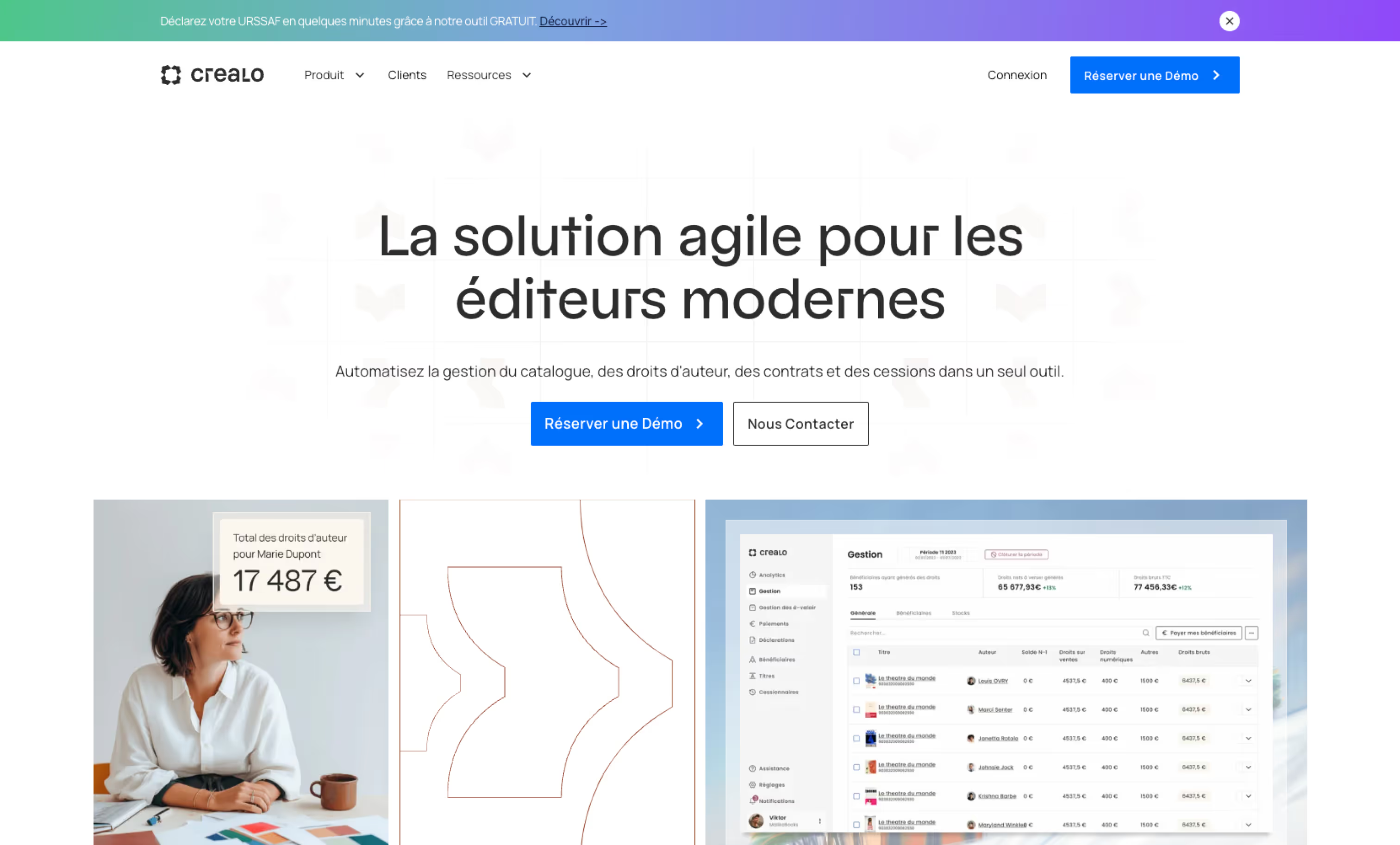
Crealo Webflow website

Design · Build · SEO

Crealo

A modular Webflow redesign for a SaaS that manages publishers' rights and royalties.

Read the case study

Result

From 1 to 15 top-3 keywords

one year on, organic traffic roughly doubled

XPLR logo on a white background with a blue and orange gradient

Design · Build

XPLR

A new site that boosts lead generation for a performance marketing agency.

Read the case study

Result

More qualified leads

with clearer journeys and simpler forms

And 50+ more companies

ElmutQolaigPowerchargeLhyfe
See all case studies

Pricing

Automation and AI projects are priced on quote.

The price depends on the processes, the tools to connect and whether AI agents are involved. We give you a written scope and price after a call, split into stages.

Process audit

On quote

Processes mapped and ranked, with a scope and a price for each automation. A good first step on its own.

Automations and AI agents

On quote, after a call

Workflows, integrations and AI agents, built in stages so you start with the one that saves the most time.

Run and evolve

On quote

Monitoring, fixes and new automations after launch, at the pace your business needs.

Portrait of Thomas J., BeBranded clientPortrait of Paul M., BeBranded clientPortrait of Mohammed B., BeBranded client

5/5 on Google · 4.6/5 on La Fabrique du Net

What our clients say.

Portrait of Thomas J., BeBranded client

Thomas J.

CEO, XPLR

XPLR logo
“From the very first draft, they delivered a mock-up that perfectly matched the initial brief. Once approved, the website went live very quickly.”

Result

More qualified leads

Portrait of Paul M., BeBranded client

Paul M.

CEO, Coudac

Coudac logo
“Roland and his team have been incredibly efficient in helping us to quickly and easily develop our website. A reliable partner.”

Result

100% autonomous case studies

Portrait of Mohammed B., BeBranded client

Mohammed B.

CEO, Crealo

Crealo logo
“Even when there were emergencies to deal with quickly, you were always there to act, with a real drive to get things done.”

Result

+282% Google clicks

Hugo M.

CEO, Boud’bOis

“Very happy with Maxime and Roland’s work. They went well beyond what we asked of them. Sharp, highly skilled and friendly too. I recommend them without any hesitation!”

Result

+1498% visitors in one year

Portrait of Valentine F., BeBranded client

Valentine F.

Marketing, Qolaig

Qolaig logo
“Roland and Maxime were superb on the restructuring of our website. They answer quickly and keep supporting us even after the site was delivered. Very efficient, and always with good advice. I recommend them!”

Result

Website restructuring

Alexis C.

Head of Growth, Elmut

Elmut logo
“I recommend Roland and Maxime without hesitation. They understood our needs with real kindness, and their advice is always accurate and relevant. Their smooth, efficient way of working makes every collaboration a pleasure.”

Result

Landing pages for ad campaigns

Portrait of Apolline P., BeBranded client

Apolline P.

Marketing, Crealo

Crealo logo
“Without hesitation the best Webflow agency in Paris. We’ve worked with Roland and Maxime on the Crealo site for over a year and we’re delighted. The team is very responsive and always has ideas to improve our design. We see it in our traffic, which grows every month.”

Result

Traffic up every month

Adrien V.

CEO, Techlivery

“High-quality work and very efficient collaborations! Webflow know-how we really appreciate.”

Result

Webflow website

Portrait of Mahel F., BeBranded client

Mahel F.

Business owner · Google review

“Better than I imagined. I’m really happy I chose them to design my company’s website. They were great, on the design as much as on SEO and GEO tips. Highly responsive, professional and passionate. Thanks again!”

Result

Website, SEO & GEO

Léa & Simon

Founders, Foxtrotteurs

“Roland was super responsive and accommodating, and did exactly what we asked: cookie consent on our site and an updated privacy policy. A pleasure to work with, and we’ll definitely call on him again!”

Result

Cookie consent & privacy policy

Laure D.

CEO, La Pépite

“Roland ran a workshop with me on building landing pages! He brought real value to the participants and gave them concrete advice. His feedback during the workshop was precious. See you soon!”

Result

Landing page workshop

VanLuc N.

CEO, Vanluc

“A great interactive experience on a difficult subject. Patience and understanding from BeBranded, thank you. I recommend these talented young guys.”

Result

La Fabrique du Net

FAQ

Questions about automation and AI.

Another question?

Write to us
What does an automation agency do?
It finds the repetitive work in your company and makes it run on its own: workflows between your tools, CRM integrations, AI agents and reporting. We start with an audit, build and test the automations, train your team and monitor them after launch.
What can an AI agency do for a company?
Put AI where it saves real time: sorting emails, extracting data from documents, drafting replies or quotes, summarising figures. We build these as steps inside your workflows, with a person approving what matters, rather than as a standalone chatbot nobody uses.
How much does an automation project cost?
It is on quote. The price depends on the number of processes, the tools to connect and whether AI is involved. After a call, we send a written scope and price, split into stages so you can start with one workflow. Tool subscriptions and AI usage are billed by their providers.
Which processes should we automate first?
The ones that run often, follow clear rules and cost time or errors today: lead handling, data entry between tools, invoice follow-ups, recurring reports. The process audit ranks them by time saved and risk.
n8n, Make or Zapier: which do you use?
All three. n8n is our default for critical, high-volume or sensitive workflows; Make or Zapier when your team should manage simple automations alone. Our n8n agency page explains that choice in detail.
Is it GDPR compliant? Where does our data go?
Compliance depends on the set-up, so we design for it: minimum data per workflow, EU or self-hosted automation when needed, AI providers chosen for their data terms, and processing documented for your records. We tell you exactly which tools see which data.
What if the AI makes a mistake?
It will, sometimes. That is why a person approves anything sensitive before it is sent or changed, each agent has a narrow task and limited access, and every action is logged. We test on real cases before going live and only widen what runs alone once results are proven.
Do we need to change our tools?
Rarely. We connect the tools you already use through their APIs. If a tool really blocks the process, we say so in the audit and explain the options, but replacing software is never a precondition.
Who owns and maintains the automations?
You own them: they run in accounts in your name, with documentation your team can read. We train the people who use them and can keep maintaining them, or another provider can take over.
How do we know it was worth it?
The audit records how often each process runs and how long it takes. After launch, we compare with the execution logs: runs, errors and time no longer spent by hand. That is also how we decide what to automate next.

Automation articles

AI and automation, explained by the people who build it.

How to get cited by ChatGPT and Claude: François Dragon's three levers
AI & automation

Nov 12, 2026

How to get cited by ChatGPT and Claude: François Dragon's three levers

At The Shift 01, François Dragon (Webloom) explained how to get cited by ChatGPT and Claude: a legitimate brand, mentioned by others, on an accessible and fresh site, plus a 30-day action plan.

Read the article
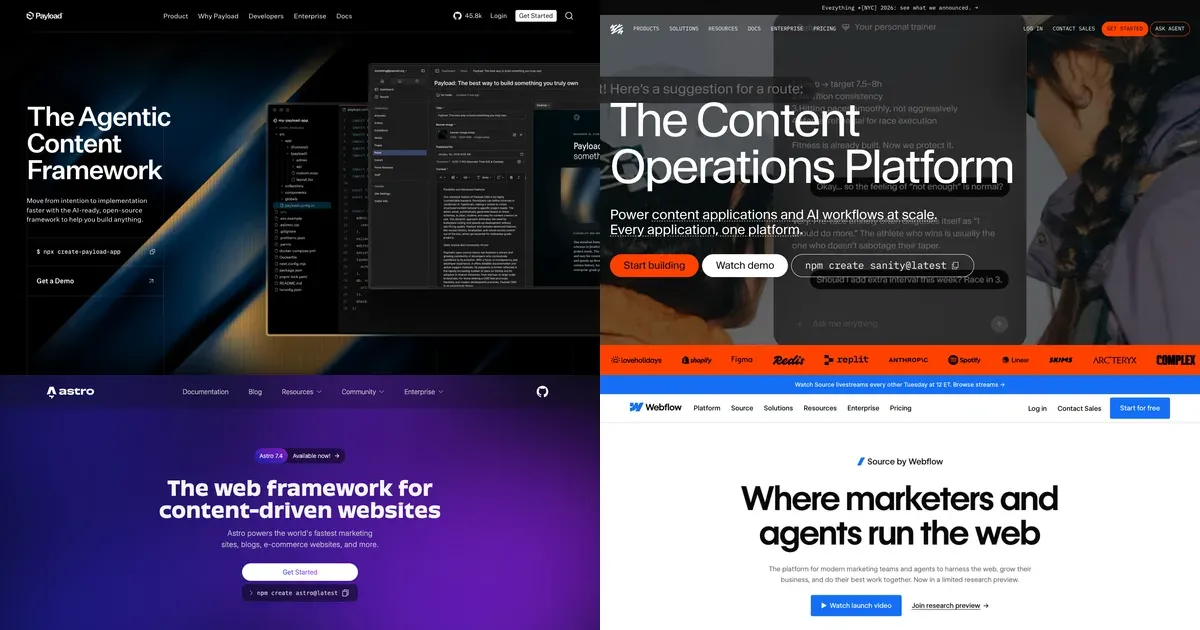
Homepages of Payload, Sanity, Astro and Source by Webflow, the tools of the new AI-native web stack
AI & automation

Aug 27, 2026

Webflow alternatives in 2026: the best options, from Framer to the AI-native stack

The best Webflow alternatives in 2026, compared: Framer, WordPress, Wix, Squarespace, Shopify, and the AI-native stack (Claude with Payload or Sanity, Next.js or Astro).

Read the article
BeBranded
AI & automation

Aug 27, 2026

Webflow vs Claude Code: build your website visually or with AI?

Webflow vs Claude Code: a visual builder or an AI coding agent? Honest pros, cons, real costs, and when to combine them for your website in 2026.

Read the article

Let’s talk

Tell us what you want to build.

Thirty minutes with the people who will work on your project. You leave with a clear view of the scope, the timeline and the next steps.

What happens next

  1. 1A 30-minute callWe listen to your goals, your constraints and your context.
  2. 2A clear scopeWe map what is worth doing first, and what it takes.
  3. 3A costed proposalYou decide, with no commitment and no sales pitch.