Website redesign: complete guide 2026
Development
•
X min
•
Published on
16.03.2026
•
Updated on
20.08.2026
A website redesign means rethinking an existing site in depth: design, architecture, content, technical foundation, and SEO. It is not a simple facelift. The signals that trigger a redesign are concrete: declining conversions, dated design, a limiting CMS, poor mobile performance, declining SEO. The process follows ten key steps, from auditing the existing site to going live and monitoring post-launch. The budget ranges from a few thousand euros for a brochure site to significantly more for complex projects. The main risk is losing SEO traffic, which is avoidable with a rigorous 301 redirect plan. Webflow is today one of the most suitable platforms for a redesign: custom design, native SEO control, integrated hosting, marketing autonomy, and performance. A Webflow website redesign, meaning rebuilding an existing site directly on Webflow, follows this same process and is a focus of this guide.
A website has a lifespan. After three or four years, it is common to notice that the design looks dated, that the conversion rate has plateaued, that the CMS has become more of a hindrance than a tool, or that technical performance no longer meets expectations. These signals appear gradually, and the instinct is often to postpone the decision because a redesign seems expensive, risky, and complex to manage.
Yet a well-executed redesign is a concrete growth lever. It allows you to realign the site with the company's strategy, improve the user experience, regain control over SEO, and lay solid technical foundations for the years ahead. The key phrase is "well-executed," because a poorly prepared redesign can indeed do more harm than good, especially when it comes to organic traffic.
This article is a complete, actionable guide for founders, marketing directors, and digital project managers who are considering a redesign. It covers what a redesign actually is, when it is necessary, the steps to follow, the budget to plan for, the mistakes to avoid, and why Webflow is a particularly suitable platform for this type of project in 2026.
A website redesign involves rethinking an existing site in depth across visual, technical, and structural dimensions. It is not simply a color update or a photo swap. It is a project that touches architecture, content, design, technology, and often the CMS itself. The goal is to start over on solid foundations, aligned with the company's current objectives and user expectations.
There are several types of redesign, and most projects combine more than one. A visual redesign modernizes the site's look and feel without changing the structure or CMS. A UX redesign reworks navigation, user journeys, and ergonomics to improve conversion rates and satisfaction. A technical redesign involves changing the CMS, improving performance, addressing security, or switching to HTTPS. A content redesign means rewriting copy, restructuring information, and adding new formats. Finally, a full redesign combines all of these dimensions into a single comprehensive project.
In short, a redesign is a structural investment. It rarely concerns just one dimension of the site. A typical project combines at least design, content, and technology, and the most ambitious ones add a CMS migration and a complete SEO overhaul.
The decision to redesign is not always obvious, because the decline is gradual. A site that worked well three years ago can lose performance without any single signal triggering the alarm. It is often the accumulation of several symptoms that makes a redesign necessary.
The first signal is declining conversions. If the site generates fewer leads, fewer contact requests, or fewer sales than before without the offering having changed, it is often a problem with user experience, overly complex journeys, or a design that no longer inspires trust. The second signal is a dated appearance. Web design standards evolve rapidly, and a site that looked modern in 2022 can give an impression of neglect in 2026. This perception directly affects visitor confidence and brand credibility.
The third signal concerns mobile and performance. If the site is not responsive or if loading times are poor (degraded Core Web Vitals), the impact is felt on both user experience and search rankings. Google rewards fast, mobile-optimized sites, and a slow site progressively loses positions. The fourth signal is a CMS that has become a bottleneck. Heavy maintenance, unstable plugins, inability to make changes without a developer, limitations in content management: when the technical tool slows down the marketing strategy instead of serving it, it is a clear sign that a platform change is needed.
The fifth signal is when the company's offering or positioning has evolved. If the site no longer reflects what the company actually does, it sends a misaligned message to every visitor. Similarly, SEO that stagnates or declines despite content efforts may indicate that the site's structure, architecture, or technical foundations no longer support further growth. Finally, non-compliance with accessibility standards or GDPR is a regulatory signal that adds to the business signals.
If you recognize yourself in at least two or three of these situations, it is probably time to seriously consider redesigning your site.
A successful redesign follows a structured process. Skipping steps or treating them superficially is the main cause of budget overruns, delays, and disappointing results. Here are the ten key steps, in order.
Before touching the design or CMS, the first question is: why redesign? Objectives must be concrete and measurable. They might include increasing the conversion rate, doubling SEO traffic over 12 months, giving the marketing team more autonomy, modernizing the brand image, or migrating to a more performant CMS. Without clear objectives, the project drifts, decisions are made on the fly, and the final result satisfies no one.
These objectives serve as a compass throughout the project. Every design, content, or technical decision should be justifiable against them. They are also the criteria against which the success of the redesign will be evaluated after launch.
The audit is the most frequently neglected step, and it is also the one that conditions everything else. It covers four dimensions. The SEO audit identifies pages that generate traffic, positioned keywords, existing backlinks, and technical issues (404 errors, missing tags, speed). This data is essential to avoid destroying the existing SEO capital during the redesign.
The UX audit analyzes user journeys, bounce rates by page, friction points in forms, and navigation. The technical audit evaluates site performance (loading time, Core Web Vitals, mobile compatibility, security). The content audit reviews every page to determine what should be kept, rewritten, or removed. Together, these audits produce a factual baseline that serves as the foundation for the project brief.
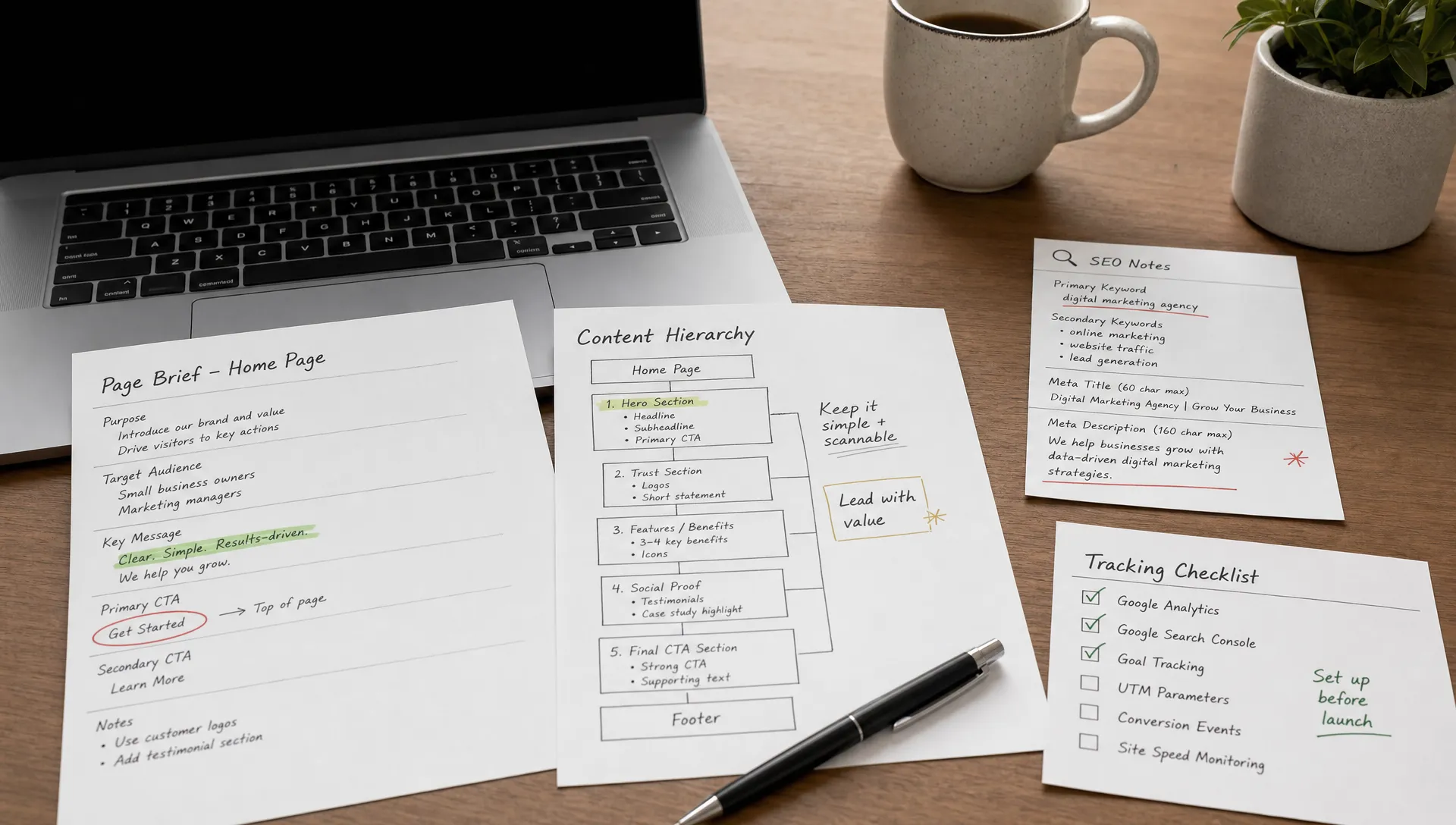
The project brief is the reference document for the entire project. It formalizes the objectives, the target site architecture, the expected features, the chosen CMS, design requirements, the content strategy, SEO constraints, the timeline, and the budget. It is the document that aligns all stakeholders (leadership, marketing, agency, developer) around a shared vision.
A well-written brief prevents the two most common problems in redesigns: scope creep (features added mid-project that blow up the budget) and misunderstandings between the client and the provider. It does not need to be a 50-page document, but it must be precise about deliverables, deadlines, and each party's responsibilities.
The architecture defines the site structure: which pages exist, how they are organized, and how the user navigates from one to another. It is the skeleton of the project. Wireframes are simplified mockups (without design) that show the layout of elements on each page: where the heading goes, the CTA, the form, the content, the navigation.
This step is critical because it determines the user experience before the design is even created. Modifying an architecture or wireframe costs very little. Modifying the structure of a fully built site costs significantly more. This is why serious agencies invest time in this phase before moving to design.
The mockups transform the wireframes into the final design. They define the site's visual identity: typography, colors, interface components, spacing, and responsive layout. The work is ideally done mobile-first, starting with the mobile version before adapting for tablet and desktop.
The design system created at this stage (color palette, reusable components, typographic rules, use of rem for spacing) serves as the reference for the entire lifespan of the site. A well-built design system facilitates maintenance, ensures visual consistency, and allows marketing teams to create new pages without depending on a designer for every change.
Content is often the neglected element in redesign projects. Many teams focus on design and technology, then realize at the last moment that the existing site's copy no longer fits. The result is a beautiful site with recycled content that matches neither the new positioning nor the conversion goals.
Content production must be planned from the very beginning of the project. This includes writing the main pages (home, services, about, contact), rewriting existing content around the search intents identified during the SEO audit, and creating new content if needed (blog posts, case studies, landing pages). The copywriting should be oriented toward conversion and SEO, without falling into marketing jargon.
This is the step where the design comes to life on the chosen CMS. On Webflow, this phase combines design and development since the platform allows building the site visually with precise control over the generated code. Integration includes setting up the design system, creating static and dynamic pages (CMS), configuring forms, third-party integrations (analytics, CRM, email marketing), and performance optimization.
The Client-First methodology (Finsweet) is the reference for structuring a Webflow project in a maintainable and scalable way. If the project requires advanced animations with GSAP, they are integrated at this stage. The goal is to deliver a site that works, that is fast, and that can be managed by the marketing team without technical dependency.
This is the most critical step for SEO, and the one most often rushed. Every URL from the old site that changes must be redirected to the corresponding URL on the new site via a permanent 301 redirect. Without this, Google considers the old pages to have disappeared, and all the accumulated SEO capital (rankings, authority, backlinks) is lost.
The work begins during the SEO audit (step 2) by identifying all existing URLs that generate traffic or have backlinks. A comprehensive redirect plan is then created, mapping each old URL to its new destination. On Webflow, 301 redirects are configured directly in the site settings, without needing to edit an .htaccess file or install a plugin.
Before going live, the site must be tested systematically. QA covers responsive behavior (checking display on mobile, tablet, and desktop), forms (testing every contact form, every CTA), performance (measuring Core Web Vitals with Lighthouse), internal and external links (verifying that no link is broken), 301 redirects (testing each redirect), technical SEO (checking title tags, meta descriptions, alt tags, sitemap, robots.txt), and accessibility.
This step is often compressed under timeline pressure, but issues not caught before launch become emergencies after. Rigorous testing before go-live prevents unpleasant surprises and last-minute fixes.
Going live is not the end of the project. It is the beginning of the monitoring phase. The first 30 days are critical for detecting potential issues: 404 errors not covered by redirects, unexpected traffic drops, form bugs, display problems on certain browsers or devices.
Post-launch monitoring involves checking Google Search Console daily during the first weeks, verifying that pages are properly indexed, monitoring Core Web Vitals under real conditions, and measuring the KPIs defined in step 1 to assess whether the redesign is meeting its objectives. If the Webflow + Claude MCP connector is active on the project, it can accelerate post-launch audits (checking meta titles, descriptions, internal linking).
The price of a redesign varies enormously depending on the project scope. Giving a single number would be misleading, but it is possible to provide indicative ranges that help set expectations.
For a light visual redesign (modernizing the design without changing the CMS or structure), the budget in many cases falls between a few hundred and a few thousand euros. For a complete brochure site redesign (new design, new CMS, content rewriting, SEO), budgets generally range between 3,000 and 15,000 euros depending on the level of customization, the number of pages, and the project complexity. For an e-commerce site or a site with advanced features (client portal, complex integrations, multilingual), the budget can go well above these ranges.
The variables that influence the price are numerous: the number of pages to create, the choice between custom design and a template, content production (writing, photography, video), migration from an existing CMS, third-party integrations (CRM, email marketing, analytics), technical SEO and the redirect plan, and the level of post-launch support. You also need to factor in the CMS subscription cost. For Webflow, plans start from 14 to 23 dollars per month for a brochure site with CMS.
These ranges are indicative and depend on the provider, location, and level of requirements. To get an estimate tailored to your project, the most reliable approach is to check our pricing page or request a custom quote.
| Type of redesign | Indicative price range | Main variables | Indicative timeline |
|---|---|---|---|
| Light visual redesign | €500 – €3,000 | Number of pages, existing design complexity | 1 – 3 weeks |
| Full brochure site redesign | €3,000 – €15,000 | Custom vs template, content, CMS migration, SEO | 4 – 10 weeks |
| E-commerce / advanced site redesign | €15,000 and above | Features, integrations, catalog, multilingual | 8 – 16+ weeks |
The first mistake, and the most costly, is neglecting the SEO audit before the redesign. An existing site has a history: ranked pages, backlinks, authority capital accumulated over months or years. Redesigning without auditing means risking the deletion of high-performing pages, breaking URLs that generate traffic, and losing in a few days what took years to build. The SEO audit is not optional. It is a prerequisite.
The second mistake is forgetting about 301 redirects or handling them at the last minute. Every URL that changes without a redirect sends a negative signal to Google. The result is a sharp drop in search rankings, sometimes a lasting one. The redirect plan must be prepared during the audit phase and verified before going live, not after.
The third mistake is launching without a clear project brief. Without a reference document, the project scope drifts, requests pile up mid-project, the budget and timeline explode, and the final result matches no one's vision. A brief does not need to be exhaustive, but it must formalize the objectives, deliverables, and responsibilities.
The fourth mistake is recycling old content as-is. A new design with the same copy from 2020 creates a visible disconnect between form and substance. If the offering has evolved, if the positioning has changed, if search intents have shifted, the content must be rewritten to align with the new version of the site. It is a time investment that directly conditions the redesign's results in terms of conversion and SEO.
The fifth mistake is neglecting mobile and accessibility. In 2026, the majority of web traffic is mobile, and a site that does not display properly on a smartphone loses visitors and Google rankings. Similarly, accessibility standards are no longer optional in many regulatory contexts. A site redesigned without considering these two dimensions is already behind on the day it launches.
The sixth mistake is not defining KPIs before launch. If no one has defined what "a successful redesign" means in measurable terms, it is impossible to assess whether the project met its objectives. KPIs should be set in step 1 (conversion rate, organic traffic, number of leads, loading time, bounce rate) and tracked for three to six months after launch.
The seventh mistake is choosing a CMS for the wrong reasons. Choosing WordPress because "it is what everyone uses" or Framer because "it is trendy" without evaluating the project's actual needs leads to technical compromises that are expensive in the long run. The CMS choice should be guided by concrete needs: marketing autonomy, performance, SEO, maintainability, scalability. To compare options objectively, our articles on Webflow vs WordPress and Webflow vs Framer detail the strengths and weaknesses of each platform.
The eighth mistake is not testing before launch. A site that goes live without systematic QA is a site that contains bugs, broken links, display issues, and redirect errors that will be discovered by users rather than by the project team. The testing phase is not a luxury. It is insurance against unpleasant surprises.
The CMS choice is one of the most structuring decisions in a redesign, because it determines what will be possible (and what will be constraining) for the next three to five years. Webflow has established itself as a leading platform for brochure and corporate site redesigns, and the reasons are concrete.
The first argument is fully custom design without visual limitations. Webflow does not impose predefined templates. The agency or freelancer builds the site exactly as the mockup defines it, pixel by pixel, with full control over layout, animations, typography, and interactions. This level of fidelity between the design and the final result is difficult to achieve on WordPress without expensive custom development.
The second argument is native SEO control. Webflow provides complete control over title tags, meta descriptions, alt tags, automatic sitemap, customizable robots.txt, and most importantly 301 redirects configurable directly in the interface. For a redesign where preserving SEO capital is critical, this is a decisive advantage. There are no plugins to install, no risk of extension conflicts, and the SEO configuration is accessible without touching the code.
The third argument is performance and integrated hosting. Webflow hosts sites on its own global CDN, with automatic SSL, optimized loading times, and a secure infrastructure. There is no server to manage, no security updates to apply manually, no risk of an outdated plugin creating a vulnerability. Technical maintenance is reduced to the minimum, which frees up time and budget for content and optimization.
The fourth argument is marketing autonomy. Webflow's integrated CMS is designed to be used by non-technical teams. Marketing managers can create blog posts, edit text, update pages, and manage dynamic content without asking a developer for every change. This autonomy changes the way a team operates and significantly accelerates content production.
The fifth argument is the ecosystem. The Client-First methodology (Finsweet) structures Webflow projects in a maintainable and scalable way. GSAP, now natively integrated into Webflow since its acquisition in 2024, opens up advanced animation possibilities. Native integrations (analytics, CRM, forms) and the Claude MCP connector extend the site's capabilities without stacking unstable plugins. You can browse our portfolio to see concretely what Webflow makes possible.
Here is a summary comparison between Webflow and WordPress for a redesign:
| Criteria | Webflow | WordPress |
|---|---|---|
| Custom design | Native, full fidelity with the mockup | Possible but requires a custom theme or page builder |
| SEO control | Native (tags, sitemap, 301 redirects, robots.txt) | Via plugins (Yoast, Rank Math) |
| Technical maintenance | Minimal (no server, no plugins to update) | Regular (WP updates, theme, plugins, server, security) |
| Performance | Integrated global CDN, auto SSL, optimized code | Depends on the host, theme, and installed plugins |
| Marketing autonomy | Visual CMS, changes without a developer | Gutenberg editor + page builders, variable learning curve |
| Total cost over 24 months (brochure site) | Webflow subscription ($14-49/mo) + creation cost | Hosting + domain + theme + premium plugins + maintenance |
| Advanced animations | Native interactions + integrated GSAP | Animation plugins or custom JavaScript development |
A website redesign is a structuring project that requires preparation, methodology, and rigorous follow-through. The keys to success are well established: clear objectives, a complete audit of the existing site, a precise project brief, structured execution, a flawless 301 redirect plan, and serious post-launch monitoring. The most common mistakes (neglecting the SEO audit, forgetting redirects, recycling content, not testing) are avoidable when the process is followed.
Webflow is today one of the best-suited platforms for a redesign: custom design, native SEO, performance, marketing autonomy, and minimal maintenance. It is the CMS we use at BeBranded for all our site creation and redesign projects.
If you are considering a redesign and want structured support, you can get in touch with us for an initial conversation. We will start with an audit of your existing site and propose an action plan tailored to your objectives and budget.