How to choose website software your team can actually use
Development
•
X min
•
Published on
11.09.2026
•
Updated on
03.10.2026
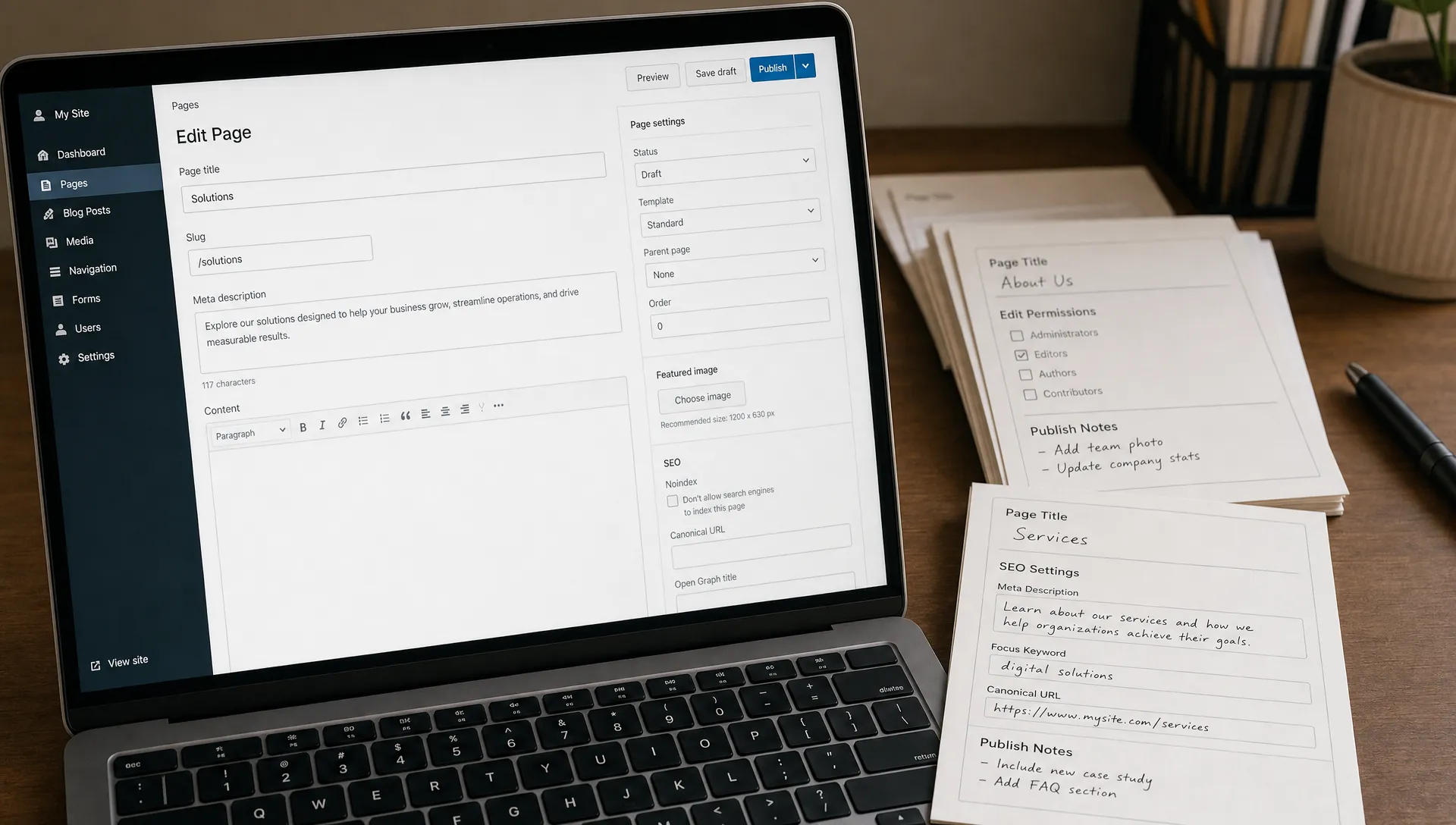
Choosing website software is not only a tool decision. It determines who can update pages, how fast campaigns launch, how clean your SEO setup stays and how much help your team needs after launch. This guide gives CEOs, CMOs, founders and marketing managers a practical way to choose a platform their team can actually use.
If the business goal is still unclear, platform research will feel productive but lead to weak decisions. The planning sequence in choosing the right first step for a new website is a useful reference before you compare vendors.
A usable platform is one your team can operate without creating bottlenecks.
Website software is the platform and supporting system your team uses to create, edit, publish and maintain your site. It can include a visual builder, CMS, hosting layer, templates, integrations, SEO controls and permissions.
For a marketing team, usability is not the same as simplicity. A tool can look easy in a demo and still fail when a campaign owner needs to duplicate a landing page, update metadata, publish a case study or connect a form to the CRM.
The right question is not which tool has the longest feature list. Ask who will use it weekly, what they need to change and what should remain controlled by design or development.
Use a simple operating framework before you compare product pages.
A useful website software decision starts with six practical questions: ownership, change frequency, content structure, design control, integrations and maintenance. These questions reveal how the platform will behave after launch, which is when the real cost of the decision appears.
The six questions are easier to apply when each one is tied to a decision and a warning sign. The table below summarizes what to settle for each question and what a weak answer usually looks like. Use it as a working document in your selection meeting, with one owner per row.
| Question | Decision to make | Warning sign |
|---|---|---|
| Ownership | Name who edits, who approves and who fixes problems. | Nobody can say who publishes a page. |
| Change frequency | List what changes weekly, monthly and rarely. | Every update waits for a developer. |
| Content structure | Define repeatable content types before design starts. | Pages are built one by one with no template. |
| Design control | Decide what stays flexible and what is locked. | Any editor can restyle any element. |
| Integrations | Confirm how forms, analytics, CRM and email connect. | Form data is exported manually. |
| Maintenance | Match the platform to the people who will maintain it. | Only the original builder understands the setup. |
For B2B teams with longer sales cycles, this evaluation should also reflect buyer journey complexity. The criteria in choosing website development platforms for B2B growth are useful if your site must support lead generation, content marketing and sales enablement.
A platform comparison only helps when it is tied to how your team works.
The right website software depends less on brand preference and more on operating model. A founder-led company launching quickly will not have the same needs as a marketing team publishing weekly resources or a scale-up managing multiple stakeholders.
If organic search is part of the acquisition strategy, SEO controls should be evaluated early, not added later. BeBranded has a separate guide on choosing a website builder with SEO built in that covers crawlability, metadata, content structure and performance considerations.
| Platform type | Works well when | Watch out for |
|---|---|---|
| Webflow | The team needs strong design control, a structured CMS and marketer-friendly page updates. | Complex builds still need clear naming, component logic and governance. |
| Framer | The team needs fast visual site production, polished marketing pages and simple content workflows. | Large CMS structures and complex editorial operations need careful validation. |
| WordPress | The team needs plugin flexibility, publishing depth and a familiar CMS environment. | Security, plugin maintenance and performance can create ongoing technical work. |
| Shopify | The site is primarily an ecommerce operation with product, checkout and payment needs. | It is not always the right fit for a service-led marketing site. |
| Custom code | The company needs a highly specific product experience or web application behavior. | Marketing teams may depend more heavily on developers for routine changes. |
Webflow is often considered by teams that want design flexibility without moving every update through engineering. For a more specific breakdown, see when Webflow is a good choice for a business website. If you are weighing two visual builders, the comparison of Webflow and Framer goes deeper on the trade-offs.

A short test will reveal more than a long vendor comparison.
Before approval, ask the people who will use the platform to complete real tasks. Do not test only whether the homepage looks good. Test whether a campaign can ship without design drift, broken layouts or developer dependency.
This test should be run before final platform selection, not after the build starts. It gives marketing, leadership and technical stakeholders a shared view of what daily usage will feel like.
Good platform decisions often come from avoiding predictable errors.
When website software is chosen only by feature comparison, teams miss the operational details that determine whether the site stays usable. The following mistakes are common in growing teams.
These mistakes are easier to prevent when design and development priorities are set before production. The priorities in planning website design and development for growing teams are a helpful companion to platform selection.
A platform is only usable if someone is clearly responsible for each recurring task.
Many teams define who builds the site but not who runs it six months later. Writing this down before you choose a platform also shows whether your team has the time and skills the platform requires.
The table below shows a typical split of responsibilities for a marketing site. Adapt the owners to your own organization, but make sure every row has a name next to it.
| Task | Typical owner | Frequency |
|---|---|---|
| Page and CMS content edits | Marketing team | Weekly |
| SEO fields, redirects and indexing checks | Marketing with SEO support | Monthly |
| Design system and component changes | Designer or agency | Quarterly |
| Forms, integrations and tracking | Developer or operations | When tools change |
| Access rights and platform updates | Site owner | Quarterly |
Use this checklist to move from opinion to decision.
Before you select website software, confirm that the platform can support your actual workflow, not only the launch project. The checklist should be completed by the person responsible for growth, the person responsible for content and the person responsible for implementation.
If several options pass the checklist, choose the one with the lowest operational friction for your team. That does not always mean the cheapest or fastest option. It means the platform your team can maintain with discipline.
A final decision should combine strategy, usability and maintenance.
Score each website software option from 1 to 5 across six criteria: content ownership, SEO control, design governance, integration fit, page creation speed and maintenance effort. Do not average the scores too quickly. A low score on ownership or maintenance can outweigh a high score on design flexibility.
The grid below helps you compare options consistently. For each criterion, describe what the best and the worst score mean for your team before you start scoring, so that every option is judged against the same definitions.
| Criterion | A score of 5 looks like | A score of 1 looks like |
|---|---|---|
| Content ownership | Marketing edits and publishes without help. | Every change goes through a developer. |
| SEO control | Metadata, URLs and redirects are editable per page and template. | SEO settings are fixed or hidden. |
| Design governance | Reusable components protect consistency. | Each page can drift from the brand. |
| Integration fit | Forms, CRM and analytics connect natively or with simple tools. | Key tools need custom work or manual exports. |
| Page creation speed | A new landing page ships in hours from an existing structure. | A new page needs a design and development cycle. |
| Maintenance effort | The team can maintain the site with its current skills. | Ongoing upkeep needs specialist help. |
For CEOs and founders, the key risk is choosing a tool that works for launch but slows the company six months later. For CMOs and marketing managers, the key risk is choosing a platform that requires outside help for routine campaign work.
The decision is sound when your team can explain not only why the platform is attractive, but how it will be used every week. If that explanation is vague, the platform evaluation is not finished.
What is website software? Website software is the platform and system used to build, edit, publish and maintain a website. It can include a builder, CMS, hosting setup, SEO controls, templates and integrations.
Should a small marketing team choose Webflow, Framer or WordPress? The right choice depends on workflow. Webflow often fits teams that need design control and a structured CMS, Framer can fit fast marketing sites and WordPress can fit publishing-heavy teams that can manage maintenance.
How do we know if a CMS will be easy to manage? Test real editing tasks before approval. Ask the content owner to create a page, edit a CMS item, change SEO fields and publish safely without developer help.
What should nontechnical stakeholders test before choosing a platform? They should test page editing, image replacement, metadata updates, CMS publishing and form submission routing. These tasks reveal whether the platform is practical for daily use.
When should we involve an agency? Involve an agency when the site needs custom design, CMS architecture, SEO setup, integrations or a clean build that internal teams can maintain after launch.
Your team does not need website software with every possible feature. It needs a platform that supports clear ownership, controlled design, structured content, sound SEO and manageable maintenance.
The next step is to audit your current or planned setup against the framework above. If you want a practical second opinion, BeBranded can help assess whether Webflow, Framer or another approach fits your team’s workflow and growth goals.