How to choose website development platforms for B2B growth
Development
•
X min
•
Published on
13.08.2026
•
Updated on
30.08.2026
Choosing website development platforms is not a design preference. For a B2B team, the platform affects how fast marketing can publish, how cleanly sales can capture demand, how reliably SEO can scale, and how much technical debt the company accepts.
This guide gives founders, CMOs, and marketing managers a practical way to compare options without getting stuck in tool debates. The goal is not to name one universal winner. The goal is to choose a platform that fits your growth motion, internal resources, and website roadmap.
A website development platform is the environment used to design, build, publish, manage, and optimize your website.
For B2B companies, that usually includes a visual builder or codebase, CMS, hosting setup, page templates, SEO controls, analytics integrations, form handling, and governance rules. The platform is not just where the site is designed. It shapes how the site is operated after launch.
This matters because B2B websites rarely stay static. New landing pages, comparison pages, customer stories, resources, integrations, and hiring pages all need to be created without turning every update into a development ticket. If you are defining the broader role of your site, this guide on what growing teams need from website development in 2026 gives useful context.
A good platform choice should reduce friction between strategy and execution. A poor choice usually looks fine at launch, then slows the team down once campaigns, content, and tracking requirements increase.
Before comparing Webflow, Framer, WordPress, headless CMS options, or custom code, define what the website must help the business do.
A B2B website for an early-stage SaaS company does not have the same job as a website for a services firm expanding internationally. One may need fast positioning tests and landing pages. Another may need localized content, complex CMS structures, and stronger governance.
Use this simple starting point:
These goals should drive the shortlist. A familiar CMS is not automatically the right option. A visually polished builder is not enough if the content architecture cannot support growth.
The same logic applies to broader website design and development priorities. Platform selection should support the buyer journey, content operations, conversion paths, technical SEO, and long-term maintainability.
The easiest way to avoid a biased decision is to compare platforms against business needs, not personal preference.
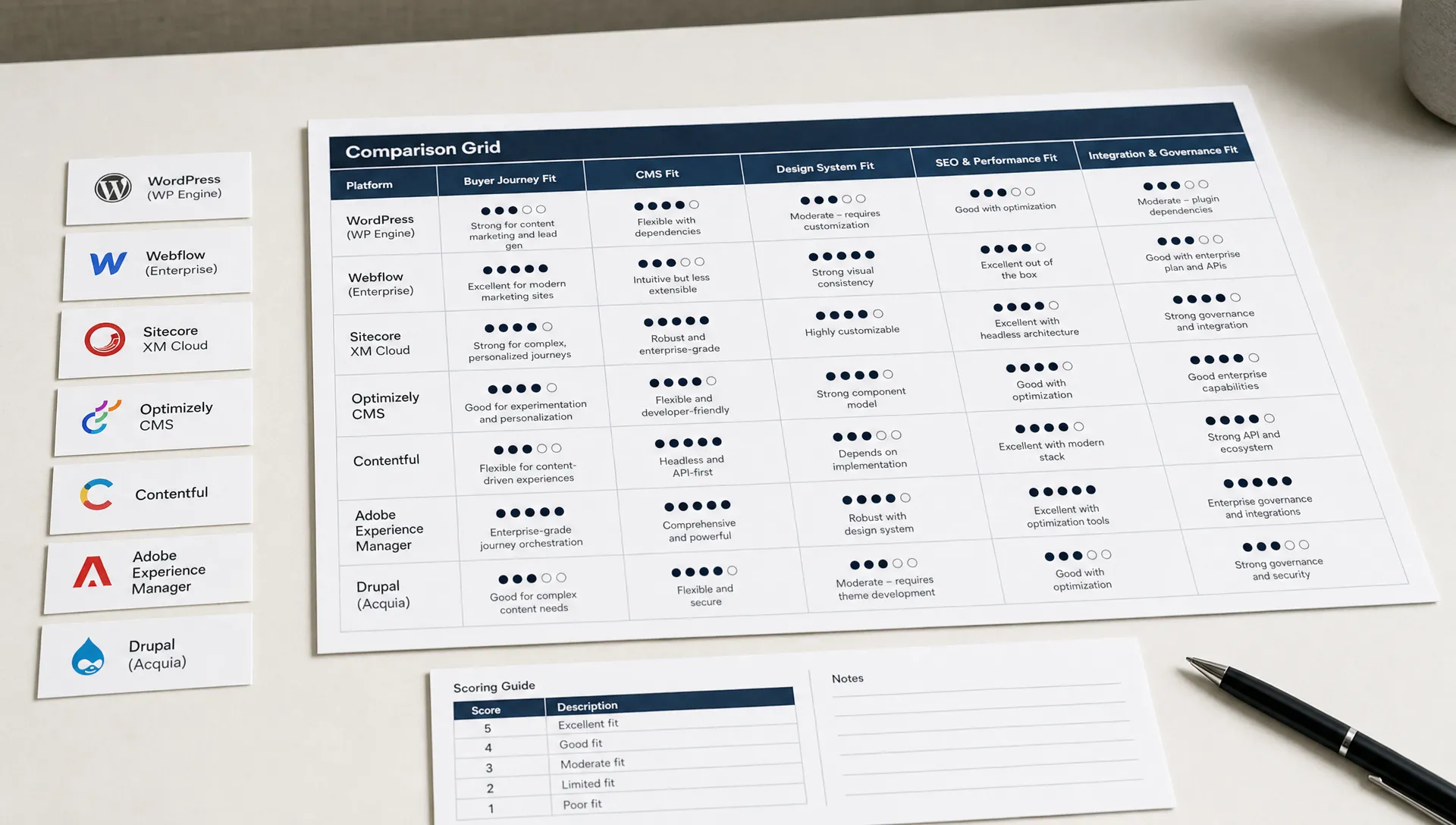
Use the five-fit framework below when building your shortlist. Score each platform from 1 to 5 for each criterion, then discuss the tradeoffs openly with marketing, sales, leadership, and technical stakeholders.
A B2B website platform should make it easy to create pages that match how buyers evaluate you.
That usually means pages for industries, use cases, features, integrations, comparisons, case studies, resources, and conversion points. If every new page type requires a custom build, your website will struggle to keep pace with marketing needs.
Ask whether the platform supports reusable components, consistent layouts, flexible landing pages, and clear calls to action. The platform should help you explain complex offers simply, not force every message into a rigid template.
The CMS is where many platform decisions succeed or fail.
A strong CMS setup lets non-technical teams create and update content safely. It should support collections such as blog posts, customer stories, authors, industries, resources, events, and locations when relevant.
The key question is ownership. Can marketing publish, update, and reorganize content without breaking the site? A broader CMS selection guide can help if your team is still defining what CMS flexibility means in practice.
Your platform should support a design system, not just isolated pages.
For B2B growth, design consistency matters because teams need to launch new pages quickly while keeping the brand coherent. Look for reusable sections, clear style controls, responsive behavior, and a component logic that your team can understand.
This is where visual development platforms can work well, provided the build is structured properly. A poorly organized visual build can become just as hard to maintain as a poorly organized codebase.
The platform must give your team enough control over technical SEO and page performance.
At minimum, you need editable metadata, clean URL structures, redirects, schema support where relevant, image optimization, responsive layouts, sitemap control, and indexation management. You also need a build approach that does not overload pages with unnecessary scripts.
Google explains page experience and performance concepts in its Search Central documentation. These signals are not the whole SEO strategy, but they are part of a healthy technical foundation.
A B2B website rarely works alone. It often connects to a CRM, marketing automation tools, analytics, form tools, scheduling tools, payment systems, personalization tools, or data warehouses.
Before choosing a platform, list the integrations you need now and the ones you may need within the next 12 months. Then check whether each platform supports them natively, through reliable third-party tools, or through custom implementation.
Governance is just as important. Define who can publish, who can approve, who manages redirects, who edits SEO fields, and who owns tracking. The platform should support the workflow, not create unclear ownership.
Turning the five criteria into a shared scorecard keeps the conversation objective once stakeholders start comparing shortlisted platforms. Use the reference table below as a starting template for that scoring exercise.
| Fit criterion | Key question to score 1 to 5 | Sign of a weak fit |
|---|---|---|
| Buyer journey fit | Can marketing launch industry, use case, and comparison pages without a custom build each time? | Every new page type opens a development ticket |
| CMS fit | Can non-technical teams publish and reorganize content without breaking the site? | Content changes routinely require developer support |
| Design system fit | Are sections and styles reusable, or does each page get rebuilt from scratch? | Brand consistency drifts as new pages are added |
| SEO and performance fit | Does the team control metadata, redirects, schema, and page speed directly? | SEO fixes depend on a developer queue |
| Integration and governance fit | Are required integrations supported natively or through reliable connectors? | Integrations rely on fragile, unsupported workarounds |
Most B2B teams are not choosing between two identical tools. They are choosing between different operating models.
The table below gives a practical comparison of common website development platforms and when they tend to make sense.
| Platform category | Good fit for | Watchouts | Typical B2B use case |
|---|---|---|---|
| Webflow | Marketing sites that need strong design control, CMS flexibility, and clean visual development | Requires disciplined build structure and clear CMS architecture | SaaS, services, consulting, scale-up websites, campaign pages, resource hubs |
| Framer | Fast-moving teams that need polished pages, speed of iteration, and design-led websites | CMS and complex content structures need careful validation before committing | Landing pages, startup websites, product launches, brand refreshes |
| WordPress | Content-heavy websites that need a large plugin ecosystem and editorial familiarity | Security, plugin maintenance, performance, and build quality vary widely | Blogs, media-heavy sites, mature content programs, multilingual content setups |
| Headless CMS | Teams with technical resources and multi-channel content needs | Higher implementation complexity and stronger dependency on developers | Enterprise content systems, multi-market sites, product documentation ecosystems |
| Custom code | Companies with complex technical requirements and internal engineering capacity | Slower marketing iteration if the CMS and workflow are not planned well | Web platforms, portals, highly customized digital experiences |
| Web app builders | Products, portals, dashboards, and internal tools rather than pure marketing sites | Not always the right choice for SEO-led marketing websites | MVPs, client portals, operational tools, workflow applications |
For many B2B marketing websites, the decision often narrows to Webflow, Framer, WordPress, or a custom approach. The right choice depends on how much design control, CMS complexity, publishing autonomy, and technical ownership you need.
If your team is specifically comparing Webflow and WordPress, this Webflow and WordPress comparison covers the tradeoffs in more depth. If the project is closer to a web application than a marketing site, the Bubble and WeWeb comparison may be more relevant.

Subscription price is the easiest number to compare and the least useful one on its own. The real cost of a platform includes implementation, ongoing maintenance, the time your team spends on routine updates, and the risk carried at the next migration.
Use the comparison below as a starting reference when you build a business case, then adjust it with quotes from your own shortlisted vendors or agencies. If cost is the main open question in your decision, this guide on website redesign cost in 2026 breaks down the components in more detail.
| Cost driver | Webflow | Framer | WordPress | Custom code |
|---|---|---|---|---|
| Subscription or hosting | Predictable, plan-based pricing | Predictable, plan-based pricing | Depends on host, plugins, and licenses | Depends fully on infrastructure choices |
| Implementation effort | Medium, driven by CMS and component structure | Low to medium, fastest for simple sites | Medium, varies with theme and plugin choices | High, requires engineering time upfront |
| Ongoing maintenance | Low, mostly content and component upkeep | Low, but CMS depth needs monitoring | Higher, plugin and security updates required | Higher, tied to internal engineering capacity |
| Marketing team autonomy | High, once the build is structured properly | High for pages, more limited for complex content | Medium, depends on editorial workflow setup | Low without a dedicated CMS layer |
| Migration risk later | Moderate, structured export and CMS content | Moderate, depends on CMS maturity at the time | Moderate to high, tied to plugin dependencies | High, tied to internal documentation quality |
None of these costs make a platform right or wrong on their own. They simply need to be weighed against the growth job the website has to perform, as defined earlier in this guide.
Once the platform categories are clear, narrow the decision based on operating reality.
Webflow is often a strong fit for B2B marketing websites that need custom design, structured CMS content, responsive layouts, and clean page production without a traditional development cycle for every update.
It works well when the site needs to support landing pages, service pages, resource hubs, case studies, and conversion-focused pages. The main requirement is a disciplined build with reusable components, naming conventions, and a CMS model that reflects the content strategy.
Framer can be a good fit for teams that need to move quickly from design to live pages, especially for early-stage companies, product launches, and marketing experiments.
It is worth validating CMS needs before choosing it for a larger content program. If your roadmap includes many structured content types, localization, or complex governance, confirm those requirements before the build starts.
WordPress can still make sense for B2B teams with mature content operations, editorial workflows, plugin requirements, or internal familiarity with the platform.
The tradeoff is maintenance. Plugin conflicts, security updates, hosting choices, and performance optimization need clear ownership. WordPress is not a bad choice by default, but it needs stronger technical governance than many teams expect.
A headless CMS or custom codebase can be the right choice when the website is part of a larger digital ecosystem.
This applies when content must be distributed across multiple channels, when the front end has complex product logic, or when internal engineering teams can own the system. For a standard B2B marketing website, this approach can be unnecessary if it slows down marketing execution.
Most platform mistakes come from choosing too early or evaluating the wrong criteria.
A useful way to avoid these issues is to define the website scope before selecting the stack. This connects directly with what website development and design services should include, especially around strategy, UX, SEO, integrations, launch, and maintenance.
Platform decisions are not permanent. Some B2B teams outgrow their original choice as the content program, the integration stack, or the design system gets more demanding.
The table below lists common warning signs, grouped with what they usually mean and a reasonable next step. If several of these apply at once, it is worth planning the review deliberately rather than patching the symptoms one at a time, as covered in this guide on preparing a website launch checklist.
| Signal | What it usually means | Reasonable next step |
|---|---|---|
| Marketing waits on developers for routine content changes | The CMS structure no longer matches the content operation | Rebuild the CMS model before adding more page types |
| Every new page requires a one-off custom section | The design system was never formalized | Consolidate into reusable components before scaling further |
| Integrations rely on fragile, unofficial workarounds | The platform was not built for your current tool stack | Audit native and supported connectors before adding more tools |
| Page speed and Core Web Vitals keep degrading | Scripts, assets, or page bloat have outpaced the build discipline | Run a technical audit before considering a full migration |
| No one internally understands the CMS structure anymore | Documentation and ownership were never established | Document the system before it becomes a migration blocker |
Use this checklist before committing to a platform or signing a website build proposal. The table groups each step with why it matters, so the checklist doubles as a working document you can share with stakeholders.
| Step | Action | Why it matters |
|---|---|---|
| 1 | Define the primary business goal of the website for the next 12 months | Anchors every later tradeoff to a single priority |
| 2 | List the page types the website must support, including landing pages, resources, customer stories, comparison pages, and industry pages | Determines how flexible the CMS and template system need to be |
| 3 | Map the buyer journey and identify where the website must educate, qualify, reassure, and convert | Ties platform capability to actual buyer behavior |
| 4 | Define the CMS collections needed today and the ones likely to be needed within 12 months | Prevents a structure that has to be rebuilt after launch |
| 5 | Confirm who will create, edit, approve, and publish website content after launch | Avoids unclear ownership once the site goes live |
| 6 | List required integrations, including CRM, analytics, form tools, marketing automation, scheduling, and consent management | Surfaces technical constraints before the build starts |
| 7 | Validate SEO requirements such as redirects, metadata, URL structure, schema, sitemap control, and indexation rules | Protects existing organic traffic through the transition |
| 8 | Review accessibility expectations using recognized guidance such as the W3C accessibility standards | Reduces legal and usability risk after launch |
| 9 | Confirm performance expectations before design production, not after development | Performance issues are far cheaper to prevent than to fix |
| 10 | Ask how reusable components, style systems, and CMS templates will be documented | Documentation is what keeps the site maintainable internally |
| 11 | Estimate the internal time needed for ongoing updates, not just the initial launch | Sets realistic expectations for the marketing team's workload |
| 12 | Decide whether the platform supports your team's operating model without creating unnecessary dependency | Confirms the final decision fits how your team actually works |
This process is more reliable than asking which platform is popular. Popularity does not tell you whether your team can operate the site well.
The platform decision should be tested through practical questions before the build starts.
If you are deciding whether to hire externally, the agency question should be handled separately from the platform question. This guide on choosing a web design agency by growth stage can help you evaluate whether the partner fits your stage, scope, system, and support needs.
A good platform decision balances capability, speed, ownership, and risk.
Create a short scorecard with the five-fit framework: buyer journey fit, CMS fit, design system fit, SEO and performance fit, and integration and governance fit. Score each platform honestly, then discuss the tradeoffs.
Do not expect one option to win every category. A platform that gives high design control may require stronger build discipline. A flexible CMS may require more setup. A custom solution may fit complex needs but slow routine marketing updates.
The right platform is the one your team can use consistently, maintain responsibly, and adapt as the business evolves.
What are website development platforms? Website development platforms are the tools and environments used to build, publish, manage, and optimize a website. They can include design tools, CMS features, hosting, SEO controls, integrations, and permissions.
Which website development platform is right for B2B growth? The right platform depends on your growth model, content needs, internal resources, and technical requirements. Many B2B teams prioritize CMS flexibility, fast page creation, SEO controls, integrations, and maintainability.
Is Webflow a good choice for B2B websites? Webflow can be a strong choice for B2B marketing websites that need custom design, structured content, responsive pages, and marketing team autonomy. The build still needs a clear CMS structure and component system.
Is WordPress still relevant for B2B companies? WordPress can be relevant for teams with large content programs, editorial workflows, plugin requirements, or internal WordPress knowledge. It requires clear ownership for maintenance, security, performance, and plugin management.
Should a B2B company choose no-code or custom code? No-code can be effective for marketing websites that need speed and autonomy. Custom code can make sense when the website has complex product logic, deep integrations, or internal engineering ownership.
How important is the CMS when choosing a platform? The CMS is critical because it determines how easily your team can publish and update content after launch. A weak CMS setup often creates bottlenecks even when the website looks strong visually.
Website development platforms should be chosen for how they support growth, not how impressive they look in a demo.
For B2B teams, the strongest decision usually comes from a clear framework: define the growth job, map the buyer journey, plan the CMS, validate SEO and integrations, and confirm who will operate the site after launch.
If your shortlist includes Webflow or Framer and you want a pragmatic review before committing, ask BeBranded to assess your platform choice and build scope against your growth goals.