How to choose a website builder with SEO built in
SEO
•
X min
•
Published on
17.08.2026
•
Updated on
04.09.2026
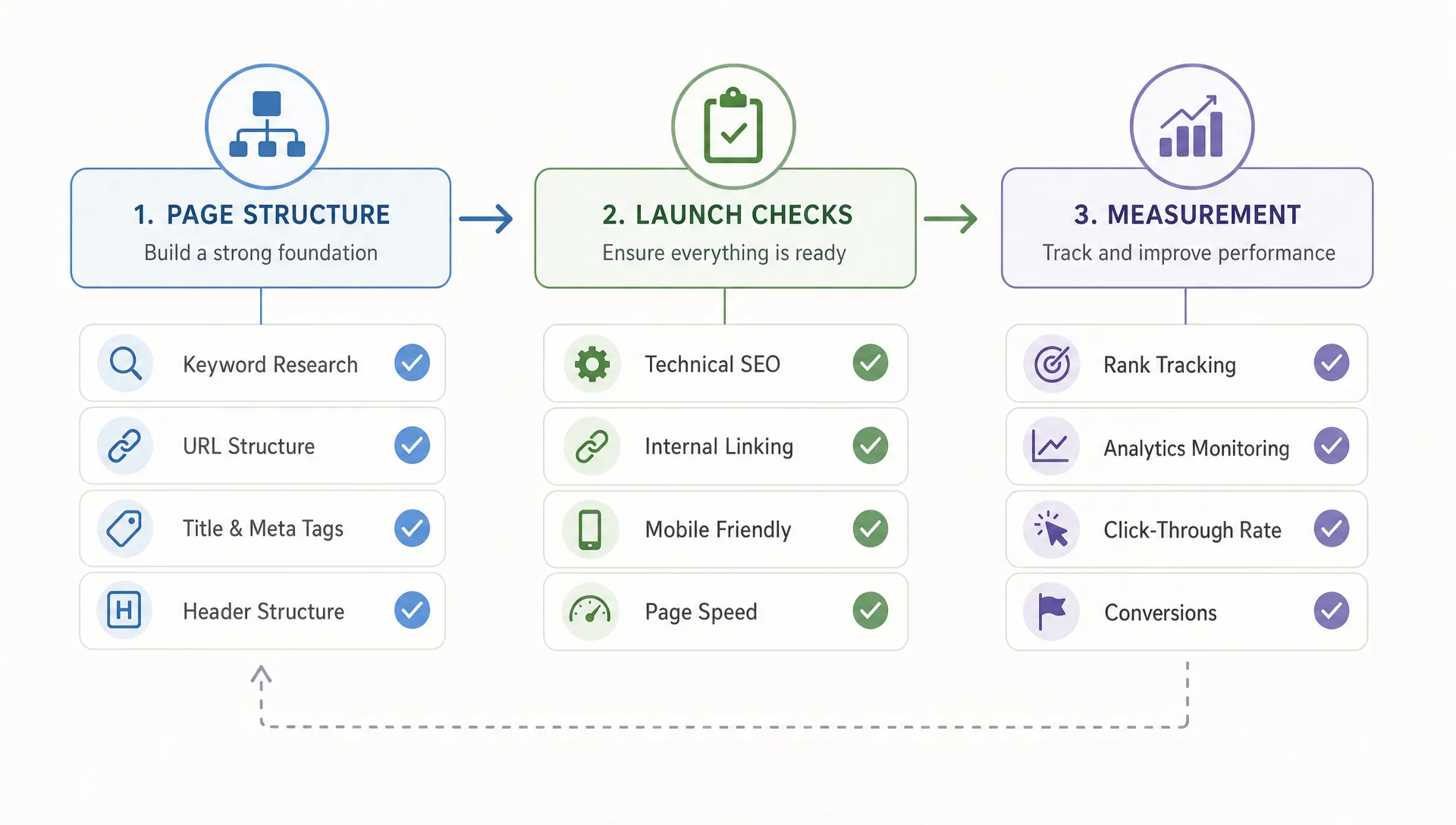
Choosing a website builder with SEO built in is not about finding a platform that “does SEO for you.” It is about choosing a system that gives your team control over the technical foundation, content structure, page performance and launch process that search visibility depends on.
For CEOs, CMOs, founders and marketing managers, the decision affects more than rankings. It shapes how fast your team can publish pages, test positioning, maintain content quality and scale acquisition without rebuilding the site every year.
This guide gives you a practical framework to evaluate website builder and SEO fit before you commit to a platform.
“SEO built in” should mean the website builder supports search visibility by default and gives your team the controls needed to improve it over time.
A builder cannot guarantee rankings. Google’s own Search Essentials make clear that visibility depends on crawlability, helpful content, technical quality and a site that users can access properly. The builder is the operating environment for that work.
In practical terms, an SEO-friendly website builder should let you manage three things without fighting the platform:
If a builder only offers a basic SEO tab but limits URL structure, CMS templates, redirects or performance controls, SEO is not truly built in. It is only partially supported.
A website builder becomes part of your growth infrastructure. It affects how your team launches campaigns, expands content, updates conversion pages and protects organic traffic during changes.
For a small brochure website, many tools can be acceptable. For a growing company with acquisition goals, the requirements are stricter. You need a platform that supports content operations, landing page creation, technical SEO hygiene and conversion-focused design.
This is why the platform decision should sit inside a broader website strategy, not as a standalone tool choice. If you are planning a redesign, our guide on website design and development priorities explains what growing teams should clarify before design or development starts.
The wrong builder usually creates friction in quiet ways. Metadata is inconsistent, CMS pages cannot be structured properly, redirects become manual work, images slow down pages or the marketing team depends on developers for every content change.
The cost of the wrong decision usually shows up later, not at launch. A platform that looks sufficient in month one can become a bottleneck once the team needs new content types, more granular tracking or a faster publishing cadence. Migrating to a different builder later means rebuilding templates, remapping redirects and retesting technical SEO, and that work is almost always more expensive than choosing carefully the first time.
Use the 5C framework to evaluate each platform: crawlability, control, content, core performance and conversion. This keeps the decision grounded in what your site actually needs to do.
Before going through each dimension in detail, use the table below as a quick reference during platform demos. It gives your team a fast way to spot whether a feature is genuinely built in or only partially supported.
| Dimension | What good looks like | Red flag to watch for |
|---|---|---|
| Crawlability | Clean HTML, XML sitemaps, robots.txt control, canonical and noindex management. | Important pages are hidden behind scripts or unsupported layouts. |
| Control | Native editing of titles, descriptions, slugs, redirects and Open Graph settings. | Every SEO change needs a developer or a fragile plugin. |
| Content | CMS collections, categories, templates and reusable sections that scale. | The same layout gets rebuilt manually for every new page type. |
| Core performance | Fast image handling, font loading and hosting under real content. | Performance only looks good on empty demo templates. |
| Conversion | Native support for landing pages, forms, tracking and CRM integrations. | SEO traffic arrives but nothing on the page converts it. |
Crawlability means search engines can discover and access the pages you want indexed.
Check whether the builder generates clean HTML, creates XML sitemaps, allows robots.txt management and avoids blocking important content behind scripts or unsupported layouts. Also confirm that unpublished, duplicate or test pages can be kept out of search results.
A good builder should make basic indexation management simple. If your team needs workarounds for canonical tags, noindex settings or sitemap control, that friction will show up during launch and later migrations.
Control means your team can manage page-level SEO settings without relying on plugins, fragile custom code or developer intervention for every update.
At minimum, you should be able to edit title tags, meta descriptions, slugs, headings, image alt text, canonical tags, redirects and Open Graph settings. For larger sites, you should also check whether these fields can be managed dynamically through the CMS.
If Webflow is on your shortlist, our complete guide to SEO in Webflow goes deeper into which settings are native, which ones must be configured manually and how CMS-driven SEO fields should be handled.
Content capability is where many website builders start to separate themselves. SEO does not scale through isolated pages alone. It scales through structured content systems.
Look at how the builder handles collections, categories, author pages, templates, internal linking and reusable page sections. A strong CMS should let your team publish content consistently without rebuilding the same layout each time.
For example, a B2B company may need service pages, industry pages, comparison pages, case studies, blog posts and resource pages. If the builder cannot support that structure cleanly, your SEO roadmap will be limited by the platform rather than by your strategy.
Performance matters because slow pages create friction for users and make it harder for search engines to evaluate the site efficiently.
Review image handling, font loading, script management, responsive behavior and hosting reliability. Tools such as PageSpeed Insights can help you test real pages, but do not judge a platform only from demo templates. Test a realistic page with actual content, images, forms and tracking scripts.
A website builder with SEO built in should give your team practical ways to keep the site lean. If every new section adds unnecessary code or every plugin adds more scripts, performance becomes harder to protect over time.
SEO traffic only matters if the website can turn qualified visitors into leads, trials, demos, purchases or conversations.
Assess how easily the builder supports landing pages, forms, analytics, tracking pixels, CRM integrations, A/B testing tools and content personalization where relevant. Search visibility and conversion design should not be treated as separate projects.
This is one reason teams often evaluate Webflow for marketing websites. If you want a broader view of when that choice makes sense, our article on why companies choose Webflow covers the decision beyond SEO alone.
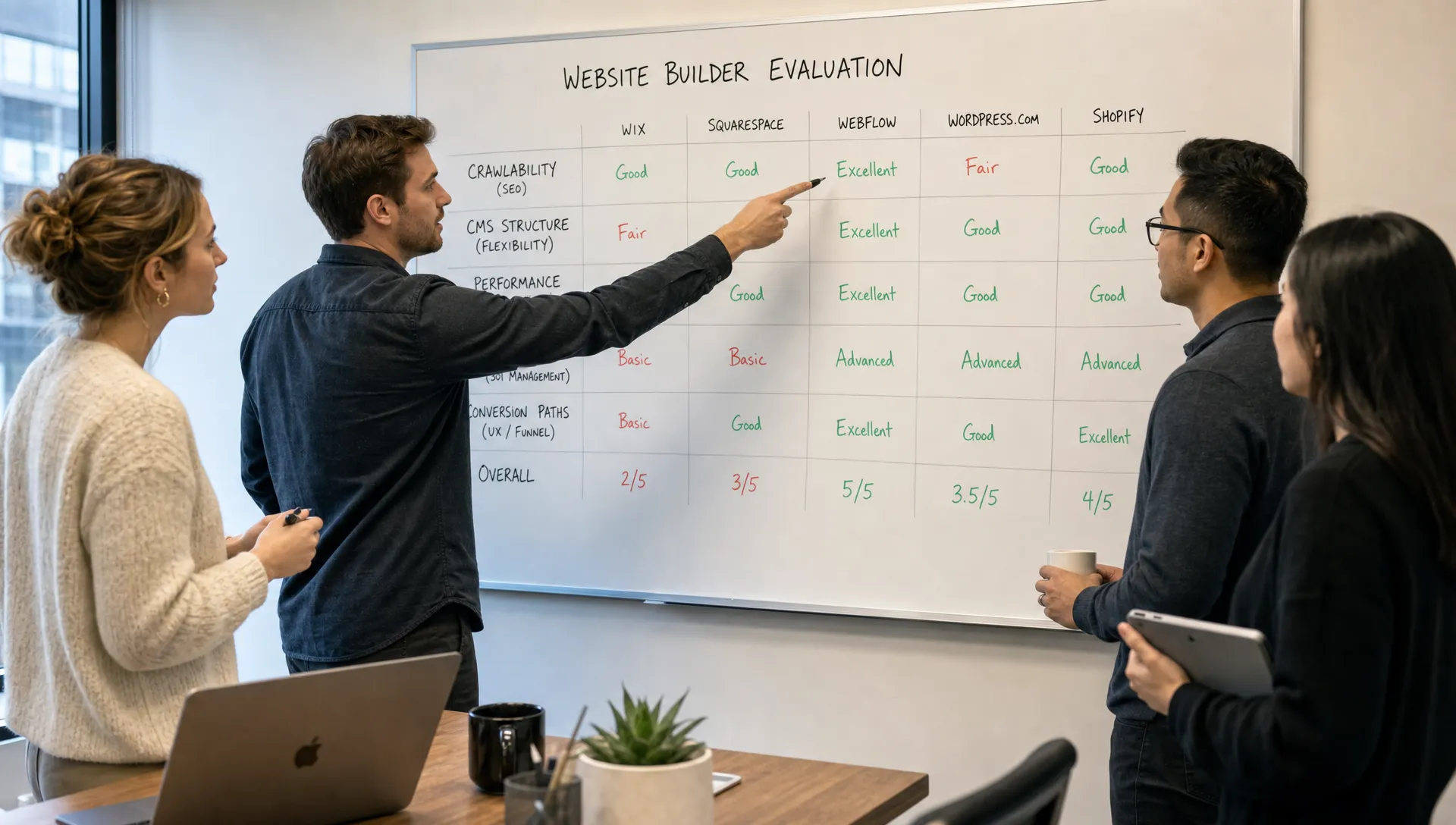
Most website builder comparison pages focus on templates, pricing and ease of use. Those factors matter, but they do not tell you whether the platform can support SEO after launch.
A better comparison starts with your site type. A founder building a simple one-page site does not need the same CMS depth as a scale-up publishing product, resource and industry pages every month. A CMO managing paid and organic campaigns needs flexibility that a static website may not provide.
If you are still narrowing the category, our comparison of the best no-code website builders is a useful starting point. Once the shortlist is clear, evaluate each builder against your own SEO workflow instead of relying only on general platform reviews.
Webflow is often a strong fit for marketing sites that need custom design, CMS flexibility, SEO controls and a clean publishing workflow. It gives teams more control than template-first tools without the maintenance overhead many teams associate with plugin-heavy stacks.
That does not mean Webflow is right for every business. If your website requires complex membership logic, deep e-commerce functionality or a large editorial operation with custom workflows, you may need to compare it carefully against other systems.
For teams deciding between Webflow and WordPress, our Webflow vs WordPress comparison outlines the practical tradeoffs around flexibility, maintenance, SEO control and team workflow.
A simpler builder can be enough if the website has a small number of pages, limited SEO ambition and no complex CMS requirements.
For example, a local service business or early-stage project may prioritize speed of setup over long-term content scalability. In that case, a lightweight builder can work, provided it supports metadata, clean URLs, redirects, responsive design and reasonable performance.
The risk appears when the company grows. If the builder cannot support new content types, landing page variants or technical SEO improvements, the team may need to migrate earlier than planned.
Custom development can make sense when the website has product-like functionality, advanced content workflows, heavy localization or specific infrastructure constraints.
The tradeoff is cost and maintenance. Custom builds give control, but they require stronger technical governance. For many marketing websites, a no-code or low-code builder gives a better balance between flexibility and speed.
If you are hiring external support, clarify the scope before the build begins. Our guide on what website development and design services should include can help you define what should be covered across strategy, UX, development, SEO and launch.
The table below summarizes how these three approaches typically compare once you weigh design flexibility, SEO control and long-term maintenance together.
| Approach | Best for | Typical maintenance load | Main tradeoff |
|---|---|---|---|
| Simple no-code builder | Small sites with a limited number of pages and modest SEO ambition. | Low, minimal ongoing technical work. | Limited ceiling once content or CMS needs grow. |
| Flexible CMS builder such as Webflow | Marketing sites that need custom design, CMS depth and SEO control. | Moderate, mostly content and structure upkeep. | Not built for complex membership logic or heavy e-commerce. |
| Custom development | Product-like functionality, advanced workflows and heavy localization. | High, requires ongoing technical governance. | Higher cost and slower iteration without a dedicated team. |
The wrong platform decision usually comes from evaluating the builder in a demo environment instead of a real operating context.
Avoid these mistakes before you commit.
Use this checklist before signing off on a website builder. Test as much as possible in a staging project, not only in a sales demo.
The items below fall into six practical categories. Use this table to brief your team quickly, then work through the full checklist underneath for the detailed version.
| Category | What to confirm before launch |
|---|---|
| Indexation & crawlability | Unique titles and descriptions, sitemap generation, noindex controls, canonical tags. |
| URLs & redirects | Editable, readable URLs and 301 redirects that can be managed at scale. |
| Content & CMS | A realistic CMS template tested end to end, dynamic SEO fields, heading structure, internal linking. |
| Performance & media | Image compression, responsive images, alt text management and a realistic PageSpeed test. |
| Tracking & integrations | Analytics, consent tools, CRM forms and tracking scripts added cleanly. |
| Team & process | A clear owner for SEO settings after launch and a documented launch checklist. |
If you are already leaning toward Webflow, use our practical Webflow SEO checklist to validate the setup before publishing.
Once you have tested the builders, separate the decision into three levels: strategic fit, operational fit and SEO fit.
Strategic fit is about whether the platform supports your business model and growth plan. Operational fit is about whether your team can maintain the site without unnecessary bottlenecks. SEO fit is about whether the builder gives you the technical and content controls needed to compete in search.
A practical scoring method is to rate each shortlisted builder from 1 to 5 across the areas below. Score every platform against the same criteria, and keep the guiding questions handy during demos so the score reflects real capability rather than a sales pitch.
| Area | What it covers | Guiding question |
|---|---|---|
| SEO controls | Metadata, canonicals, redirects, sitemaps, noindex settings and CMS SEO fields. | Can the team change any of these without a developer? |
| Content scalability | CMS flexibility, template consistency, reusable sections and content governance. | Can new page types be added without rebuilding the site? |
| Performance control | Image handling, script management, hosting quality and clean front-end output. | Does a realistic page still perform well under real content? |
| Marketing workflow | Landing pages, forms, tracking, integrations and speed of publishing. | Can marketing launch a campaign page without engineering? |
| Maintenance effort | Security, updates, plugin dependency, team training and external support needs. | Who owns this platform after launch, and what does that cost? |
Do not choose the highest score automatically. Use the score to reveal tradeoffs. A platform with slightly fewer features but lower maintenance can be the better choice for a lean marketing team. A more flexible system may be justified if SEO and content are central acquisition channels.
The best decision is the one your team can execute consistently. SEO is not a one-time setup. It is an operating discipline that depends on the builder, the people using it and the process around it.
What does a website builder with SEO built in mean? A website builder with SEO built in gives your team native controls for crawlability, metadata, URLs, redirects, performance, content structure and indexation. It does not guarantee rankings, but it should make SEO execution easier and more reliable.
Is Webflow good for SEO? Webflow can be strong for SEO when it is configured correctly. It gives teams control over page settings, CMS templates, redirects, responsive design and clean visual development. The final result still depends on strategy, content quality and implementation.
Can a no-code website builder rank on Google? Yes, a no-code website builder can rank on Google if the site is crawlable, fast, well structured and supported by useful content. The platform matters, but it is only one part of SEO performance.
Should I choose WordPress or Webflow for SEO? WordPress and Webflow can both support SEO. WordPress often offers more extensibility through plugins, while Webflow can reduce maintenance and give strong visual and CMS control for marketing websites. The right choice depends on your team, content needs and maintenance capacity.
What SEO features should I check before choosing a builder? Check editable metadata, clean URLs, redirect management, canonical tags, XML sitemaps, noindex controls, image optimization, CMS SEO fields, page speed controls and analytics integrations.
Do I still need an SEO strategy if the builder has SEO tools? Yes. SEO tools help with execution, but they do not define your positioning, keyword strategy, content architecture, internal linking or conversion paths. The builder supports the strategy, it does not replace it.
A website builder with SEO built in should give your team the control to build, publish, measure and improve without unnecessary technical friction.
Do not choose based only on templates, trend visibility or a platform’s SEO claims. Test the real workflow: build a representative page, configure the SEO settings, check performance, review CMS structure and confirm who will maintain the site after launch.
Your next step is simple: audit your shortlisted platform against the checklist above, then decide based on execution fit rather than marketing claims. If you want an external review before committing, work with BeBranded to assess the platform choice and website build scope before development starts.