How to build a website for business that can scale
Development
•
X min
•
Published on
04.08.2026
•
Updated on
23.08.2026
Building a business website that can scale starts with one practical question: what should the site support after launch?
If every new campaign, service page, market, or content idea requires a rebuild, the website becomes a constraint. A scalable business website is not just a polished set of pages. It is a system your team can update, measure, and extend without losing consistency, performance, or search visibility.
This guide explains how to build a website for business growth with a clear framework, realistic platform decisions, common mistakes to avoid, and a checklist you can use before design or development starts.
A scalable website is designed to keep working as the business changes.
For a business website, scale means your team can add pages, publish content, connect tools, test messaging, improve conversion paths, and support new offers without rebuilding the core structure each time.
This is different from simply adding more pages. A site can have 15 pages and be difficult to manage. Another site can have 150 pages and stay clean because the structure, CMS, components, and governance were planned properly.
For growing teams, website development should support marketing and sales operations, not sit apart from them. If you want a broader view of how this is changing, BeBranded has covered what website development in 2026 should support for growing teams.
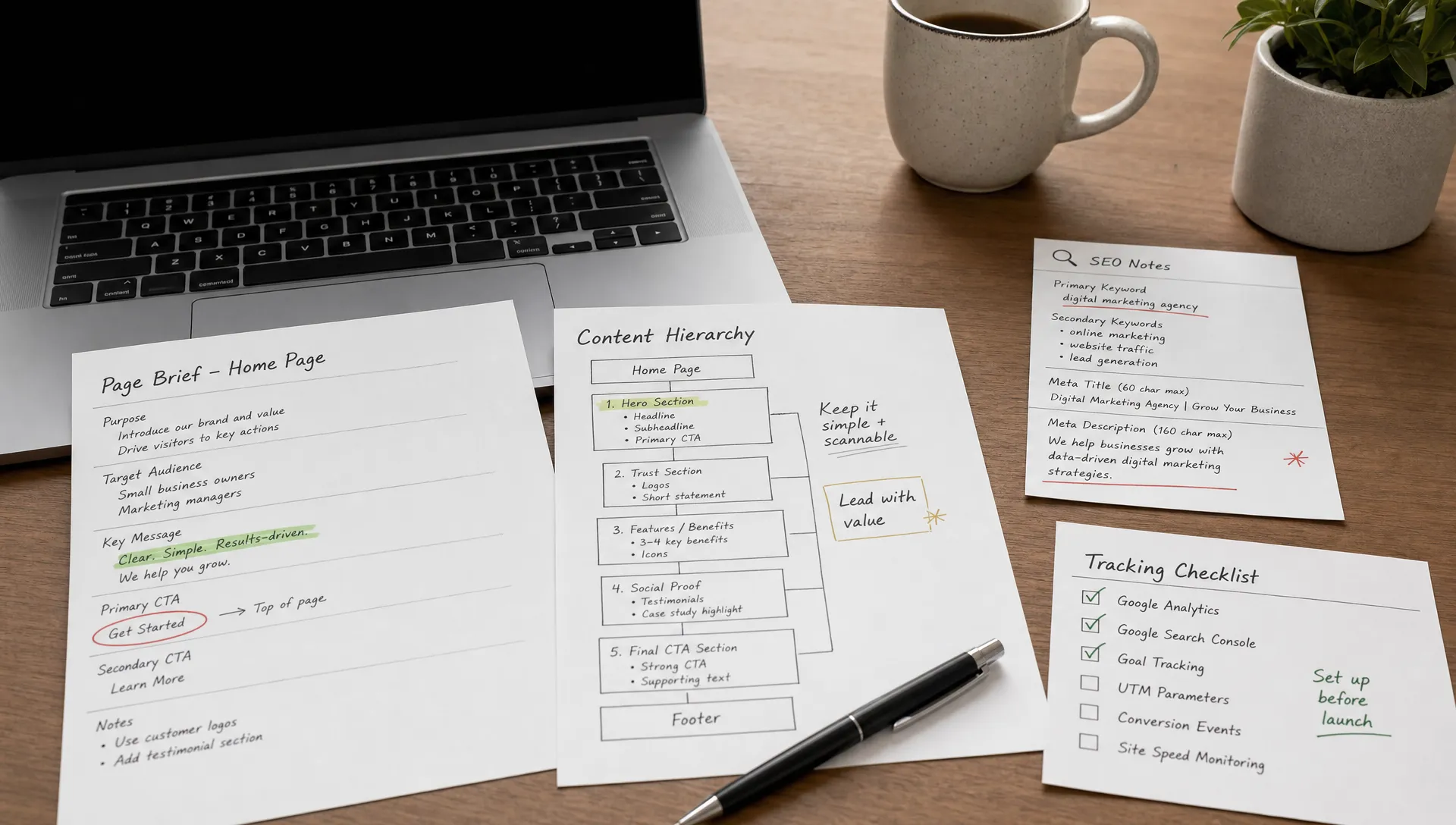
Page planning should follow business goals, not internal preferences.
Before you choose a platform or design direction, define the website's primary role. Is it meant to generate qualified leads, support outbound sales, educate prospects, improve hiring, help investors understand the company, or reduce repetitive sales questions?
Most business websites need to do several of these things, but one or two should lead the planning. If all goals are treated equally, the site usually becomes generic and hard to navigate.
A useful decision rule is simple: every important page should help a visitor make a decision or help your team operate faster. If a page does neither, it probably does not belong in the first version.
A homepage cannot carry every buyer intent. Visitors arrive with different levels of awareness. Some are learning about a problem, some are comparing providers, and some are ready to speak with your team.
Your website structure should reflect that journey. Service pages, industry pages, case studies, pricing context, resource pages, and contact paths each play a different role. When they are mixed together without hierarchy, users and search engines struggle to understand what matters.
Before wireframes, define the site map and internal linking logic. The goal is to create a website structure that helps users and Google find the right pages, not just a menu that looks tidy.
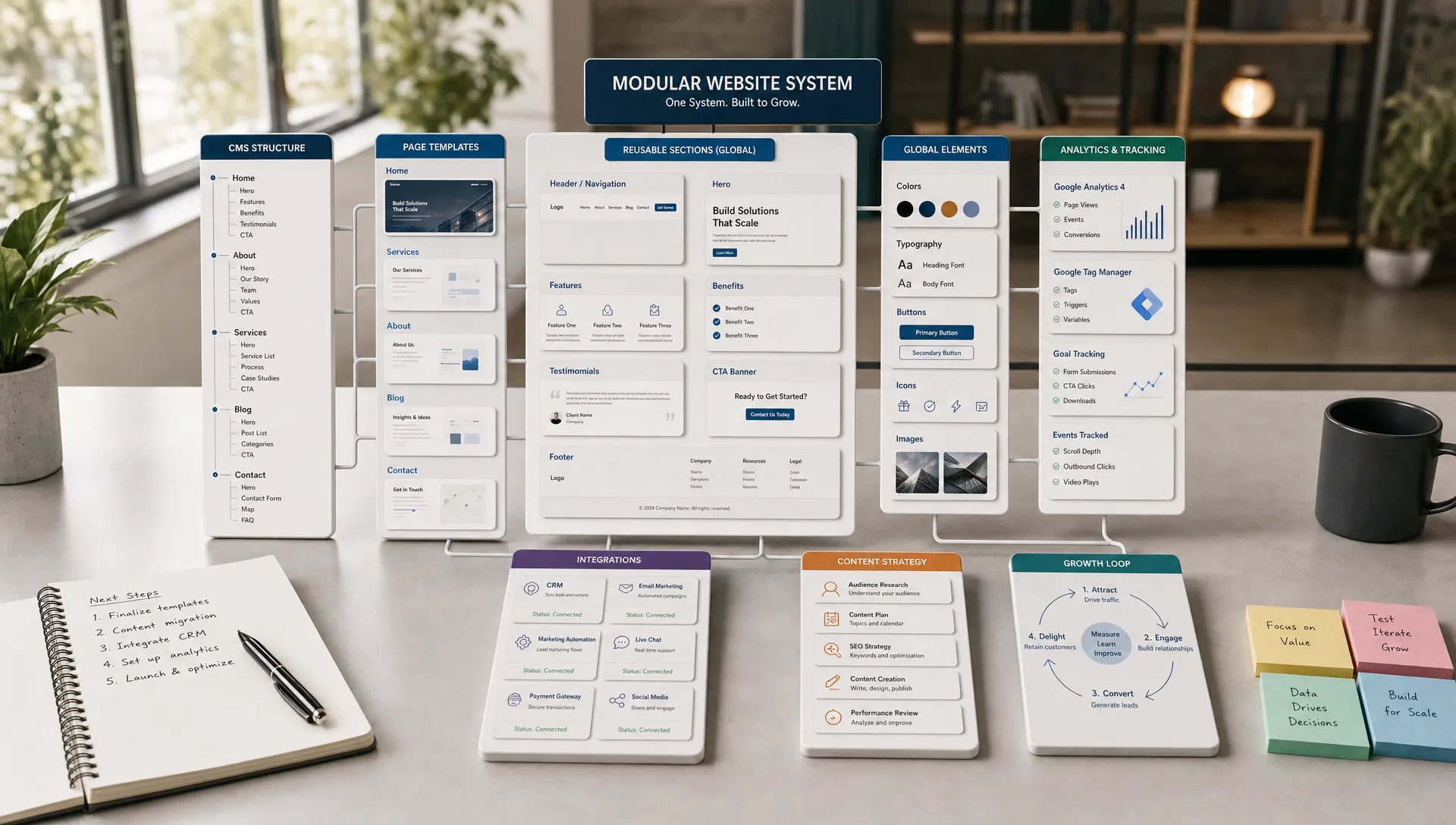
A scalable business website needs decisions at six layers.
This framework keeps the project grounded. It also prevents a common problem: spending most of the budget on visual design while leaving structure, content operations, and measurement unclear.
These layers are closely aligned with the website design and development priorities that growing teams should define before production begins.
The right platform is the one your team can maintain without unnecessary friction.
For many SMBs and scale-ups, a no-code platform such as Webflow or Framer can be a strong fit for a marketing website. These tools can support custom design, responsive layouts, CMS-driven content, SEO controls, and faster iteration when the project is planned well.
Webflow is often relevant when a startup or scale-up needs design flexibility without relying on engineering for every content update. If that decision is on your roadmap, this guide explains why startups often build their websites on Webflow.
Custom development may still make sense when the website behaves more like a product: user accounts, complex permissions, custom transactions, marketplace logic, or deep back-end workflows. The key is to separate the marketing website from the product platform when possible. Marketing teams need speed, while product systems need deeper engineering control.
AI tools can also support early planning, copy drafts, page outlines, and layout ideas. They should not replace strategy, CMS architecture, technical SEO, or human review. If you are considering that route, BeBranded has a practical guide on what actually works when you create a website with AI in 2026.
The table below summarizes how the main platform options compare for a scalable business website. It is a starting point, not a final decision: the right platform still depends on your team’s technical capacity and how much content you plan to manage.
| Platform | Best fit | Team can maintain without engineers | Typical limitation |
|---|---|---|---|
| Webflow | Marketing sites that need a CMS and strong SEO controls | Yes, once components and CMS collections are set up | Complex logic or transactional features usually need custom code |
| Framer | Design-led marketing sites with lighter content needs | Yes, for design and copy updates | CMS and structured content are less mature than Webflow |
| WordPress | Content-heavy sites that rely on a large plugin ecosystem | Partially. Plugin updates and conflicts often need technical oversight | Performance and security depend on ongoing maintenance |
| Custom code or headless | Product-like sites with complex logic, permissions, or transactions | No, most changes require developer involvement | Slower to iterate, with a higher build and maintenance cost |
Scalable design depends on reusable decisions.
A component is a reusable website section with a clear purpose. Examples include hero sections, testimonial blocks, feature grids, pricing explanations, comparison sections, FAQs, lead forms, resource cards, and CTA sections.
When components are planned well, your team can build new pages without reinventing design every time. This reduces inconsistency and makes future updates easier. It also helps marketers move faster because they can combine approved sections instead of requesting a custom layout for every campaign.
This is why a website project should not stop at finished pages. It should also define the underlying design system, CMS logic, SEO foundations, integrations, and launch support. If you are scoping external help, clarify what website development and design services should include before comparing proposals.
A CMS is not only for blog posts.
For a business website, the CMS should manage repeatable content such as articles, case studies, resources, services, industries, team members, partner pages, events, locations, and glossary entries. The exact collections depend on your growth model.
The important decision is not whether you have a CMS. It is whether the content model matches how your team will publish. Each collection should have useful fields for titles, summaries, SEO metadata, categories, author details, dates, images, CTAs, and related content where relevant.
If the CMS is planned too late, teams often create one-off static pages. That works for launch, but it slows the site down later. A scalable CMS gives the marketing team controlled flexibility: enough structure to protect consistency, enough freedom to publish without waiting on developers.
The table below lists common CMS collections for a scalable business website, along with the fields worth planning early so each collection stays easy to manage as content grows.
| Collection | Purpose | Fields to plan early |
|---|---|---|
| Blog / Articles | Educate prospects and support organic search visibility | Category, author, summary, SEO metadata, related links |
| Case studies | Provide proof and social validation | Client, industry, results, testimonial, related service |
| Services | Explain what you offer | Description, pricing context, FAQs, related case studies |
| Industries | Target specific buyer segments | Pain points, relevant services, proof points |
| Team members | Support hiring and credibility pages | Role, bio, photo, department |
| Resources / Glossary | Support search visibility on informational queries | Definition, related articles, category |

SEO and performance are build decisions, not final checks.
A scalable business website needs clean URLs, logical headings, indexable pages, optimized metadata, structured internal links, canonical decisions where needed, redirects for changed URLs, XML sitemaps, robots.txt review, and image optimization.
Google's SEO Starter Guide is a useful baseline because it focuses on making pages understandable, useful, and accessible to search engines. For business teams, the main point is simple: do not treat SEO as a plugin or post-launch task.
If the website has an existing search footprint, redirects and content migration need extra care. Losing valuable URLs during launch can create avoidable traffic drops. This is one reason a structured website redesign process matters when the current site already has content, backlinks, or rankings.
Performance is affected by design decisions. Heavy images, unnecessary scripts, complex animations, third-party embeds, and poorly managed fonts can all slow the experience.
Google's Core Web Vitals guidance gives clear performance indicators for loading speed, interactivity, and visual stability. You do not need to obsess over scores at the expense of clarity, but you should avoid design choices that make the site harder to use.
A practical standard is to review performance before launch and after adding new tools. Many sites are fast on launch day, then become slower after tracking scripts, chat widgets, embeds, and campaign tools accumulate.
A scalable website should fit into how the business works.
Forms, CRM fields, email notifications, scheduling tools, analytics events, consent management, marketing automation, and lead routing should be defined before launch. Otherwise, the website may generate inquiries that are poorly tracked or handled manually.
For every conversion path, answer four questions: where does the data go, who receives it, what happens next, and how will performance be measured? If those answers are unclear, the website can look complete while the operating process remains weak.
No-code automations and third-party integrations can remove repetitive work, but they should follow a clear business process. Automating a vague workflow usually creates more noise, not more control.
A scalable website does not need every future idea in the first launch.
The first version should include the pages and systems needed to support the next stage of growth. For many businesses, that means a clear homepage, core service or product pages, proof pages, selected resources, conversion pages, legal pages, analytics, CMS foundations, and a manageable design system.
If your business only needs a credible online presence at the start, a lighter site may be enough. In that case, a brochure website guide can help you decide what is necessary and what can wait.
If the current website is difficult to update, structurally unclear, slow, or misaligned with the business, incremental fixes may not be enough. Rebuilding with a better structure can be more efficient than stacking patches onto a weak foundation.
A website scales only if someone owns it after it goes live.
Ownership includes content updates, SEO monitoring, technical fixes, conversion review, tool management, accessibility checks, and page quality control. Without ownership, even a well-built site slowly becomes inconsistent.
Decide who can publish, who approves changes, who monitors analytics, who manages integrations, and who reviews performance. If you are hiring external support, choose based on your growth stage, scope, system needs, and support model. This guide explains how to choose a web design agency that fits your growth stage.
Ownership does not have to sit with one person. Some teams keep a marketer as the primary owner and bring in outside help for SEO, development, or design system maintenance. What matters is that each responsibility has a name attached to it, not a general intention to keep the site updated.
A scalable website should show measurable signs of health as it grows, not just a longer list of pages.
The table below lists practical signals worth reviewing a few months after launch. They help separate a website that is genuinely scaling from one that is simply getting bigger.
| Signal | What good looks like | What to check if it is missing |
|---|---|---|
| Page creation speed | New pages ship in days using existing components | Whether the design system and CMS collections are actually being reused |
| Content consistency | New pages match existing structure, tone, and metadata rules | Whether there is a clear content owner and a publishing checklist |
| Organic visibility | Rankings and indexed pages grow steadily as content is added | Technical SEO setup, internal linking, and redirect handling |
| Conversion tracking | Every form and CTA reports into the CRM or analytics without manual work | Whether forms and automations were connected properly at launch |
| Site speed after additions | Performance stays stable as pages, scripts, and tools are added | Whether performance is reviewed after each major addition, not only at launch |
| Team autonomy | Marketing can publish and update pages without developer support | Whether the CMS structure gives enough controlled flexibility |
If several signals point the wrong way, the issue is usually not content volume. It is closer to structure, ownership, or a platform your team cannot operate confidently.
Most scaling problems start with early project decisions.
| Mistake | Why it limits scale | Better approach |
|---|---|---|
| Starting with visual references instead of business goals | Inspiration does not clarify positioning or conversion goals | Define positioning, buyer journey, and conversion goals before gathering design references |
| Building pages without a content model | Static pages are hard to update consistently as the site grows | Manage repeatable content through structured CMS collections |
| Treating SEO as a launch checklist | Technical SEO issues are costly to fix after launch | Plan technical SEO, redirects, and internal linking from the start |
| Creating custom layouts for every new page | One-off design work is harder to maintain and slows delivery | Design around reusable components and design system rules |
| Choosing a platform only for launch speed | A fast build can become expensive once the team cannot self-manage it | Choose a platform your team can operate long term, not just launch fast |
| Ignoring mobile patterns until late | Late fixes affect content length, forms, navigation, and speed | Design mobile-first from the outset |
| Adding integrations without a process | Tools create noise and duplicated data without a clear workflow | Define the business process before automating it |
| Launching without post-launch ownership | Even well-built sites become inconsistent without an owner | Assign ownership for content, SEO, and improvement before launch |
Use this checklist before you start design or development.
| Area | Action | Why it matters |
|---|---|---|
| Goals | Define the primary business goal of the website | Sets the direction for every later decision |
| Audience | Identify target audiences and the decisions each one needs to make | Keeps pages focused on real buyer questions |
| Journey | Map the buyer journey from first visit to conversion | Clarifies what each page needs to do |
| Structure | Create a sitemap that reflects user intent and search intent | Prevents a confusing, hard-to-navigate site |
| Content | Decide which content types should be managed through the CMS | Avoids one-off static pages that slow down updates |
| Design system | Define reusable page sections and component rules | Keeps future pages consistent and fast to build |
| Platform | Confirm the platform your team can realistically operate | Avoids choosing launch speed over long-term maintainability |
| Copy | Prepare core copy before detailed visual design begins | Keeps design grounded in real content, not placeholders |
| Technical SEO | Plan technical SEO, redirects, metadata, and internal linking | Protects search visibility from day one |
| Operations | Define form logic, CRM handoffs, analytics events, and notifications | Prevents inquiries from being lost or mishandled |
| Launch criteria | Set criteria for mobile usability, accessibility, performance, and tracking | Confirms the site is ready before it goes live |
| Ownership | Assign post-launch ownership for content, SEO, integrations, and improvement | Ensures the site keeps improving after launch |
If several of these items are unclear, pause production. It is usually faster to clarify the system first than to fix structural decisions after the site is built.
What is the first step to build a website for business? The first step is to define the business goal of the site. Decide whether the website should generate leads, support sales, educate prospects, attract candidates, or validate credibility. Page structure and design should follow that decision.
How many pages does a scalable business website need? There is no fixed number. A scalable website needs enough pages to answer buyer questions, explain offers, build trust, and create clear conversion paths. The structure matters more than the page count.
Should a business website use Webflow, Framer, WordPress, or custom code? The right choice depends on your team, content needs, design requirements, integrations, and maintenance capacity. Webflow and Framer can work well for marketing sites, while custom code may be needed for complex product-like functionality.
How do I make sure the website can scale after launch? Plan the CMS, components, SEO structure, integrations, analytics, and ownership model before launch. A site scales when the team can add and improve pages without breaking consistency or relying on developers for every change.
When should a business redesign instead of adding new pages? A redesign is worth considering when the current site has poor structure, weak mobile usability, slow performance, unclear messaging, broken tracking, or a CMS that prevents the team from publishing efficiently.
A scalable business website is not a large website by default. It is a clear, maintainable system that supports the next stage of growth while leaving room for future pages, content, campaigns, and tools.
The right approach is pragmatic: define the business role, plan the structure, build reusable components, set up the CMS properly, integrate the operating workflow, and assign ownership after launch.
If you want a practical external review before committing to a build, BeBranded can help you plan, design, and develop a Webflow or Framer website with the structure, SEO setup, CMS, and integrations needed for growth.