How to build a custom website your team can update
Development
•
X min
•
Published on
26.09.2026
•
Updated on
05.11.2026
A custom site becomes hard to maintain when it is treated as a one-off design project instead of a publishing system. This guide shows how to build custom website foundations that marketing, sales and leadership teams can update without waiting for a developer for every small change.
For CEOs, CMOs and founders, the goal is not only to launch a good-looking website. The goal is to give your team a reliable operating asset: pages can be edited, campaigns can go live, SEO content can scale and brand consistency stays intact.
An editable custom website gives your team control without giving everyone access to break the design.
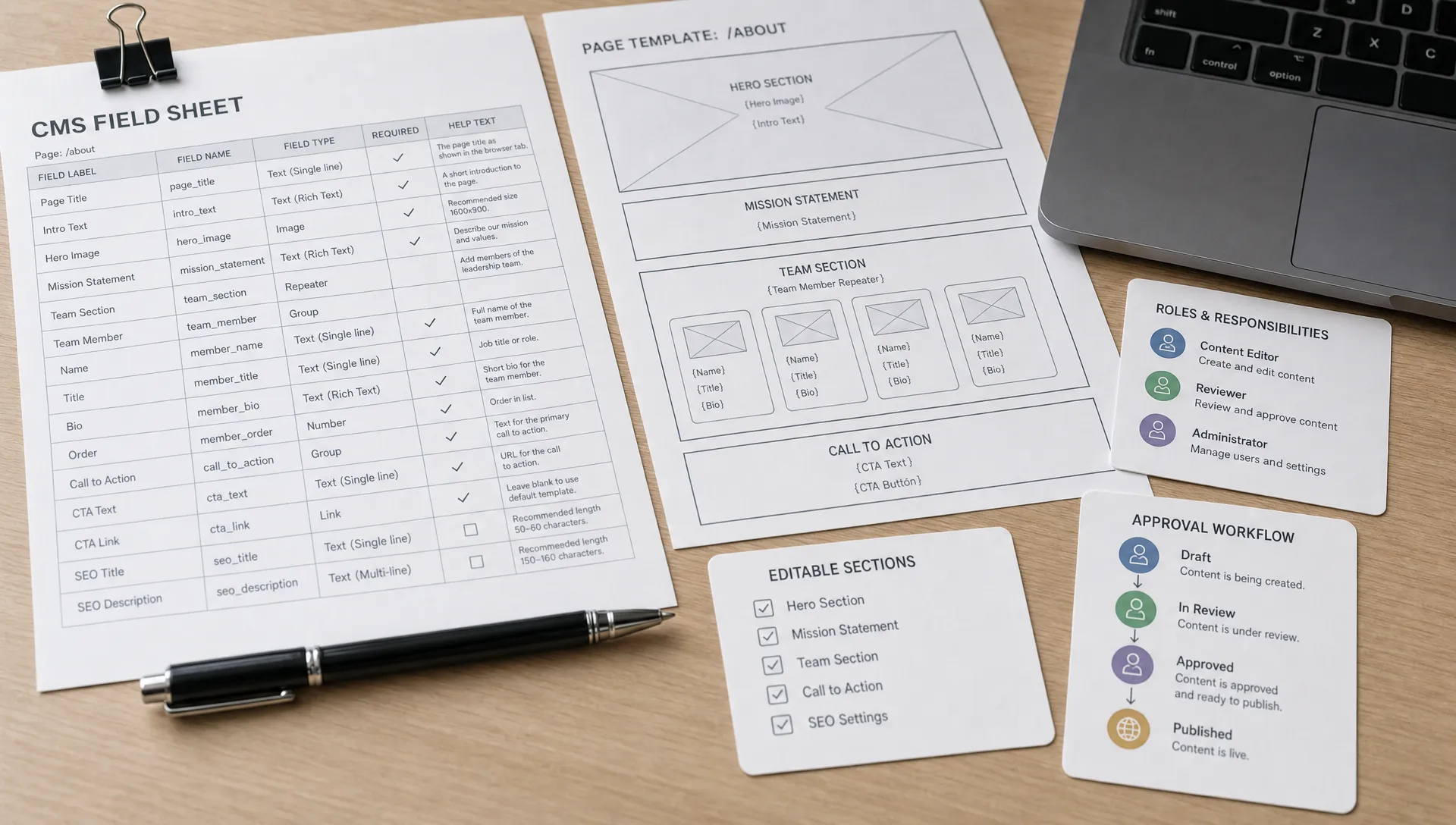
It combines tailored UX, custom visual direction and a structured CMS with reusable page sections, clear fields and controlled permissions. Editors can update copy, images, case studies, blog posts, landing page sections and calls to action without touching layout rules.
That distinction matters. If everything is editable, the site becomes fragile. If nothing is editable, the team stays dependent on external help. When you build custom website systems correctly, you define exactly where flexibility is useful and where structure protects performance.
This is why website planning should happen before visual design starts. If your team publishes often, pair this article with BeBranded’s guide on web design and maintenance for teams that publish often, which goes deeper into operating a site after launch.
The easiest way to avoid future bottlenecks is to separate strategic decisions from production decisions.
A practical framework has five layers: business goals, content architecture, design components, CMS governance and launch QA. Each layer answers a different question, but they work together.
Your business goals define what the site must help achieve. Content architecture defines what your team needs to publish. Design components define how pages can be assembled. CMS governance defines who can edit what. Launch QA confirms the site works for users, search engines and internal teams.
This framework helps you build custom website workflows that scale because each decision has an owner and a purpose. It also prevents the common agency handoff problem where the final website looks strong, but the team does not know how to use it.
The five layers work best when each one has a clear question, an owner and a visible output. The table below summarizes how they connect so you can assign responsibility before design starts. Use it as a shared reference between leadership, marketing and the team building the site.
| Layer | Question it answers | Typical owner | Output |
|---|---|---|---|
| Business goals | What must the site help achieve? | CEO or CMO | Prioritized goals and success metrics |
| Content architecture | What does the team need to publish? | Marketing lead | Content types, sitemap and CMS collections |
| Design components | How can pages be assembled? | Designer | Reusable sections with usage rules |
| CMS governance | Who can edit what? | Technical owner | Roles, permissions and approval steps |
| Launch QA | Does the site work for users, search engines and the team? | Project lead | Test report and handoff guide |
Your site map should reflect how buyers decide, not how your internal departments are organized.
Before designing pages, define what each audience needs to understand and what action they should take next. A founder may care about trust and clarity. A CMO may care about campaign speed and conversion paths. A marketing manager may care about CMS usability and publishing velocity.
A simple outcome map can include three questions: who is the page for, what objection does it answer and what action should happen next. This keeps the site focused on buyer movement rather than internal preference.
If your team is planning a broader growth website, BeBranded’s article on how to build a website for business that can scale explains how to connect business outcomes with site architecture, platform choices and long-term operations.
The CMS is the part of the website your team will touch most often, so it should not be an afterthought.
A team that wants to build custom website assets it can maintain should define content types early. For most B2B and service businesses, this includes blog posts, case studies, team members, services, industries, resources, landing pages and testimonials.
Each content type needs fields that match real publishing needs. A case study may need a client name, sector, challenge, outcome summary, testimonial and related services. A blog post may need meta title, meta description, author, category, related posts and canonical settings.
The point is not to create endless fields. The point is to make common updates easy and consistent. If an editor has to remember how to format every page manually, the CMS is not doing its job.
For a broader view of how structured content works in practice, BeBranded’s complete guide to the Webflow CMS covers collections, fields and publishing workflows.
Reusable components let your team create variety without rebuilding the site each time.
The safest way to build custom website flexibility is to design sections that solve repeatable content needs. Examples include hero sections, proof blocks, feature grids, testimonial modules, FAQ groups, logo strips, comparison sections and final CTA blocks.
Each component should have rules. For example, define when to use a short hero versus a long hero, how many cards belong in a feature grid and what image ratio is required for a case study preview. Clear rules reduce subjective editing and keep the site visually consistent.
This is where custom design and operational design meet. A custom website should not mean every page is handmade from scratch. It should mean the system is designed around your brand, content and growth process.
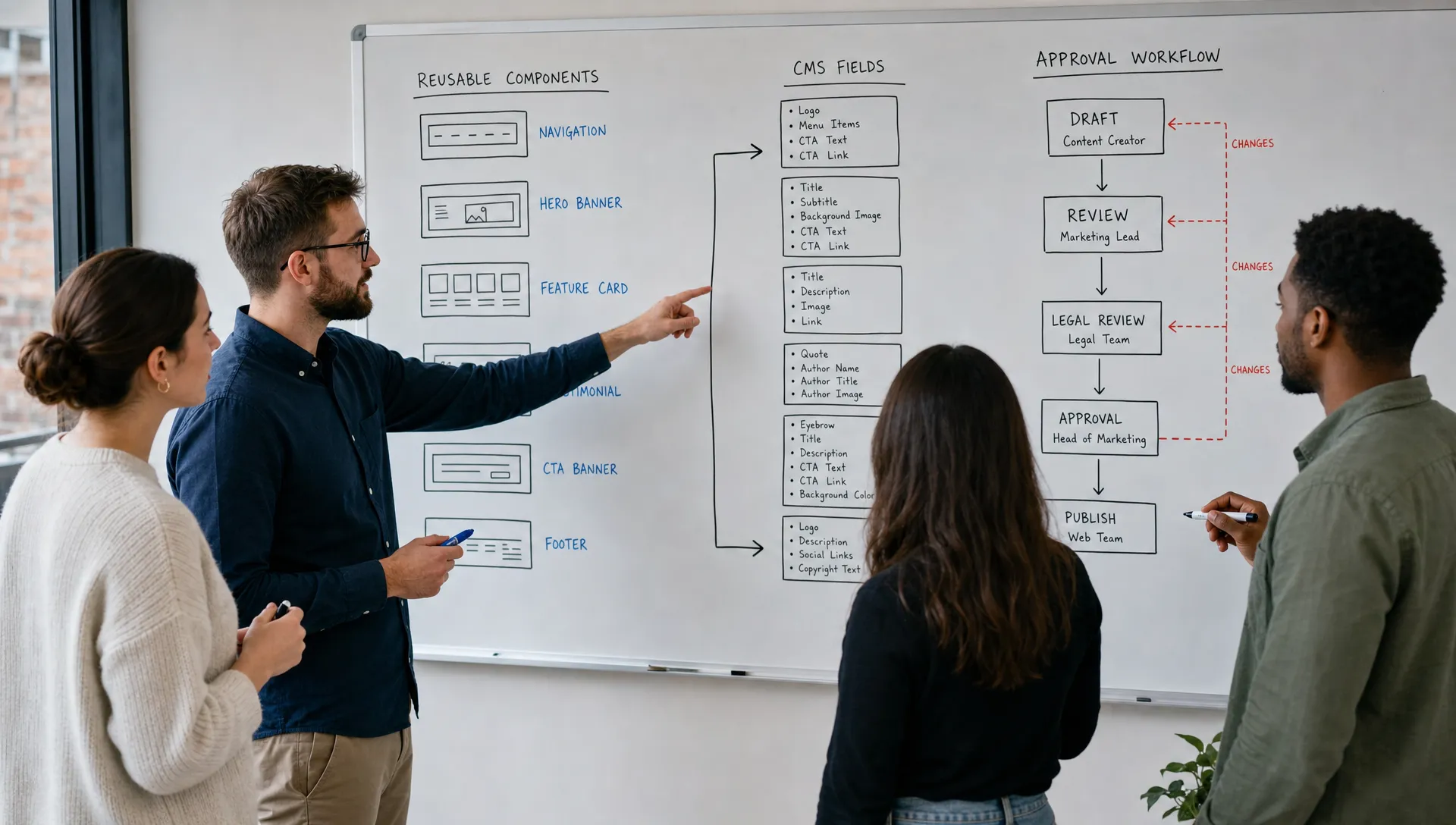
A website is easier to maintain when responsibilities are defined before the first update request arrives.
If you build custom website operations without role clarity, small edits become unclear. The founder wants to change positioning. Marketing wants to launch campaign pages. Sales wants new proof points. SEO needs metadata changes. Without a workflow, updates become scattered and inconsistent.
Create three levels of access. Strategic owners approve messaging and structure. Content editors update CMS items and page copy. Technical owners manage design system changes, integrations and SEO-critical settings.
For search visibility, editors should also understand the basics of titles, descriptions, headings and indexable content. Google’s SEO starter guide is a useful reference for non-technical teams because it explains core principles without turning SEO into guesswork.
Access works best when it follows responsibility rather than seniority. The table summarizes three levels that fit most B2B teams, with what each level can change and what stays out of reach. Adapt the names to your organization, but keep the separation between messaging, content and system settings.
| Role | Can change | Should not change | Typical owner |
|---|---|---|---|
| Strategic owner | Positioning, homepage messaging, pricing language and structure approvals | Components, integrations, SEO settings | Founder, CEO or CMO |
| Content editor | CMS items, page copy, images, blog posts and case studies | Layout rules, global styles, redirects | Marketing or content team |
| Technical owner | Design system, integrations, SEO-critical settings and redirects | Approved messaging without sign-off | Agency partner or developer |
The right platform depends on how your team publishes, not only on what the site looks like.
Webflow and Framer can both support custom marketing websites, but the decision should reflect your CMS needs, design complexity, SEO requirements and internal skills. If your team depends on structured content, recurring page types and more advanced publishing control, evaluate CMS depth carefully.
If your team is still choosing a platform, BeBranded’s guide on website development platforms for B2B growth gives a practical way to compare options through growth, SEO, integrations and maintainability.
SEO should also be part of platform selection. Your team needs control over headings, meta data, redirects, schema where relevant, image alt text and performance basics. For that decision, the article on choosing a website builder with SEO built in is a useful companion.
A platform decision is easier when you compare editing criteria rather than feature lists. The table below turns the main points into questions you can ask during a demo or a vendor call. Test each one with a real example from your own content, not a generic template.
| Criterion | What to check | Why it matters |
|---|---|---|
| CMS structure | Can you create custom collections and fields for each content type? | Keeps content consistent and easy to reuse |
| Editing experience | Can an editor update content without touching the layout? | Reduces dependency on designers and developers |
| Permissions | Can you separate content editing from design changes? | Protects brand consistency |
| SEO controls | Can you manage titles, descriptions, headings, redirects and alt text? | Prevents search visibility issues after launch |
| Performance | How are images, scripts and hosting handled? | Affects speed and user experience |
| Integrations | How do forms, CRM and analytics connect? | Avoids broken lead flows after launch |
Most maintenance problems come from early decisions that were made too quickly.
Many teams build custom website pages around a specific launch deadline, then discover the structure does not support the next campaign, service page or content series. The design may look polished, but the operating model is missing.
Avoid these mistakes before they become expensive to fix.
For a deeper angle on this specific issue, BeBranded has a related guide on building custom websites without slowing future updates.
Use this checklist before you build custom website pages at scale or approve the final handoff.
The checklist below groups the twelve checks into four phases so you can assign each one to an owner. Work through them in order, because later checks depend on earlier decisions.
| Phase | Check |
|---|---|
| Scoping | Confirm the primary business goal for the website. |
| Scoping | Map the main buyer journeys and page purposes. |
| Scoping | Define CMS collections before designing final layouts. |
| Content and design | List which fields editors need for each content type. |
| Content and design | Create reusable components for repeated content patterns. |
| Content and design | Lock typography, spacing, color and responsive behavior. |
| Governance and SEO | Define who can edit content, design settings and SEO settings. |
| Governance and SEO | Prepare page templates for core use cases, including service pages, case studies, blog posts and landing pages. |
| Governance and SEO | Add metadata, open graph content and image alt text workflows. |
| Testing and launch | Test mobile layouts before content migration is complete. |
| Testing and launch | Check redirects, forms, integrations and analytics tracking before launch. |
| Testing and launch | Record a short handoff guide so the team knows how to update the site safely. |
This checklist is intentionally operational. It is not about adding complexity. It is about removing ambiguity before your team starts using the site under real business pressure.
Not every part of a custom website should be editable by everyone.
A practical way to build custom website ownership is to divide the site into three zones. The first zone is content your marketing team should update often, such as blog posts, case studies, resource pages and landing page copy. The second zone is controlled content that needs approval, such as homepage messaging, pricing language and positioning. The third zone is system-level design, which should stay with a technical owner or agency partner.
This approach protects speed and quality at the same time. Editors get control where updates are frequent, while strategic and technical areas remain consistent.
For growing teams, this connects directly to website planning. BeBranded’s article on website design and development priorities explains how to treat the website as a growth asset rather than a static brochure.
Dividing the site into zones makes approval rules easy to explain. The table summarizes what belongs in each zone, who handles it and how changes are approved. It also gives new team members a quick reference for what they can publish on their own.
| Zone | Examples | Who edits | Approval needed |
|---|---|---|---|
| Frequent content | Blog posts, case studies, resource pages, landing page copy | Content editors | Light review |
| Controlled content | Homepage messaging, pricing language, positioning | Marketing lead | Strategic owner approval |
| System design | Components, spacing, typography, integrations | Technical owner | Formal change request |
Documentation is part of the website system, not an optional extra.
Good documentation does not need to be long. It should explain how to create a new page, update a CMS item, change images, write meta data, publish safely and request design changes when needed.
This is especially useful when marketing teams change or grow. A new hire should be able to understand the publishing rules without reverse engineering the site. If your team expects the website to support ongoing growth, BeBranded’s overview of website development for growing teams covers the broader operational requirements to plan for.
The best test of an editable website is a real task performed by a real editor.
After launch, ask someone who did not build the site to publish a blog post, add a case study and update a landing page section. Note where they hesitate, which fields confuse them and which steps require help. Each point of friction shows a gap in the CMS structure or in the documentation.
Repeat this test after a few weeks of real use. If requests for small technical changes keep arriving, review your CMS fields and components before adding more pages. For ideas on keeping the CMS tidy as content grows, see BeBranded’s article on using Webflow content management without CMS clutter.
What is the difference between a custom website and a template website? A custom website is planned and designed around your brand, content structure and business goals. A template website starts from a predefined layout and is adapted to fit your content.
Can a custom website still be easy for a marketing team to update? Yes. The site needs a structured CMS, reusable components, clear editing permissions and documentation. Custom design should not mean manual editing for every small change.
Should founders or CEOs have editing access? They can have access, but not necessarily full design control. In most teams, leadership should approve strategic messaging while content editors manage routine updates.
How much should be editable in Webflow or Framer? Frequent content should be editable, including blog posts, case studies, images, testimonials and landing page content. Core design rules, spacing systems and component structure should stay controlled.
What should be included in a website handoff? A useful handoff includes CMS instructions, page editing guidance, SEO basics, publishing rules, form and integration notes and clear ownership for future changes.
A custom website should give your team more control, not create a queue of small technical requests.
When you build custom website systems around outcomes, CMS structure, reusable components and clear workflows, your team can publish faster without weakening design quality or SEO foundations.
If you are planning a custom Webflow or Framer website and want it built for real team ownership, start with a focused website audit or project discussion through BeBranded.