What a professional website for business should include
Development
•
X min
•
Published on
31.07.2026
•
Updated on
18.08.2026
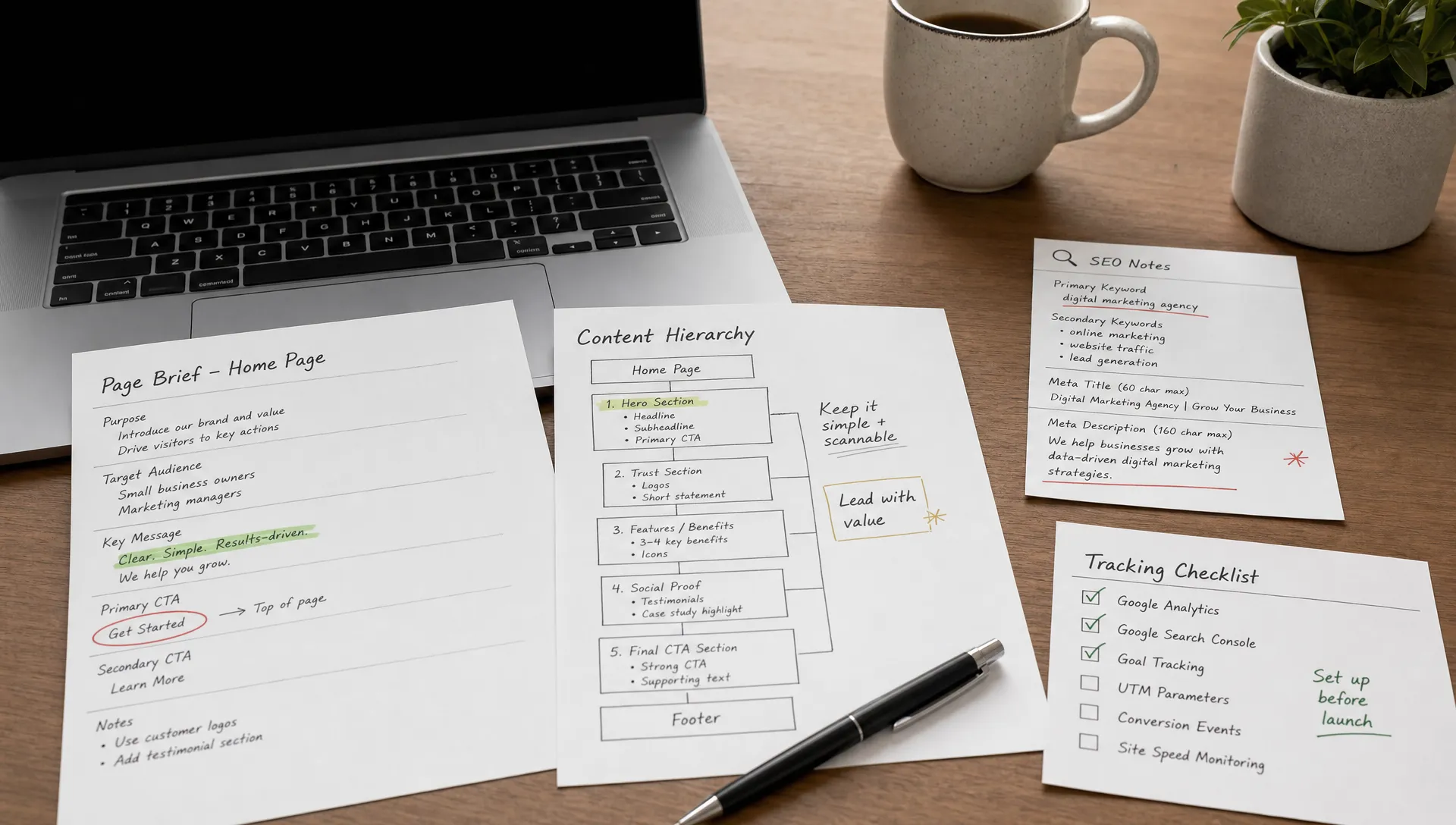
A professional website for business should help the right visitor understand your offer, trust your company, and take a clear next step. It is not just a visual asset. It is a sales, marketing, and operations tool that needs structure, speed, credibility, and a way for your team to keep improving it.
This guide explains what to include, how to decide what matters, what to avoid, and how to review a business website before launch.
A professional website is defined by clarity, usability, trust, and maintainability.
For a business, professional does not mean complex. It means the website gives visitors enough information to make a decision without confusion. The offer is clear, the navigation is predictable, the pages load properly, and the content supports the buyer journey.
A professional site also works for the internal team. Marketing should be able to publish content, update pages, track performance, and improve conversion without rebuilding the site every time the company changes.
A useful definition is this: a professional website for business is a structured digital platform that explains what the company offers, proves why it should be trusted, guides visitors toward action, and remains easy to manage after launch.
Before deciding what pages to build, define what the website needs to accomplish.
A founder, CMO, or marketing manager should start with the commercial role of the site. Is it meant to generate qualified leads, support outbound sales, explain a complex service, recruit partners, or help buyers compare options? The answer changes the structure.
This is where many projects go wrong. Teams start with references, layouts, and colors before agreeing on the buyer journey. If you are planning a new build, it helps to review the main website design and development priorities before moving into production.
Every core page should support a decision. On the homepage, the visitor decides whether they are in the right place. On a service page, they decide whether your offer fits their problem. On a contact page, they decide whether taking the next step is worth their time.
If a page does not support a decision, it may not need to exist. If a page supports a decision but lacks proof, detail, or a clear call to action, it needs to be improved before launch.
A business website rarely closes every deal by itself, especially for B2B services, high-ticket offers, or technical products. Its role is often to qualify interest, answer common objections, and make the sales conversation easier.
That means the site should not only look polished. It should reduce friction. It should explain the offer in plain language, show evidence, answer practical questions, and give visitors a clear route to contact, book, request pricing, or explore content.
A practical way to review a business website is to separate it into five layers.
This framework helps teams avoid judging the site only by its visual design. A site can look clean and still fail because the messaging is vague, the CMS is hard to use, or the conversion path is weak.
The first layer is the message. Visitors should quickly understand who you help, what you offer, what outcome you support, and why your company is credible.
Strong messaging is specific. Instead of broad claims, use concrete language about your audience, service, process, and use cases. Avoid generic statements that could describe any competitor.
The second layer is the structure. Navigation should make sense to a first-time visitor, not only to your internal team.
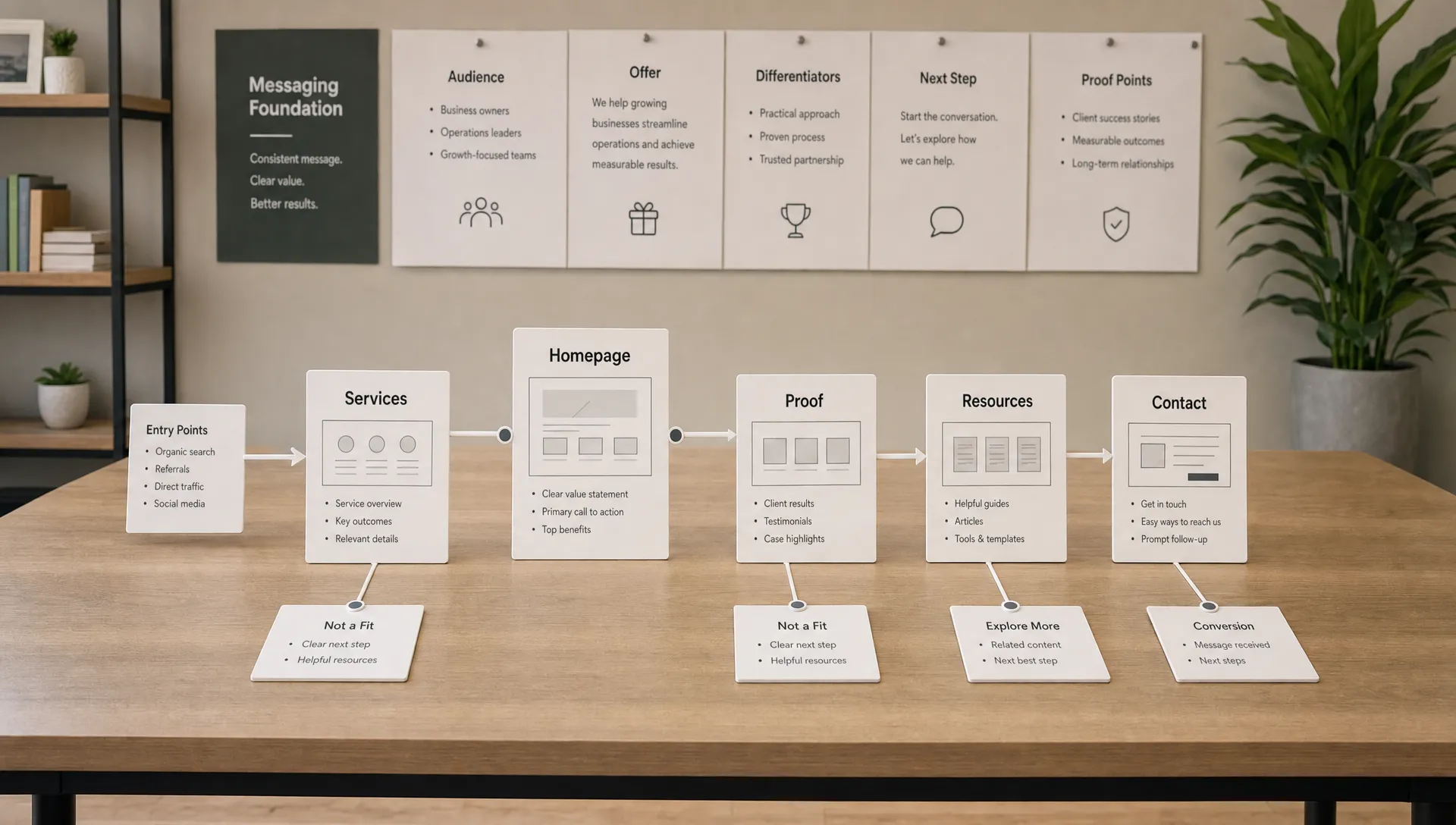
For most business websites, the structure should separate company information, offers, proof, resources, and contact options. Page depth should match the complexity of the buying decision. A simple service may need one focused page. A complex offer may need multiple supporting pages.
The third layer is conversion. A professional website should make the next step visible without forcing it too early.
Conversion is not only about buttons. It includes proof, page flow, form design, objection handling, and the quality of the call to action. If conversion and organic visibility are priorities, it is worth understanding which web design services improve conversion and SEO before setting the scope.
The fourth layer is technical quality. The site should load reliably, work on mobile devices, follow basic SEO standards, and avoid unnecessary complexity.
This includes semantic headings, clean URLs, metadata, redirects where needed, image optimization, analytics, tracking setup, forms, CMS collections, and third-party integrations. Google’s SEO starter guide is a useful reference for the fundamentals that should not be skipped.
The fifth layer is the operating model. A professional site should not depend on a developer for every text change, new landing page, or content update.
The CMS, components, templates, and naming conventions should be understandable for the people who manage the site. This is often where no-code platforms such as Webflow and Framer are useful when implemented with discipline.
Here is the five-layer framework at a glance, from message to maintenance. Use it as a quick reference when auditing an existing site or scoping a new one.
| Layer | Focus | Key question |
|---|---|---|
| 1. Positioning and messaging | Who you help, what you offer, why you are credible | Does a first-time visitor understand the offer in seconds? |
| 2. Structure and user experience | Navigation, page depth, information architecture | Can visitors find the right page without guessing? |
| 3. Conversion paths and trust | Proof, form design, objection handling, calls to action | Is the next step visible without being forced too early? |
| 4. Technical foundation | Performance, SEO basics, CMS setup, integrations | Does the site load reliably and cover the fundamentals? |
| 5. Maintenance and scalability | CMS structure, components, naming conventions | Can the internal team update the site without a developer? |
The right page list depends on the business model, but most companies need a clear foundation.
A small local business, a SaaS company, and a consulting firm do not need identical websites. Still, the following pages often form the base of a professional business website.
| Page | Purpose |
|---|---|
| Homepage | Explain who you help, what you offer, why it matters, and where visitors should go next. |
| Offer, service, or product pages | Give enough detail for visitors to judge fit, scope, process, outcomes, and concrete next steps. |
| About page | Build trust by explaining the company, the team, values, experience, and how you work. |
| Proof pages | Show testimonials, case studies, client logos, certifications, results, or other credible evidence. |
| Resources or blog section | Support SEO, educate buyers, answer objections, and give sales teams useful content to share. |
| Contact or conversion page | Make it easy to book a call, send a request, ask for pricing, or take the most relevant action. |
| Legal and trust pages | Include a privacy policy, terms, cookie information, and any compliance content relevant to your market. |
For a deeper look at how page structure affects both visitors and search engines, this guide on website structure that helps users and Google find the right pages is a useful next step.
For smaller companies, a compact site can still be professional if it is structured carefully. If your business only needs a lean online presence, the brochure website guide explains when a simpler structure is enough.
Design should make the content easier to understand and the action easier to take.
A professional visual system includes consistent typography, spacing, colors, buttons, icons, and imagery. These choices should support the brand, but they also need to serve readability and navigation.
Good UX is practical. It helps visitors scan, compare, and decide. Mobile layouts need the same level of attention as desktop layouts because many prospects will first discover the company from search, social, email, or referral links on their phone.
Accessibility should also be considered from the start. The W3C Web Accessibility Initiative gives a useful introduction to making websites more usable for people with different needs and contexts.
The technical foundation determines how reliable, visible, and manageable the website becomes after launch.
A professional website should include technical SEO setup, performance optimization, responsive implementation, CMS configuration, analytics, form testing, and basic security hygiene. These items are not extras. They affect how visitors experience the site and how easily marketing can improve it.
If you are comparing agency scopes, review what website development and design services should include. It helps separate visible deliverables from the less visible work that protects launch quality.
For growing teams, the technical setup also needs to support change. New landing pages, campaign pages, resources, and integrations should not require a full rebuild. This is one reason modern website development in 2026 increasingly focuses on scalable systems, not only finished pages.

Not every business needs a large website, but every business needs the right level of structure.
A simple site is usually enough when the offer is straightforward, the company has few pages to maintain, and the website’s main role is credibility. In that case, focus on clear messaging, strong contact paths, trust elements, and local or branded search visibility.
A scalable system is more appropriate when marketing plans to publish content, test landing pages, support multiple segments, integrate with CRM tools, or expand internationally. In that case, the CMS, components, SEO architecture, and governance matter as much as the first page designs.
The table below summarizes the practical differences so you can place your project quickly.
| Criteria | Simple site | Scalable system |
|---|---|---|
| Offer complexity | Straightforward and easy to explain | Multiple segments or a complex positioning |
| Content plans | Few pages, rarely updated | Frequent publishing, campaigns, landing pages |
| Team involvement | Occasional edits | Marketing manages the CMS regularly |
| Growth plans | Local or single-market focus | Multiple markets, CRM integration, international reach |
| Priority | Clear messaging and trust signals | CMS architecture, components, governance |
AI can help with drafts, outlines, and early content exploration, but it should not replace strategic decisions. If your team is considering AI-assisted production, this guide on how to create a website with AI in 2026 explains where it helps and where human review remains necessary.
Most website issues come from poor decisions early in the process. The table below lists the recurring ones, why they hurt, and how to fix each one.
| Mistake | Why it hurts | Fix |
|---|---|---|
| Designing before the message is clear | Visual references cannot fix vague positioning | Agree on the message before choosing layouts or colors |
| Copying competitors without understanding the buyer | Similar layouts can hide very different strategies, audiences, and sales cycles | Base decisions on your own buyer journey, not on appearance |
| Adding too many pages too early | More pages means more content to write, review, optimize, and maintain | Launch with a focused set of pages and expand deliberately |
| Using vague calls to action | Visitors need to know what happens after they click, submit, or book | Make each call to action specific about the next step and its outcome |
| Treating SEO as a launch-day task | Search structure, headings, metadata, internal links, and performance need to be built in | Involve SEO from structure and copywriting, not only at the end |
| Ignoring the CMS experience | If the team cannot update the site easily, it will age quickly | Test content editing with the people who will actually use it |
| Ignoring post-launch maintenance | Forms, integrations, tracking, plugins, and content all need ongoing attention | Define an ownership and review process before launch |
These mistakes are common because they feel efficient at the start. They usually create delays, unclear content, or weak performance later.
The cost of these mistakes is not only design rework. It is missed learning. When the site is hard to update or measure, the marketing team cannot improve it with confidence.
Use this checklist to review a professional business website before it goes live.
| Area | What to check |
|---|---|
| Homepage | Explains the audience, offer, value, and next step above the fold and in the supporting sections. |
| Core pages | Each page has a clear purpose and one primary action. |
| Navigation | Labels are simple, familiar, and match how buyers think. |
| Offer or service pages | Cover scope, process, proof, objections, and concrete next steps. |
| Forms | Tested on desktop and mobile, including confirmation messages and routing. |
| SEO basics | Titles, descriptions, heading structure, URLs, alt text, redirects, and sitemap are complete. |
| Cross-device rendering | Pages load correctly across common screen sizes and browsers. |
| Images | Compressed and used with a clear purpose, not as decoration that slows the site. |
| Analytics | Tracking and conversion measurement are installed and tested. |
| CMS organization | Structured so the internal team can update content safely. |
| Legal pages | Privacy policy, cookie banners, and required disclosures are in place. |
| Maintenance process | Defined for updates, content changes, technical checks, and performance reviews. |
The goal is not to make the site perfect. The goal is to make sure the fundamentals are in place so the website can support growth, measurement, and iteration.
If several items are missing, delay the launch or reduce scope. Launching fewer pages with stronger foundations is usually better than launching a larger site that the team cannot manage.
Sometimes a website can be improved with focused updates. Sometimes it needs a redesign.
Small fixes make sense when the structure is sound and the problems are limited to content, layout, speed, or conversion details. A focused improvement cycle can solve those issues without replacing the entire site.
A redesign is more appropriate when the positioning has changed, the CMS is difficult to manage, the site no longer matches the brand, the technical foundation is weak, or the page structure blocks SEO growth. If you are unsure, use this website redesign guide to assess whether rebuilding is justified.
A professional website should be planned, built, launched, and maintained with the same level of discipline.
BeBranded designs and develops Webflow and Framer websites for SMBs and scale-ups, with custom design, CMS architecture, SEO setup, on-page optimization, no-code automations, third-party integrations, and ongoing support. The goal is to build a site that can be launched efficiently and improved after launch.
For teams that need execution without unnecessary complexity, this means making clear decisions early: what the website needs to prove, which pages are necessary, how content will be managed, and how performance will be reviewed. After launch, a structured process matters as well. The website maintenance guide for 2026 explains what should be monitored over time.
A professional business website is not defined by the number of pages or the complexity of the design. It is defined by how clearly it helps visitors understand, trust, and act.
Start by auditing your current site against the five layers: message, structure, conversion, technical foundation, and maintenance. If one layer is weak, fix that before expanding scope.
If you want an execution-oriented team to help define and build the right Webflow or Framer website, start with BeBranded.