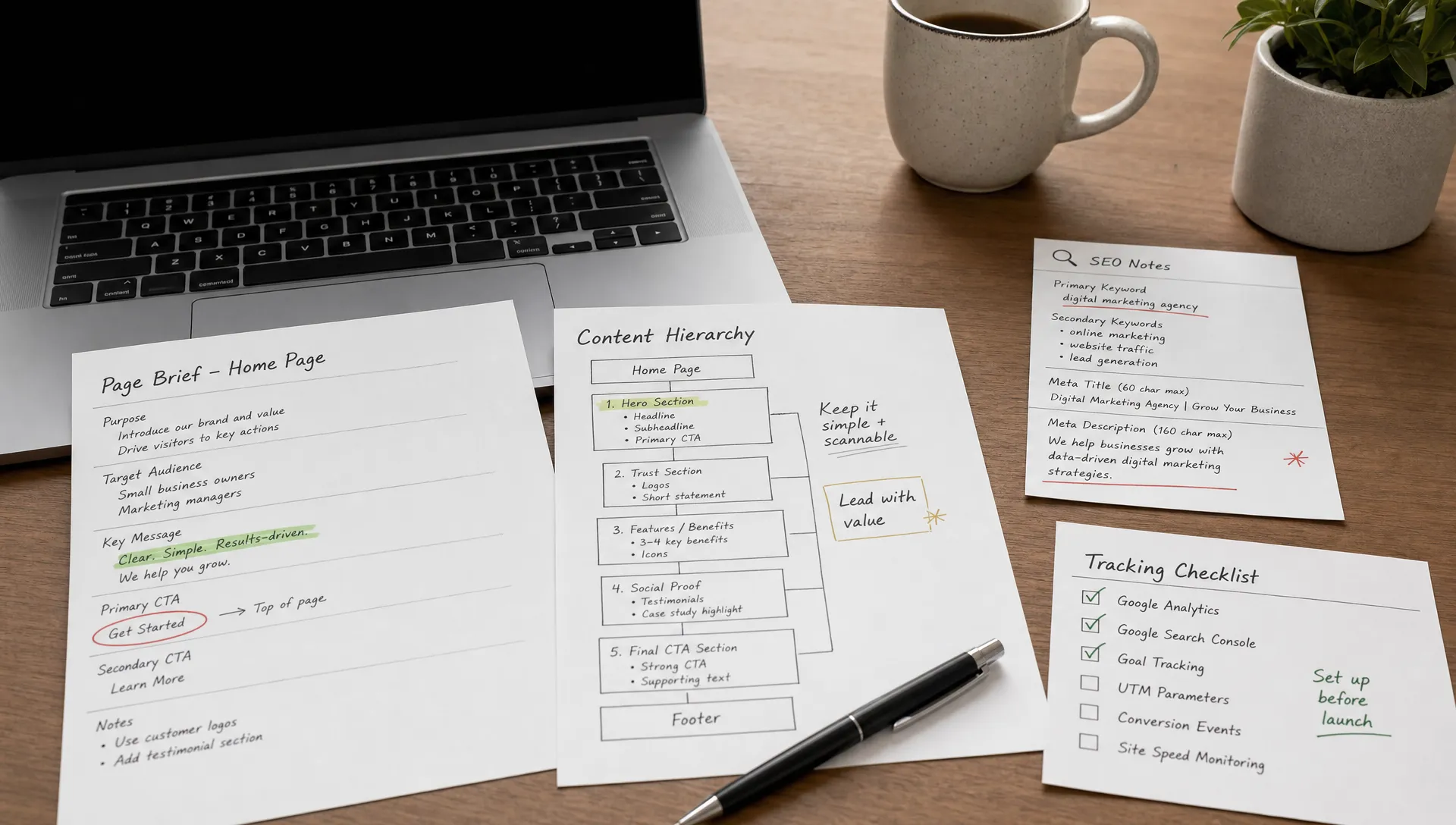
How to compare web design packages beyond the page count
Design
•
X min
•
Published on
08.08.2026
•
Updated on
21.08.2026
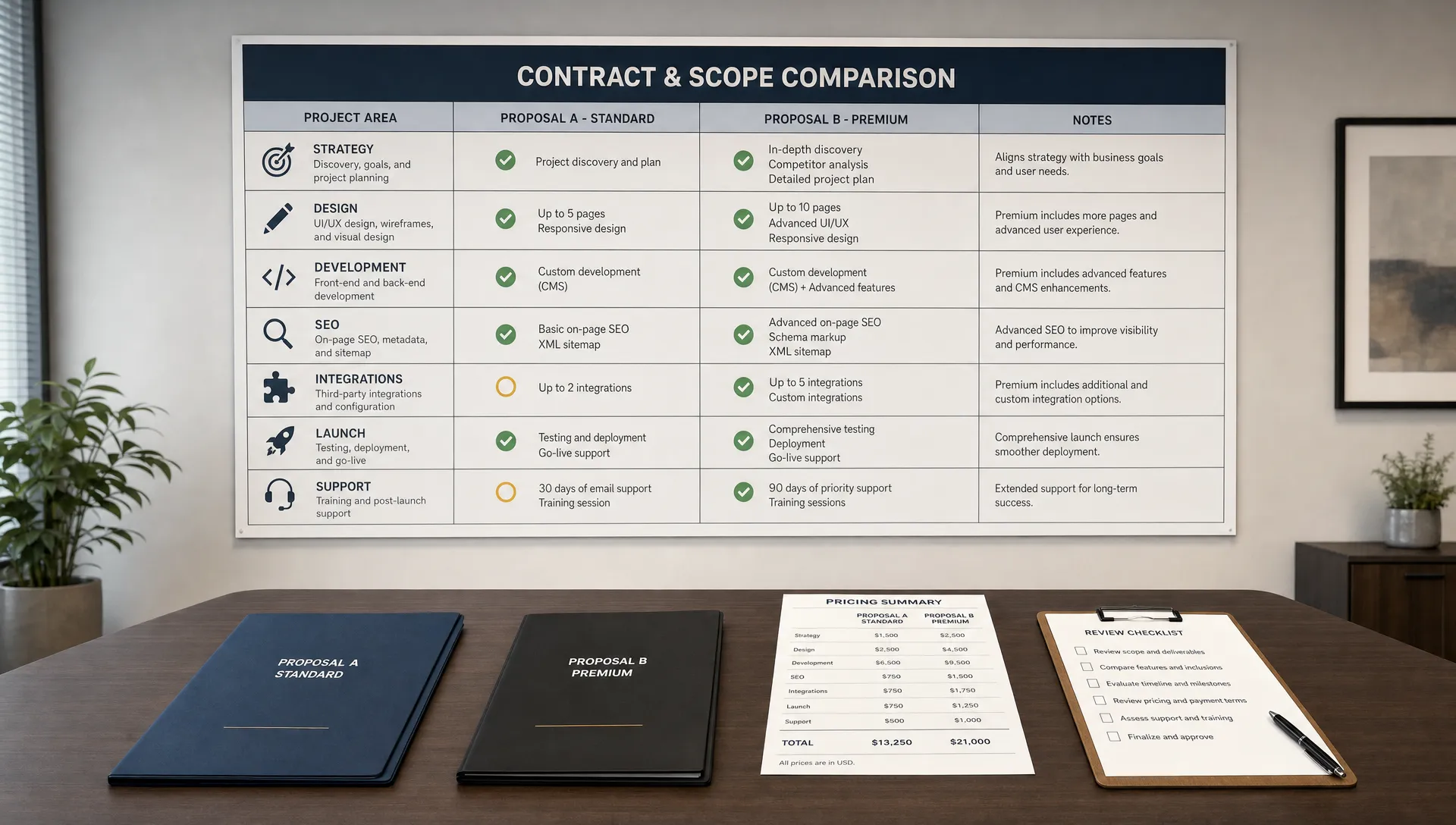
Page count is a weak way to compare web design packages. It tells you how many visible pages may be delivered, but it does not tell you how much strategy, content structure, technical setup, SEO work, CMS logic, integration work, or post-launch support is included.
A five-page website can be more complex than a fifteen-page website if it includes custom CMS collections, gated content, CRM forms, localization, technical SEO, and conversion-focused landing pages. The reverse is also true: a large brochure site can be simple if most pages reuse the same template.
This guide gives you a practical way to compare packages before you sign. The goal is not to choose the cheapest offer. It is to understand what you are buying, what is missing, and which proposal is most likely to support your business goals.
Page count looks objective, which is why it appears in many proposals.
The problem is that pages are outputs, not effort drivers. A pricing line that says “10 pages” does not clarify whether those pages include UX wireframes, copywriting support, CMS architecture, technical SEO, performance optimization, QA, analytics setup, or post-launch fixes.
For a founder, CMO, or marketing manager, the real question is not “How many pages do we get?” The better question is “What does this package need to make the website useful, maintainable, and measurable after launch?”
This is especially important when comparing Webflow or Framer builds, where a small number of well-structured templates can power many CMS pages. If you are already evaluating different service scopes, BeBranded’s guide on how to compare web development services without wasting budget is a useful companion to this article.
A serious web design package should define the work required to plan, build, launch, and maintain the site.
A clear definition is simple: a web design package is a scoped set of strategy, design, development, content, SEO, integrations, QA, launch, and support deliverables sold for a defined budget and timeline.
That definition matters because it separates cosmetic deliverables from business-critical work. Two agencies can both offer “homepage plus service pages,” but one may include positioning workshops, CMS setup, responsive QA, redirects, and analytics. The other may only include static page design.
If you want a broader view of what should be included in a professional scope, review BeBranded’s breakdown of what website development and design services should include. It helps you identify gaps that are often hidden behind simple package names.
Use four layers to compare proposals: outcome, content, system, and support.
This framework keeps the discussion focused on business value and delivery risk. It also makes it easier to compare very different quotes without reducing the decision to page count or hourly rate.
| Layer | What to compare | Warning sign if missing |
|---|---|---|
| Outcome | The commercial purpose (leads, signups, rebrand, hiring) and deliverables tied to it | Attractive pages with no link to the buyer journey |
| Content | Copy responsibility, content strategy, SEO briefs, migration, CMS modeling | Placeholder copy only, unclear who writes |
| System | CMS collections, components, forms, redirects, metadata, integrations, technical SEO | “Design” that is only static pages, no operable system |
| Support | Launch help, bug fixing, training, docs, maintenance, ownership of files and accounts | No post-launch model, dependency on the agency for every change |
Start with the commercial purpose of the website. Is the project meant to generate qualified leads, improve sales enablement, support a rebrand, increase product signups, recruit talent, or help the marketing team publish faster?
A package should connect deliverables to that purpose. For example, a conversion-focused website should include messaging hierarchy, CTA strategy, form logic, analytics events, page speed care, and responsive behavior. Without those elements, you may receive attractive pages that do not support the buyer journey.
For more detail on the services that influence performance, the guide on web design services that improve conversion and SEO explains why design quality alone is not enough.
Content is often where packages become unclear. Some proposals include placeholder copy only. Others include content strategy, sitemap planning, SEO briefs, content migration, page rewriting, or CMS content modeling.
Ask how the agency will turn your offer, proof points, objections, and customer questions into page structure. A strong package should clarify whether you are responsible for final copy, whether the agency rewrites content, and how many rounds of content review are included.
The same applies to UX. A package may include “design,” but that can mean moodboards, wireframes, high-fidelity UI, component systems, or direct build in Webflow or Framer. These are not the same level of work.
A website is not just pages. It is a system your team has to operate.
For Webflow, this can include CMS collections, reusable components, collection templates, forms, redirects, metadata, custom code, tracking scripts, third-party integrations, and editor permissions. For Framer, it may include CMS setup, design system logic, responsive behavior, and integration constraints.
Technical SEO also belongs here. Google’s SEO starter guide is clear that search visibility depends on crawlable, understandable, useful pages. A package that ignores headings, metadata, redirects, indexing, structured content, and internal linking may create avoidable problems after launch.
The last layer is what happens after the website goes live. This is where low-cost packages can become expensive.
Support should define launch assistance, bug fixing, CMS training, documentation, handover, maintenance options, and who owns the design files, Webflow project, Framer project, assets, custom code, and analytics accounts.
Your marketing team should not need the agency for every small change unless that is an intentional support model. If internal autonomy matters, make sure the package includes a build that your team can actually update.
Price matters, but it needs context.
A quote is only useful when you understand the assumptions behind it. Before comparing numbers, normalize the scope. Make sure each proposal answers the same operational questions.
For redesign projects, pricing can vary because the work includes existing site analysis, content migration, SEO preservation, stakeholder alignment, and technical cleanup. BeBranded’s article on website redesign pricing explains those variables in more depth.
If your shortlisted packages are Webflow-specific, also account for platform costs, workspace setup, and ongoing management. The guide to Webflow pricing in 2026 can help you separate agency fees from platform and operating costs.

Most bad decisions come from comparing incomplete information.
These mistakes are common because package names make offers look simpler than they are. A “growth package,” “startup package,” or “premium package” can mean very different things depending on the agency.
The same mistake happens when companies choose a provider based only on portfolio style. Your growth stage, internal team, content volume, and marketing cadence should shape the agency fit. BeBranded’s guide on how to choose a web design agency by growth stage gives a better decision lens.
Use this checklist to compare web design packages line by line.
You do not need every item for every project. A simple landing page and a full website redesign should not have the same scope. The point is to make exclusions visible before the project starts.
If you are also comparing platforms, not just agencies, remember that total cost is not limited to the initial quote. Production, hosting, maintenance, security, plugins, support, and internal time all affect long-term cost. BeBranded’s comparison of Webflow vs WordPress total cost of ownership is useful when platform choice is still open.
When two packages look close, compare risk and operating fit.
The stronger offer is usually the one that reduces ambiguity. It should explain assumptions, responsibilities, milestones, exclusions, and decision points in plain language. A polished PDF is not enough if the scope leaves major questions unanswered.
Look for the provider that can explain trade-offs. For example, a smaller first launch with a clean CMS and strong core pages may be better than a larger page count with fragile content structure. A practical agency should help you decide what belongs in version one and what can wait.
Also consider your internal capacity. If your team has strong copywriting, design direction, and technical ownership, you may need a leaner build package. If your team is stretched, you may need more strategy, content, QA, and handover support included from the start.
Web design packages are easier to compare when you stop treating page count as the main unit of value.
A better comparison looks at outcome, content, system, and support. This gives you a clearer view of what will be delivered, what your team must provide, what risks remain, and how well the website will perform after launch.
Your next step is simple: take the checklist above and review every proposal against it before signing. If you are planning a Webflow or Framer website and want a practical scope review, use BeBranded to pressure-test the package before you commit.