How web design and marketing can work as one system
Development
•
X min
•
Published on
12.09.2026
•
Updated on
04.10.2026
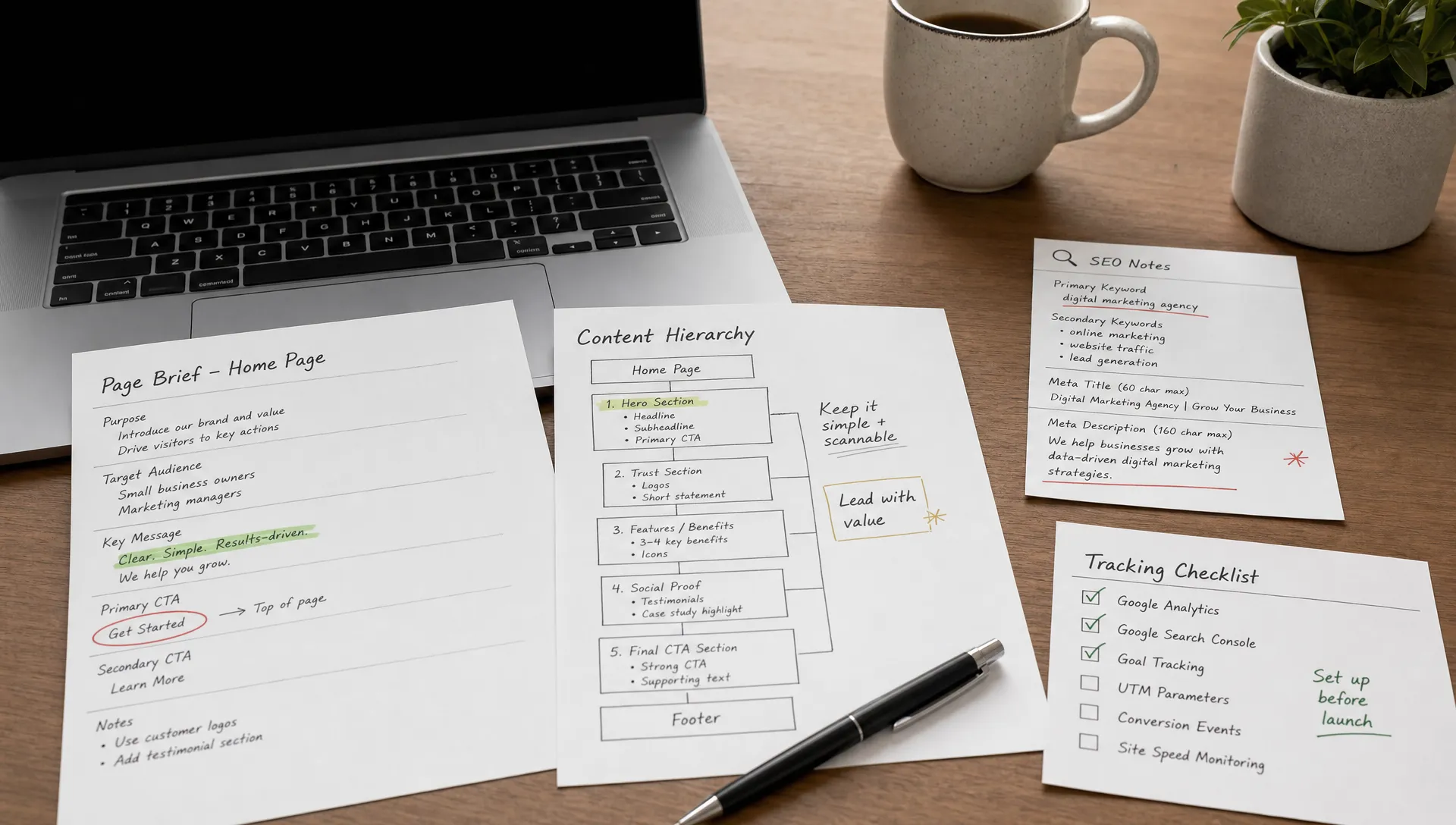
Websites often fail as growth assets when design and marketing are planned in separate rooms. The real issue is not whether web design marketing matters, but whether each page has a clear job, a clear audience and a clear way to measure success.
This article gives you a practical way to align brand, content, UX, SEO, campaigns and tracking before the first page is built. It is written for founders, CMOs and marketing managers who need a website that supports pipeline, not just presentation.
A website becomes easier to manage when every team understands what it is responsible for.
A practical web design marketing setup connects positioning, page structure, copy, visual hierarchy, technical SEO and conversion measurement. None of these parts should be decided in isolation because each one changes how visitors understand your offer.
This does not mean every page needs a long strategy phase. It means the team agrees on the business goal before discussing layout, animation or CMS fields.
Before wireframes, define what the page must help the business achieve.
For a homepage, the job may be to clarify the company’s category and route visitors to the right next step. For a service page, it may be to qualify demand and explain why your approach is credible. For a landing page, it may be to convert one campaign audience around one offer.
Good web design marketing starts with a simple question: what decision should this page help the visitor make? If the answer is vague, the page will usually become vague too.
This is also where teams should connect design choices to conversion and search intent. If you are planning a larger redesign, it helps to review which web design services actually improve conversion and SEO before spending time on visual changes that do not affect outcomes.
The table below summarizes the usual job of the most common page types. Use it as a starting point, then adjust it to your own offer and sales cycle. The goal is that every page has one main job and one signal that shows whether it works.
| Page type | Main job | Primary signal | Common risk |
|---|---|---|---|
| Homepage | Clarify the category and route visitors to the right next step | Clicks to service or contact pages | Trying to say everything at once |
| Service page | Qualify demand and prove credibility | Contact or audit requests | Feature lists with no proof |
| Landing page | Convert one audience around one offer | Form submissions | A message that does not match the ad |
| Blog article | Answer a buyer question and lead to a related page | Engaged visits and clicks to service pages | Content with no next step |
| Case study | Show results in a comparable context | Visits followed by a contact request | Outcomes described without numbers |
The goal is not to merge every role. The goal is to make decisions in the right order.
Use this five-layer framework to keep the work structured. Each layer should be clear before the next one becomes detailed.
The framework works because it prevents late-stage conflict. A design debate about a hero section often becomes easier when the team has already agreed on the visitor’s intent, the page goal and the proof needed to move forward.
The table below compares a separated workflow with a system workflow across four decision areas. It shows where late-stage rework usually comes from and what changes when the team decides in the right order.
| Decision area | Separated workflow | System workflow |
|---|---|---|
| Page planning | Design receives a brief after campaign planning. | Marketing and design define the page job together. |
| Content | Copy is added after layouts are approved. | Copy and structure are shaped at the same time. |
| SEO | SEO is checked near launch. | Search intent informs page architecture from the start. |
| Measurement | Tracking is added after development. | Conversion events are defined before build. |
A shared system still needs clear owners.
Without named owners, web design marketing work slows down at every approval step. Each layer of the framework should have one person who makes the final call and a short list of people who give input.
In most teams, marketing owns the message and performance layers, design owns the experience layer, and development owns the build layer. Leadership and sales contribute to the market layer, because they hold the closest view of real buyer objections.
Write these decision rights down on one page and review them at the start of each project phase. That single page prevents most late-stage disagreements about who can change a headline, a layout or a tracking event.
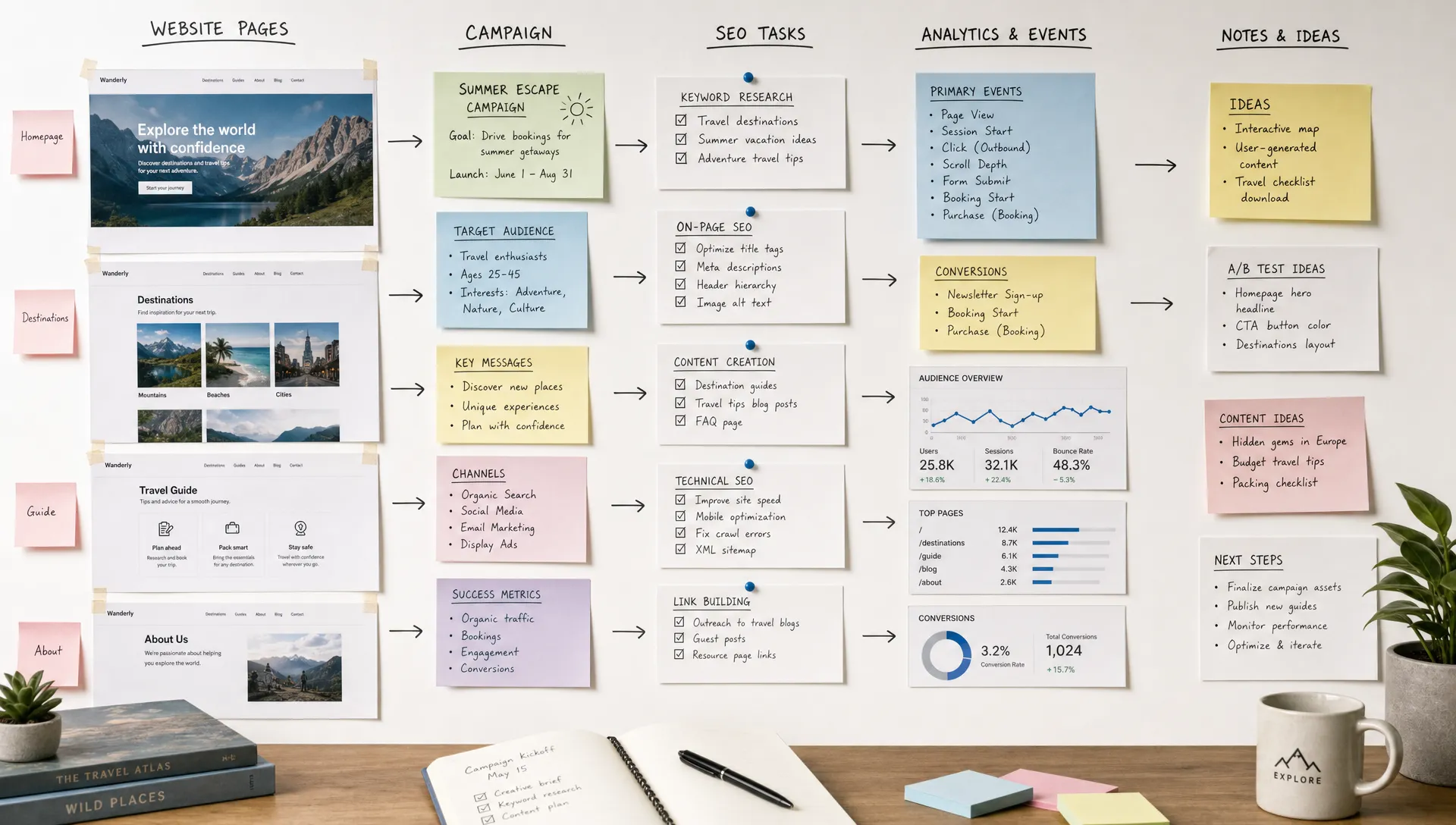
A site that supports marketing needs to connect traffic sources to page intent and follow-up actions.
A web design marketing workflow should define what happens before and after each visit. Before the visit, the team should know the source, audience and expectation created by the campaign or search result. After the visit, the team should know which conversion event, CRM field or content path matters.
For SEO, this means planning pages around search intent instead of adding keywords late. Google Search Central explains that helpful, people-first content and crawlable structure matter for search visibility. For marketing teams, that translates into clear headings, focused pages, descriptive internal links and content that answers real buyer questions.
For campaign-led teams, the same principle applies to CRM and attribution. If your website is built on HubSpot, the page system should connect landing pages, forms, content offers and CRM data. The planning approach in HubSpot web design that connects campaigns, content and CRM is a useful reference for that kind of setup.
The table below links each traffic source to the expectation it creates and the event you should track. It helps marketing and design agree on what the page must deliver before the build starts. Use it as a planning sheet, not as a reporting template.
| Traffic source | Visitor expectation | Page response | Event to track |
|---|---|---|---|
| Organic search | A direct answer to the search query | Focused page with clear headings and a related next step | Scroll depth, click to a service page |
| Paid campaign | The promise made in the ad | Landing page with the same message and one CTA | Form submission |
| A continuation of the message | Page that repeats the offer from the email | Click and form submission | |
| Referral or partner | Context from the referring site | Short introduction that explains who you are | Click to the contact or demo page |
| Direct | Familiarity with the brand | Clear navigation to the main offers | Visits to pricing or contact pages |
A good system reduces repeated decisions.
For web design marketing to scale, teams need reusable page sections, CMS structures, content patterns and visual rules. This does not remove creativity. It gives the team a controlled way to create new pages without rebuilding basic decisions every time.
For example, a B2B marketing team may need multiple service pages, comparison pages, resource pages and campaign landing pages. If every page starts from a blank canvas, publishing slows down and quality becomes inconsistent.
A shared component library, clear CMS model and documented visual rules are more useful than a large brand PDF nobody opens. If your team publishes often, the link between design, CMS and maintenance is covered in more detail in web design and maintenance for teams that publish often.
This is also where a design system helps. A design system defines the reusable foundations, components and guidelines that keep a website consistent. If you need to formalize this, start with a clear design system definition, then move into the practical steps to create a design system for your site.
Performance should not be treated as a technical cleanup task.
Page speed, mobile behavior, crawlability, metadata, schema, image handling and accessibility all affect how well a website supports marketing. The design can look polished and still create friction if forms are hard to use, pages load slowly or content is difficult to update.
The web.dev guidance on Core Web Vitals gives teams a shared vocabulary for user experience metrics such as loading performance, responsiveness and visual stability. You do not need to overcomplicate this. You need a clear pre-launch checklist and a way to monitor important pages after launch.
A useful performance review should answer four questions. Can users understand the page quickly? Can search engines crawl and interpret it? Can marketers edit and publish without breaking the layout? Can the team see what is working after traffic arrives?
The table below turns those four questions into a pre-launch check. Each area has a clear owner, so nothing is left to chance in the final week. Treat any blocking item as a launch condition and not as a nice-to-have.
| Review area | What to check | Suggested owner |
|---|---|---|
| Speed and stability | Core Web Vitals on key templates, image weight, font loading | Development |
| Crawlability | Indexable pages, sitemap, canonical tags, internal links | SEO lead |
| Metadata and schema | Titles, descriptions, headings, structured data | Marketing |
| Mobile experience | Navigation, forms, tap targets, reading comfort | Design |
| Editing workflow | CMS fields, reusable sections, publishing roles | Marketing and development |
| Tracking | Conversion events, UTM handling, CRM routing | Marketing operations |
Most web design marketing problems are operational, not aesthetic.
Avoid these common mistakes before they turn into expensive revisions.
The pattern is simple. When teams separate strategy, design, content and measurement, the website becomes harder to improve. When they share the same operating model, each change has a clearer reason.
A checklist helps teams turn alignment into concrete decisions.
Use this checklist to turn web design marketing from a vague collaboration topic into a working process.
The checklist is deliberately practical. It does not replace strategy, but it keeps the project from becoming a sequence of disconnected tasks.
Not every website improvement has the same business value.
The right web design marketing priority is usually the page or system constraint that blocks revenue, learning or publishing speed. For some teams, that is a weak homepage message. For others, it is a service page that does not explain the offer clearly, a campaign landing page that does not match the ad or a CMS that makes publishing too slow.
Use three filters to prioritize work. First, choose pages with meaningful traffic or high commercial intent. Second, choose pages where the current experience creates obvious friction. Third, choose changes your team can measure after launch.
The table below pairs common situations with a sensible first move. It is deliberately short, because the best first move is usually the smallest change that unblocks revenue or publishing speed. Check each row against your own data before committing budget.
| Situation | Likely first move | How to measure it |
|---|---|---|
| Homepage visitors leave without clicking | Rewrite the message and the CTA hierarchy | Click rate to key pages |
| Campaign traffic does not convert | Rebuild the landing page around the ad promise | Form conversion rate |
| Publishing takes too long | Create reusable sections and a cleaner CMS model | Time to publish a new page |
| Good rankings but few leads | Improve internal links and add a clear next step | Contact requests from organic visits |
| Tracking is incomplete | Define conversion events and CRM routing | Share of leads with a known source |
This keeps the roadmap realistic. A complete redesign is not always the right first move. Sometimes the better decision is to fix messaging, restructure a key page, create reusable sections or clean up technical SEO foundations.
When the issues go beyond a single page, a structured website redesign usually works better, and planning a website revamp around business outcomes explains how to scope it.
What does it mean for web design and marketing to work as one system? It means the website is planned around shared goals, page intent, content strategy, UX, SEO and measurement instead of treating design and marketing as separate phases.
Who should own the website system? Ownership should usually sit with marketing, with clear input from leadership, sales, design and development. The key is to define decision rights before the project starts.
Should copy or design come first? The message and page structure should come before detailed visual design. Final copy and design can then evolve together so the layout supports the content instead of forcing it into fixed blocks.
How does this approach help SEO? It brings search intent, page hierarchy, internal linking, technical structure and content depth into the planning process early, which makes SEO easier to execute during the build.
Is this only relevant for large teams? No. Smaller teams often benefit more because they have fewer people to fix unclear processes. A simple shared framework helps founders and marketers make faster, cleaner decisions.
Web design and marketing work best when they share the same operating logic: clear goals, focused pages, reusable assets, clean implementation and visible measurement.
You do not need to redesign everything at once. Start with one important page and review it through the framework in this article. If the page goal, message, structure, SEO setup and tracking are not aligned, fix that system before adding more pages.
If you want a practical outside view, start with a focused website audit or build discussion with BeBranded.