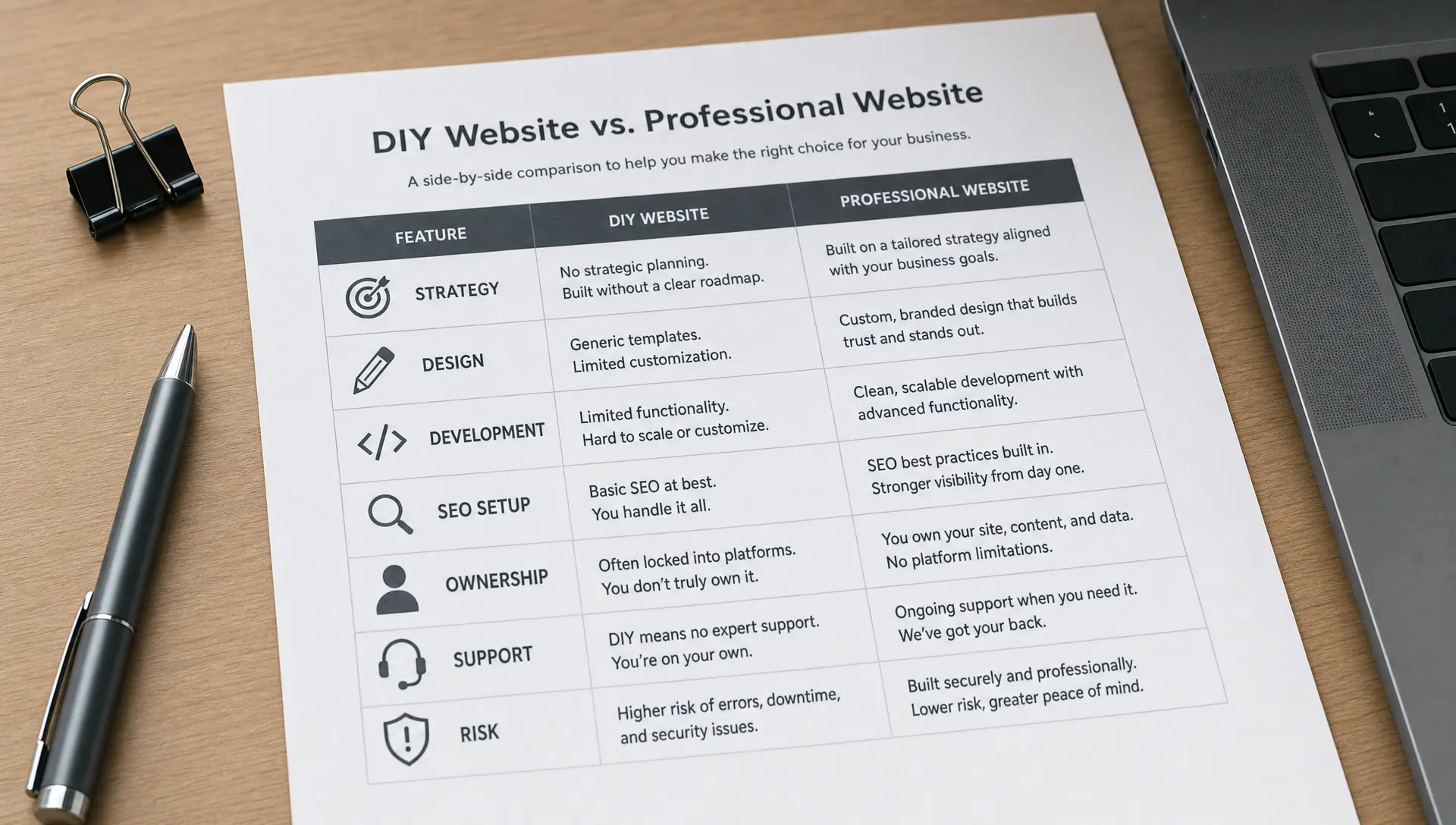
Web design and maintenance for teams that publish often
Design
•
X min
•
Published on
11.08.2026
•
Updated on
28.08.2026
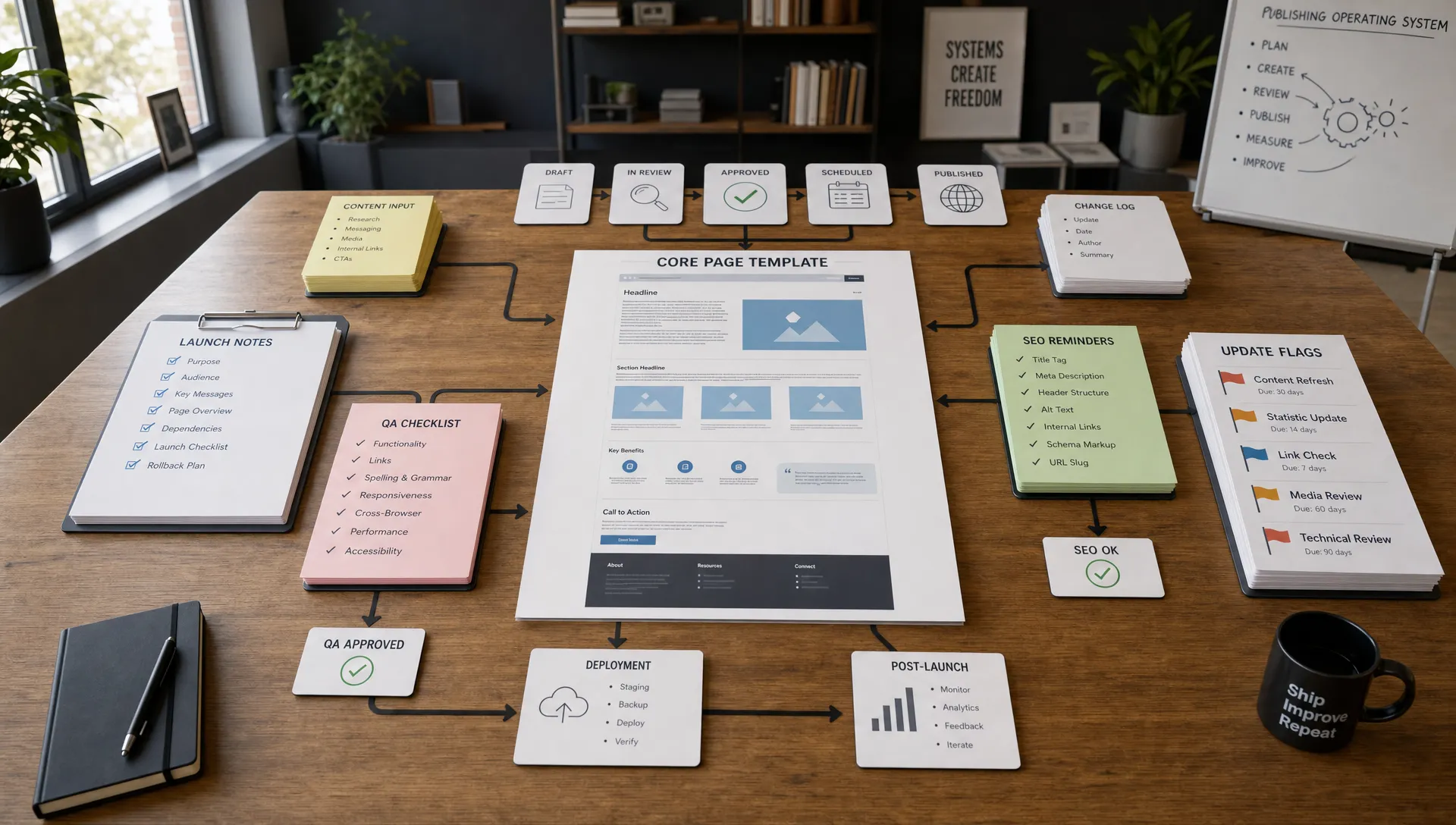
If your team publishes new pages, campaigns, product updates, case studies, or SEO content every week, your website cannot be treated as a one-time design project. It needs to be planned as a publishing system that stays fast, consistent, and easy to update.
That is where web design and maintenance become a single operational discipline. Design gives your team the structure to publish without starting from scratch. Maintenance keeps that structure reliable as the site changes.
For CEOs, CMOs, founders, and marketing managers, the question is not only “does the website look good?” The better question is “can our team keep publishing without breaking quality, speed, SEO, or conversions?” This guide covers the framework, the maintenance routines, the common mistakes, and the checklist that make that possible.
Teams that publish often need a website built for repeated use, not occasional edits.
A brochure site can survive with a few static pages and sporadic updates. A growth website cannot. Once you add regular landing pages, resources, partner pages, product launches, webinars, and SEO articles, small design and technical decisions start to compound.
Without a clear system, every new page creates friction. Designers recreate layouts. Developers patch exceptions. Marketers wait for simple changes. SEO details are missed because publishing is rushed.
A frequent publishing team needs three things from its website: reusable design patterns, a CMS that reflects the content strategy, and maintenance routines that protect the site after every update.
Web design and maintenance means designing the website so it can be used repeatedly, then keeping it technically healthy, visually consistent, and aligned with business goals over time.
For publishing-heavy teams, this scope should go beyond visual design and bug fixing. It should cover the way content is created, approved, launched, measured, and improved.
If you are evaluating a redesign or a new agency partner, it helps to start with the broader scope of what website development and design services should include, then adapt it to your publishing cadence.
A publishing team should not need a custom layout for every campaign. The design system should include flexible sections for common use cases such as hero areas, feature blocks, social proof, comparison sections, FAQs, CTAs, resource previews, and form sections.
The goal is not to make every page identical. The goal is to create enough structure so that marketers can move quickly without damaging consistency.
This is especially important for teams using Webflow or Framer, where strong component logic and naming conventions can make the difference between a clean marketing engine and a site that becomes difficult to manage.
A CMS should reflect how your team publishes, not just how developers prefer to organize data. If your team publishes blog articles, reports, customer stories, events, and industry pages, each content type needs a clear structure.
That structure should define fields, templates, categories, author logic, SEO metadata, related content, and publishing permissions where relevant.
Good CMS architecture reduces manual formatting. It also helps protect SEO by making important elements harder to forget, such as meta titles, descriptions, canonical settings, image alt text, and internal links. Teams building this structure in Webflow can use the complete guide to Webflow CMS collections to plan fields and content types before adding a new collection.
Maintenance is not only about fixing broken elements. For publishing teams, website maintenance includes performance checks, CMS cleanup, SEO reviews, accessibility improvements, link monitoring, conversion testing, and integration checks.
If your team is still treating maintenance as occasional technical support, the complete guide to website maintenance is a useful baseline for understanding what should be monitored regularly.
The practical point is simple: the more you publish, the more your website changes. The more it changes, the more maintenance needs to be planned instead of improvised.
Use this framework to assess whether your website can support frequent publishing without creating unnecessary work.
This framework is useful before a redesign, but it is also helpful for teams trying to stabilize a site that has grown without a clear structure.
Before your next wave of content goes live, review the parts of the website that most affect speed and consistency.
Start with your page types. Most marketing teams need clear structures for core pages, landing pages, blog articles, customer stories, comparison pages, resource pages, and conversion-focused forms.
Then review your design system. If every page depends on custom spacing, manual styling, or one-off sections, publishing will slow down. Your team needs reusable blocks that are flexible enough for different campaigns but controlled enough to protect brand quality.
Finally, review the CMS. Content fields should be specific enough to prevent formatting mistakes. A vague rich text field can look convenient, but it often creates inconsistent layouts, weak SEO structure, and messy content management.
For growing teams, these choices connect directly to the broader website design and development priorities that determine whether a site can support marketing execution over time.
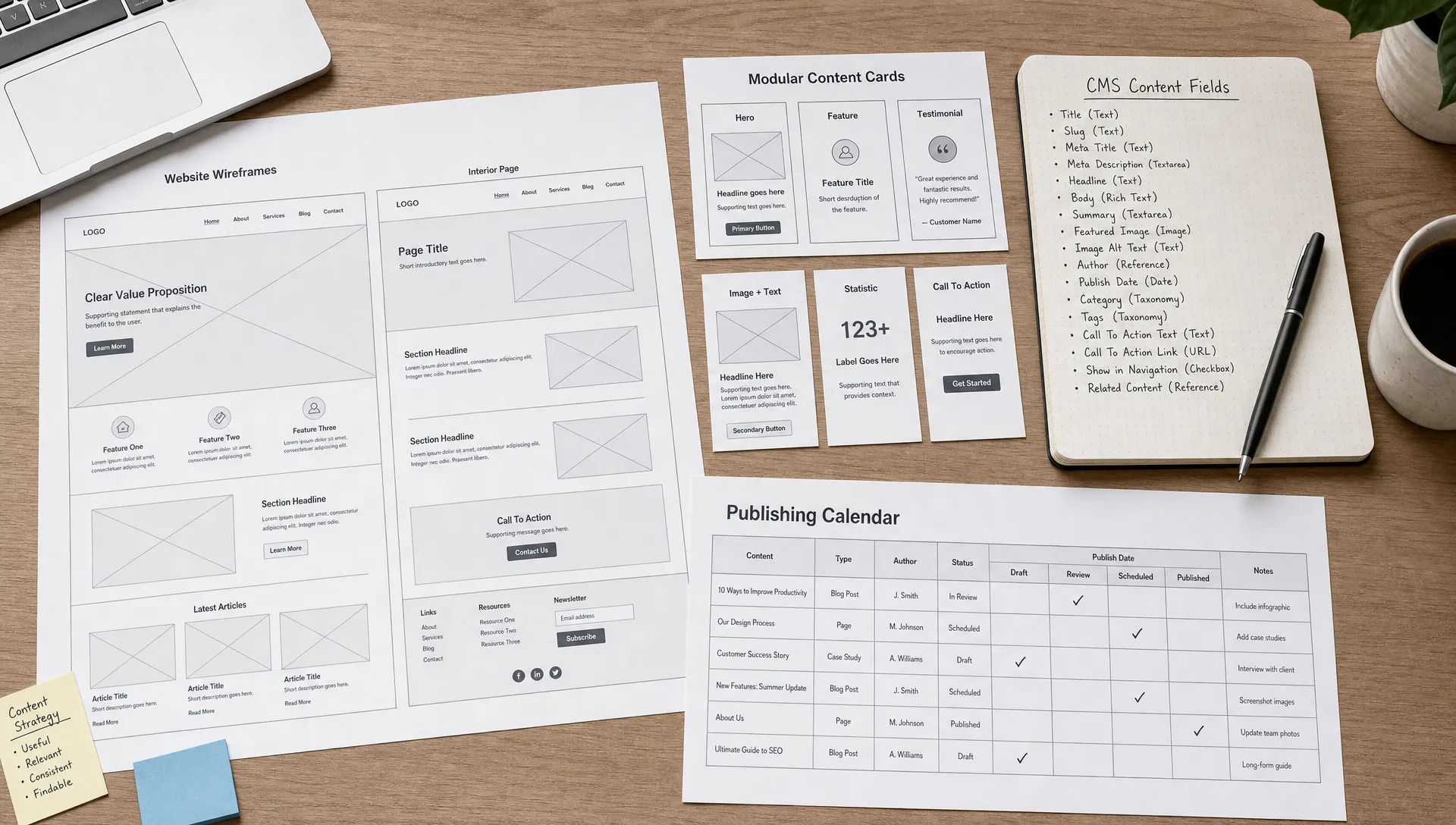
Frequent publishing creates more opportunities for small issues to affect SEO, user experience, and conversions.
Search engines need pages that can be crawled, understood, and maintained over time. Google’s own documentation on Search Essentials reinforces the importance of accessible, helpful, technically sound pages.
For teams that publish often, the table below summarizes the maintenance tasks that should be part of the operating rhythm, how often to run them, and what happens if they are skipped.
| Maintenance task | Recommended frequency | Risk if skipped |
|---|---|---|
| Check forms and conversion paths | Weekly on active campaigns | Leads and bookings are lost without anyone noticing |
| Review redirects and broken links | Monthly | Crawl waste and broken user journeys |
| Monitor performance after content updates | After each major publishing batch | Slower pages hurt Core Web Vitals and conversions |
| Validate SEO fields before launch | Before every page goes live | Missed titles, descriptions, and indexation settings |
| Clean the CMS regularly | Quarterly | Duplicate categories and outdated drafts slow the team down |
| Update reusable sections when positioning changes | As soon as messaging changes | Inconsistent messaging spreads across the site |
The right rhythm depends on site complexity. A weekly publishing team does not need the same maintenance process as a company publishing once per quarter.
Most publishing problems come from unclear systems, not from a lack of effort. The table below lists the most frequent mistakes, what they cost the team, and how to fix them.
| Mistake | Consequence | Fix |
|---|---|---|
| Designing every page as a custom project | Designers and developers become a bottleneck for routine publishing | Standardize recurring sections and reserve custom design for pages that truly need it |
| Using the CMS only as a blog tool | Customer stories, resources, webinars, and partner pages are managed manually | Extend the CMS to cover every repeatable content type your team publishes |
| Adding new tools without checking performance | Chat widgets, analytics tools, and personalization scripts slow down key pages | Assign an owner to review technical impact. See how to scope custom Webflow code without creating maintenance debt |
| Publishing without a pre-launch checklist | Missing redirects, weak titles, broken forms, and uncompressed images | Use a documented QA checklist before every launch |
| Separating design from maintenance | Fixes become inconsistent and the site is harder to operate | Keep both teams aligned on the same design system and technical constraints |
| Choosing a maintenance plan only on price | Scope gaps appear once real issues surface | Compare scope first using a resource such as website maintenance pricing and scope |
These mistakes are avoidable if the website is treated as a system with owners, rules, and recurring reviews.
Use this checklist before your next redesign, Webflow build, Framer build, or maintenance agreement. It complements a broader pre-launch checklist if you are setting up a new site rather than maintaining an existing one.
| Checklist item | Focus area |
|---|---|
| Confirm the main content types your team publishes every month | Content planning |
| Define which page types need templates and which need custom design | Design system |
| Audit whether your CMS fields match your real publishing workflow | CMS structure |
| Create reusable sections for recurring campaign and content needs | Design system |
| Document naming conventions for components, CMS items, assets, and pages | Governance |
| Define required SEO fields before a page can go live | SEO |
| Create a pre-launch QA process for forms, links, metadata, responsiveness, and tracking | Quality assurance |
| Set rules for redirects when URLs change or pages are removed | Technical SEO |
| Review image sizes and media embeds after each major publishing batch | Performance |
| Check whether key integrations still work after website updates | Quality assurance |
| Schedule recurring CMS cleanup to remove outdated drafts, duplicate categories, and unused assets | CMS hygiene |
| Review high-value pages quarterly to improve messaging, structure, and conversion paths | Continuous improvement |
This checklist is intentionally operational. It helps teams reduce avoidable website debt while keeping publishing velocity high.
The right setup depends on your team’s skills, publishing volume, and tolerance for operational risk.
Internal maintenance can work when your marketing team has someone who understands the CMS, SEO basics, page QA, analytics, and performance constraints. It is often efficient for small updates and routine content publishing.
Outsourcing becomes more relevant when the site supports active acquisition, multiple campaigns, frequent landing pages, technical SEO needs, or complex integrations. In that case, maintenance is not just support. It becomes part of your growth infrastructure. If you reach that point, the guide on how to choose a web design agency that fits your growth stage explains what to look for in a partner.
If you are planning a more structural build, the article on what growing teams need from website development can help you separate a simple site refresh from a website that needs to support ongoing marketing operations.
The amount of maintenance a site needs scales with how often the team publishes, not with the size of the company. The table below gives a starting point for matching cadence and scope to publishing volume.
| Publishing volume | Suggested cadence | Typical scope |
|---|---|---|
| A few updates per month | Monthly review | Content edits, basic QA, light SEO checks |
| Weekly landing pages or campaigns | Weekly review, monthly deep audit | Forms, redirects, performance, SEO fields, CMS hygiene |
| Multiple weekly publishes across several content types | Weekly review plus a dedicated retainer | Full QA process, integration checks, continuous CMS governance, and a named owner for the design system |
Webflow and Framer can both work well for teams that publish often, but only when the build is structured properly.
The advantage is not only visual control. The real value is the ability to combine custom design, reusable systems, CMS-driven content, responsive layouts, and faster publishing workflows without relying on a heavy development cycle for every update.
That said, no-code does not mean no structure. A poorly organized Webflow or Framer site can still become slow, inconsistent, or hard to maintain. Component logic, CMS planning, SEO setup, and QA still matter.
This is where a focused partner can help. BeBranded builds custom Webflow and Framer websites for teams that need clean execution, practical structure, and a site that can keep supporting marketing after launch.
What does web design and maintenance include for frequent publishing teams? It includes reusable page design, CMS structure, technical upkeep, SEO checks, performance monitoring, QA processes, and support for ongoing content and campaign publishing.
How often should a publishing-heavy website be maintained? Basic checks should happen at least monthly, while active campaign sites may need weekly reviews for forms, links, performance, SEO fields, redirects, and tracking.
Is Webflow good for teams that publish often? Webflow can work well for frequent publishing when the CMS, components, naming conventions, and SEO settings are planned correctly. The build quality matters more than the tool alone.
What is the biggest risk of publishing often without maintenance? The main risk is website debt. Pages become inconsistent, links break, forms fail, SEO details are missed, and the CMS becomes harder for the team to use.
Should maintenance be included after a redesign? Yes. A redesign without maintenance usually creates a short-term improvement but no operating model. Maintenance helps protect the design, performance, SEO setup, and publishing workflow after launch.
Can a marketing team manage website updates without developers? Yes, if the website has been designed with reusable sections, clear CMS fields, documented rules, and a safe publishing process. Developers or an agency may still be needed for structural changes.
A team that publishes often needs more than a polished website. It needs a website that can be operated, updated, checked, and improved without creating friction every week.
Good web design and maintenance connect the visible layer of the site with the operational layer behind it. The design system, CMS, SEO setup, integrations, and maintenance rhythm all need to support how your team actually works.
If your current website slows down publishing or creates too many manual fixes, the next step is to audit the system behind the pages. Start by identifying which templates, CMS structures, and maintenance routines are missing, then decide whether to fix them internally or with a partner that understands high-frequency marketing teams.