How web design and development should work together
Development
•
X min
•
Published on
01.08.2026
•
Updated on
21.08.2026
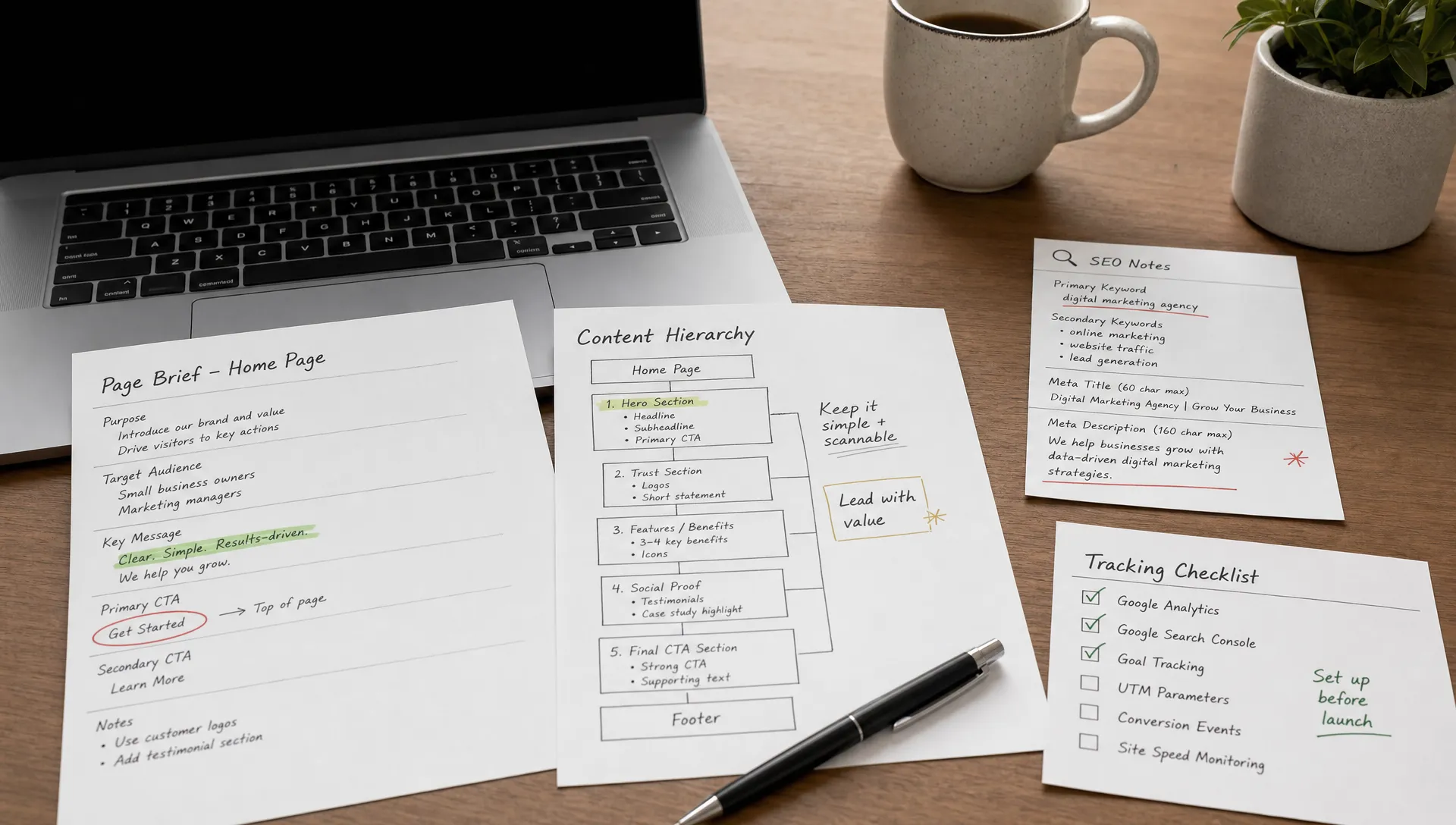
Web design and development fail when they are treated as separate phases with a clean handoff in the middle. The result is familiar: polished mockups that are difficult to build, pages that look right but load poorly, CMS structures that marketing cannot manage, and conversion details added too late.
This article explains how web design and development should work together from the first planning session to post-launch improvement. The goal is not to blur responsibilities. It is to create a shared workflow where strategy, UX, content, code, SEO, and CMS decisions support the same business outcome.
Before improving collaboration, teams need a shared definition of the work.
Web design defines the user experience, visual direction, content hierarchy, interaction patterns, and conversion paths. It decides what the visitor should understand, where they should go next, and how the brand should feel across key pages.
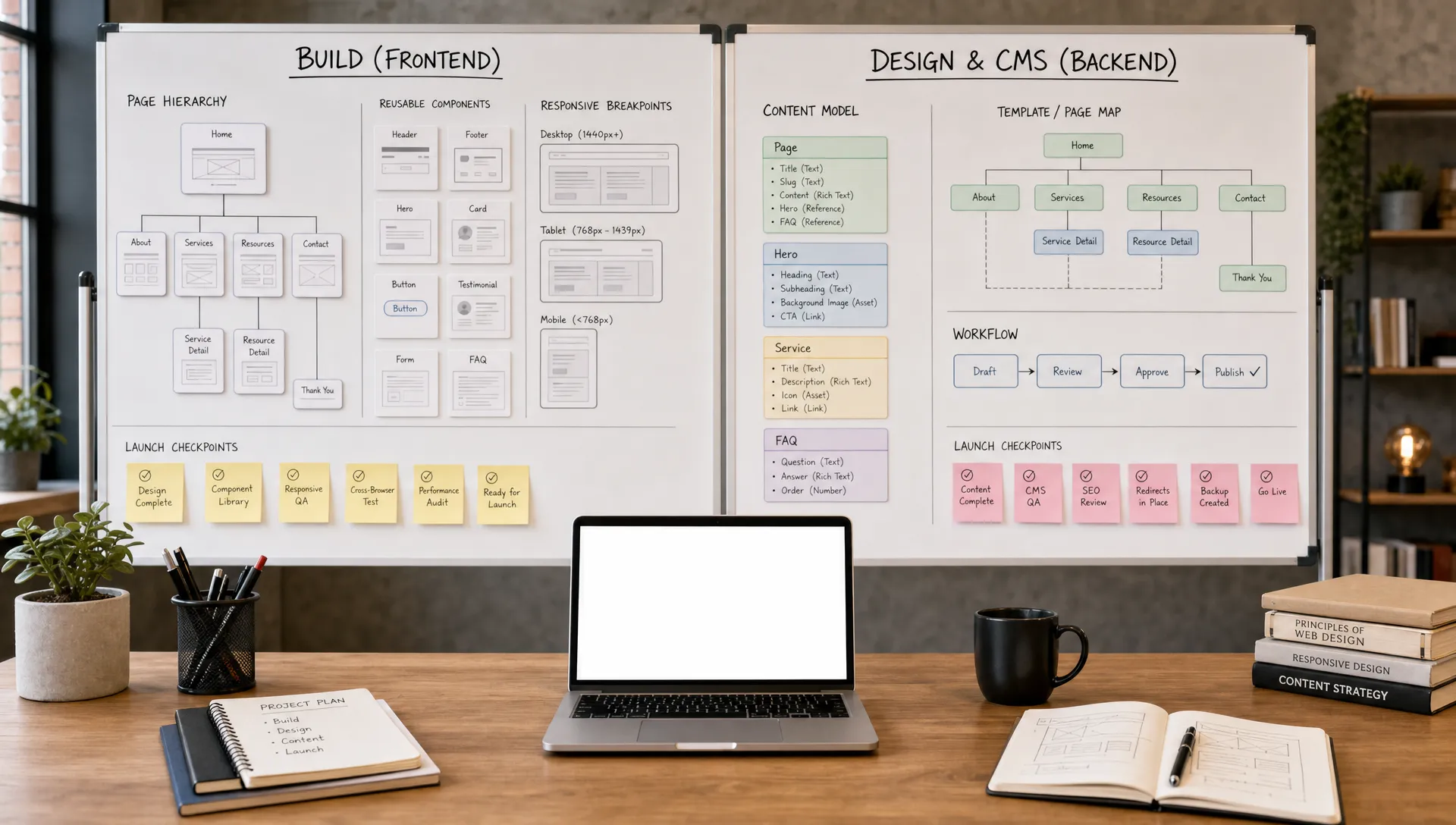
Web development turns that direction into a functioning website. It covers front-end implementation, CMS structure, responsiveness, performance, accessibility, integrations, technical SEO, and maintainability.
A healthy web design and development process does not ask design to finish everything before development starts. It asks both sides to make decisions together at the right moment. If you are still defining the scope of a project, it helps to compare your process against what strong website development and design services should include.
Design and development are not competing disciplines. Each side owns a distinct set of decisions, and confusion usually comes from not naming them clearly. The table below separates what each discipline is responsible for defining and delivering.
| What web design defines | What web development delivers |
|---|---|
| User experience, visual direction and content hierarchy | Front-end implementation and CMS structure |
| Interaction patterns and micro-interactions | Responsive behavior across devices |
| Conversion paths, calls to action and proof placement | Form logic, tracking and integrations |
| Visual language and brand consistency | Performance, accessibility and technical SEO |
| What the visitor should understand and do next | Long-term maintainability of the build |
The classic workflow looks efficient on paper, but it often creates rework.
In that model, strategy produces a brief, design produces static mockups, development receives files, and QA catches problems near the end. Each team works hard, but important constraints arrive too late. A beautiful interaction may be expensive to maintain. A CMS layout may not match how marketers publish content. A page may be visually clear but weak for SEO.
The better model is collaborative sequencing. Strategy, design, development, content, and SEO still have clear roles, but they overlap at key decision points. Developers review wireframes before visual design is finalized. Designers understand reusable components before designing edge cases. Marketing validates CMS needs before the build is locked.
This is especially important for growing teams. A website is not only a set of pages. It is a marketing system that must support acquisition, positioning, campaign launches, content updates, and sales enablement. That is why design and build decisions should reflect the same website design and development priorities from the start.
Use this framework when planning a new website, redesign, or landing page system.
Start by defining what the website must do for the business.
A homepage for a B2B SaaS company, a service website for a consulting firm, and a campaign landing page do not need the same structure. Before discussing visual style, the team should agree on target audiences, buying triggers, core offers, conversion goals, and the pages that matter most.
This step prevents design from becoming subjective. Instead of debating preferences, the team can ask whether a section clarifies the offer, reduces friction, supports SEO intent, or moves the visitor toward the right action.
Wireframes should not be treated as optional sketches.
They are where teams decide hierarchy, section logic, user flow, and content requirements without being distracted by color, animation, or final imagery. Developers should review wireframes early to flag technical complexity, component reuse, CMS implications, and responsive constraints.
A structured mockup process also gives founders and marketing leaders a clearer review path. Instead of approving a finished visual concept too early, they can validate the page logic first. For a deeper breakdown of that stage, see this guide to building a website mockup before development.
Modern websites should be designed as systems.
A component-based approach means buttons, cards, navbars, hero sections, forms, pricing blocks, testimonial sections, and CMS templates are planned as reusable elements. This makes the build cleaner and helps the marketing team extend the site later without starting from scratch.
This is where a design system becomes practical. It is not only a brand exercise. It gives designers and developers a common language for spacing, typography, colors, states, breakpoints, and reusable patterns. If your site is growing, a clear design system for your website can reduce inconsistency and speed up future production.
SEO should not be added after the website is built.
Design choices affect crawlability, content hierarchy, internal linking, page speed, image usage, JavaScript weight, accessibility, and mobile usability. Developers should help evaluate these factors before the visual direction is locked.
Google’s Core Web Vitals documentation is a useful reference for understanding how loading speed, responsiveness, and visual stability affect page experience. These are not only technical metrics. They are design and development decisions combined.
For a deeper implementation checklist, see the Core Web Vitals guide.
A good website is not finished when it launches.
Marketing teams need to publish, update, test, and expand it without depending on developers for every small change. That means CMS collections, naming conventions, page templates, reusable components, and editor permissions must be planned with real workflows in mind.
For Webflow projects, structured class naming and reusable sections matter because they affect long-term maintainability. If your team works in Webflow, the Client-First approach to Webflow development is a useful example of how build structure can support cleaner collaboration.
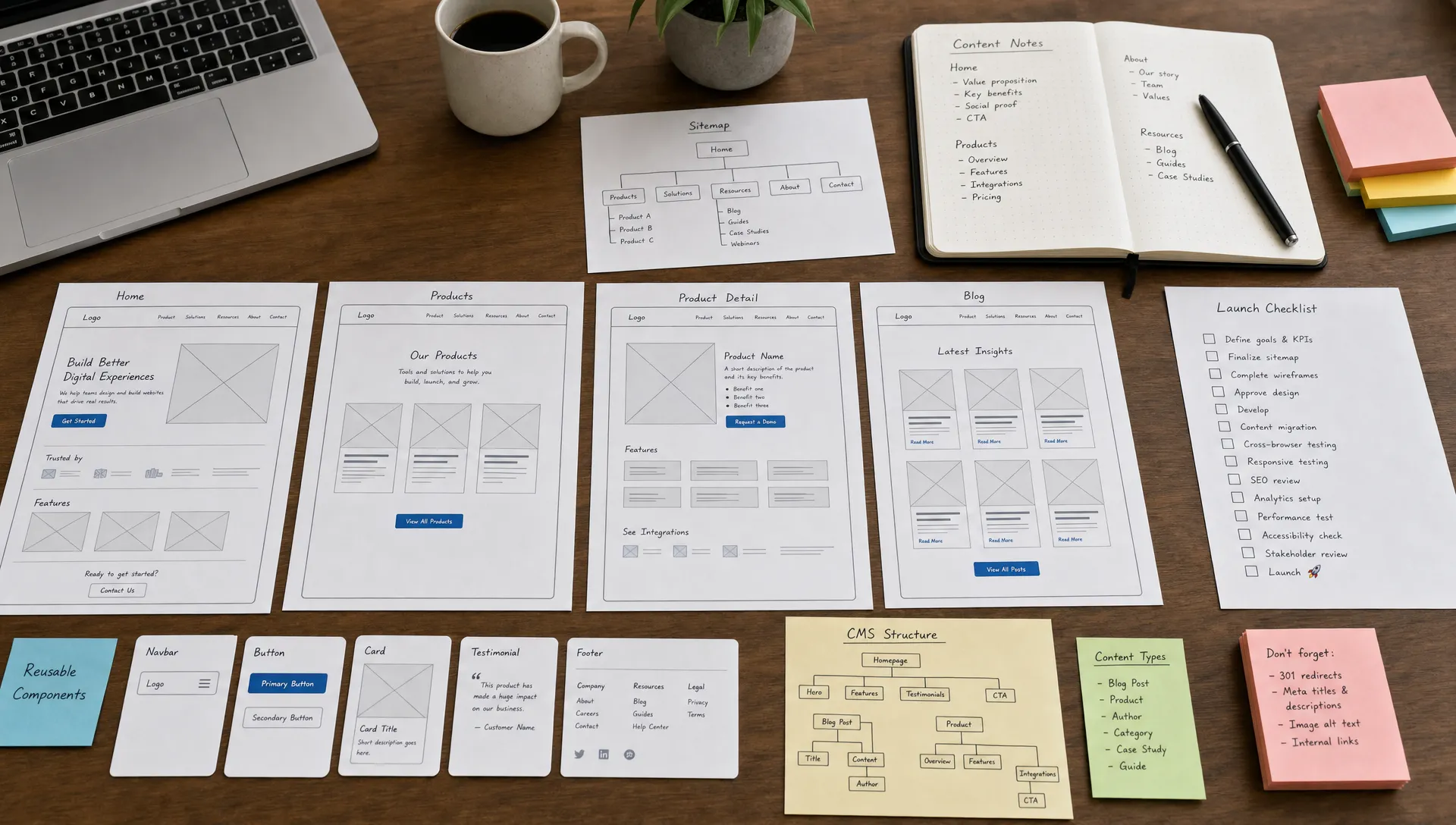
Collaboration does not mean every person joins every decision. It means each decision has the right input before it becomes expensive to change.
Information architecture defines how pages, navigation, and content groups are organized.
Design brings clarity to user paths and visual hierarchy. Development brings constraints around CMS structure, URL logic, page templates, and scalability. SEO brings search intent, keyword grouping, metadata logic, and internal linking requirements.
If these decisions happen separately, the site may look good but become hard to expand. A clean architecture helps visitors understand the offer and helps teams maintain the site after launch.
Responsive design is not just shrinking a desktop layout.
Designers need to plan how sections stack, which elements change order, how menus behave, how forms work on mobile, and how typography scales. Developers need to confirm that these decisions are realistic, maintainable, and performant.
This matters because many website reviews still happen on desktop, while many real users arrive on mobile. If responsiveness is treated as a final QA task, the team usually ends up patching layouts instead of designing them properly. A structured responsive design process keeps mobile behavior part of the project from the start.
Conversion is a shared responsibility.
Design affects trust, clarity, visual focus, and friction. Development affects form reliability, loading speed, tracking, integrations, and error handling. Content affects whether the visitor understands the offer and feels ready to act.
A conversion-focused page should be reviewed as one system. The team should check whether the CTA is clear, the form is usable, the proof points are placed correctly, the mobile experience works, and analytics are ready before launch.
Accessibility cannot be solved only by design or only by development.
Design decisions influence color contrast, focus states, text size, spacing, and interaction clarity. Development decisions influence semantic HTML, keyboard navigation, form labels, ARIA usage, and error messages.
The WCAG guidelines provide a recognized framework for accessibility. Teams do not need to treat accessibility as a separate project. They should include it in design reviews, development standards, and QA.
The four areas above do not operate in isolation. Each one blends a design decision with a development constraint, and treating them separately is where most rework starts. The table below summarizes where each discipline leads.
| Collaboration area | Design's role | Development's role |
|---|---|---|
| Information architecture | Visitor paths and visual hierarchy | CMS structure, URL logic and scalability |
| Responsive behavior | Section stacking, menu and typography behavior | Realistic, maintainable, performant implementation |
| Conversion paths | Trust, clarity and visual focus | Form reliability, speed, tracking and integrations |
| Accessibility | Contrast, focus states and interaction clarity | Semantic HTML, keyboard navigation and ARIA usage |
Most web projects do not fail because one team lacks skill. They fail because decisions are made in the wrong order.
These mistakes are common when teams optimize for visual approval instead of operational performance. If conversion and organic visibility are central to the project, make sure the scope includes the web design services that improve conversion and SEO, not only page production.
A strong process creates shared checkpoints instead of one final handoff.
This stage defines the business objective, audience, offer, page list, content needs, technical requirements, integrations, timeline, and responsibilities.
The key output is not a long strategy document. It is a clear project map that explains what will be built, why it matters, what content is needed, and what constraints must be respected.
This stage turns goals into page logic.
Designers, developers, and marketing stakeholders should review the structure together. The team should confirm section order, content depth, CTA placement, navigation, CMS needs, and SEO intent before visual design starts.
This stage defines the visual system and reusable components.
The goal is to make the site feel coherent while keeping the build maintainable. Developers should confirm interaction feasibility, reusable section logic, responsive behavior, and performance risks during this stage.
This stage turns the approved system into a working website.
For platforms such as Webflow and Framer, this includes responsive builds, CMS collections, component setup, animations where useful, integrations, forms, analytics, SEO fields, redirects, and editor-friendly structures.
This stage checks the website against real conditions.
The team should test mobile layouts, forms, page speed, metadata, accessibility basics, CMS editing, redirects, tracking, and browser behavior. After launch, the site should be improved based on actual usage, search performance, and campaign needs.
This is the direction website development is moving in. For growing teams, website development in 2026 is less about building isolated pages and more about creating a maintainable growth system.
Collaboration works best when ownership is explicit rather than assumed. A short RACI view, responsible, approves, consulted, informed, keeps decisions moving without forcing every stakeholder into every meeting. Use it as a starting point and adjust it to your team size.
| Stage | Design | Development | Marketing / SEO |
|---|---|---|---|
| Discovery and scope | Consulted | Consulted | Responsible |
| Wireframes and content structure | Responsible | Consulted | Consulted |
| Visual design and components | Responsible | Consulted | Informed |
| Development and CMS setup | Consulted | Responsible | Consulted |
| QA, launch and iteration | Consulted | Responsible | Consulted |
Use this checklist before approving a design or starting development. Each row summarizes a decision area and what the team should confirm before moving to the next stage. Treat it as a working document rather than a one-time approval gate.
| Checklist item | What to confirm before moving forward |
|---|---|
| Primary business goal | Whether the site targets lead generation, positioning, sales enablement, hiring or content growth |
| Target audiences | Visitor segments, main objections and the pages they visit before converting |
| Key conversion paths | Primary and secondary CTA, form requirements, meeting links, downloads or demo flows |
| Wireframes reviewed before visual design | Hierarchy, content logic, SEO intent, CMS needs and page flow |
| Reusable components | Recurring sections and UI patterns planned for scale |
| Responsive behavior | Mobile structure, navigation, forms, images and section stacking |
| CMS collections and editor needs | How marketing will manage posts, case studies, team pages and landing pages |
| Performance risks | Heavy media, complex animations, oversized images and fragile workarounds |
| Technical SEO in scope | Metadata, heading structure, indexation rules, redirects, schema, sitemap and internal linking |
| Pre-launch QA | Forms, tracking, redirects, browser behavior, mobile layouts, accessibility basics and page speed |
A checklist does not replace judgment, but it reduces late surprises. It also gives CEOs, CMOs, and marketing managers a clear way to review progress without getting pulled into every technical detail.
You can evaluate collaboration by looking at project decisions, not meeting volume.
A team is working well when designers ask how sections will be built, developers ask why a layout supports the user journey, marketers understand CMS tradeoffs, and SEO considerations appear before launch week.
A team is not working well when development starts after every design decision is fixed, content is still missing during QA, or technical SEO is handled as a final checklist item. These are process signals, not individual performance issues.
Use this simple test: if changing a page after launch requires redesigning from scratch, rebuilding fragile sections, or asking developers for routine content edits, the collaboration model was too linear.
The pattern above can be summarized in a simple comparison. Use it as a quick diagnostic during a retrospective or a project kickoff.
| Signal of healthy collaboration | Signal of a siloed process |
|---|---|
| Designers ask how a section will be built | Development starts only after every design decision is fixed |
| Developers ask why a layout supports the user journey | Content is still missing during QA |
| Marketers understand CMS tradeoffs before launch | Technical SEO is handled as a final checklist item |
| SEO considerations appear before launch week | Routine content edits require a developer |
When should developers be involved in a web design project? Developers should be involved during wireframing, before high-fidelity design is approved. They can flag CMS needs, responsive constraints, performance risks, and build complexity early.
Should design or development come first? Strategy and content structure should come first. Design and development should then overlap through shared checkpoints, especially around wireframes, components, CMS architecture, and responsive behavior.
How does collaboration improve SEO? Collaboration improves SEO because page hierarchy, content structure, technical setup, performance, internal linking, and mobile usability are planned before the site is built.
What is the biggest risk of separating design and development? The biggest risk is late rework. A design may look approved but fail once technical constraints, CMS requirements, responsiveness, or performance needs are considered.
Do no-code platforms remove the need for development planning? No. Platforms like Webflow and Framer make production faster, but teams still need clear structure, reusable components, responsive decisions, SEO setup, integrations, and QA.
How can a marketing manager review the process without being technical? A marketing manager can review goals, page logic, conversion paths, CMS usability, mobile behavior, and launch readiness. They do not need to review every technical implementation detail.
Does using AI tools for design or code change how design and development should collaborate? No. AI tools can speed up wireframes, copy drafts and code snippets, but the same checkpoints still apply. Someone still needs to validate business goals, review CMS implications, confirm accessibility and check performance before a page ships.
Web design and development should work together through shared decisions, not a late handoff. Design should create clarity for users and the brand. Development should turn that clarity into a fast, maintainable, accessible, and scalable website.
The practical next step is to review your current website process against the checklist above. If you are planning a Webflow or Framer project and want a clear build process from strategy to launch, work with BeBranded to structure the project before design and development drift apart.