Website mockup: complete guide to solid web projects
Design
•
X min
•
Published on
19.03.2026
•
Updated on
18.08.2026
A website mockup is a visual representation of the future site, created before development to validate the design, page structure, and user experience. The process goes through several stages: zoning (block layout), wireframe (structural outline), prototype (interactive clickable version), and high-fidelity mockup (complete design). Figma is the current market standard for these steps. Mockup work allows you to detect design issues early, facilitate communication with stakeholders, and reduce back-and-forth during development. At BeBranded, the workflow goes from Figma (design) to Webflow (development) using the Client-First methodology. This article covers the full process, tools, common mistakes, and the transition from mockup to development.
Too many web projects start directly with development. The team has an idea of what they want, a more or less clear brief, and the temptation is to jump into building the site without going through the mockup stage. The result is usually the same: costly back-and-forth, a design that does not match expectations, and structural changes mid-development that blow up the budget and timeline.
The mockup is the foundation of a successful website. It is the document that translates business objectives into design decisions, organizes content, defines user journeys, and allows all stakeholders to visually validate what the site will look like before a single line of code is written. A web project without a mockup is like building a house without an architect's plan: you can get to the end, but with significantly more time, money, and frustration.
This article is a complete guide to creating a website mockup that holds up. It covers what a mockup is, why it is essential, the steps to follow, the tools to use (Figma as the priority), common mistakes, and the workflow for transitioning from a validated mockup to development on Webflow.
A website mockup is a visual representation of what the future site will look like. It allows you to visualize the design, page structure, and user experience before moving to development. It is a design deliverable, not a finished product, and its role is to serve as a shared reference between the client, the designer, and the developer.
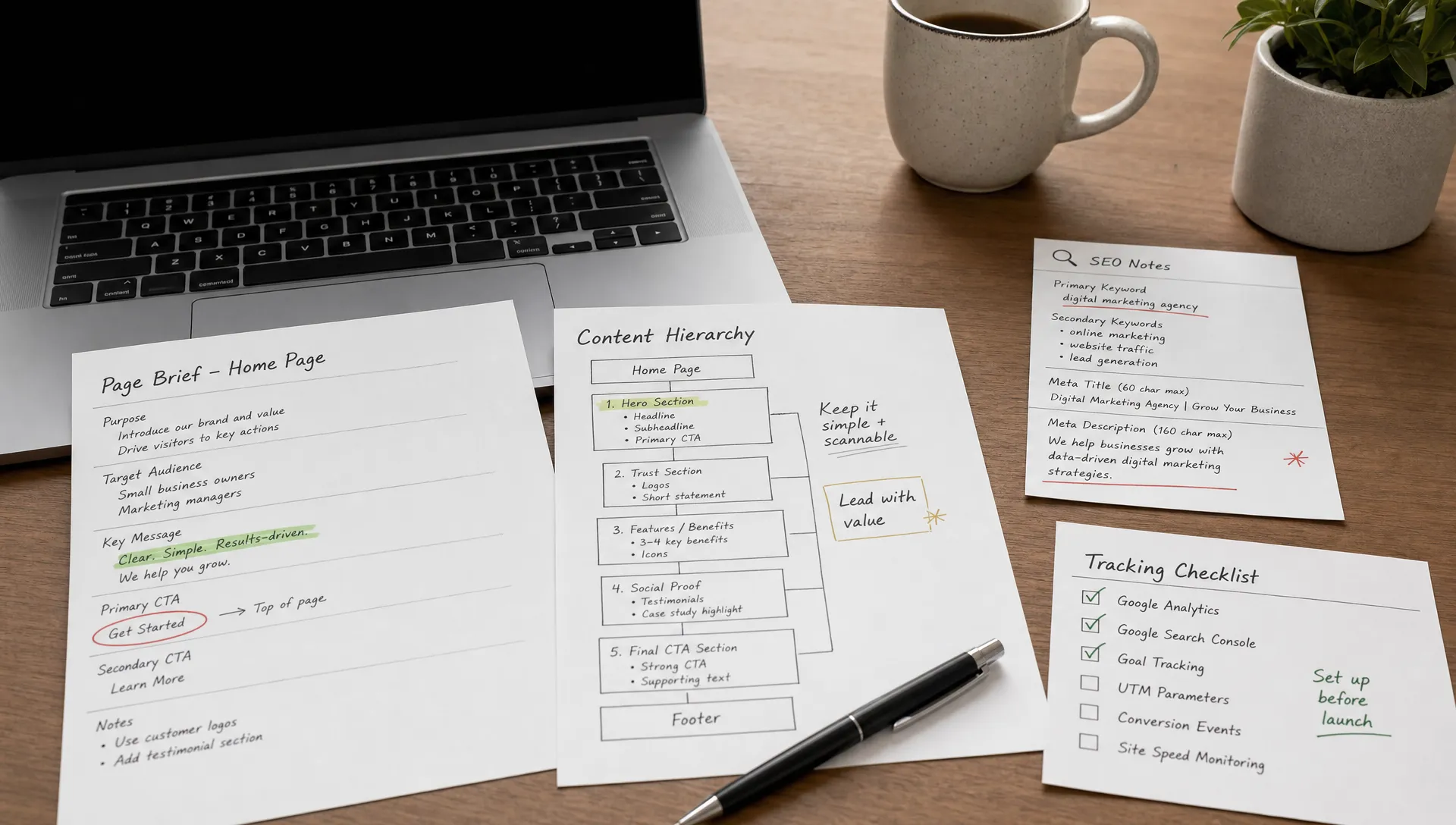
The term "mockup" actually covers several stages of design, each with a different level of fidelity and a specific purpose. Zoning is the first stage: a simple breakdown of each page into large blocks (header, hero, content section, footer), without graphic detail, used to validate the overall organization. The wireframe is a more detailed structural outline that shows the layout of elements (headings, text, images, buttons, forms) without final colors or visuals. The prototype is an interactive, clickable version of the wireframe or mockup that allows testing user journeys under realistic conditions. Finally, the high-fidelity mockup (or graphic mockup) is the final stage: the complete design with colors, typography, images, visual identity, and all the visual details of the site.
In short, a website mockup is a visual representation of the future site, created before development, covering the design stages from zoning (block layout) to high-fidelity mockup (complete design). Each stage has a specific role in the process, and the most solid projects go through all of them progressively.
Skipping the mockup stage to "save time" is one of the most common mistakes in web projects. In reality, the opposite happens: corrections during development cost far more than corrections on a mockup. Modifying the layout of a section in Figma takes a few minutes. Modifying the same section in an already built and integrated site means reworking the code, the responsive behavior, the interactions, and sometimes the page architecture. The mockup is not a cosmetic step: it is an investment that reduces the total cost of the project.
Mockup work also keeps the focus on user experience without being distracted by technical constraints. When the designer works on a mockup, they think about the visitor's journey, the information hierarchy, the clarity of the message, and the effectiveness of the CTA. When development starts directly, attention shifts to code constraints, responsive behavior, and performance, and user experience takes a back seat. The best-designed projects separate these two phases so that each receives the attention it deserves.
The mockup also facilitates communication between stakeholders. A visual is clearer than a written brief. When the client validates a graphic mockup, they validate exactly what they will see online. This considerably reduces misunderstandings, "that's not what I had in mind" moments, and change requests during development. For website redesign projects, this visual validation is even more important because the client has an existing site as a point of comparison and very concrete expectations about the result.
Mockup creation is not a free-form creative exercise. It is a structured process that progresses from general to specific, from functional to visual. Here are the seven steps in order.
Before drawing anything, the first question is: what is the site's objective, and what path should the visitor follow to get there? If the objective is lead generation, the typical journey will be: homepage, service page, contact form. If the objective is to sell a product, the journey will be: landing page, product page, cart, checkout. Formalizing this user flow as a simple diagram allows you to structure the rest of the mockup work around a concrete journey rather than vague intuitions.
The moodboard is a visual inspiration document that gathers design references: competitor or inspiring website pages, color palettes, typographies, layout styles, and photographic treatments. There is no need to reinvent web design for every project. Observing what works among competitors and within the industry allows you to position yourself intelligently and identify the visual conventions that visitors are accustomed to. The moodboard also serves as a discussion tool with the client to align tastes and expectations before the design work begins.
The architecture is the site structure: which pages exist, how they are organized, and how the user navigates from one to another. It is the skeleton of the project. A visual sitemap can be as simple as a sketch on paper or a diagram in Whimsical or Miro. The important thing is to validate this structure with the client before moving to page design, because adding or removing pages mid-mockup creates delays and inconsistencies.
Zoning involves breaking each page into large blocks and assigning a content type to each block: header, hero, benefits section, testimonials, CTA, footer. This is not about design at this stage, but about organization. Zoning answers the question "what goes where" before addressing "how to make it look good." It is a quick step that prevents getting lost in visual details too early in the process.
The wireframe is a skeletal version of each page that shows the layout of elements without graphic design. Headings are text blocks, images are gray rectangles, buttons are simple shapes. The goal is to validate the information hierarchy, the relative sizing of elements, and the reading flow. A well-done wireframe allows you to spot structural problems (a CTA too far down the page, an overly dense section, confusing navigation) before investing time in graphic design.
The prototype transforms the wireframes into a clickable version. The user can navigate from one page to another, click buttons, open menus, and test the user journey under near-real conditions. This is the ideal stage to have the site tested by real users (preferably outside the project team) and detect usability issues before the graphic design is applied. Corrections at this stage are quick and inexpensive.
This is the final stage of the mockup process. The validated wireframes receive their graphic layer: brand colors, final typographies, real images, icons, rem-based spacing, shadows, border radii, and all the visual details that give the site its identity. The result is a faithful representation of what the final site will look like. This is the document the client validates, and this is the document from which development begins. If advanced GSAP animations are planned, they are specified in the mockup as annotations or animated prototypes.
Figma has become the market standard for web mockups, and for concrete reasons. It is a collaborative tool that runs directly in the browser, which means the designer, client, and developer can all view and comment on the mockups in real time, without installing any software. Figma allows you to create wireframes, high-fidelity mockups, and interactive prototypes in the same workspace, eliminating the need to juggle multiple tools. Its reusable component system and design tokens (colors, typographies, spacing) form the foundation of modern design systems. And it is free for individual projects, making it accessible to freelancers and small teams.
Alternatives exist but are less dominant. Sketch, long the market leader, is limited to macOS and offers less advanced collaboration features than Figma. Adobe XD is nearing end of life since Adobe's attempted acquisition of Figma (which fell through) and has ceased investing heavily in the product. For low-fidelity stages (zoning, simple wireframes, site architecture), tools like Whimsical or Miro are perfectly suited and faster than a full design tool. And for very simple projects, a pencil and a sheet of paper remain a perfectly valid starting point for initial sketches.
| Tool | Primary use | Collaboration | Price |
|---|---|---|---|
| Figma | Wireframes, high-fidelity mockups, prototypes, design systems | Real-time, browser-based | Free (individual), paid (teams) |
| Sketch | High-fidelity mockups, design systems | Limited (macOS only) | Paid (annual license) |
| Whimsical | Low-fidelity wireframes, sitemaps, user flows | Real-time, browser-based | Free (limited), paid (teams) |
| Miro | Moodboards, sitemaps, brainstorming, zoning | Real-time, browser-based | Free (limited), paid (teams) |
The transition between the validated mockup and the production site is where many projects lose quality. A stunning design in Figma can become a mediocre site if the development does not respect the mockup's intentions. This is why the transition workflow is just as important as the mockup itself.
At BeBranded, the process follows a clear path: design in Figma, development in Webflow, Client-First methodology from Finsweet for code structure. Figma is used to design the complete design system (reusable components, color tokens, typographies, spacing), the mockups for all pages, and the interactive prototype. Once the client validates everything, development begins in Webflow with the certainty that the expected result is clear to all parties.
The Figma-to-Webflow plugin exists and allows exporting design elements directly into Webflow. However, it does not replace proper development. The code generated by the plugin does not follow any naming convention, does not produce optimal responsive structure, and creates CSS classes that are difficult to maintain. For professional projects, a Client-First rebuild from the Figma mockup is far preferable. This approach guarantees clean, scalable, and maintainable code, with CSS classes named according to a universal convention that any Webflow developer can pick up. Our article on choosing between the Figma-to-Webflow plugin and a Client-First rebuild details the advantages and limitations of each approach.
The components created in Figma (buttons, cards, sections, headers, footers) become reusable Webflow components. Responsive behavior is then refined directly in the Webflow Designer, with precise control over each breakpoint (desktop, tablet, mobile). At the end of the project, the client receives the complete Figma file with the mockups and design system, which serves as comprehensive visual documentation for their site and facilitates future updates. To understand the costs associated with this type of project, our guide on redesign pricing details the budget ranges by project type.
The first mistake is skipping the mockup stage to "move faster." In reality, projects that start directly with development accumulate back-and-forth, mid-project changes, and decisions made under pressure. The time "saved" by removing the mockup phase is lost double or triple during development. It is a shortcut that lengthens the project.
The second mistake is creating mockups with lorem ipsum instead of real content. Design must serve the content, not the other way around. A mockup built with generic text blocks produces layouts that work visually but break as soon as the real text, images, and headline lengths are inserted. The right approach is to gather content (even in draft form) before starting the mockup, or at minimum to work with content that is representative in length and format.
The third mistake is not thinking responsive from the mockup stage. Designing only the desktop version and hoping it will "adapt" to mobile is an illusion. The majority of web traffic is mobile, and a design that was not conceived for small screens from the start will require significant structural adjustments during development. The best practice is to mockup mobile-first, starting with the mobile version that forces you to prioritize essential content, then adapting for tablet and desktop.
The fourth mistake is not creating a design system from the start. Without reusable components and standardized tokens for colors, typographies, and spacing, the mockup accumulates inconsistencies: a button that changes size across pages, different margins between similar sections, colors that vary slightly. These inconsistencies carry over into development and produce a site that lacks polish and visual coherence.
The fifth mistake is not having the client validate the mockup before launching development. "Surprises" at delivery time are the leading cause of dissatisfaction and budget overruns. The client must formally validate the graphic mockup and the prototype, with a clear understanding that this design is what will be built. Changes after development begins are possible, but they come at a cost.
The sixth mistake is not involving the developer in the mockup process. A designer working in isolation can create visually impressive elements that are technically impossible or very expensive to build. Regular exchanges between the designer and the developer during the mockup phase allow identifying these issues early and finding realistic alternatives. This is one of the advantages of working with a Webflow Partner agency that integrates design and development within the same team.
The seventh mistake is overloading mockups with animations and visual effects without checking their technical feasibility. A smooth animation in a Figma prototype will not necessarily be achievable under the same conditions in development. Animations should be specified realistically and discussed with the developer to ensure they are feasible without compromising site performance.
The first best practice is to mockup mobile-first. Starting with the mobile version forces you to prioritize essential content and make the hardest hierarchy decisions right from the start. Once the mobile version is solid, adapting for tablet and desktop mainly involves using the additional space to add breathing room, create columns, and enlarge visuals. This is much simpler than compressing a desktop mockup to fit on a 375-pixel screen.
The second best practice is to work with real or at minimum representative content. Real text, real images, and real headlines reveal problems that lorem ipsum hides: a headline too long that breaks the layout, an image with the wrong aspect ratio, a paragraph that takes up twice the expected space. The closer the mockup content is to the final content, the fewer surprises there will be during integration.
The third best practice is to create a design system from the very beginning of the mockup process. This means defining a color palette with named tokens, choosing typographies and their variants (sizes, weights, line heights), standardizing spacing with consistent values, and creating reusable components for recurring elements (buttons, cards, headers, forms). This initial work slightly slows down the start but considerably accelerates the rest of the mockup process and especially the development phase.
The fourth best practice is to have the prototype tested by real users, ideally outside the project team. People who designed the site naturally understand the navigation and journeys. External users reveal areas of confusion, invisible buttons, counterintuitive paths, and missing information. A few user tests at this stage can prevent costly corrections after launch.
The fifth best practice is to maintain continuous collaboration between the designer and the developer. The designer knows the visual intentions and the user experience. The developer knows the technical constraints, the CMS capabilities, and the performance implications. When both work together from the mockup phase, the final result is both faithful to the design and technically sound. You can see concrete examples of this approach in our portfolio.
The mockup is the foundation of a successful website. A structured mockup process that progresses from zoning to wireframe, from prototype to high-fidelity mockup, allows you to make the right design decisions before development begins. Tools like Figma make this process accessible and collaborative. The most common mistakes (skipping the mockup, using lorem ipsum, forgetting mobile, not validating with the client) are avoidable when the method is followed.
The quality of a website is largely determined before the first line of code. A solid design system in Figma, a mockup validated by all stakeholders, and structured Client-First development on Webflow form the combination that produces professional, performant, and maintainable sites.
If you have a web project and want support from the Figma mockup to the live Webflow site, you can get in touch with us for an initial conversation. We will start from your objectives to build a solid mockup and a site that stands the test of time.