

The essentials · 30-second read
Plan the business decisions first, then the platform and the design: that is what prevents rework before launch.
- Write a launch statement and choose one primary conversion, with a definition of what makes it commercially meaningful.
- Pass four decision gates before building: demand, transaction, delivery and ownership, each with a reviewable output.
- Scope pages around buyer questions and choose the platform by testing the hardest workflow, not by comparing feature lists.
- Write launch content and set acceptance criteria (mobile, accessibility, access control, tracking) before approving the design.
- Budget around dependencies, separate one-time and recurring costs, and keep optional features off the critical path.
Summarize this article with AI
To plan a website for an online business before launch, decide what the site must prove, how a visitor becomes a customer, how you will deliver and who will run the site, and only then choose a platform or approve a design. Those four decisions produce a build brief that a designer or developer can execute without guessing.
Before launch, your website has two jobs: make a credible offer and help you learn whether the right people will act on it. This guide gives founders and marketing leads a decision framework for defining scope, testing the buying process and preparing that brief before committing budget to design and development.
Define what the first launch needs to prove
Your first website should support one specific business hypothesis, not every possible future direction. Write a launch statement: "We help [buyer] solve [problem] through [offer], and the website should persuade them to [action]."
Then choose one primary conversion and define what makes it useful. A submitted form is not necessarily a good lead, and a waitlist signup is not evidence of willingness to pay.
| Business model | Primary conversion | What makes it commercially meaningful |
|---|---|---|
| Consultancy or service | Consultation request | The request matches your target client, scope and timing |
| Online retail | Completed purchase | The order is paid, shipped and not refunded |
| Software or digital product | Early-access application or trial | The applicant fits the use case and keeps using the product |
Record the assumptions behind that goal: who will visit, where they will come from, what they already understand and why they might hesitate. These assumptions become research questions. They should not quietly turn into facts in the design brief. If you are still defining a project brief, this launch statement is its first line.
How to plan a website for an online business in four gates
Use four decision gates before authorizing a full build: demand, transaction, delivery and ownership. Each gate produces a document another person can review, so unresolved questions stay visible instead of becoming expensive surprises during development.
| Gate | Question it answers | Output |
|---|---|---|
| 1. Demand | Do buyers recognize the problem and understand the offer? | Evidence brief: buyer language, objections, open questions |
| 2. Transaction | How does a visitor become a confirmed customer? | Transaction map with an owner for each handoff |
| 3. Delivery | Can the business fulfill what the site promises? | Delivery plan: capacity, communications, exceptions |
| 4. Ownership | Who runs the site after launch? | Ownership map: accounts, recurring tasks, escalation route |
The purpose is not to eliminate uncertainty. It is to separate the assumptions you can test now from the risks you are deliberately accepting.
Gate 1: Establish evidence for the offer
Start with evidence that buyers recognize the problem and understand your proposed solution. Speak with prospective customers about:
- their current process and the alternatives they use;
- what they have already tried or paid for;
- their reasons for delaying a purchase.
Hypothetical enthusiasm is less useful than a specific account of an unresolved problem. Then show a concise offer with an action that matches your readiness: requesting a proposal, joining a clearly labeled waitlist or booking a discovery call. If you accept preorders, explain availability, payment timing and cancellation terms before collecting money.
Record in advance what would change your launch decision. Repeated confusion about the offer, for example, justifies rewriting it before adding pages. The output is an evidence brief, not an invented demand score.
Gate 2: Map the complete transaction
Describe the journey from the visitor's first question to a confirmed next step, including what happens when something goes wrong.
| Offer | Steps to map | Failure states to plan |
|---|---|---|
| Product | Selection, shipping eligibility, payment, confirmation, support | Failed payment, out-of-stock item, undeliverable address |
| Service | Qualification, scheduling, proposal, follow-up | No calendar availability, incomplete request, unsuitable lead |
| Digital access | Signup, payment, access, onboarding | Access not granted, renewal failure, cancellation |
Decide what you need to collect at each stage. Every additional field creates work for the visitor and a data responsibility for your business, so request information only because someone will use it. The output is a transaction map that shows which steps happen on the website, which happen in another system and which need a person. Resolve those boundaries before designing the interface.
Gate 3: Confirm that the business can deliver
A working website is not enough if fulfillment remains undefined. Check that you can deliver the offer at the volume and under the conditions you state publicly:
- Physical products: inventory, packaging and shipping processes.
- Services: capacity and scheduling rules.
- Digital products: reliable access, support and a recovery process when delivery fails.
Treat confirmation messages as operational commitments. Do not promise immediate access if someone must approve the account manually, or a response window nobody has agreed to maintain. Manual fulfillment is acceptable at launch, provided it is intentional, manageable and accurately explained to customers.
Gate 4: Assign ownership after launch
Decide who will operate the site before deciding how much functionality it needs. Name the people responsible for content, lead routing, customer support, analytics and technical maintenance. One person may hold several roles, but "the team" is not a usable assignment when a form stops sending notifications.
List the changes those owners must make on their own: a marketer may need to publish landing pages, an operations manager may need to update availability. Test those editing tasks during platform evaluation. This is also where you start planning a business website that can scale, but the immediate deliverable is an ownership map, not an elaborate automation system.
Scope pages around unanswered buyer questions
Build the sitemap from the questions a buyer must resolve before taking action, not from an arbitrary page count. For each proposed page, write down its visitor, its purpose and its next step.
| Page | Buyer question it answers | Next step |
|---|---|---|
| Service page | Is this for my situation, and what is included? | Request a consultation |
| Product page | Specifications, delivery and returns | Add to cart |
| Pricing page | What commitment am I making, and what drives the cost? | Choose an option or request a quote |
| About or process page | Who is behind this, and how will it work? | Return to the offer |
Keep a launch scope and a later backlog. Add a page to the launch only when it supports the primary journey, establishes necessary trust or meets an applicable legal obligation. Use a structured approach to website architecture to define navigation, page relationships and CMS content before layouts begin.
Choose the platform by testing the hardest workflow
Evaluate platforms against the transaction and editing tasks you have already defined, not against a long feature list. Identify the workflow most likely to constrain the business, then test it with representative content. A polished demo does not prove that your checkout, booking rules or editorial process will work.
| If the business sells | Workflow to test first | What to verify |
|---|---|---|
| Physical products | Checkout with real product options | Shipping destinations, payment methods, tax handling, refunds |
| Subscriptions or digital access | Signup to access | Renewals, cancellations, access changes |
| Expertise or services | Form or booking to CRM | Data reaches the right person, with the right fields |
| Software | Marketing site to product signup | Clear boundary between the website and the application |
Use sandbox or test modes where they exist. Stripe's testing documentation, for example, describes test cards that simulate successful payments, declines and disputes without moving funds. Verify the production setup separately before opening sales.
For a marketing site, a visual builder such as Webflow or Framer can be a candidate, and so can a custom stack: suitability depends on content structure, editing needs and integrations. Test the actual form-to-CRM workflow rather than confirming that an integration exists. Where authentication, permissions or customer data are involved, keep the product application separate and document that boundary, so a marketing-site project does not quietly become an application project.
Write launch content before approving visual design
Content reveals missing business decisions that a polished layout can hide. Draft the offer, audience, scope, process, price explanation and next step before detailed design. If pricing requires a quote, explain what determines it and what the visitor receives after an inquiry.
Distinguish available services from planned capabilities, and label early access clearly. When customer proof is limited, use genuine credentials, product demonstrations and accurate process explanations. Do not manufacture testimonials or imply traction you cannot substantiate.
Prepare a content inventory with an owner and an approval status for every launch page. It should list:
- page copy and calls to action;
- product photography and interface captures;
- team biographies and credentials;
- policies (privacy, terms, returns or cancellation);
- confirmation and error messages.
Mark dependencies explicitly so missing assets do not become placeholders that survive into production.
Make mobile usability, accessibility and trust acceptance criteria
Define usability requirements before design review becomes a discussion about personal taste. Review the primary journey on a small screen, including navigation, forms, checkout and confirmation, and check:
- keyboard access and visible focus;
- form fields with meaningful labels and understandable error messages (the W3C forms tutorial shows the expected patterns);
- readable text contrast.
The WCAG 2.2 standard provides the reference for accessibility requirements, though a checklist alone does not establish conformance.
Place reassurance where questions arise: shipping details near purchase decisions, what a booking includes, how submitted information will be used. Privacy and consumer obligations depend on your markets and activities, so establish which requirements apply before installing tracking or collecting customer data.
Protect private staging environments with access controls. A noindex instruction is not a security measure: Google's guidance on controlling what you share recommends password protection for confidential content. Plan HTTPS, account permissions and recovery procedures as build requirements, not optional launch extras.
Define measurement before sending traffic
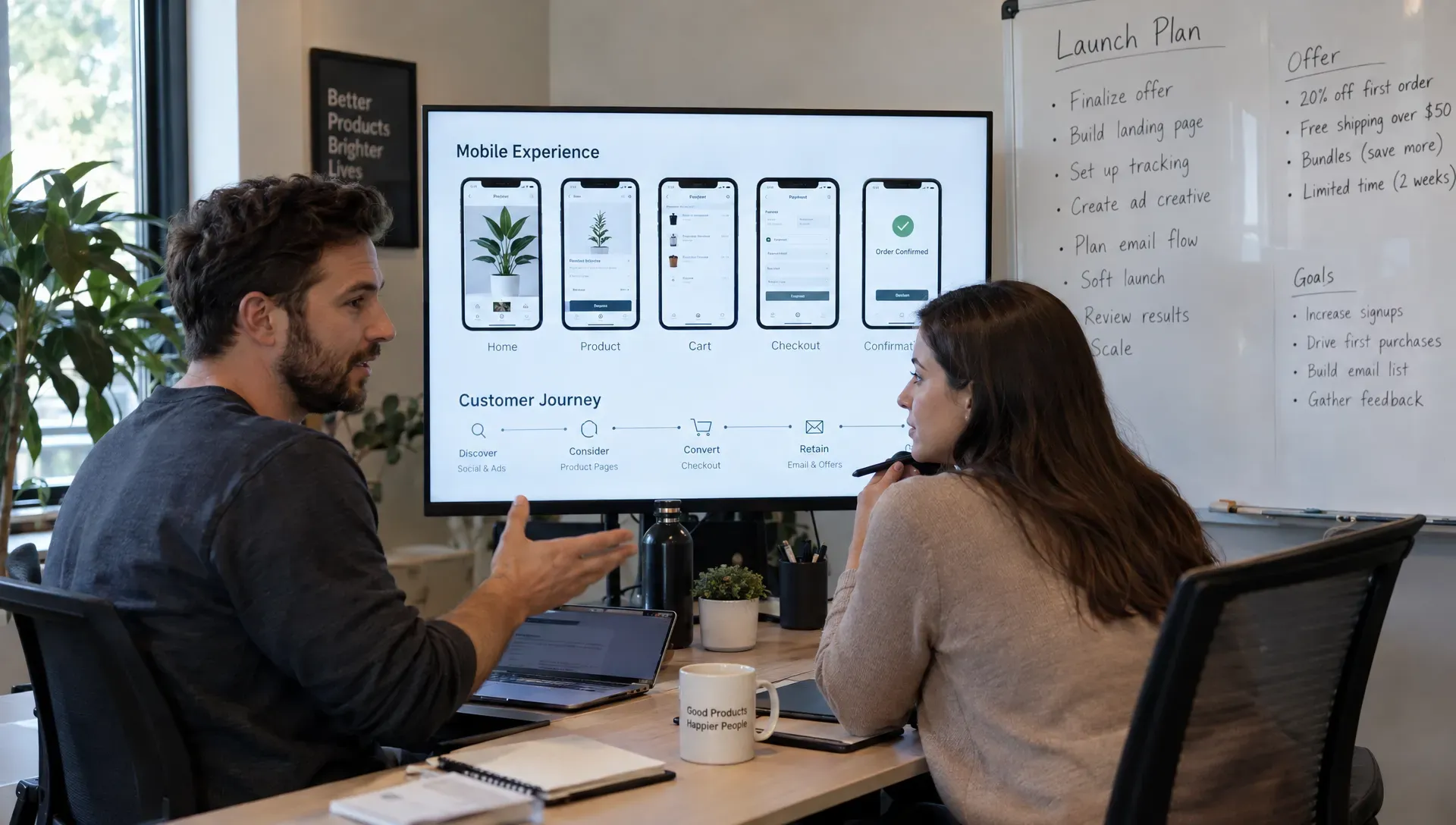
Choose measurements that show whether the planned journey works, not just whether the site receives visits. Connect the primary conversion to a downstream outcome, and define each metric so different people interpret it the same way.
| Journey step | Example event | Check against |
|---|---|---|
| Service inquiry | generate_lead | Qualified inquiries in your CRM, excluding spam |
| Checkout started | begin_checkout | Abandoned carts in the store back office |
| Order completed | purchase | Paid orders, minus cancellations and refunds |
These event names come from the GA4 recommended events; other analytics tools use similar concepts. Verify events against actual records before trusting a dashboard.
At low traffic volumes, combine analytics with customer conversations and usability observations, and avoid declaring a design winner from a handful of conversions. Small qualitative tests are useful here: Nielsen Norman Group recommends testing with no more than five users per round and running as many small rounds as you can afford. Include tracking documentation and access in your developer handover requirements so measurement remains usable after the project ends.
Set the budget and schedule around dependencies
A realistic plan accounts for the decisions, content and operations required alongside development. Separate one-time work from recurring costs, and obtain current quotes rather than relying on generic cost ranges.
| One-time costs | Recurring costs |
|---|---|
| Strategy and scoping | Platform or hosting subscriptions |
| Design and implementation | Transaction and payment fees |
| Copywriting and photography | Third-party tools and integrations |
| Specialist advice (legal, accessibility) | Maintenance, updates and content |
Budgeting also means deciding what can remain manual. An internal spreadsheet may be enough during early validation, while an unreliable payment or customer-access process is harder to justify. Automate when the process is understood and the benefit is clear.
Build the schedule around dependencies in this order:
- offer approval;
- content readiness;
- workflow testing;
- implementation;
- acceptance against the agreed criteria.
Assign one decision-maker and define approval windows. A fixed launch date does not remove dependencies; it makes scope decisions more urgent. Keep optional features outside the critical path.
Avoid mistakes that create pre-launch rework
Most preventable rework starts when an unresolved business question is treated as a design task. The most common versions:
- Building pages before deciding what the business sells. The site looks credible but leaves buyers unsure of the next step.
- Copying a competitor's navigation without understanding its audience or operating model.
- Treating the launch as a complete automation project. Connecting many tools before testing the transaction makes failures harder to diagnose. Prove the simplest journey first, then automate a demonstrated bottleneck.
- Leaving discoverability and access controls to launch day. Plan descriptive URLs early (Google recommends readable words rather than long ID numbers), keep public pages indexable and add appropriate metadata.
Use a dedicated SEO launch review to check the production configuration, including unintended indexing blocks and broken conversion paths.
Use this pre-launch planning checklist
Approve the build brief only when another person can understand the offer, scope and responsibilities without relying on undocumented conversations.
- Define the buyer and offer: state who the site serves, what is available at launch and which alternatives buyers currently use.
- Choose one primary conversion: specify the action and what makes it commercially meaningful.
- Record evidence and assumptions: separate customer observations from ideas that still need testing.
- Map the transaction: include successful completion, failure states, confirmation messages and follow-up ownership.
- Confirm delivery readiness: establish capacity, fulfillment steps, support responsibilities and cancellation processes.
- Approve the launch sitemap: give each page a purpose, content owner and next step; move optional pages to a backlog.
- Test the platform constraint: demonstrate the hardest purchase, publishing or integration workflow before committing.
- Define acceptance criteria: include mobile usability, accessibility checks, tracking verification, access controls and editing tasks.
- Assign ongoing ownership: document accounts, recurring costs, maintenance responsibilities and the first post-launch review.
This is the planning checkpoint, not the final production inspection. Once the build is ready, use the website setup checklist before launch to verify the implemented site. If you are a first-time founder and want the full sequence from brief to post-launch improvements, read our practical plan for building a website.
Turn the decisions into a build brief
Consolidate the four gates into one approved document. A build-ready brief for an online business website contains the offer, the conversion goal, the evidence, the sitemap, the transaction map, content responsibilities and acceptance criteria. Keep unresolved questions visible and give each one an owner.
How BeBranded approaches pre-launch planning
BeBranded works in two stages: consulting first, then production. Before recommending a platform or a design, we look at what already exists (offer, tools, processes, content) and turn the open questions into a prioritized list of decisions. That is the purpose of our project scoping service: a brief your team or ours can build from.
For production, we choose the stack from the hardest workflow, not from habit. That can be a custom site on Next.js and Payload, Webflow when it is the right fit, or an app and automations when the transaction requires them. If you have a launch in preparation, tell us about your project and bring the decisions you have made and the assumptions that still need testing.
Sources
- 1. W3C: Web Content Accessibility Guidelines (WCAG) 2.2 · w3.org/TR/WCAG22/
- 2. W3C WAI: Forms tutorial · w3.org/WAI/tutorials/forms/
- 3. Stripe Docs: Testing · docs.stripe.com/testing
- 4. Google Search Central: Control what you share with Google · developers.google.com/search/docs/crawling-indexing/control-what-you-share
- 5. Google Search Central: URL structure best practices · developers.google.com/search/docs/crawling-indexing/url-structure
- 6. Google Analytics Help: Recommended events · support.google.com/analytics/answer/9267735
- 7. Nielsen Norman Group: Why you only need to test with 5 users · nngroup.com/articles/why-you-only-need-to-test-with-5-users/