What professional website developers should deliver at launch
Development
•
X min
•
Published on
18.08.2026
•
Updated on
05.09.2026

A website launch is not complete when the pages go live. For a CEO, CMO, founder or marketing manager, the real question is whether the site is ready to support acquisition, conversion, editing and measurement without creating hidden operational debt.
Professional website developers should deliver more than a working homepage and a published URL. They should deliver a controlled launch package: clear decisions, tested pages, technical foundations, tracking, documentation and a handover that lets your team operate the site with confidence.
This guide gives you a practical framework for evaluating what should be delivered at launch, what to verify before approval and which mistakes to avoid when working with an agency, freelancer or internal development team.
Launch-ready means the website is usable, measurable, editable and technically prepared for search and campaign traffic.
A launch-ready website is a site that is published with approved content, tested responsive behavior, working forms, correct tracking, intended indexation settings, a usable CMS and documented operating rules. It should not depend on the original developer for every minor content change.
This definition matters because visual approval is only one part of launch quality. A site can look polished and still fail because the CRM integration breaks, search engines cannot crawl important pages or the marketing team cannot update landing pages without damaging layouts.
Use this five-layer framework to assess launch readiness before you sign off.
Every important page should have a clear job. For a B2B website, that usually means helping visitors understand the offer, trust the company, compare options and take a next step. If your team is still deciding what belongs on each page, start by clarifying your website design and development priorities before final QA.
A launch is only sustainable if your team can edit the website safely. Professional developers should structure the CMS around real content workflows, not just developer convenience. This includes collections, fields, reusable sections and naming conventions that make sense to non-technical users. If custom code is part of the build, review how to scope custom Webflow code without creating maintenance debt, so quick launch fixes do not turn into long-term technical debt.
Technical SEO should be part of the build, not an afterthought. Search engines need crawlable pages, consistent metadata, clean heading structure, sitemap access and correct indexation settings. Google explains these basics in its SEO Starter Guide, which is a useful reference when checking what your developers have implemented. If you are building on Webflow, this Webflow SEO checklist covers platform-specific settings worth checking before publishing.
A launch should produce reliable data from day one. Analytics, conversion events, CRM routing, form notifications and automation workflows need to be tested before traffic arrives. If a campaign starts before tracking is verified, your team may lose the ability to understand early performance.
The final layer is operational control. Your team should receive documentation, platform access, editing guidance and a clear issue process. If you are comparing scopes before signing, this is one reason to review what website development and design services should include rather than only comparing visual design deliverables.
A complete launch package gives both the business team and the technical team a shared source of truth. The table below summarizes the eleven deliverables worth checking before you sign off, and what a solid version of each one looks like in practice.
| Deliverable | What a solid version looks like |
|---|---|
| Final page inventory | Every live page is listed with its URL, status, owner and purpose, avoiding forgotten drafts, duplicate pages and missing campaign pages. |
| Responsive QA on priority devices | The site is checked on the screen sizes that matter to your audience, typically desktop, tablet and mobile, with reliable behavior where buyers actually browse. |
| Approved content and visual consistency | Final copy, visuals, spacing, typography and reusable components are confirmed consistent across the site, since small inconsistencies get expensive once repeated in a CMS or component system. |
| CMS structure and editing rules | The CMS includes clear fields, logical collection names and guardrails for editors, so your team knows what can be changed safely and what needs design or development review. |
| Technical SEO setup | Title tags, meta descriptions, heading hierarchy, canonical tags where relevant, sitemap submission, robots settings and indexation checks are in place, plus a redirect plan for migrations. |
| Performance optimization | Images, scripts, fonts and animations are reviewed so the site loads efficiently, following Core Web Vitals guidance for real-world user experience. |
| Analytics and conversion tracking | The site tracks the actions your team needs to measure, such as form submissions, demo requests, newsletter signups or key button clicks, tested with real submissions. |
| Forms and integrations testing | Contact forms, lead routing, email notifications, calendar tools and CRM connections are tested end to end, since a form that looks correct but sends leads to the wrong place blocks the launch. |
| Accessibility fundamentals | Practical items such as alt text, contrast, labels, keyboard navigation and focus states are checked, informed by WCAG guidance while prioritizing issues that block real users first. |
| Domain, publishing and access control | DNS, SSL, platform permissions and admin access are verified before launch, with the right accounts owned by your business and clear rules for who can publish changes. |
| Handover documentation and launch report | The final delivery explains how to edit pages, manage CMS entries, publish safely and request future changes, plus a concise summary of what was delivered, tested and left open. |
Validation should be structured, not based on scattered comments in email or chat.
Before final review, agree on what counts as launch-ready. Acceptance criteria can include approved pages, working forms, indexable priority pages, no critical responsive issues, verified analytics and completed redirect tests.
This prevents subjective debates at the end of the project. If expectations are written down before QA, your team can distinguish true launch blockers from nice-to-have improvements.
A professional delivery should include evidence. This can be a QA sheet, redirect file, tracking test screenshots, CMS walkthrough, performance notes or a short launch report.
You do not need to micromanage the build. You do need enough proof to know that commercial, technical and operational risks have been checked before the site receives traffic.
Not every issue should delay launch. Broken forms, missing legal pages, incorrect redirects or accidental noindex settings are blockers. Minor spacing preferences, secondary animations or non-critical content refinements can usually move into a post-launch backlog.
This distinction helps marketing teams keep momentum without accepting avoidable risk.
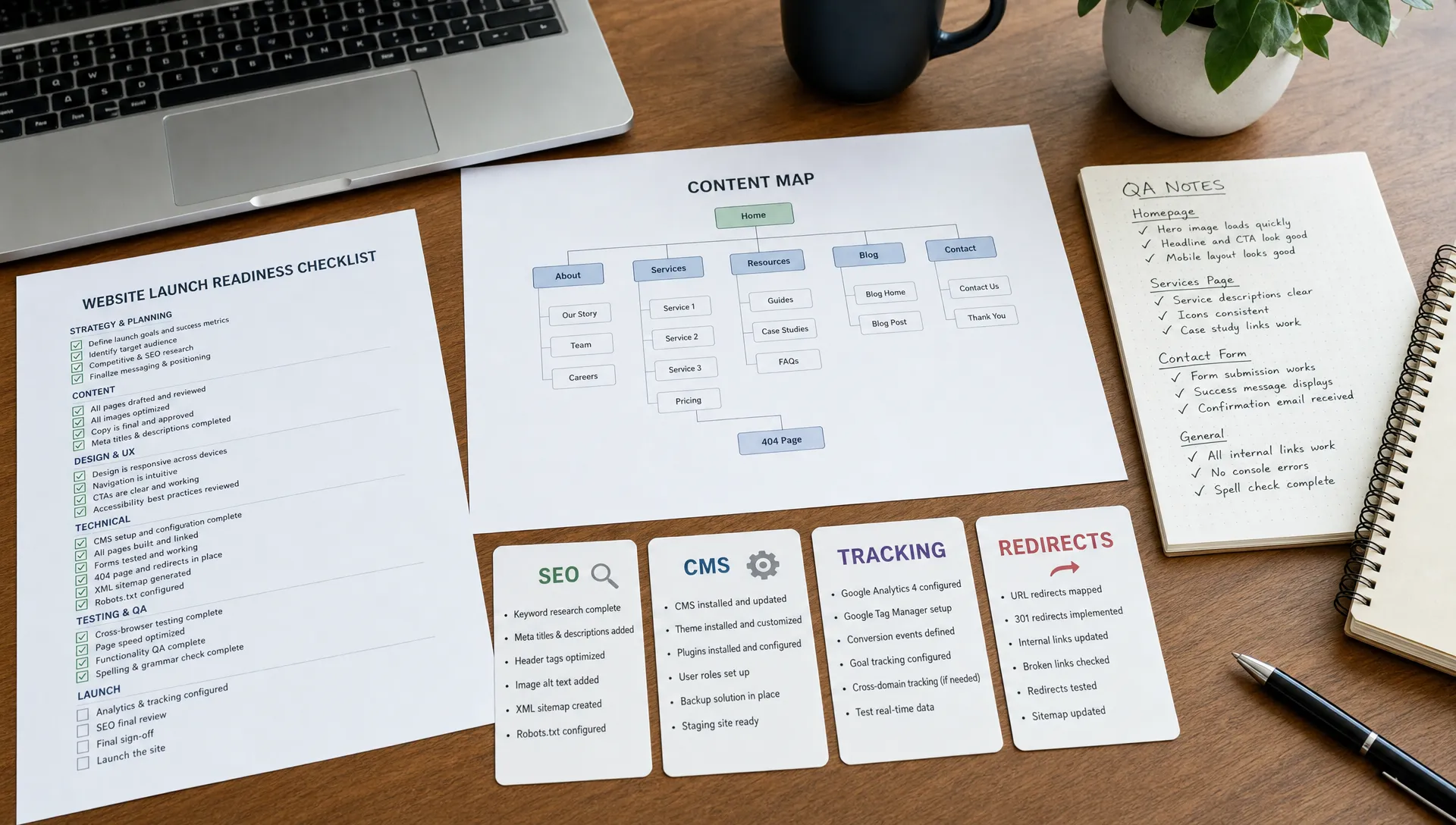
The biggest launch problems usually come from missing process rather than missing talent. The table below lists the recurring ones and the launch impact each one creates.
| Mistake | Why it hurts the launch |
|---|---|
| Approving only the visual design | Pages look good on a preview link, but forms, CMS editing, SEO settings, tracking and responsive behavior still need separate approval. |
| Treating SEO as metadata alone | Title tags and descriptions help, but technical SEO also covers crawlability, headings, internal linking, redirects, page speed and content structure. |
| Launching without a redirect plan | Replacing an existing site without mapping old URLs to new ones creates broken links, wasted ad spend and avoidable drops in search visibility. |
| Ignoring how the marketing team will edit the site | A site that needs developer help for every landing page slows campaign execution, so the CMS and component system should match real publishing needs. |
| Testing integrations too late | CRM flows, automations and form routing tested only at the last minute create unnecessary pressure, since several tools and stakeholders are usually involved. |
| Leaving post-launch ownership undefined | Without a named owner for content updates, analytics review, bug triage and improvement planning, small issues stay unresolved and performance data goes unused. |
If your launch goal includes better lead quality or stronger search visibility, evaluate the project through the lens of web design services that improve conversion and SEO, not only design output.
Use this checklist in the final week before launch. If you want a broader pre-launch walkthrough beyond this article, see this website launch checklist guide.
This checklist is intentionally practical. You do not need every possible optimization completed before launch, but you do need the foundations that protect traffic, leads and internal operations. The table groups each item under the launch layer it belongs to, so you can assign the right owner.
| Launch layer | Checklist item |
|---|---|
| Strategy and buyer journey fit | Confirm that every live page has an approved purpose, an owner and a final URL. |
| Strategy and buyer journey fit | Check every navigation link, footer link, button and call to action. |
| CMS and content operations | Test priority pages on mobile, tablet and desktop. |
| CMS and content operations | Confirm CMS collections, fields and editing permissions. |
| Technical SEO and performance | Check title tags, meta descriptions, headings and indexation settings. |
| Technical SEO and performance | Confirm sitemap access and robots settings. |
| Technical SEO and performance | Check redirects for every replaced, removed or renamed URL. |
| Technical SEO and performance | Compress or replace oversized images and review heavy scripts. |
| Measurement and integrations | Test every form with a real submission and confirm where the lead lands. |
| Measurement and integrations | Check analytics, conversion events and consent settings where applicable. |
| Handover and post-launch control | Make sure domain, SSL and publishing access belong to the right people. |
| Handover and post-launch control | Request launch documentation, a handover session and a post-launch issue process. |
A proper launch includes a short stabilization period.
During this period, the team should monitor forms, analytics, page indexing, redirects, page speed, integrations and user-reported issues. The goal is to catch practical problems that only appear once real traffic, real devices and real internal workflows are involved. This website maintenance guide gives a practical structure for keeping the site healthy once stabilization ends.
After stabilization, move into improvement mode. Review the first performance signals, identify pages with weak engagement, refine messaging where users hesitate and prioritize changes that support revenue or qualified pipeline. When the improvements are larger than routine edits, this guide on planning a website revamp around business outcomes can help you sequence the work.
What should professional website developers provide at launch? They should provide a tested website, technical SEO setup, working forms, analytics tracking, CMS handover, access control, documentation and a clear issue log.
Should SEO be completed before or after launch? Core technical SEO should be completed before launch. Content improvement, internal linking refinement and ongoing optimization can continue after the site is live.
Who should own the website after launch? The business should own the platform accounts, domains, analytics access and content process. The developer or agency can support maintenance, but ownership should remain with the company.
How do I know if a website is ready to publish? A website is ready when approved pages are complete, critical technical checks are passed, forms and tracking work, redirects are ready and the team can edit key content safely.
What is the difference between launch support and ongoing maintenance? Launch support fixes issues connected to the initial release. Ongoing maintenance covers future updates, improvements, technical monitoring and new business needs.
Do Webflow and Framer sites need the same launch checks as custom-coded sites? Yes. The implementation method changes, but launch quality still depends on QA, SEO, performance, tracking, accessibility and handover.
Professional website developers should deliver a controlled launch, not just a published site. The minimum standard is a website that works for users, supports search, captures leads correctly, gives the marketing team editing control and leaves a clear record of what was tested.
Your next step is to turn this article into your launch approval checklist. If you are preparing a Webflow or Framer launch and want a practical second opinion, schedule a focused review with BeBranded.