

The essentials · 30-second read
Tailwind CSS is free and open source (MIT licence). Version 4.3 in November 2026. Tailwind Plus, the paid catalogue of components and templates, is optional.
- Free and open source under the MIT licence, including for commercial projects.
- Version 4 moves configuration into CSS: design tokens live in an @theme block as CSS variables.
- Tailwind Plus (formerly Tailwind UI) is a paid, optional library of components and templates.
- Our verdict: the most productive way to style a custom site in 2026, if your team agrees on a design system.
Summarize this page with AI
Tailwind CSS styles every page of our own site. When we rebuilt bebranded.xyz on Next.js in November 2026, we wrote our design system in Tailwind CSS 4: colours, fonts and spacing as tokens, headings and text styles as shared utilities. This review explains what Tailwind is, whether it is free, what Tailwind Plus adds, and when another approach makes more sense.
01What is Tailwind CSS?
Tailwind CSS is an open source CSS framework, published under the MIT licence by Tailwind Labs. It is "utility-first": instead of writing a stylesheet with custom class names, you compose small single-purpose classes directly in your markup, such as flex, pt-4 or text-center. At build time, Tailwind scans your files and generates only the CSS you use.
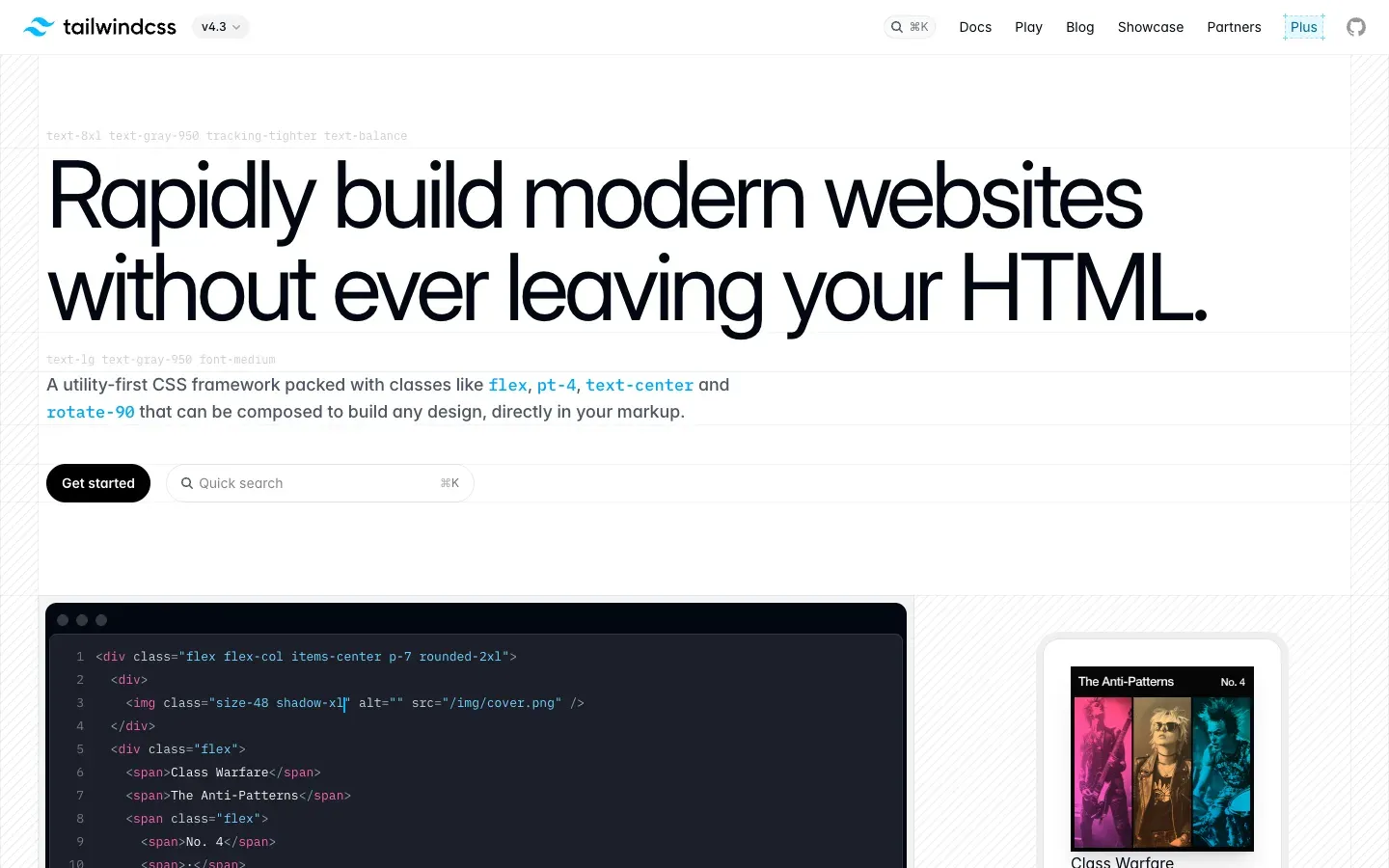
The current version in November 2026 is 4.3. Version 4 changed the way you configure Tailwind: the theme now lives in your CSS file, in an @theme block of CSS variables, rather than in a JavaScript configuration file.
02How we use Tailwind CSS at BeBranded
Our site uses Tailwind CSS 4 inside a Next.js app. The way we organise it is what makes it maintainable:
- Tokens in
@theme. Brand colours, font families (one for headings, one for body text) and sizes are declared once as CSS variables, then used everywhere through Tailwind classes. - Design system utilities. Heading and text styles are custom utilities declared with
@utility, so a title looks the same on every page and changes in one place. - Components, not copy-paste. Repeated blocks (cards, sections, call-to-action rows) are React components, so each class list exists once.
- One source of truth with Figma. The tokens mirror our design system in Figma, which keeps design and code aligned.
This is how we build for clients too, through our website, web app and design system offers. Tailwind is also what AI tools like v0 and Claude Code generate by default, which makes reviewing generated code easier when the project already follows Tailwind conventions.
03Key features
- Utility classes for layout, spacing, typography, colour, borders, effects and animation.
- Responsive and state variants: prefix any utility with
md:,hover:,dark:orfocus:. - CSS-first configuration with
@themetokens and@utilityfor custom utilities (v4). - Small production CSS: only the classes you use are generated.
- Modern CSS: container queries, cascade layers, wide-gamut P3 colours, logical properties.
- Framework agnostic: works with React, Next.js, Vue, Svelte, Astro or plain HTML.
- Large ecosystem: official plugins, editor extension, component libraries such as shadcn/ui.
04Tailwind CSS pricing in 2026
Licence and version checked on tailwindcss.com and on the official GitHub repository on 14 November 2026. The Tailwind Plus page redirected to a login screen that day, so we could not read its price.
| Product | Price | |
|---|---|---|
| Tailwind CSS | Free (MIT licence) | What you get The full framework, for personal and commercial use |
| Tailwind Plus | Paid (price not readable on 14 November 2026) | What you get Ready-made UI blocks and site templates built with Tailwind, by Tailwind Labs |
| Community libraries (shadcn/ui and others) | Mostly free | What you get Open source components styled with Tailwind |
Is Tailwind CSS free? Yes, entirely. You never need to pay to use Tailwind CSS, even for commercial sites and apps. Tailwind Plus is a shortcut for teams that want professionally designed components to start from; it is optional.
05Pros and cons
Advantages
- Free and open source, with a very large community.
- Fast to build with: no switching between HTML and stylesheet, no naming debates.
- Design tokens and utilities enforce consistency across a team.
- Small production CSS and no dead styles piling up over time.
- The default output of most AI coding tools, so generated code fits right in.
Drawbacks
- Long class lists can hurt readability without components and shared utilities.
- A learning curve: you need to know CSS well to use Tailwind well.
- Without a design system, every developer invents their own spacing and colours.
- Marketers cannot edit styles visually; changes go through a developer.
06Our verdict
Who it's for
- Developers building custom sites, SaaS and web apps.
- Teams maintaining a design system in code.
- React and Next.js projects, especially those using AI code generation.
- Agencies that want consistent styling across many client projects.
Who it's not for
- Teams that want to design pages visually without code: Webflow or Framer fit better.
- Projects that need a ready-made look in an afternoon, where a component kit like Bootstrap is faster.
- Codebases already standardised on another styling approach, where mixing both adds confusion.
07Tailwind CSS alternatives
| Tool | Best for | |
|---|---|---|
| Tailwind CSS | Custom designs and design systems | Approach Utility classes, free |
| Bootstrap | Quick, conventional interfaces | Approach Ready-made components, free |
| CSS Modules or plain CSS | Teams that prefer classic stylesheets | Approach Scoped custom CSS |
| Webflow | Visual design without code | Approach No-code designer that writes the CSS |
| Relume | Fast wireframes and site sections | Approach Component library for Figma and Webflow |
Our rule: Tailwind for any coded project with a real design system; plain CSS when the team prefers it and the project is small; a visual tool like Webflow when non-developers must own the design. Our article on building custom websites without slowing future updates explains why structure matters more than the tool.
08Tailwind and AI-generated code
Tools like v0, Lovable and Claude Code write Tailwind classes by default. That is convenient, but generated code tends to hard-code colours and sizes. Declaring your tokens in @theme and asking the AI to use them keeps generated screens on brand. Our guide to building a website with AI covers this workflow.