


The essentials · 30-second read
Supabase gives you a hosted PostgreSQL database with auth, storage and APIs. Free: 2 projects, 500 MB. Pro: from $25 a month with $10 of compute credits. Team: from $599.
- A real PostgreSQL database, plus authentication, file storage, realtime, edge functions and auto-generated APIs.
- Free: 2 active projects, 500 MB database, 50,000 monthly active users, paused after a week of inactivity.
- Pro: from $25 a month with $10 of compute credits, then usage-based. Team: from $599 a month. Enterprise: on quote.
- Our verdict: our default database for custom web apps, and the one behind our own site. Watch compute per project.
Summarize this page with AI
Supabase is the database we trust most for custom projects, and the one our own site runs on. It gives you a real PostgreSQL database with authentication, file storage and APIs around it, so a small team can ship a web app without managing servers. This review explains what Supabase is, how we use it, what it really costs in 2026, and when another backend is a better choice.
01What is Supabase?
Supabase is an open source backend platform built on PostgreSQL. Each project is a hosted Postgres database, plus a set of services around it: user authentication, file storage, realtime subscriptions, edge functions and APIs generated from your tables. You manage it from a web dashboard with a table editor and a SQL editor, or from code with its client libraries and CLI.
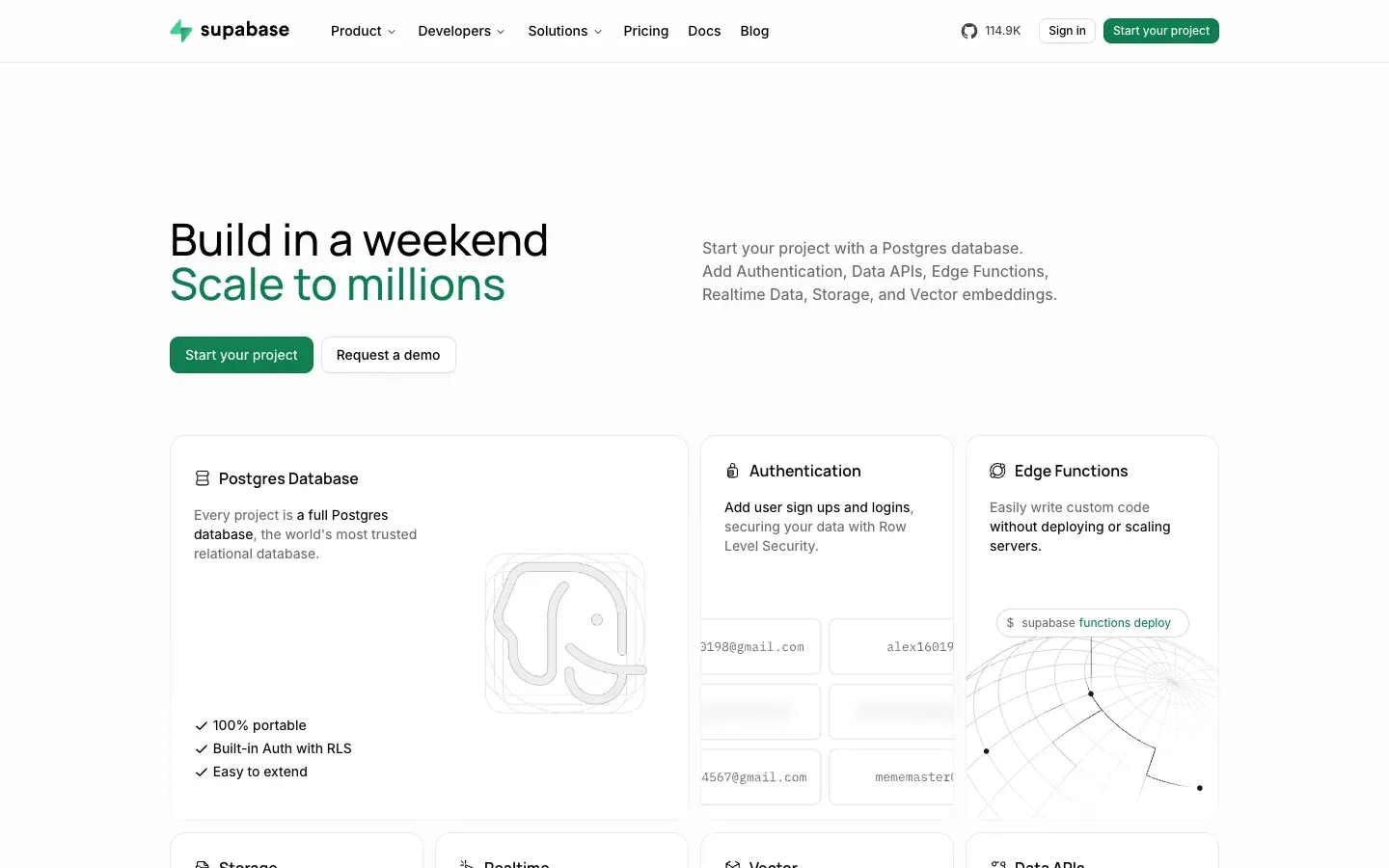
Supabase is often presented as an open source alternative to Firebase. The big difference is the data model: Firebase stores documents, Supabase stores relational tables in a standard database that you can query in SQL and move elsewhere.
02How we use Supabase at BeBranded
Supabase is part of our public toolbox, and since 9 November 2026 it hosts the database of our own site. bebranded.xyz runs on Next.js 16 and Payload CMS 3, deployed on Vercel; all the content of the site (pages, blog posts, these tool pages) lives in a PostgreSQL database on Supabase.
What this setup taught us:
- Postgres first. On this project we use Supabase as a managed PostgreSQL database. Payload handles content and the admin, and connects to Supabase like to any Postgres server.
- The pooler matters on serverless. Vercel functions open many short connections. We connect through Supabase's connection pooler in transaction mode, which is designed for this, and we avoid session-level settings that this mode does not keep between queries.
- Read-only checks. For audits on the production database we open read-only transactions, so a script can never change data by mistake.
For clients, Supabase is our default choice when we build an MVP, a web app, a client portal or an internal tool that needs a relational database and user accounts.
03Key features
- PostgreSQL database: full Postgres with extensions, a table editor and a SQL editor.
- Authentication: email and password, magic links, social logins and row level security policies on your tables.
- Storage: file buckets with access rules, for images, documents and user uploads.
- Realtime: listen to database changes and broadcast messages to connected clients.
- Edge Functions: server-side TypeScript functions for webhooks, payments or custom logic.
- Auto-generated APIs: REST and GraphQL access to your tables, plus client libraries for JavaScript, Flutter, Swift, Python and more.
- Vector support: pgvector to store embeddings for AI search and retrieval.
04Use cases
The database behind a headless CMS
Our own case. Payload stores every page, post and tool page of bebranded.xyz in PostgreSQL on Supabase. We use Supabase only as a managed Postgres here: no Supabase Auth, no Supabase Storage, since the CMS handles users and media goes to Vercel Blob. It shows that you can adopt one Supabase brick without the others.
An MVP or SaaS with user accounts
Supabase covers the usual back end of an MVP: sign-up, login, a relational database and file uploads. The front end, often in Next.js, talks to it through the client library. The team writes SQL and access policies instead of building an API from scratch.
A client portal with row level security
Each customer must see only their own invoices, files or tickets. Row level security policies enforce this inside the database, whatever the front end does. It is a strong model for a client portal, on one condition: every table needs a policy, and policies must be tested with real user roles.
An internal tool on top of company data
Operations teams often outgrow spreadsheets. A Supabase database with a simple admin front end, or a builder such as Retool or WeWeb connected to it, gives them structured data, permissions and an audit trail.
AI search and retrieval
The pgvector extension stores embeddings next to the rest of your data. A product catalogue or a knowledge base can then be searched by meaning, inside the same database, without adding a separate vector service.
05Integrations
Supabase is standard PostgreSQL, so any Postgres client, ORM or BI tool can connect to it. On top of that, the official docs list a Management API and an MCP server for AI assistants, client libraries for several languages, and auth providers including Apple, GitHub and Slack sign-in, custom OAuth2 or OIDC providers, SAML single sign-on, phone and magic-link logins and Web3 wallets. Supabase is also listed on the Vercel Marketplace, which connects a project to a Vercel app with environment variables filled in. No-code front ends such as FlutterFlow and WeWeb connect to it as well.
06Supabase pricing in 2026
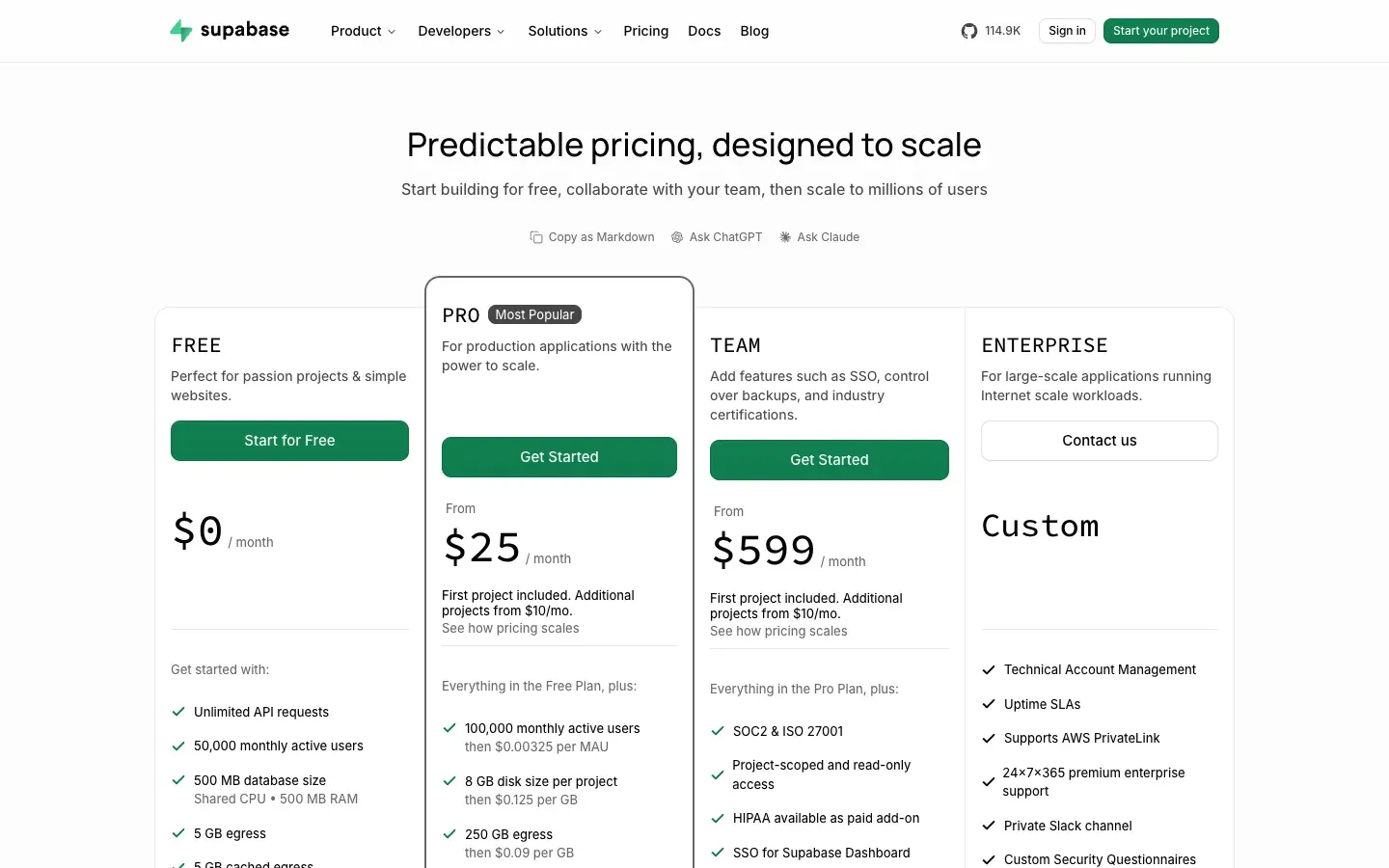
Prices checked on supabase.com/pricing on 18 November 2026, in US dollars, per organisation and per month.
| Plan | ||||
|---|---|---|---|---|
| Free | Price $0 | Database and users 500 MB database, shared CPU, 50,000 monthly active users | Storage and egress 1 GB files, 5 GB egress | Notes 2 active projects, paused after 1 week of inactivity |
| Pro | Price From $25/month | Database and users 8 GB disk per project, 100,000 monthly active users | Storage and egress 100 GB files, 250 GB egress | Notes $10 of compute credits (one Micro instance), then usage-based |
| Team | Price From $599/month | Database and users Same quotas as Pro | Storage and egress Same quotas as Pro | Notes Same usage rates as Pro, for larger organisations |
| Enterprise | Price On quote | Database and users Custom | Storage and egress Custom | Notes Uptime SLAs, custom compute |
Usage beyond the quotas is billed at the end of the month, for example $0.125 per extra GB of disk, $0.00325 per extra monthly active user and $0.09 per extra GB of egress. A spend cap is on by default and must be turned off to allow this pay-as-you-go usage.
Is Supabase free? Yes, for learning and prototypes. The free plan is real (not a time-limited trial), but projects pause after a week without activity and the 500 MB database fills up quickly with media metadata or logs. For anything in production, plan on Pro, and remember that each extra project adds its own compute cost.
07Pros and cons
Advantages
- A standard PostgreSQL database: SQL, extensions, any ORM, and an easy exit if you ever leave.
- Auth, storage, realtime and functions in one place, with one dashboard.
- A useful free plan and a predictable entry price for production.
- Open source, with the option to self-host.
- Works well with Next.js, Vercel and headless CMSs like Payload.
Drawbacks
- Compute is billed per project: several small production projects cost more than the $25 headline.
- Free projects pause after a week of inactivity.
- Row level security is powerful but easy to get wrong; a badly written policy can expose data.
- Serverless apps need the connection pooler and its constraints to be understood.
- Less suited than Firebase to offline-first mobile apps.
08Our verdict
Who it's for
- Teams building a custom web app, SaaS or MVP that needs relational data and user accounts.
- Developers who want Postgres without running servers.
- Projects running a headless CMS or an internal tool on PostgreSQL.
- No-code and low-code builders who connect FlutterFlow, WeWeb or similar front ends to a real database.
Who it's not for
- Simple marketing sites with no database needs: a CMS or a site builder is enough.
- Teams that want a fully visual backend with no SQL at all.
- Offline-first mobile apps deeply tied to Google services, where Firebase fits better.
- Organisations that need on-premise hosting without the skills to self-host.
09Supabase alternatives
| Tool | |||
|---|---|---|---|
| Supabase | Best for Postgres backend with auth and storage | Free plan 2 projects, 500 MB | Paid from $25/month |
| Firebase | Best for Mobile apps, document database, Google ecosystem | Free plan Yes | Paid from Pay as you go |
| Xano | Best for No-code backend with visual API builder | Free plan Limited | Paid from Paid plans |
| Backendless | Best for Visual backend and app builder | Free plan Yes | Paid from Paid plans |
| Neon | Best for Serverless Postgres only, with branching | Free plan Yes | Paid from Usage-based |
Our rule: choose Supabase when your data is relational and you want SQL with auth included. Choose Firebase for mobile apps that need offline sync, and Xano when your team wants to build APIs visually without writing SQL. If you only need content management on top of Postgres, pair Supabase with Payload.
10Supabase vs Firebase
This is the comparison most teams make. Both give you a database, authentication, file storage and server functions on a free plan. The difference is the data model. Firebase is built around document databases and mobile SDKs with offline sync, inside Google Cloud. Supabase is built around a relational PostgreSQL database that you query in SQL, with access policies written in the database itself.
Choose Supabase when your data has relations (customers, orders, invoices), when you want SQL, reporting and an exit route to any Postgres host, or when a CMS or an ORM expects Postgres. Choose Firebase for mobile apps that must work offline, or for a team already invested in Google Cloud. Pricing also differs: Supabase charges a base fee per organisation plus compute per project, Firebase bills mainly on usage.
11Getting started with Supabase
- Create the project in a region close to your users and to where your server code runs, since every query crosses that distance.
- Turn on row level security on every table that the client library can reach, and write the policies before adding real data.
- Use the connection pooler from serverless functions, in transaction mode, and avoid session-level settings that this mode does not keep.
- Manage schema changes as migrations, with the CLI or your framework's tooling, rather than editing production tables by hand.
- Keep the spend cap on until you know your usage; turn it off only when you are ready to pay for overages.
- Check backups and access. Know how to restore, who holds the database password and where it is stored. We keep our secrets in Doppler, one config per environment.

