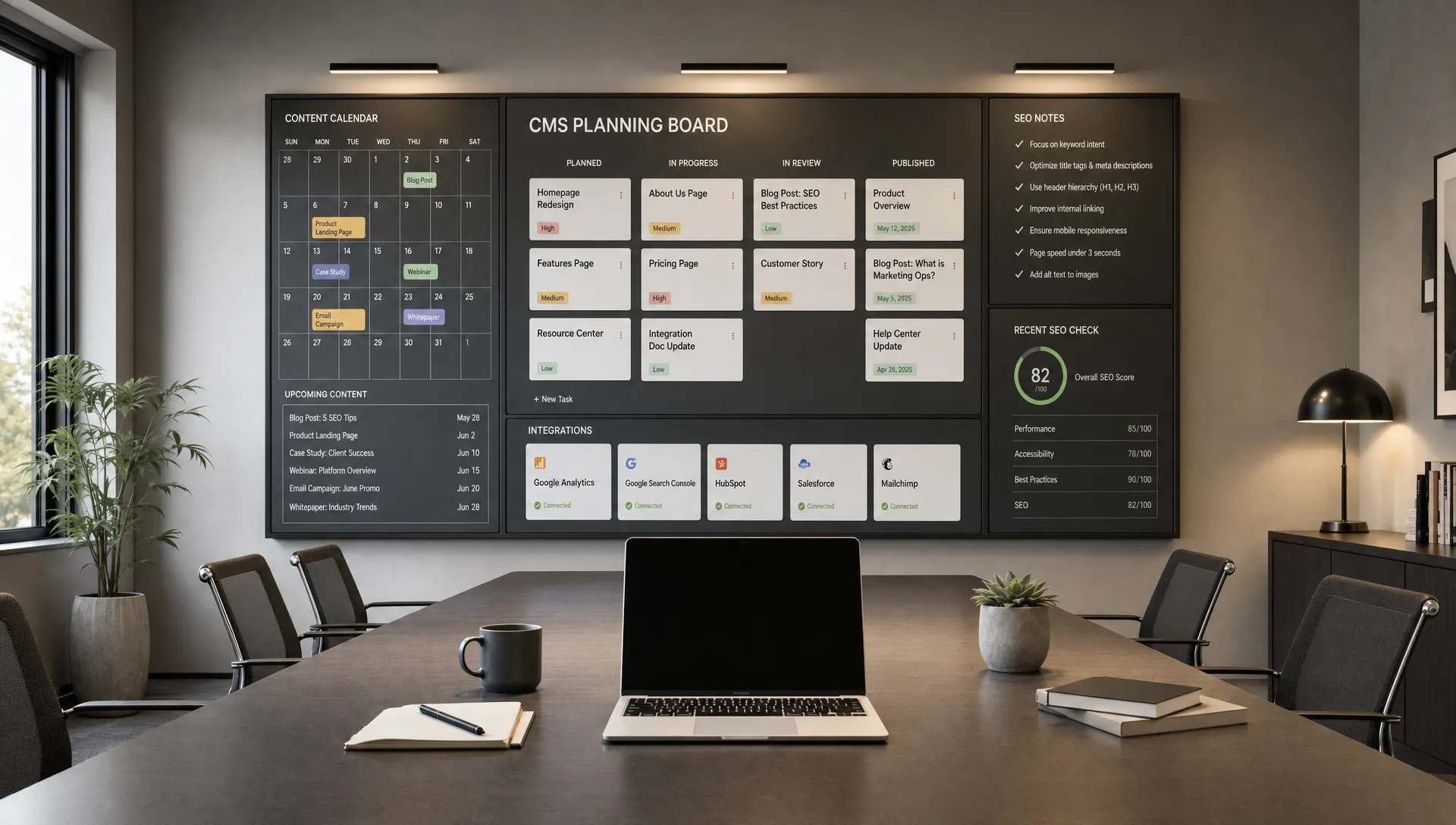
How to build custom websites without slowing future updates
Development
•
X min
•
Published on
12.08.2026
•
Updated on
29.08.2026
Custom websites often become slow to update for one reason: the build was optimized for the launch, not for the team that has to manage it afterward.
A website can look tailored, support a precise positioning, and still remain easy for marketing teams to edit. The difference is not whether the site is custom. The difference is whether the design system, CMS structure, and ownership rules were planned before development started.
This guide explains how to build custom built websites that stay flexible after launch. It gives you a practical framework, common mistakes to avoid, and a checklist you can use before approving a new Webflow, Framer, or no-code website build.
Custom should mean specific to your business, not fragile or hard to operate.
A custom website is built around your offer, buyer journey, brand system, content needs, and conversion goals. It should not mean that every page is manually assembled, every layout is unique, or every update requires a developer.
For a growing company, the right goal is not only a polished launch. The goal is a website your team can keep improving. That means product pages, landing pages, case studies, resources, and campaign pages should be structured in a way that supports regular updates without breaking layout or SEO.
If you are still defining what matters for your next build, it helps to start with clear website design and development priorities before choosing layouts or tools.
Most update problems are created early in the project, even if they only become visible months later.
The launch version of a site can feel simple because the agency or developer still understands every decision. Six months later, the marketing team has new campaigns, new pages, new messaging, and less context. If the build does not guide them, every update becomes a small technical project.
Common causes include:
A good custom website reduces these risks by separating what should be flexible from what should stay controlled.
Some of these issues are easier to catch before launch. Others only surface once the team starts publishing regularly. The following signals usually mean the underlying structure needs attention, not just a cleanup pass.
If two or more of these apply, the website likely needs a structural review before the next round of pages is built, not another one off fix.
The best way to prevent slow updates is to design the operating model of the website before designing every page.
Use this framework when planning custom website development. It works especially well for marketing sites, B2B websites, SaaS sites, agency sites, and content driven websites.
Do not begin with a sitemap alone. Begin with the jobs your marketing team will need the website to perform.
For example, a team may need to launch campaign landing pages, publish customer stories, update product messaging, add comparison pages, promote webinars, or test new calls to action. Each of these jobs needs a different level of design control and CMS flexibility.
This is why modern website development for growing teams should be planned around operations, not only visual presentation.
A scalable website design is usually built from repeatable sections, not isolated pages.
Instead of designing ten unrelated page layouts, define the recurring sections your team will use: hero sections, proof sections, feature blocks, pricing explanations, comparison modules, FAQ areas, testimonial areas, resource lists, and conversion sections.
This does not make the site generic. It gives your team a consistent structure that can be recombined for future pages while keeping brand quality intact.
The CMS should be planned before development and refined during design.
A good website CMS structure answers practical questions: What content will repeat? Which fields are required? Which fields are optional? Which relationships exist between content types? Which items need categories, filters, authors, dates, industries, or use cases?
When the CMS is defined late, the design often forces awkward content entry. When it is defined early, the design and CMS support each other. A well planned Webflow CMS structure is usually the difference between a team that publishes independently and one that waits on a developer for every new entry.
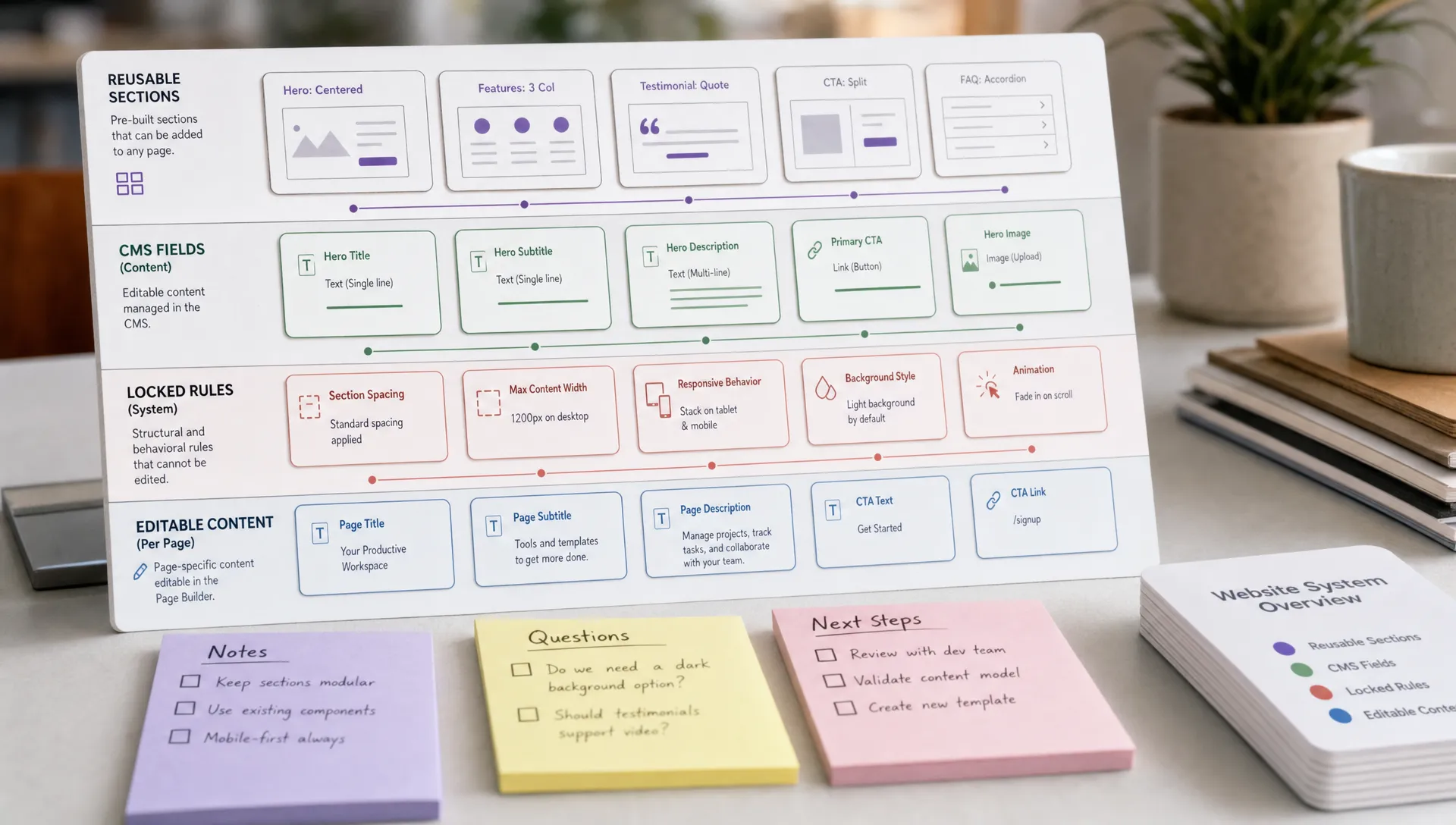
Not every part of a custom website should be editable.
Brand elements, core layout rules, spacing systems, typography hierarchy, and key conversion patterns should be controlled. Messaging, images, page content, CMS entries, and campaign specific sections should be easier to update. A documented design system is the usual mechanism for enforcing that split without slowing editors down.
This balance keeps the site flexible without letting everyday edits weaken the brand or user experience.
A CMS is not useful because it has many fields. It is useful when non technical users can update the right things without guessing.
For marketing teams, the CMS should reflect how content is created and maintained. It should not expose internal development logic or require editors to understand layout rules.
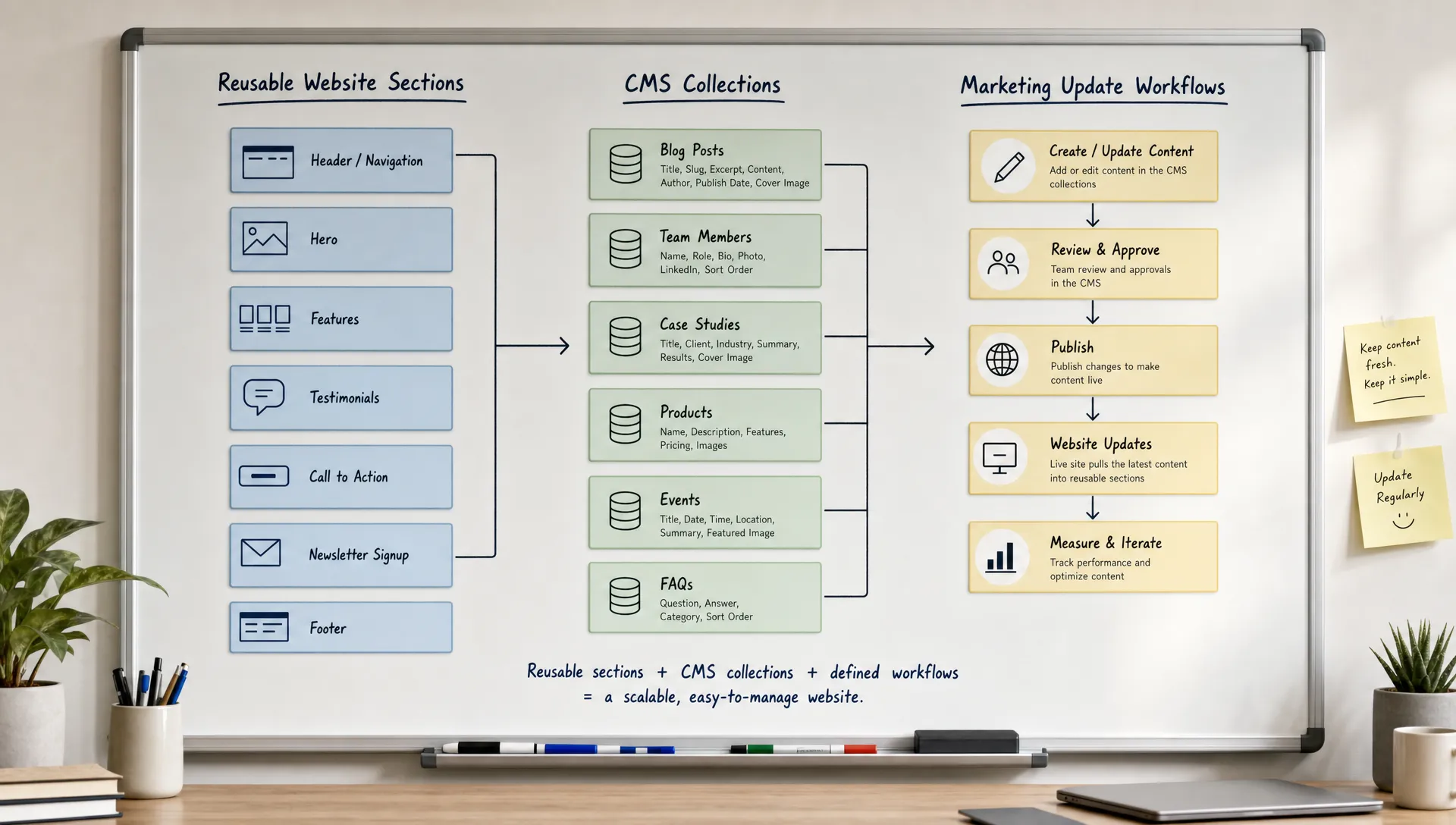
Repeatable content belongs in collections, not static pages.
Examples include case studies, blog posts, team members, resources, integrations, locations, job posts, events, industries, and landing page libraries. If your team will publish more than a few items of the same type, a CMS collection is usually the cleaner structure.
Collections make future updates faster because editors can follow a consistent content model. They also make it easier to add filtering, related content, internal links, and structured page templates later.
Field names should be written for the people who will use them.
Avoid internal labels like "Text block 3" or "Secondary rich content." Use labels that explain the business purpose, such as "Customer challenge," "Product outcome," "Industry," "Primary CTA label," or "Featured quote."
This sounds basic, but it has a direct impact on update speed. When editors understand the model, they make fewer mistakes and need less support.
A CMS should not become a visual design tool.
If every content item can control background colors, section order, layout width, animation type, and spacing, the site becomes inconsistent. It also becomes harder to test across devices.
A better approach is to provide a small set of approved variants. For example, a case study page might support a standard hero, an optional quote block, a metrics section, a challenge section, a solution section, and a related content area. Editors get flexibility, but the structure remains stable.
The platform matters, but structure matters more.
Webflow and Framer can both support fast, custom, marketing led websites when the build is organized well. They can also become hard to update if components, CMS fields, and page templates are improvised during development.
If you are still evaluating tools, a comparison of no-code website builders can help you understand where each platform fits.
A Webflow website is often a strong fit when the site needs a structured CMS, precise responsive design, SEO control, and a scalable component system.
For B2B teams, Webflow can work well for content hubs, case study libraries, product marketing pages, landing page systems, and resource centers. The key is to build with reusable classes, clear components, and a CMS that reflects future publishing needs.
If your team is comparing platform tradeoffs, the practical differences in Webflow versus WordPress are worth reviewing before committing to a build.
A Framer website can be a good fit for teams that prioritize visual speed, landing page production, and polished interactions.
It can work well for startups, product launches, and lean marketing teams that need to move quickly while maintaining a controlled design system. As with any platform, the important point is to avoid building every page as a one off composition.
Framer should still have a clear component structure, naming system, and publishing workflow. Otherwise, speed during the first build can turn into friction after launch.
The table below summarizes where each platform tends to hold up best once a site moves past the launch phase and into regular publishing.
| Criteria | Webflow tends to fit better | Framer tends to fit better |
|---|---|---|
| Content volume | Content hubs, case study libraries, large resource centers | A small number of core pages and landing pages |
| CMS needs | Structured collections, filtering, relationships between content types | Lighter content needs, fewer repeatable content types |
| SEO requirements | Granular control over metadata, redirects, and indexation at scale | Standard SEO needs for a smaller page count |
| Launch speed | Slightly longer setup for a more structured system | Fast visual production for landing pages and campaigns |
| Team profile | Marketing teams publishing frequently across many page types | Lean teams focused on fast campaign and product launches |
Custom code is useful when it solves a real limitation. It becomes a problem when it is used for things the platform can already handle.
Before adding custom code, ask whether the same outcome can be achieved with native components, CMS logic, platform settings, or a simpler interaction. Code can be appropriate for advanced integrations, unique calculators, complex filtering, or specific tracking needs.
It should not be the default answer for basic layout, content editing, or simple animations. The more hidden logic you add, the more documentation and maintenance you need.
AI can support planning, but it should not replace architecture.
AI tools are useful for drafting page structures, exploring headline directions, generating first pass wireframes, or identifying content gaps. They can help teams move faster before design begins.
The risk is treating an AI generated site as a complete operating system for your marketing team. A prompt can produce a starting point, but it will not automatically define your CMS relationships, governance rules, SEO migration plan, or reusable component logic.
If your team is considering this route, this guide on how to create a website with AI explains what works and where human decisions still matter.
A custom website stays easy to update when the team knows how to use it.
Documentation does not need to be long. It needs to be practical. The goal is to make repeatable tasks easy: publishing a blog post, creating a landing page, updating a case study, changing a CTA, replacing a logo, or modifying navigation.
Strong documentation usually covers what each CMS collection is for, which sections are reusable, which edits are safe, which edits require review, how new pages should be created, and who approves structural changes.
Governance also matters. Someone should own the website system after launch, even if several people contribute content. Without ownership, small inconsistencies accumulate. For a deeper maintenance process, use a structured website maintenance guide rather than relying on ad hoc fixes.
Most slow update cycles come from preventable decisions. These are the issues to catch before launch, not after the team is already blocked. The table below groups the most frequent ones with why they cause friction and what to do instead.
| Mistake | Why it slows updates | What to do instead |
|---|---|---|
| Approving designs without testing real content | Layouts break once real copy is shorter, longer, or less polished than the mockup | Review key templates with real or realistic content before approval |
| Creating too many page templates | Every new use case adds a template, and the system becomes harder to govern | Limit templates and reuse section variants instead |
| Using the CMS for layout control | Editors gain power over things that should stay locked, causing visual drift | Keep layout in approved components, keep content in the CMS |
| Skipping responsive QA for editable content | Real copy lengths and image ratios expose layout weaknesses after launch | Test with realistic content variation before sign off |
| Letting campaign pages bypass the system | Urgency leads to one off pages that fall outside the maintained structure | Build campaign ready sections and templates from the start |
| Ignoring SEO during structure decisions | URLs, headings, and indexation rules are expensive to fix after launch | Confirm SEO fundamentals before development starts, using a baseline such as Google's SEO starter guide |
| Launching without a handover process | The team is live but cannot update the site with confidence | Treat handover, training, and documentation as part of the launch scope |
If you are already planning a larger rebuild, a structured process for redesigning your website can help you avoid carrying old operational problems into the new version.
Use this checklist before development starts and again before launch. It helps confirm that the website is not only custom, but also manageable for the team that will run it.
| Step | What to confirm |
|---|---|
| Define the top update scenarios | List the recurring updates your team will make after launch, including landing pages, resources, case studies, product changes, and campaign sections |
| Separate fixed brand rules from editable content | Decide which elements marketing can change and which elements should remain locked |
| Map every CMS collection before development | Define fields, required content, optional content, categories, relationships, and future expansion needs |
| Design reusable sections before full pages | Build a section system that supports future page creation without starting from scratch |
| Name components and fields clearly | Use plain language that editors understand without needing developer context |
| Test with imperfect content | Check layouts with long headlines, short blurbs, missing images, different image ratios, and varied CTA lengths |
| Create page creation rules | Document when to use each template, when to duplicate a page, and when to request a new component |
| Limit design controls for editors | Give the team approved variants rather than unrestricted styling options |
| Plan SEO before launch | Confirm heading logic, metadata fields, alt text workflows, redirects, canonical settings, and internal linking patterns |
| Define the handover process | Include training, documentation, access management, and a support path for structural changes |
| Assign website ownership | Decide who approves new pages, who maintains content quality, and who handles technical reviews |
| Schedule post launch improvements | Treat the launch as version one, then plan structured improvements based on usage, campaigns, and conversion data |
The right decision depends on business value, not personal preference.
A custom build should focus design effort where it affects positioning, clarity, conversion, and trust. Standardization should handle repeatable content and operational needs. The table below summarizes when to lean toward each approach.
| Approach | When to use it | Typical pages |
|---|---|---|
| Make it custom | The page affects differentiation, positioning, or a strategic conversion flow | Homepage, core product pages, high intent landing pages |
| Standardize | The content type repeats regularly and follows a predictable structure | Blog posts, case studies, resource pages, team pages, event pages |
| Create variants | A page type needs to support several different use cases | Landing pages by segment, case studies by industry |
| Avoid customization | The detail does not improve clarity, trust, SEO, or conversion | One off visual effects with no clear business purpose |
This is the practical balance: custom where it creates value, structured where it protects speed.
What is the difference between a custom website and a template website? A custom website is designed around a company's brand, content, buyer journey, and conversion goals. A template website starts from a predefined layout and is adapted within fixed constraints.
Can custom built websites still be easy to update? Yes. They stay easy to update when the CMS, components, templates, and editing rules are planned before development. The site should be custom in strategy and design, but structured in operation.
Should marketing teams be able to edit every part of the website? No. Marketing teams should control content, messaging, images, CMS entries, and approved page sections. Core design rules, layout systems, and technical settings should stay controlled to protect quality.
Is Webflow or Framer better for a custom website? It depends on the site's needs. Webflow is often strong for structured CMS websites and complex marketing sites. Framer is often strong for fast visual builds and landing pages. The build structure matters as much as the platform.
How much documentation does a custom website need? It needs enough documentation for the team to complete recurring updates without guessing. That usually includes CMS rules, component usage, page creation steps, SEO fields, and ownership responsibilities.
When should a company rebuild instead of improving the existing site? A rebuild makes sense when the current structure blocks updates, weakens SEO, limits conversion work, or no longer supports the company's positioning. If the issues are minor, improving the existing system may be enough.
Custom built websites should give your business a sharper, more useful digital presence. They should not make every future update slower.
The practical approach is simple: define the marketing jobs, design reusable sections, model the CMS early, lock the right design rules, document the system, and assign ownership after launch.
If your team wants a custom Webflow or Framer website that stays easy to manage after launch, the next step is to audit your current structure and identify what should be redesigned, standardized, or moved into the CMS. BeBranded can help you scope that work clearly before the build starts.