Are free website design tools enough for a business site?
Development
•
X min
•
Published on
30.09.2026
•
Updated on
09.11.2026
Many founders and marketing teams start by searching for “website design tool free” because the immediate need is clear: get a site online without adding cost or delay. That can be sensible for a prototype, validation page or internal test. It becomes risky when the site is expected to generate qualified leads, support sales conversations or represent a brand that is already selling.
This article gives you a practical way to decide whether a free tool is enough, where the tradeoffs usually appear and what to check before committing your business site to a low-cost setup.
A free plan can work when the website has low business risk. If the goal is to test messaging, share a temporary link with investors or validate a page structure before investing in a complete build, free tools can reduce friction.
They are less suitable when the site must handle SEO, content operations, integrations, brand trust and conversion measurement. In those cases, the cost is not just the tool subscription. The real cost is the time spent fixing limitations later.
A free tool is usually enough if the site is temporary, traffic expectations are low and the brand can accept a basic template, limited customization and a platform subdomain.
A free website design tool is software that lets you create and publish a website without paying upfront. These tools often include templates, visual editing, limited pages, basic hosting and a simple publishing flow.
For non-technical teams, that can be useful. You can move from idea to first draft quickly, see how the content feels on a page and align internally before spending more time or budget.
The limitation is that free plans are designed to make website creation accessible, not necessarily to support a serious business website over time. The gap usually appears once you need custom structure, clean technical SEO, CMS logic, analytics governance or integrations with your marketing stack.
A website design tool free plan is not a website strategy. It is one possible execution option after you know what the site must achieve.
Use this five-layer framework before choosing a tool. It helps separate “we need a website” from “we need this type of website to support this business goal.” If you are still defining the goal, start with the first-step process in how to choose the right website direction.
If a free tool passes these five layers for your current stage, it may be enough for now. If it fails on several layers, the free plan is likely delaying a decision rather than solving the problem.
The table below puts the three realistic options side by side. It shows that the gap is rarely about design quality alone. It is mostly about control, ownership and how much rework you accept later.
Read it from the row that matters most to your business, such as SEO control or integrations, rather than from the top down.
| Criterion | Free website tool | Paid no-code platform | Agency-led build |
|---|---|---|---|
| Upfront cost | None or very low | Monthly or yearly plan | Project budget |
| Brand and design control | Template-based, limited | High, within the platform | Full, defined by your brand |
| SEO control | Basic fields only | Metadata, redirects, CMS templates | Planned from the structure up |
| Custom domain and trust | Often restricted | Included on paid plans | Included and configured |
| Integrations | Few, often limited | Forms, CRM, analytics via native tools or apps | Designed around your stack |
| Time to first version | Hours to days | Days to weeks | Weeks, with a defined scope |
| Best fit | Tests and temporary pages | Marketing sites that evolve often | Sites tied to revenue or complex content |
The risk with a website design tool free option is not the monthly price. The risk is building a site that becomes harder to improve once it starts mattering.
Free setups often create hidden costs in three areas: brand consistency, growth operations and technical control. These costs are not always visible on launch day because the site may look acceptable at first glance.
They appear when the team wants to add landing pages, improve SEO, connect CRM forms, publish content at scale or refine the user journey based on performance data.
This is the same logic behind why the cheapest website builder can cost more in the long run: the saving on the plan is small compared with the rework it can trigger.
The table below lists the limits teams most often hit on free plans and what each one means for the business. Check the ones that apply to your roadmap before you commit.
| Area | Typical free plan limit | Business impact |
|---|---|---|
| Domain | Platform subdomain, sometimes with a badge | Weaker trust in sales, recruiting and paid campaigns |
| Pages and content | Capped number of pages or no real CMS | Slow publishing and manual duplication |
| SEO controls | Basic titles and descriptions only | Limited redirects, canonicals and indexation control |
| Analytics | Basic or none | Hard to measure conversions and campaign results |
| Forms and CRM | Simple forms, few integrations | Leads handled by hand or lost between tools |
| Performance | Limited image and code control | Slower pages and weaker user experience |
| Export and migration | Restricted export options | Harder to move content and URLs later |
Search visibility requires more than adding keywords to a page. A business site needs crawlable pages, clean title tags, useful internal linking, relevant structured content and fast, stable user experience. Google Search Central gives a clear overview of the fundamentals Google expects site owners to handle.
Some free tools provide basic SEO fields. The issue is whether they offer enough control when you need redirects, canonical tags, scalable CMS templates, image optimization and clean page structure.
If search is a core channel, compare platforms on these points before choosing. Our guide on how to choose a website builder with SEO built in covers the checks in detail, and the complete Webflow SEO guide shows what a well-configured setup looks like.
A simple five-page site can work without a strong CMS. A growing company usually needs a better content model. Blog posts, customer stories, resources, product pages and industry pages become difficult to manage when the underlying structure is improvised.
If your website design tool free plan blocks clean content architecture, the marketing team may end up duplicating pages manually or relying on workarounds. That is usually a sign to review when a no-code website builder becomes too limiting.
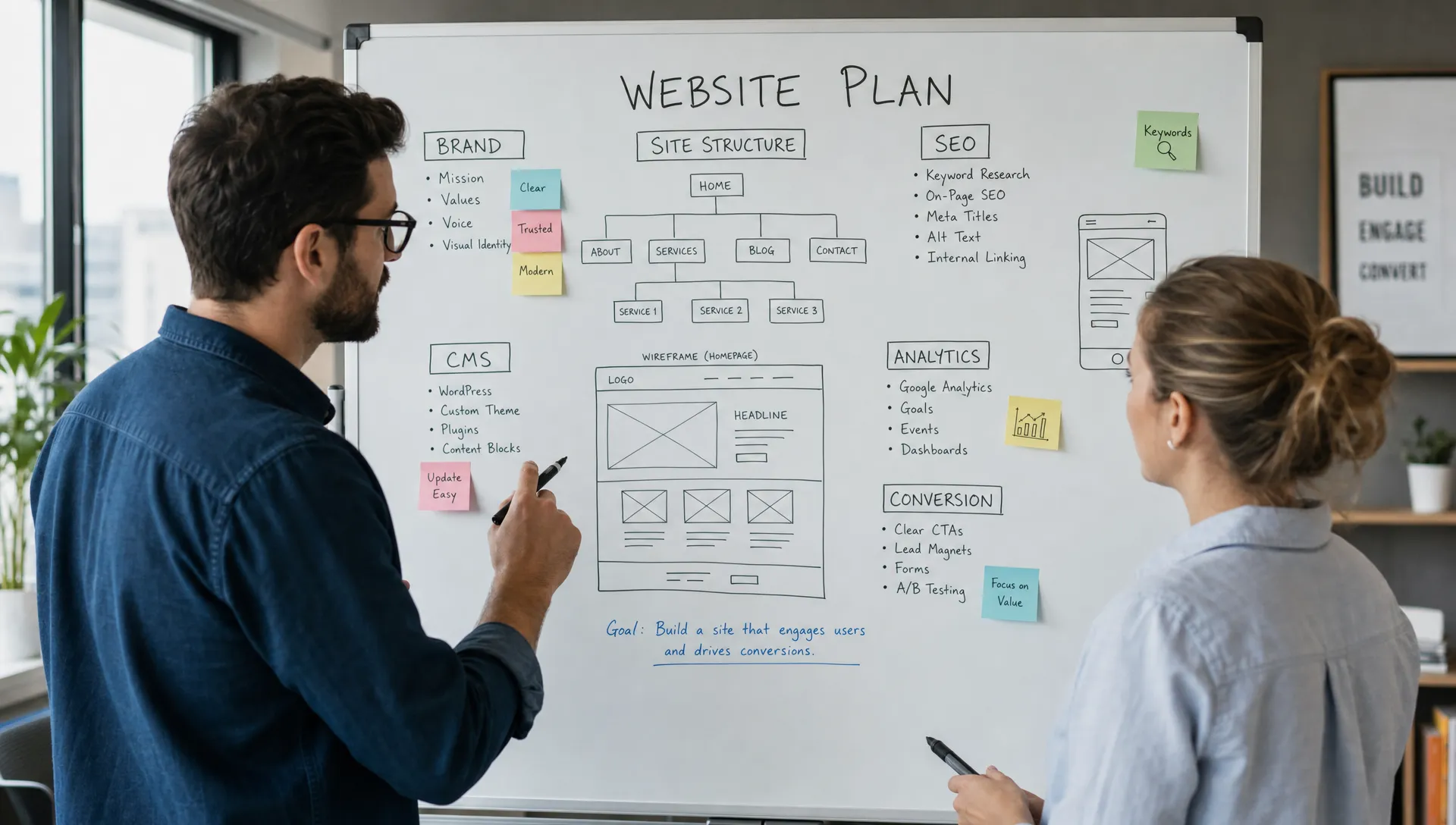
Before you rely on a website design tool free option for a live business site, check whether you are making one of these common mistakes. Most of them come from treating the tool as the plan.
These mistakes do not mean free tools are bad. They mean the decision needs a clear boundary: what is the free build allowed to solve, and when will it be replaced?
Use this checklist before you decide whether to launch with a free tool, upgrade to a paid no-code platform or work with a specialist team.
For a broader quality benchmark, compare your plan with what a professional website for business should include. It will help you separate “published” from “ready to support the business.”
A website design tool free plan can be enough if the site is temporary, low-traffic and not central to revenue. It is usually the wrong choice when the site is part of acquisition, hiring, investor relations or sales enablement.
A paid no-code platform makes sense when your team needs more control but still wants to move quickly. Webflow and Framer are common options for marketing sites because they give teams more design flexibility and publishing speed than many entry-level builders. If you are also weighing mainstream builders, the comparison of Webflow vs Wix shows where the differences matter.
Agency support makes sense when the cost of mistakes is higher than the cost of doing the build properly. That includes situations where positioning needs to be clarified, the CMS needs to be structured, SEO has to be set up correctly or the site must launch within a defined timeline.
The practical rule is simple: match the build quality to the business risk. A temporary landing page does not need the same process as a main company website. A website that supports sales, hiring and brand trust should not be treated like a disposable experiment.
To make this concrete, the table below maps common site types to a risk level and a sensible build option. Use it as a starting point, then adjust to your own constraints. For budget ranges, see how much a website costs in 2026.
| Type of site | Business risk | Recommended build |
|---|---|---|
| Idea validation page | Low | Free tool, with a clear end date |
| Event or campaign microsite | Low to medium | Free or paid no-code, depending on traffic |
| Main company website | High | Paid no-code platform or agency-led build |
| Lead generation site with paid traffic | High | Paid no-code platform with tracking and CRM |
| Content-heavy site with a blog or resources | Medium to high | CMS-based platform with a planned structure |
| Multilingual or multi-product site | High | Agency-led build with a defined content model |
Starting with a free tool is fine if you plan the exit from day one. A migration is far easier when the content, URLs and tracking were organized from the start.
The table below lists what to document while the site is still small. Doing this early turns a future rebuild into a controlled move rather than a rescue.
| Element | What to document | Why it matters |
|---|---|---|
| Page URLs | Every live URL and its purpose | Redirects protect rankings and links |
| Metadata | Titles, descriptions and headings per page | Avoids losing search visibility after the move |
| Content and assets | Text, images, files and their sources | Prevents rewriting or recreating lost material |
| Forms and integrations | Destinations, notifications and CRM mapping | Keeps lead capture working during the switch |
| Analytics and tags | Tracking IDs, events and conversion goals | Preserves measurement continuity |
| Ownership and access | Domain, hosting, accounts and admins | Avoids dependency on a single person or tool |
Keep this document in a shared place and update it whenever you add a page. When the time comes to replace the free tool, you will be able to brief a specialist team quickly and keep your search performance intact.
Can I use a free tool for my company website? Yes, if the website is temporary, low-risk or used for internal validation. If it supports sales, SEO, recruiting or paid campaigns, a free setup usually needs stricter evaluation.
Is a free website design tool bad for SEO? Not always. Some free tools offer basic SEO settings. The issue is whether they give you enough control over page structure, metadata, redirects, performance and content scaling.
When should I upgrade from a free website tool? Upgrade when the site needs a custom domain, stronger brand presentation, reliable analytics, CMS structure, integrations or technical SEO control.
Are Webflow and Framer free website tools? They can be used to start building without a full custom development process, but serious business use usually requires the right paid plan and proper setup.
What should a business website include before launch? It should include clear positioning, a focused conversion path, mobile-ready layouts, trust signals, SEO basics, analytics and a manageable content structure.
Free tools are useful when they help you test an idea quickly. They are not enough when the website has to carry business responsibility without the structure to support it.
The right decision is not “free or paid.” It is whether the build matches the next business goal, the level of trust required and the cost of rebuilding later.
If you want a clear view of whether your current website setup is enough, start with a focused website audit through BeBranded.