When a no-code website builder becomes too limiting
Development
•
X min
•
Published on
03.09.2026
•
Updated on
28.09.2026
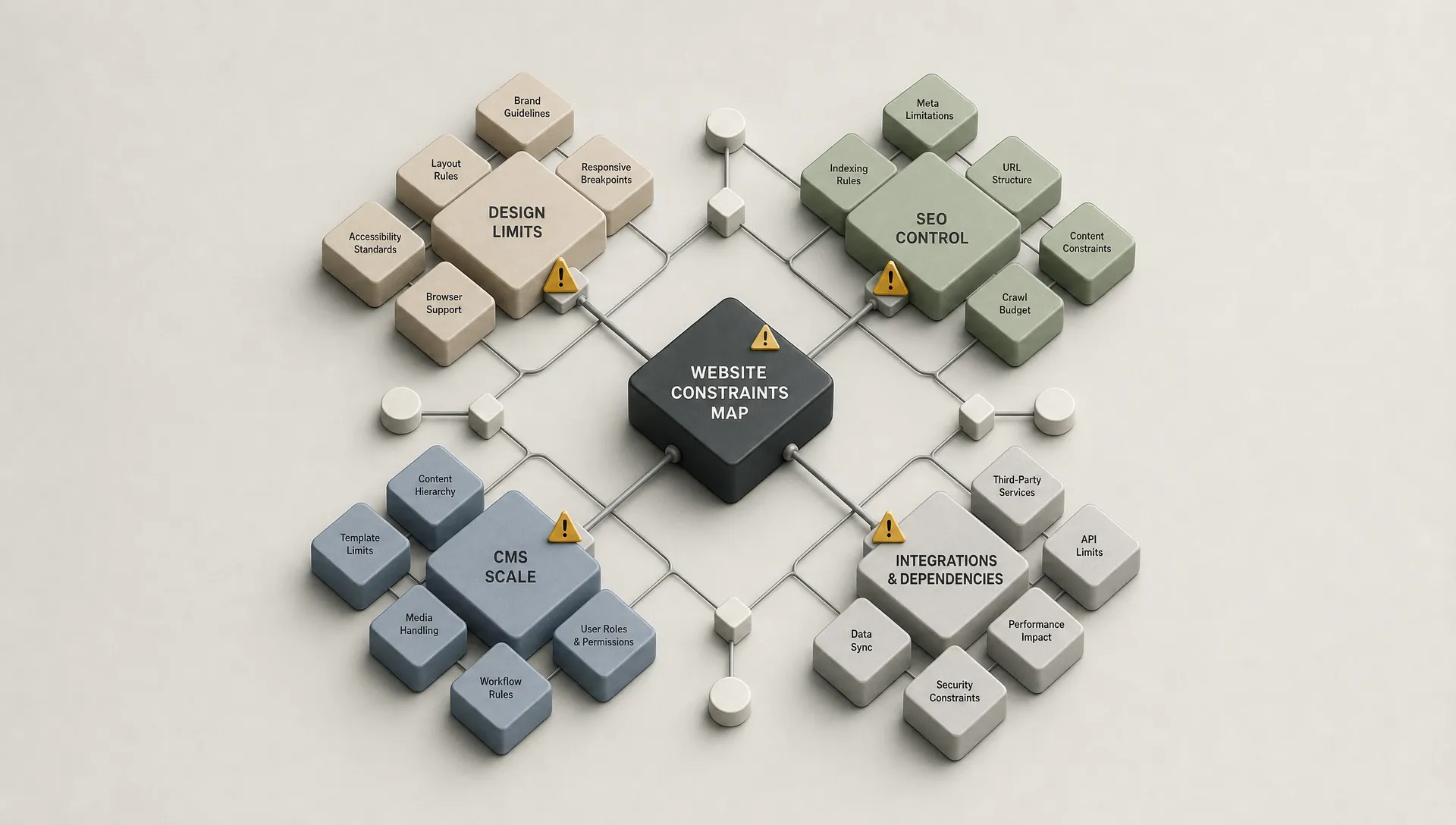
A nocode website builder usually starts as a speed decision. It helps a team launch pages, test positioning and avoid waiting for a full engineering cycle. The problem starts when the tool that once removed friction begins to dictate design, SEO, content structure or marketing operations.
This guide helps you separate normal growing pains from real platform constraints. You will get a practical framework to decide whether to improve your current setup, move to a more capable no-code platform or rebuild with a different architecture.
A nocode website builder lets non-developers create and update a website through visual tools instead of writing production code for every layout, page and content update. For marketing teams, the value is usually speed, autonomy and lower dependency on engineering.
The tool should help you publish landing pages, manage content, update messaging and connect basic marketing systems without turning every change into a project. If you are still choosing between options, this comparison of no-code website builders is a useful baseline before you evaluate deeper constraints.
The point is not to avoid complexity forever. The point is to decide which complexity belongs inside the website platform and which complexity belongs in your CRM, product, analytics stack or backend systems.
A basic no-code site can work well for an early business because the site has a narrow job: explain the offer, capture leads and look credible.
As the company grows, the site often needs to support more audiences, campaigns, languages, CMS collections, personalization, analytics and integrations. This is where the difference between simple and scalable becomes visible.
A tool that is easy on day one can become expensive to operate if your team needs workarounds for every serious marketing request. BeBranded has written more broadly about why the simplest website builder is not always the best fit, and the same principle applies here.
The signs usually appear in execution before they appear in strategy documents. Teams start delaying updates, compromising layouts or avoiding website changes because the system feels fragile.
If every section has to fit a template, designers eventually stop designing for the brand and start designing around the tool. This often shows up as duplicated layouts, inconsistent spacing, unusual hacks or pages that look acceptable but not intentional.
A few constraints are normal. The problem is when the platform prevents you from building clear hierarchy, responsive layouts or reusable systems without breaking maintainability.
A no-code website builder does not need to handle every advanced SEO scenario. It does need to let you control fundamentals such as indexability, metadata, headings, redirects, clean page structures, schema where needed and performance basics.
If your team cannot implement technical fixes, structure content hubs or create scalable CMS templates, the limitation will affect organic growth. At that point, SEO is no longer only a content issue. It becomes an architecture issue.
Many sites start with a few static pages. Later, the team needs case studies, resources, comparison pages, job posts, partner pages, locations or gated content.
If the CMS forces manual duplication, publishing slows down and quality control gets harder. A good website system should let marketing teams reuse structured content without losing design control.
A growing website often needs to connect with CRM, email marketing, enrichment, analytics, scheduling, forms, payment tools or internal workflows.
If every integration depends on copy-pasting embeds or exporting CSV files, the site becomes a source of operational drag. No-code should reduce manual handoffs. When it creates hidden manual tasks, you are moving the workload to marketers, ops teams or founders.
One of the clearest signs is behavioral. If your marketing team delays landing page changes because the builder feels fragile, the site has stopped being a growth asset.
This is not always the platform's fault. Sometimes the build is messy, the design system is missing or permissions are unclear. But if capable people are afraid to touch the site, you need to inspect the system.
These five signals rarely appear in isolation. The table below lines up each one against what it typically looks like in practice and why it matters for the business, so you can scan for matches before starting a deeper audit.
| Signal | What it looks like | Why it matters |
|---|---|---|
| Brand expression relies on workarounds | Duplicated layouts, inconsistent spacing, unusual hacks | Weakens brand perception and slows down every design request |
| SEO setup is blocked by the platform | No control over metadata, redirects, headings or schema | Organic growth stalls and becomes an architecture issue, not only a content one |
| CMS no longer matches content strategy | Every new content type needs manual layout duplication | Publishing slows down and quality control gets harder |
| Integrations create manual work | Copy pasted embeds, CSV exports, manual handoffs | Operational drag shifts onto marketing, ops or founders |
| The team avoids updating the website | Landing page changes get delayed, simplified or skipped | The site stops being a growth asset |
Before you migrate, identify whether the constraint is caused by the tool, the original build or the way the website is managed.
A weak implementation can make a capable platform feel limited. Poor naming, inconsistent components, unstructured CMS fields and unplanned custom code can slow any website down. Conversely, a beginner-friendly builder can have a genuine ceiling if it does not support the technical depth your marketing system now requires.
| Symptom | Likely platform limitation | Likely implementation limitation | Practical next move |
|---|---|---|---|
| Slow page creation | The builder lacks reusable sections or CMS templates | The site was built without components or clear naming | Audit the design system before changing platforms |
| SEO issues | The tool limits redirects, metadata or structured content | Pages were built without hierarchy, internal links or technical cleanup | Run a technical and content architecture review |
| Design constraints | The platform cannot support custom responsive layouts | The current build relies on rigid templates | Prototype the hardest page type in a more capable tool |
| Integration problems | The builder has limited native or API-based connections | The team relies on temporary embeds and manual exports | Map the workflow before choosing a replacement |
The decision should come after the diagnosis, not before it. Otherwise you risk rebuilding the same limitations on a different platform.
Use a four-layer constraint audit. The goal is to identify where the website blocks growth, then decide whether the fix is design, CMS, SEO, automation or platform architecture.
This framework keeps the discussion practical. It also helps CEOs, CMOs and founders avoid making the decision based only on personal preference or interface comfort.
Start with the website's job for the next 12 to 18 months. A company site that only needs credibility has different requirements from a site expected to support paid acquisition, organic growth, multiple regions and frequent campaign launches.
Write down the top three business outcomes the website must support. If the current builder cannot support those outcomes without constant workaround, you likely have a platform issue.
List the content types your team needs to manage: pages, articles, case studies, landing pages, team members, product pages, locations or partner pages. Then check whether each type can be built once and reused cleanly.
If each new content type requires manual layout duplication, your CMS model is underdeveloped. Sometimes this can be fixed inside the current platform. Sometimes it is the reason to move to a stronger no-code website platform.
A scalable website needs more than good individual pages. It needs reusable sections, clear responsive rules, consistent components and controlled flexibility for the marketing team.
If conversion improvements require rebuilding layouts from scratch every time, the issue is not only visual. The design system is not mature enough for the team's pace.
Map what happens after someone submits a form, books a call, downloads a resource or applies for a role. The website is part of a workflow, not just a set of pages.
If the tool cannot connect cleanly with the rest of your stack, review how to select the right no-code tools before committing to another builder. The right platform should match the job of the website, not the other way around.
You do not always need a full rebuild when your website builder feels limited. The right move depends on how deep the constraints are.
This decision usually falls into three paths: improve the current setup, migrate to a more capable no-code platform or rebuild the site around a different technical approach.
Stay where you are if the platform can support your goals and the main issue is execution quality. Common fixes include reorganizing the CMS, cleaning templates, simplifying page structure, improving technical SEO and building reusable components.
This path is often right when the team likes the tool but inherited a messy site. A focused rebuild inside the same platform can be more efficient than switching tools.
Move platforms when the current builder blocks core marketing work: advanced layouts, scalable CMS structures, SEO control, campaign velocity or reliable integrations.
For many marketing websites, Webflow and Framer sit in this category because they offer stronger design control than entry-level builders. If AI-generated layouts are part of your evaluation, treat Webflow AI Site Builder as a starting point for exploration, not as a substitute for strategy, content architecture and production cleanup. For a wider comparison beyond Webflow and Framer, this overview of Webflow alternatives and when another platform fits better is a useful next read.
Some teams try to stretch a marketing website builder into a product interface, marketplace, dashboard or complex portal. That usually creates frustration because the tool is being asked to solve the wrong problem.
If you are comparing app-oriented tools, this guide to Bubble and WeWeb for web applications is a better reference point than a marketing-site builder comparison. If you are deciding between visual platforms and code-assisted workflows, the comparison of Webflow and Claude Code explains why these tools solve different jobs.
Each path carries a different cost in time and risk. This table lines them up side by side so you can set expectations with your team or an agency partner before committing to one.
| Approach | Typical timeline | Best when | Main risk |
|---|---|---|---|
| Optimize the current builder | 2 to 6 weeks | The platform can do the job and execution is the problem | A real platform ceiling gets discovered later |
| Move to a stronger no-code platform | 6 to 12 weeks | Marketing needs more design, CMS or SEO control | Migration gets treated as a visual redesign only |
| Rebuild with a different architecture | 3 months or more | The website is becoming a product, portal or application | Scope creep without clear technical ownership |

When a no-code website builder starts getting in the way, the wrong response can create more complexity than the original problem.
The goal is not to chase a more powerful tool by default. The goal is to remove the constraint that is actually slowing down the business.
Use this checklist before you commit to a migration, rebuild or platform upgrade.
A short audit can prevent unnecessary costs and help you brief designers, developers or agency partners with more precision. It complements the broader checklist for setting up a website before launch, focused specifically on migration readiness.
| Step | Action |
|---|---|
| 1 | Document the top five tasks your team struggles to complete in the current builder. |
| 2 | Identify whether each issue is caused by the platform, the build quality or the team process. |
| 3 | List every page type and content type the website must support over the next 12 to 18 months. |
| 4 | Check whether your current CMS can handle those content types without manual duplication. |
| 5 | Review technical SEO basics, including indexability, redirects, metadata, headings, canonical logic and page speed. |
| 6 | Map all forms, integrations, automations and post-submit workflows. |
| 7 | Define who needs to update the website and what they should be allowed to edit. |
| 8 | Prototype the most complex page type before selecting a new platform. |
| 9 | Prepare a migration plan for URLs, analytics, tracking scripts and historical SEO value. |
| 10 | Decide what success means after launch, such as faster page creation, cleaner publishing workflows or better lead capture quality. |
This checklist also makes agency conversations more productive. Instead of asking which builder is better, you can discuss which system fits your operating model.
For CEOs, the website builder decision is a resource allocation decision. A cheap tool that slows marketing, weakens positioning or creates operational work is not really cheap.
For CMOs and marketing managers, the key question is whether the website can support the campaign calendar without creating quality issues. If every launch depends on fragile workarounds, the platform is affecting execution.
For founders, the answer depends on stage. Early teams often need speed and credibility first. As the company grows, the site must support clearer positioning, SEO, hiring, content and sales enablement. This is why many startup teams evaluate why startups build their websites on Webflow once they outgrow template-first builders.
When is a no-code website builder too limiting? A no-code website builder is too limiting when it blocks core business needs such as SEO control, custom design, scalable CMS structures, integrations or fast marketing updates.
Should I switch platforms as soon as my builder feels restrictive? No. First audit whether the issue comes from the platform, the original build or the team workflow. Many problems can be fixed without migration.
Is Webflow always better than a simple website builder? Not always. Webflow can offer more design and CMS control, but it also requires better structure and execution. The right choice depends on goals, team skills and future complexity.
Can a no-code website builder handle SEO properly? Some no-code builders can handle SEO fundamentals well, but only if they allow control over technical settings, content structure, redirects, metadata and performance.
When should a website become a custom web application instead? Consider a web application approach when you need user accounts, complex permissions, database logic, dashboards, marketplaces or workflows that go beyond a marketing website.
A no-code website builder becomes too limiting when it stops helping your team move faster and starts shaping decisions that should belong to strategy, content, SEO or operations.
The next step is not to pick a new tool immediately. Start by auditing the constraint: platform, build quality, content architecture or workflow. Once that is clear, you can decide whether to optimize, migrate or rebuild with confidence.
If your current website is slowing marketing down, ask BeBranded for a focused review of your Webflow or Framer website setup and use the audit to choose the right next move.