

The essentials · 30-second read
Slack organises team chat in channels. Free keeps 90 days of messages and 10 apps. Pro: €8.25 per user a month (€6.75 billed yearly). Business+: €18 (€15 yearly).
- Free plan: 90 days of message history, up to 10 integrations, one-to-one huddles only.
- Pro: €8.25 per user a month, or €6.75 billed yearly. Business+: €18, or €15 billed yearly. Enterprise+: €45 billed yearly, via sales.
- Paid plans unlock unlimited history and group huddles; Business+ adds advanced AI features.
- Our verdict: the reference for team chat when your tools need to post into it. Watch the per user bill as the team grows.
Summarize this page with AI
Slack is the messaging app most digital teams end up using, and the one most tools know how to talk to. It is also a per user subscription that grows with every new colleague. This review covers what Slack does, how we use it, what it costs in 2026 (in euros), the limits of the free plan and the alternatives worth a look.
01What is Slack?
Slack is a team messaging app, owned by Salesforce, that replaces internal email with channels. Each channel is a topic, a project or a client; conversations happen in threads, and files, decisions and links stay searchable. Around the chat, Slack adds huddles (audio and video calls), canvases, lists, a workflow builder and AI features.
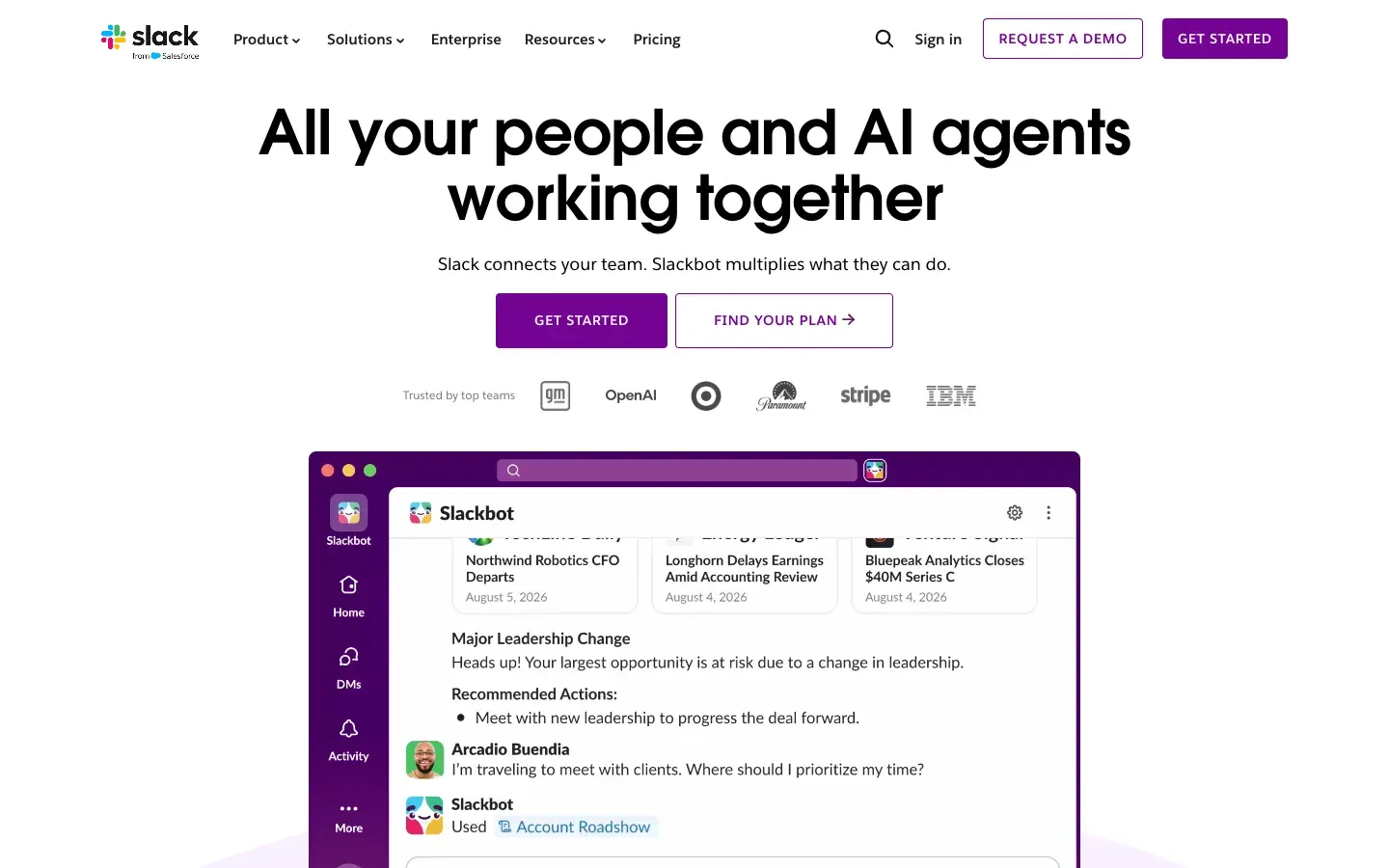
Slack works in the browser, on desktop and on mobile. Its other strength is the ecosystem: most SaaS tools offer a Slack app or can post to Slack through a webhook, so notifications land where the team already reads.
02How we use Slack at BeBranded
Slack is our communication tool. BeBranded is a two founder agency (Roland and Maxime), and Slack is where we discuss projects, share links and decisions, and keep track of what is happening without filling our inboxes.
When we work with clients, we recommend Slack in two situations:
- When the client already uses it. A shared channel is often faster than email for daily questions during a project.
- When tools need a voice. A new lead from a form, a failed payment, a deployment, an automation error: Slack is the natural place to post these alerts. We set this up in automation and integrations and API projects, and it is also where an AI agent can report what it did.
We do not recommend Slack as a document store. Decisions that must last belong in a wiki or a tool like Notion, with the Slack thread linked to it.
03Key features
- Channels and threads: public or private channels by topic, project or client, with threaded replies.
- Huddles: quick audio and video calls with screen sharing (one-to-one only on the free plan).
- Slack Connect: shared channels with people from other companies.
- Canvases and lists: documents and simple task lists inside channels.
- Workflow Builder: no-code automations triggered by forms, messages or schedules.
- Apps and API: thousands of integrations, incoming webhooks and a full API.
- AI features: conversation summaries, AI search and daily recaps on paid plans, advanced AI on Business+ and Enterprise+.
04Slack pricing in 2026
Prices checked on slack.com/pricing on 14 November 2026, in euros as displayed for France, per user per month. The page does not say whether VAT is included.
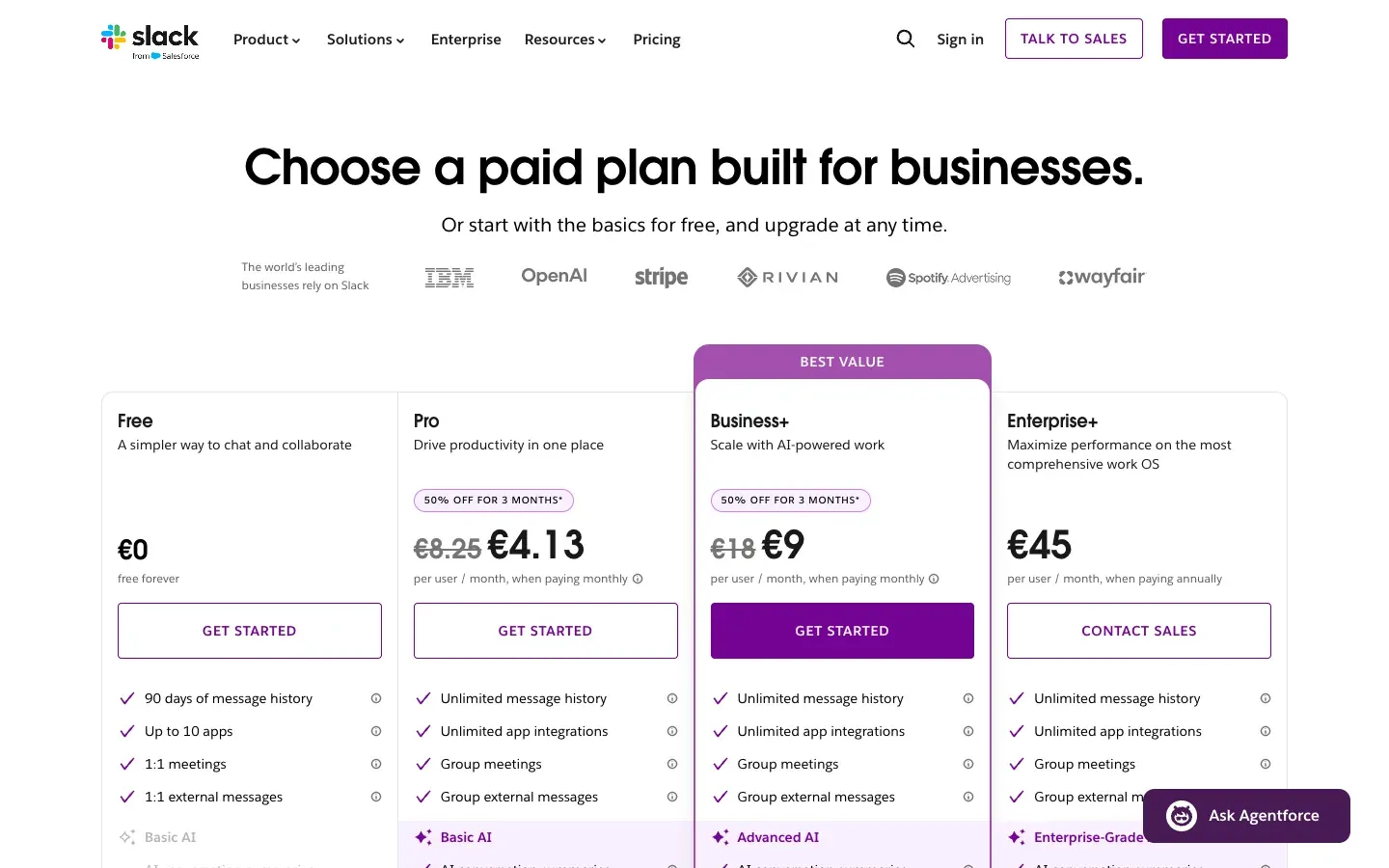
| Plan | Monthly billing | ||
|---|---|---|---|
| Free | €0 | Yearly billing €0 | What you get 90 days of message history, up to 10 integrations, one-to-one huddles and external messages |
| Pro | €8.25 | Yearly billing €6.75 | What you get Unlimited message history, unlimited app integrations, group huddles, basic AI |
| Business+ | €18 | Yearly billing €15 | What you get Everything in Pro, plus advanced AI (Slackbot limited to 15 messages per user per week) |
| Enterprise+ | Not offered | Yearly billing €45 (via sales) | What you get Enterprise-grade AI, unlimited Slackbot for the whole team |
New teams can get 50% off Pro or Business+ for three months (€4.13 and €9 per user), on monthly billing only and within seven days of creating the team.
Is Slack free? Yes, without a time limit. The free plan is enough to test Slack or run a very small team, but the 90 day history limit hurts quickly: past conversations disappear from search, which is exactly what you need Slack for. Most teams that rely on it move to Pro.
05Pros and cons
Advantages
- The largest ecosystem of integrations: almost every tool can post to Slack.
- Clear organisation in channels and threads, easy to learn.
- Slack Connect makes shared channels with clients and partners simple.
- Good apps on desktop and mobile, and fast search on paid plans.
- A workflow builder and an API to automate routine messages.
Drawbacks
- Per user pricing adds up fast as the team grows.
- The free plan hides messages older than 90 days.
- Constant notifications can fragment attention without clear channel rules.
- Advanced AI features are reserved for Business+ and above, and Slackbot has a weekly limit there.
- Knowledge spread across threads is hard to find months later without a separate wiki.
06Our verdict
Who it's for
- Teams of a few people to a few hundred that work mostly online.
- Agencies and freelancers who want shared channels with their clients.
- Product and tech teams that want alerts from their tools in one place.
- Companies that automate processes and need a place to post results.
Who it's not for
- Companies already standardised on Microsoft 365 and Teams.
- Very small teams on a tight budget that need long history: a free alternative may fit better.
- Organisations that want chat and documentation in a single tool.
07Slack alternatives
| Tool | Best for | ||
|---|---|---|---|
| Slack | Team chat with the widest integration ecosystem | Free plan 90 days of history | Paid from €6.75 per user a month (yearly) |
| Microsoft Teams | Companies on Microsoft 365 | Free plan Free version | Paid from Paid Microsoft plans |
| Google Chat | Teams on Google Workspace | Free plan With a Google account | Paid from Included in Google Workspace |
| Discord | Communities and informal teams | Free plan Yes | Paid from Optional paid features |
| Basecamp | Project communication with clients | Free plan Limited | Paid from Paid plans |
Our rule: if your company runs on Microsoft 365 or Google Workspace, try the chat that comes with it first. Choose Slack when integrations and shared client channels matter more than the bill. If you want messages and project tracking in one place, look at Basecamp or ClickUp.
08Slack and automation
Slack becomes much more useful once your tools post into it. A form built with Tally can notify a channel for each lead, a payment from Stripe can trigger a message, and Zapier, Make or n8n can route any event to the right channel. Keep one channel per type of alert, so people can mute what does not concern them.