

The essentials · 30-second read
Payload CMS is open source (MIT) and free to self-host on any Node.js server. It lives inside your Next.js app. Enterprise (SSO, support) is on quote.
- Open source under the MIT licence: free to self-host forever, with no per-user or per-API-call fee.
- Runs inside a Next.js app, with PostgreSQL, MongoDB or SQLite as the database.
- Enterprise (SSO, visual editing, dedicated support) is on quote; no public price.
- Our verdict: the best CMS for a custom Next.js site when a developer is on the team; not for no-code teams.
Summarize this page with AI
Payload is the CMS behind the site you are reading. When we left Webflow in November 2026, we rebuilt bebranded.xyz on Next.js with Payload 3 and PostgreSQL, so this review comes from daily use, not from a feature list. Here is what Payload is, what it really costs, where it shines, where it hurts and which alternative to choose when it is not the right fit.
01What is Payload?
Payload is an open source headless CMS written in TypeScript and published under the MIT licence. Its particularity: it is not a separate service you call over the internet. You install it in your Next.js project, describe your content in code (collections, fields, access rules) and Payload generates the admin panel, the database schema and the APIs.
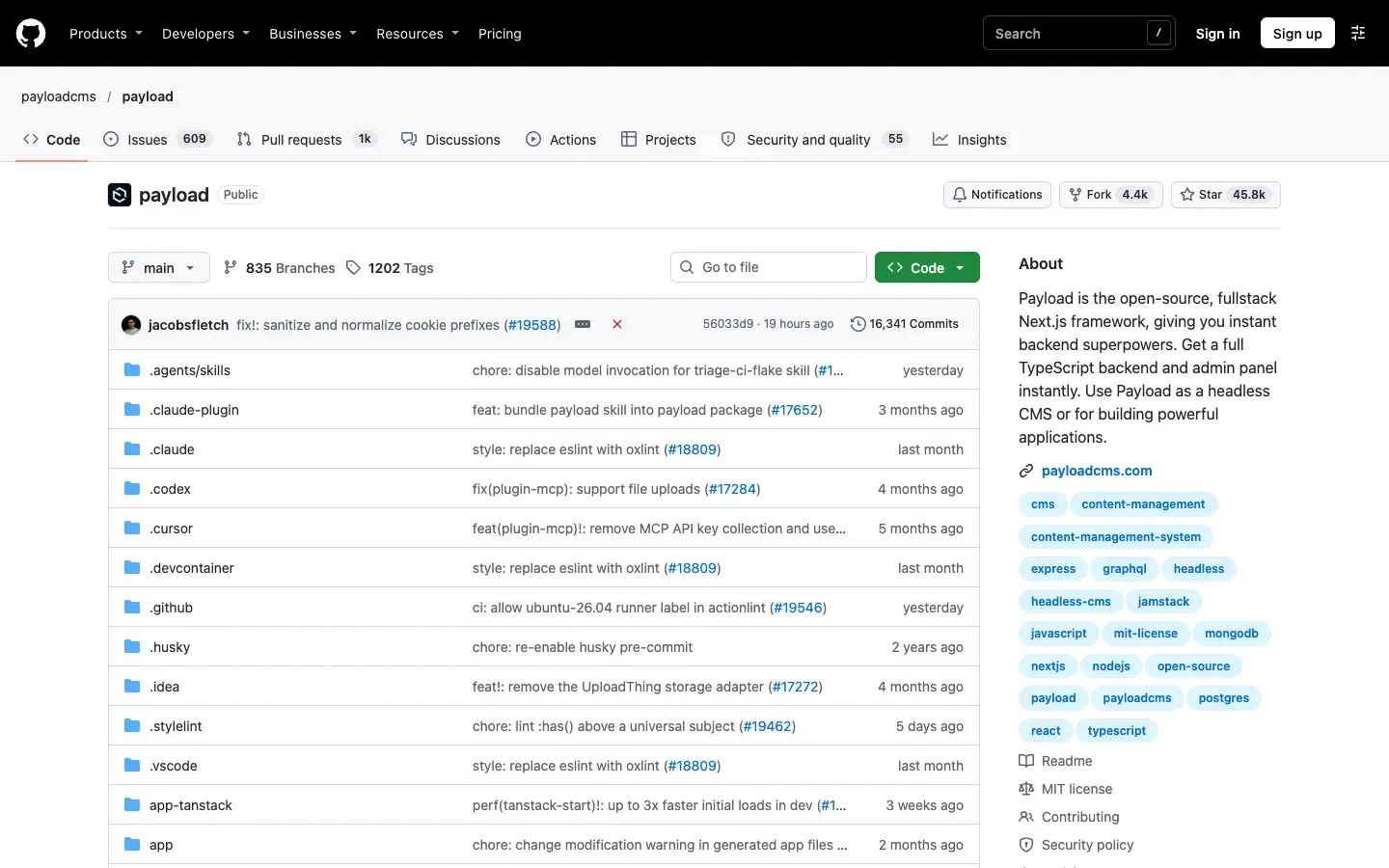
Payload calls itself a framework as much as a CMS. Because the admin, the API and your front end share the same codebase, you can use it for a marketing site, a blog, a client portal or a full web application with users and permissions.
02How we use Payload at BeBranded
Our site runs on Payload 3 inside a Next.js 16 app, with PostgreSQL (hosted on Supabase) as the database and Vercel Blob for media. Concretely:
- Collections for each content type: pages, blog posts, services, tool pages like this one, comparisons.
- Localised fields for English and French: one entry, two languages, one URL per locale.
- Drafts to prepare a page without publishing it, and live preview to check it in the real design.
- The Lexical editor for rich text, which we also fill from scripts when we import or rewrite content.
- Official plugins for SEO fields and redirects, essential after a migration.
What convinced us: the content model lives in our Git repository, there is no fee per user or per API call, and our developers (helped by Claude Code) can change a field as easily as a component. We do the same for clients through our website and web app offers. The trade-off is real, though: someone has to own the code. Read our Webflow vs Payload comparison if you are weighing the two.
03Key features
- Config as code: collections, globals and fields defined in TypeScript, with generated types.
- Auto-generated admin panel, customisable with your own React components.
- Three APIs: REST, GraphQL and a Local API that queries the database directly from server code.
- Access control and authentication built in, field by field if needed.
- Localisation, drafts and versions for multilingual editorial work.
- Hooks to run logic before or after any read or write.
- Database adapters for PostgreSQL, MongoDB and SQLite.
- Plugins: SEO, redirects, forms, cloud storage (Vercel Blob, S3 and others).
04Payload CMS pricing in 2026
Prices checked on payloadcms.com/get-started (the page linked as "Pricing" on the site) on 14 November 2026.
| Offer | Price | |
|---|---|---|
| Self-hosted | Free | What you get Full open source CMS (MIT), deploy anywhere Node.js runs, community support |
| Vercel template | No Payload fee shown (you pay Vercel and Neon usage) | What you get One-click deploy with Vercel Blob, a Neon database, users, media, layout builder, live preview |
| Cloudflare template | No Payload fee shown (you pay Cloudflare usage) | What you get One-click deploy with R2 image storage and a D1 database |
| Enterprise | On quote | What you get Self-hosted or with Payload, SSO, visual editing, white-labelled email, dedicated support, roadmap influence |
Is Payload CMS free? Yes. The full CMS is free and open source, with no limit on users, entries or languages. What you pay for is everything around it: hosting, database, storage and, above all, development and maintenance. For a team without a developer, that last line is the real price.
05Pros and cons
Advantages
- Free and open source, with no pricing that grows with users, entries or API calls.
- Your content model is code: versioned in Git, reviewed and deployed like the rest of the app.
- One codebase for CMS and front end, so no sync between two services.
- Solid localisation, drafts and access control out of the box.
- Your data stays in your own database, which you can query, back up and move.
Drawbacks
- You need a developer to build the front end, add fields and keep dependencies up to date.
- Editors do not get a visual page builder like Webflow or Framer by default.
- Hosting, backups, security updates and monitoring are your responsibility when self-hosting.
- Major version upgrades can require migration work.
06Our verdict
Who it's for
- Companies building a custom site or app on Next.js with a developer or an agency.
- Teams that want to own their content and data, without SaaS lock-in.
- Projects mixing content and application logic: portals, member areas, internal tools.
- Multilingual sites that need clean, per-field translations.
Who it's not for
- Marketing teams that want to design and publish pages alone: Webflow or Framer fit better.
- Organisations with no technical owner for the code.
- Large multi-brand content hubs that prefer a fully managed SaaS such as Contentful.
07Payload alternatives
| Tool | Best for | ||
|---|---|---|---|
| Payload | Custom Next.js sites and apps | Model Open source, self-hosted | Price Free; Enterprise on quote |
| Contentful | Multi-brand, omnichannel content | Model Managed SaaS | Price Free tier, then paid plans |
| Storyblok | Headless with a visual editor | Model Managed SaaS | Price Free tier, then paid plans |
| WordPress | Classic sites and blogs | Model Open source, themes and plugins | Price Free software, paid hosting |
| Webflow | No-code design, CMS and hosting | Model Managed SaaS | Price Paid site plans |
Our rule: pick Payload when a developer owns the project and you want control and low running costs. Pick Storyblok or Contentful when editors need a managed tool and visual editing. Our Contentful vs Sanity comparison covers the SaaS side of headless.
08Payload, Next.js and Vercel: the stack we chose
Payload 3 is built on Next.js, so the admin panel and the site run in the same app. We host it on Vercel, with media in Vercel Blob, code on GitHub and secrets in Doppler. If you are considering the same move, our integrations and API and maintenance teams can design the content model, migrate your existing content and keep the stack up to date.


