Website development software that supports growing teams
Development
•
X min
•
Published on
18.09.2026
•
Updated on
13.10.2026
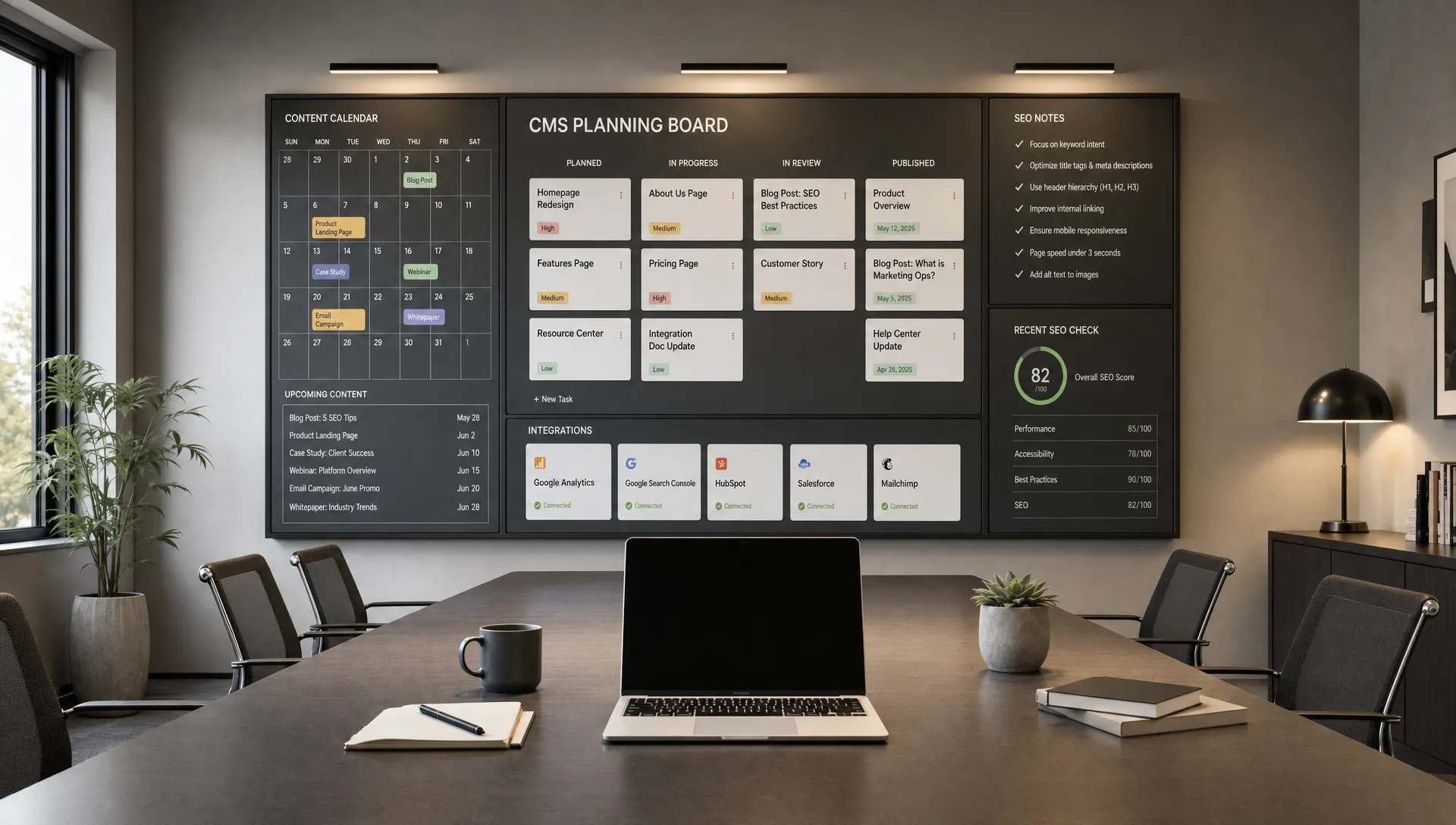
Growing teams do not need another tool that only makes pages look acceptable. They need website development software that helps marketing, sales and leadership move faster without breaking the site, diluting the brand or creating a maintenance backlog.
This guide is for CEOs, CMOs, founders and marketing managers choosing software for a business website that has to support campaigns, SEO, content operations and conversion. If you are also reviewing broader website priorities, BeBranded’s guide to website development in 2026 is a useful companion.
At a minimum, website development software should reduce dependency on a single technical person. It should let the team create, update and improve important pages while keeping structure, performance and brand quality under control.
For a growing company, the website is not a static brochure. It is where paid campaigns land, sales teams send prospects, hiring candidates check credibility and search engines assess relevance. The software has to support that operating model.
The decision should start with how your team works. A founder-led company may need fast page production and simple editing. A marketing team with several contributors may need CMS permissions, reusable sections and a clearer publishing workflow. For a broader planning view, see these website design and development priorities.
Most teams start questioning their website development software after growth exposes workflow problems. The site still exists, but every change becomes slower than the business needs.
Common signals are easy to spot. Campaign pages take too long to launch. Blog publishing depends on a developer. The CMS is hard to understand. SEO fields are inconsistent. Integrations with CRM, analytics or automation tools feel patched together.
These issues rarely come from one bad tool choice. They usually come from choosing for the current website rather than the next operating stage. A team of three can tolerate manual fixes. A team publishing weekly content, testing offers and opening new markets cannot.
These signals tend to appear in a predictable order. The table links each symptom to its most likely root cause and to the first fix worth trying, so you can tell a process problem from a tooling problem before changing platform.
| Signal | Likely root cause | First fix |
|---|---|---|
| Campaign pages take weeks to launch | No reusable sections, so every page starts from scratch | Build a small library of approved sections |
| Blog publishing waits for a developer | CMS fields were not designed around what editors actually need | Rework the CMS structure with the editors involved |
| SEO fields are filled in inconsistently | Metadata is not part of the template or the publishing workflow | Make title, description and alt text required in the template |
| Integrations break after small edits | Form and automation setups are undocumented | Document each connection and name an owner |
| Nobody dares to edit existing pages | Unclear permissions and no pre-publish check | Define roles and add a short QA step |
Use a simple five-part framework before comparing logos, templates or pricing pages. The right website development software should match how your team will create, govern and improve the site over the next 12 to 24 months.
This framework keeps the discussion practical. It helps you avoid choosing a platform because it is familiar, fashionable or convenient for only one stakeholder.
Decide who should own daily website changes. If every content update, landing page or form adjustment requires a developer, your marketing velocity will suffer.
A good setup gives marketing enough control to publish safely without turning the website into an unstructured collection of one-off pages. That usually means reusable components, clear editing permissions and a build process that separates design decisions from routine content updates.
If you are comparing platform-level options, this guide on how to choose website development platforms for B2B growth gives a more detailed evaluation path.
Your CMS should reflect the content you actually publish. For many B2B teams, that means blog posts, case studies, landing pages, resources, team members, jobs, locations or product pages.
The question is not only whether the CMS exists. The question is whether non-technical users can understand it, keep it consistent and scale it without rebuilding core page templates every quarter.
A scalable site usually starts with clear content types, consistent fields and page templates that support SEO, filtering and future expansion. BeBranded covers this planning layer in more depth in its guide on how to build a website for business that can scale.
For platform-specific detail, the Webflow CMS complete guide shows how collections, fields and templates fit together.
Marketing teams need access to the basics: page titles, meta descriptions, redirects, alt text, schema where relevant and clean URL structures. Those controls should be built into the workflow, not treated as final checks after launch.
Performance matters too. Google’s Core Web Vitals documentation explains how loading speed, visual stability and responsiveness can affect page experience. Your platform and build approach should make those fundamentals easier to manage.
The strongest setup is usually the one that prevents avoidable issues. Bloated pages, duplicate templates, missing redirects and inconsistent metadata are operational problems before they become SEO problems.
A growing website usually connects to other systems. Forms may send leads to a CRM, newsletter signups may trigger email workflows and analytics events may feed reporting dashboards.
When evaluating website development software, check how integrations are handled. Native integrations can be useful, but third-party tools and no-code automation platforms may be enough if the data flow is clear and reliable.
Do not overbuild. A simple, documented integration that your team understands is usually better than a complex workflow that only one person can maintain.
A website becomes expensive when nobody knows how it is structured. Governance is the set of rules that keeps the site usable as more people contribute.
This includes naming conventions, CMS field rules, reusable components, image guidelines, redirect processes, form ownership and page retirement rules. These details are not glamorous, but they prevent slow decline.
If your team publishes often, you may also need a maintenance rhythm rather than occasional emergency fixes. BeBranded’s article on web design and maintenance for teams that publish often explains how to treat the website as an operating system.
If several people edit the site, this guide to Webflow editor permissions for marketing teams shows how to separate editing rights from design rights.
Once the five areas are clear, it helps to turn them into questions you can ask every vendor or agency in the same way. The table below summarizes what to ask for each criterion and which answer should make you pause.
| Criterion | Question to ask | Red flag |
|---|---|---|
| Ownership and speed | Who publishes a new landing page, and how long does it take? | Every change needs a developer ticket |
| Content model and CMS | Can editors manage each content type without breaking templates? | One generic collection used for everything |
| SEO and performance | Where do titles, redirects and alt text live, and who controls them? | SEO handled only by a plugin or a final audit |
| Integrations and automation | How do forms reach the CRM, and who maintains the connection? | Only one person understands the setup |
| Governance and maintainability | What is documented, and how often is it reviewed? | No naming rules, no roles, no review rhythm |
No single category is right for every team. The right website development software depends on whether you are building a marketing website, a content hub, a web application or an ecommerce experience.
The table below gives a practical comparison for leadership and marketing teams. It is not a full product review, but it should help you narrow the conversation.
| Category | Good fit | Strengths | Watchouts |
|---|---|---|---|
| Visual website builders such as Webflow or Framer | Marketing websites, landing pages, content-led sites | Design control, faster production, editable CMS structures | Requires disciplined setup to avoid messy components and inconsistent pages |
| Traditional CMS platforms such as WordPress | Content-heavy websites with familiar editorial workflows | Large ecosystem, flexible publishing, broad plugin availability | Plugin management, maintenance and performance need active governance |
| Headless CMS and custom frontend stacks | Complex multisite, multilingual or product-led environments | Strong separation between content and frontend, high flexibility | Usually needs more technical resources and longer implementation cycles |
| No-code web app builders such as Bubble or WeWeb | Interactive web applications, dashboards, portals or internal tools | Application logic, database-driven interfaces, user workflows | Often less suited to SEO-focused marketing websites than dedicated site builders |
| Custom code frameworks | Highly specific product experiences or engineering-led teams | Maximum control, custom architecture, deep product integration | Higher dependency on developers for everyday changes unless a strong CMS is added |

Weak website development software decisions usually come from optimizing one concern while ignoring the operating model. A tool can look right during a demo and still fail once campaigns, content and stakeholder requests increase.
These are the mistakes to avoid before signing off on a platform or rebuild.
Before you approve website development software, run the decision through an operational checklist. The goal is to confirm that the platform can support daily work, not only the initial build.
Use this checklist in a leadership or marketing planning session.
If too many answers are uncertain, pause before committing. The cost of a poor fit usually appears later, when the team needs to move quickly and cannot.
For many marketing teams, website development software has to balance speed, design quality, SEO foundations and maintainability. That is why Webflow and Framer are often considered for modern marketing sites.
Webflow is often a strong fit when a team needs custom design, structured CMS content and a production-ready marketing site that can be maintained without a traditional development cycle. Framer can be a good fit for design-led teams that value speed, visual polish and simpler marketing pages.
The right answer changes with the team profile. The table below matches five common situations to the option that usually fits best, and names the condition that would change the recommendation.
| Team profile | Usually the better fit | Why | What would change the answer |
|---|---|---|---|
| Founder-led team with a few core pages | Framer or Webflow | Speed and visual polish matter most | Content volume grows beyond a handful of pages |
| Marketing team publishing every week | Webflow | Structured CMS, roles and reusable components | Heavy editorial plugins or existing WordPress workflows |
| Established editorial team on WordPress | WordPress | Existing workflows and plugin dependencies | Maintenance and performance overhead keeps growing |
| Multisite or product-led organization | Headless or custom stack | Content and frontend are fully separated | No engineering capacity to maintain it |
| Product with logged-in user flows | No-code app builder or custom code | Application logic and databases | Public marketing pages still need an SEO-focused site |
For a direct side-by-side view, read BeBranded’s Webflow vs. Framer comparison before making the call.
WordPress may still make sense for teams with established editorial workflows, existing plugin dependencies or internal familiarity. Headless and custom builds usually fit better when the website is part of a larger technical ecosystem and the company has the resources to maintain that complexity.
The practical decision is not “which tool is better?” It is “which tool matches our publishing needs, team skills, growth plan and maintenance capacity?” That framing leads to better outcomes than comparing feature lists in isolation.
Choosing the platform is only the first step. The first 90 days decide whether the team actually benefits from it.
A short, phased plan keeps the project realistic. Each phase has one focus and one concrete output, so progress is easy to review with leadership.
| Phase | Focus | Expected output |
|---|---|---|
| Days 1 to 30 | Audit and structure | Content model, template list and ownership map |
| Days 31 to 60 | Build and migrate | Reusable sections, CMS templates, redirects and tested integrations |
| Days 61 to 90 | Launch and stabilize | QA checklist, editor training and a first review of performance and SEO data |
Keep the scope narrow in phase one. A team that documents its content types and owners early usually avoids most of the rework that appears after launch.
What is website development software? Website development software is the platform or toolset used to design, build, manage and maintain a website. For growing teams, it should support publishing, CMS structure, SEO setup, integrations and ongoing updates.
Is Webflow a good option for growing marketing teams? Webflow can be a good option when a team needs custom design, CMS-driven pages and faster marketing execution without relying on traditional development for every update.
Should we choose Framer or Webflow? Framer may suit teams that prioritize design speed and simpler marketing pages. Webflow may suit teams that need more structured CMS content, scalable page systems and deeper website operations.
When should a team avoid no-code website tools? A team should be cautious if the project requires complex product logic, deep backend customization or engineering workflows that exceed what the platform is designed to handle.
How often should we review our website platform choice? Review it when your team structure, publishing volume, SEO strategy or integration needs change. A yearly review is also useful for spotting maintenance risks before they slow the team down.
The right platform is the one your team can operate with confidence. Choose based on ownership, CMS structure, SEO controls, integrations and governance, not only visual output.
If you are planning a new website or questioning whether your current setup can scale, the next step is to define your operating requirements before comparing tools. BeBranded can help you turn that into a clear build plan through a focused Webflow or Framer website project.