What website management packages should include
Development
•
X min
•
Published on
09.08.2026
•
Updated on
26.08.2026
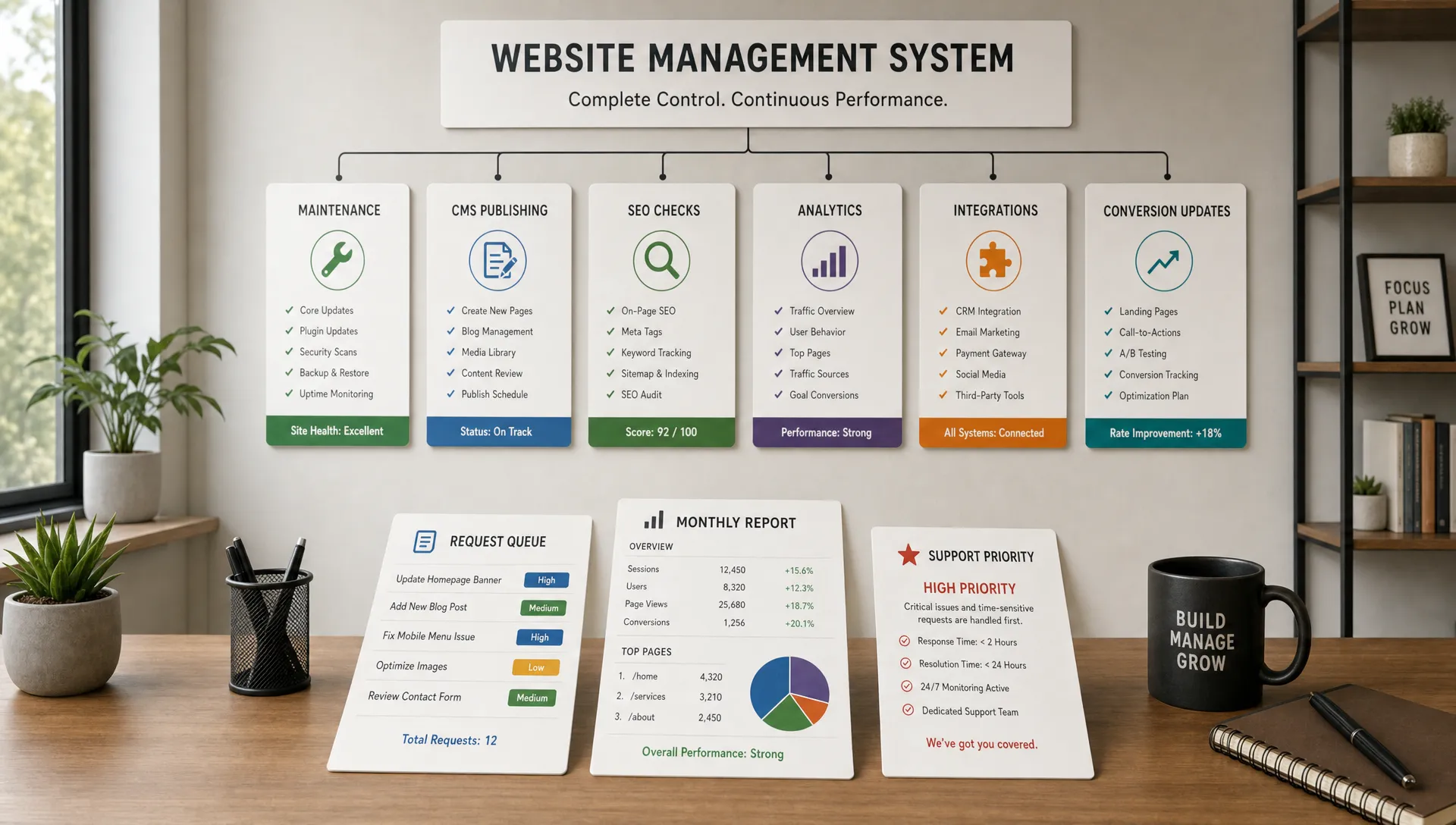
A website management package should keep your site stable, usable, measurable, and aligned with business goals after launch. It is not just a small support retainer for fixing broken buttons.
For CEOs, CMOs, founders, and marketing managers, the real question is scope. What should be handled every month, what should be handled only when needed, and what should stay outside the package unless explicitly quoted?
This guide gives you a practical framework to evaluate website management packages, compare providers, avoid vague retainers, and choose a scope that fits how your team actually works.
A website management package is an ongoing service agreement that covers the operational, technical, content, SEO, and improvement work needed to keep a website effective after it goes live.
A basic package may only cover technical maintenance and small fixes. A more complete package may include CMS updates, landing page support, conversion improvements, analytics reviews, technical SEO, integrations, and governance.
The key distinction is simple: website maintenance keeps the site running, while website management keeps the site useful for the business. If you need a deeper definition of maintenance itself, BeBranded’s complete guide to website maintenance breaks down the operational side in more detail.
Use this framework before comparing proposals. It helps separate essential work from optional growth work.
The table below summarizes what each layer typically covers before you read the detailed breakdown. Use it as a quick reference when you brief a provider or review a proposal.
| Layer | Focus | Typical tasks |
|---|---|---|
| Protect | Keep the site technically healthy | Uptime monitoring, form testing, broken link checks, security hygiene |
| Operate | Support daily marketing use | CMS updates, content publishing, landing page edits, image optimization |
| Improve | Grow performance, SEO, and conversion | Core Web Vitals checks, on-page SEO, CRO updates, analytics reviews |
| Govern | Keep decisions and structure clear | Request prioritization, documentation, component rules, monthly reporting |
This layer covers the minimum work required to keep your site healthy. It includes platform checks, broken link monitoring, form testing, backups when relevant to the platform, security hygiene, plugin or dependency reviews where applicable, and basic uptime monitoring.
For Webflow and Framer websites, this layer is usually lighter than for traditional plugin-heavy CMS builds. Still, it should not be ignored. Forms, scripts, tracking tags, integrations, DNS settings, redirects, and third-party tools can all break without changing the visible design.
This layer supports the marketing team’s day-to-day use of the website. It includes CMS updates, content uploads, landing page adjustments, visual fixes, image optimization, new sections based on existing components, and publishing support.
This is where many packages become useful for growing teams. If every small website request needs to wait for a developer, the website becomes a bottleneck instead of a marketing asset.
This layer focuses on performance, SEO, usability, and conversion. It can include technical SEO improvements, Core Web Vitals checks, on-page optimization, call-to-action adjustments, A/B test support, analytics reviews, and conversion-focused page updates.
Google’s documentation on Core Web Vitals explains why speed, responsiveness, and visual stability matter for user experience. A good management package should not treat performance as a one-time launch task.
This layer keeps decisions clear. It includes request prioritization, documentation, component guidelines, CMS field rules, analytics naming conventions, and monthly reporting.
Governance matters when several people touch the website. Without it, pages drift, components get duplicated, tracking becomes unreliable, and brand consistency weakens over time.
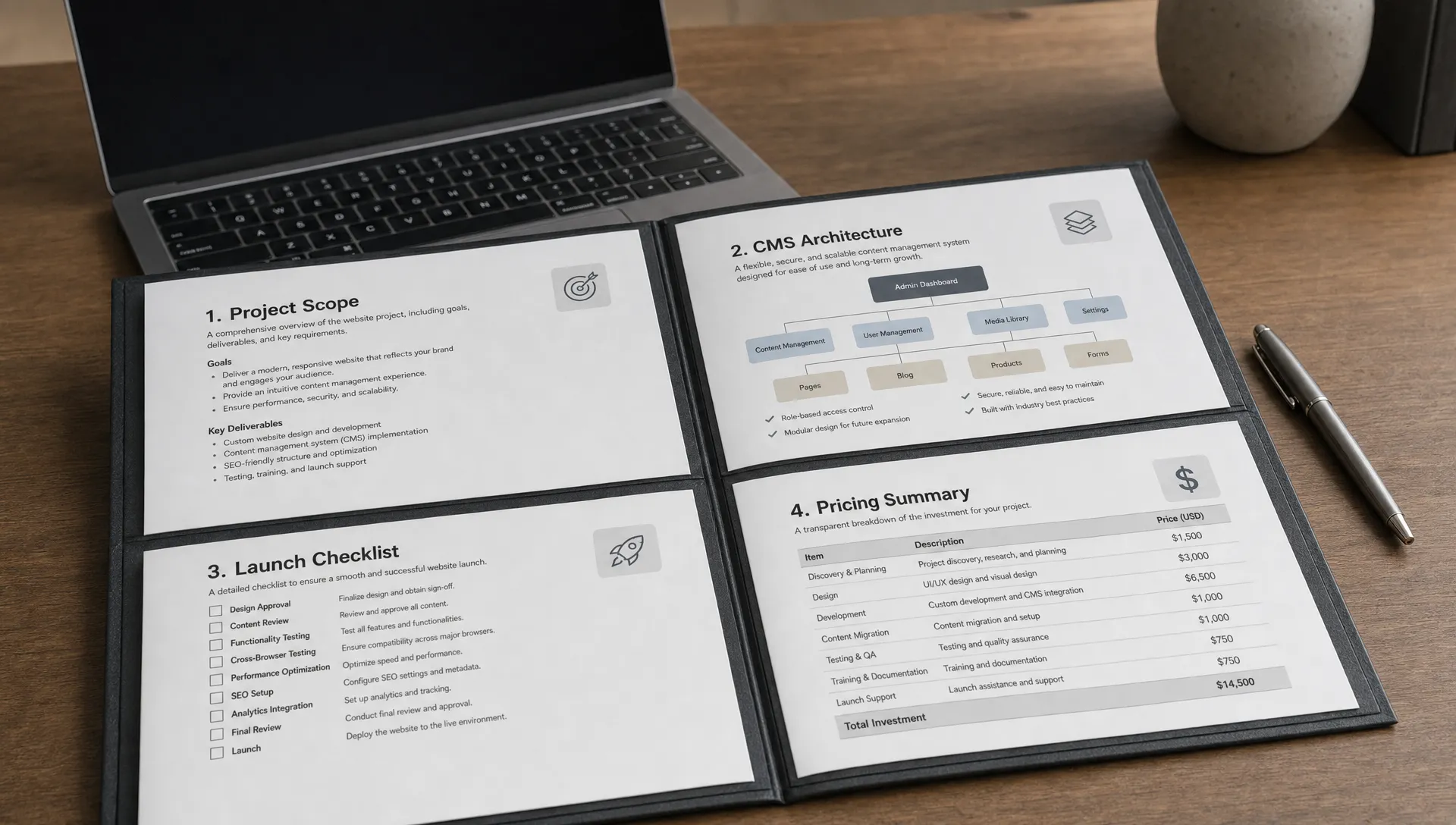
A strong package should make the scope visible. You should know exactly what is included, how requests are handled, and what requires a separate quote.
Before reading each area in detail, use this table to see what is normally core to a package and what typically triggers a separate quote.
| Area | Usually included | Often billed separately |
|---|---|---|
| Technical monitoring | Broken forms, broken links, redirect checks, mobile issues | Full security audits, penetration testing |
| CMS and content | Uploads, formatting, metadata entry, publishing checks | Net-new copywriting, large content migrations |
| SEO | Technical checks, metadata reviews, sitemap and indexability | Keyword strategy, backlink acquisition, full SEO audits |
| Performance and accessibility | Image and script review, basic accessibility hygiene | Full accessibility audit and remediation |
| Conversion | CTA and page-level adjustments | Full A/B testing programs, new landing page design |
| Integrations | Monitoring existing tools | New automation setup |
At minimum, the provider should monitor the site for issues that can affect trust, traffic, or conversions. This includes broken forms, broken links, redirect problems, mobile layout issues, tracking errors, and obvious performance regressions.
For larger sites, the package should also define how often technical reviews happen. Monthly is often enough for many marketing websites, while high-traffic or campaign-heavy sites may need closer monitoring.
The package should state what type of content work is included. There is a difference between uploading a new blog post, building a new CMS collection, restructuring content architecture, and writing copy from scratch.
For CMS-driven websites, content support should include formatting, internal linking support, image compression, metadata entry, and publishing checks. If your team is still choosing or evaluating a CMS, this guide to the best CMS for website creation can help clarify what matters before you commit to a structure.
SEO should not be limited to launch. A website management package should include basic technical SEO checks, metadata reviews, indexability monitoring, redirect management, sitemap checks, and content structure support.
More advanced SEO work, such as keyword strategy, content production, backlink acquisition, or full SEO audits, should be scoped separately unless the package clearly includes it.
The important point is clarity. If the proposal says “SEO included,” ask what that means in practice. Technical setup, on-page editing, and strategic SEO are different services. If your site runs on Webflow, BeBranded’s complete guide to SEO on Webflow covers the technical setup this layer is meant to protect.
A managed site should remain fast, usable, and accessible. This includes reviewing image sizes, script load, page weight, heading structure, contrast issues, keyboard navigation problems, and mobile responsiveness.
For accessibility, the Web Content Accessibility Guidelines are the accepted reference point. Not every package will include a full accessibility audit, but basic accessibility hygiene should be part of responsible website management.
A website management package should help your site improve over time. This may include adjusting hero sections, simplifying forms, improving calls to action, updating landing pages, refining service pages, and removing friction from key journeys.
This is where website management connects with growth. If your team is planning a broader redesign or build, BeBranded’s article on website design and development priorities explains how to prioritize buyer journeys, CMS usability, conversion, and maintainability. For a deeper look at how to structure this work, BeBranded’s guide to conversion rate optimization on Webflow explains the method step by step.
A package should include basic checks that analytics and tracking are still working. It should also define what reporting you receive and how often.
A useful monthly report does not need to be long. It should show what was done, what changed, what issues were found, what is pending, and what should be prioritized next.
If reporting only lists completed tasks without explaining impact or risk, it is project administration, not management.

Most marketing websites depend on third-party tools. These may include CRM forms, email platforms, analytics tools, chat widgets, scheduling tools, payment links, or automation platforms.
A good package should specify which integrations are monitored and supported. It should also state whether new automation setup is included or billed separately.
For Webflow and Framer sites, this is especially important because many advanced workflows rely on external tools. The website may look simple, but the operational layer behind it can be business-critical.
Your site should become easier to manage over time, not harder. A management package should protect the design system by reusing existing components, documenting new ones, and preventing one-off page layouts from multiplying without control.
This matters for brand consistency and speed. When pages are built from clean, reusable components, marketing teams can publish faster and maintain a coherent experience. BeBranded’s guide to building a design system explains why this discipline matters for speed and brand consistency.
Every package should define how requests are submitted, how urgent issues are handled, and how response times work. This does not need to be complex, but it must be clear.
The agreement should separate urgent incidents from normal requests. A broken lead form is not the same priority as a minor spacing adjustment on a secondary page.
Many disagreements happen because both sides use the same words differently. Before signing, clarify what sits outside the package.
The table below summarizes the items that most often cause disputes, so you can confirm them before signing rather than after a disagreement.
| Item | In a management package? | Note |
|---|---|---|
| Full redesigns and new positioning | No | Scope separately as a design or build project |
| Unlimited requests | Sometimes | Clarify the queue, prioritization, and rollover rules |
| Copywriting | Rarely by default | Confirm before assuming it is covered |
| SEO strategy | Rarely by default | Basic technical SEO is usually included, not full strategy |
| Paid media management | Rarely by default | Usually a separate service line |
A management package is not usually a full redesign agreement. New page templates, new positioning, new brand identity, new information architecture, and complete UX revisions should be scoped separately.
If your team needs to build or rebuild the site, start with the scope of website development and design services before discussing ongoing management.
“Unlimited” can be useful, but only if there is a clear request process. Unlimited requests do not mean unlimited simultaneous work, unlimited strategy, or unlimited new builds.
Ask how tasks are queued, how large requests are handled, and whether unused time rolls over. The answer matters more than the label.
Some agencies include copywriting, SEO strategy, or paid campaign support. Others do not. Neither model is wrong, but the package should make it explicit.
If you need a partner to manage traffic acquisition and content strategy, confirm that before assuming it is part of website management.
Once you know the layers, compare packages based on outcomes, not vague service names.
Use these criteria when reviewing proposals:
Pricing can vary widely because “maintenance” and “management” are often used interchangeably. For a more detailed breakdown of pricing models, see BeBranded’s guide to website maintenance pricing.
The wrong package usually fails because the scope is unclear or mismatched with the team’s needs.
Low-cost support can be enough for a static website with low business dependency. It is often not enough for a growth-focused marketing website.
If your website supports lead generation, hiring, sales enablement, or campaigns, you need more than occasional bug fixes.
Some teams buy a large package but do not have enough internal capacity to review, approve, or provide content. The result is unused time and frustration.
Before choosing a larger package, make sure your team has a clear owner for requests and decisions.
A messy CMS slows down every update. Fields are unclear, content types overlap, and marketers become dependent on developers for simple edits.
CMS structure should be part of management, especially when the site publishes regular content or landing pages.
A website launch is the start of the operating phase. Pages need updates, tracking needs checks, content needs pruning, and conversion paths need refinement.
Growing teams should think of the website as an evolving system. This is also one of the core points in BeBranded’s article on website development in 2026, where development is framed around maintainability and growth.
Use this checklist to evaluate a website management proposal before committing.
This checklist is simple, but it prevents most scope misunderstandings. If the provider cannot answer these points clearly, the package is probably not mature enough for a business-critical website.
The right level depends on how often your website changes and how much revenue, pipeline, or operational value depends on it.
Use the comparison below to shortlist the level that matches how your website is used today, then confirm the details with the provider.
| Package | Best for | Typical cadence |
|---|---|---|
| Basic support | Stable sites with rare changes, technical peace of mind | Monthly checks, reactive fixes |
| Operational management | Teams publishing content regularly, CMS and landing page support | Weekly to biweekly requests |
| Growth management | Sites that are a core channel for leads, sales, or hiring | Continuous SEO, analytics, and CRO work |
Choose this if your site is stable, changes are rare, and you mainly need technical peace of mind. This level should cover small fixes, checks, and urgent issue response.
It is usually a fit for small brochure sites, early-stage teams, or companies that only update their site a few times per quarter.
Choose this if your marketing team updates content regularly and needs support with CMS publishing, landing page edits, tracking, and campaign pages.
This level works well for teams that have internal marketing capacity but need a reliable Webflow, Framer, or no-code execution partner.
Choose this if your website is a core channel for leads, sales, hiring, or customer education. This level should combine technical care, publishing support, SEO improvements, analytics reviews, and conversion-focused updates.
It is usually the right fit when your website needs continuous improvement, not just protection.
What is usually included in website management packages? Website management packages usually include technical monitoring, small fixes, CMS support, content updates, SEO maintenance, performance checks, analytics reviews, and reporting. The exact scope depends on the provider and package level.
How are website management packages different from website maintenance? Website maintenance focuses on keeping the site functional and secure. Website management is broader and can include content operations, SEO improvements, conversion updates, reporting, and governance.
Do small businesses need a website management package? Small businesses need one if the website supports leads, sales, recruitment, or regular communication. If the site rarely changes and has low business impact, a basic maintenance plan may be enough.
Should SEO be included in a website management package? Basic technical SEO and on-page checks should often be included. Full SEO strategy, content planning, and link building should only be assumed if they are clearly listed in the scope.
How often should a website be reviewed? Most business websites should be reviewed at least monthly for technical issues, content accuracy, forms, tracking, and performance. Higher-traffic or campaign-heavy sites may need more frequent checks.
What should I ask before signing a website management contract? Ask what is included, what is excluded, how requests are prioritized, what response times apply, which integrations are supported, and what reporting you will receive.
The best website management package for your team is not the one with the longest service list. It is the one that matches how your business uses the website.
Start by deciding which layers you need: protection, operations, improvement, and governance. Then compare providers based on clarity, process, platform fit, and ability to support your marketing priorities.
If your Webflow or Framer site needs clearer ownership after launch, BeBranded can help you define the right management scope and keep your website moving with your business through pragmatic Webflow and Framer support.