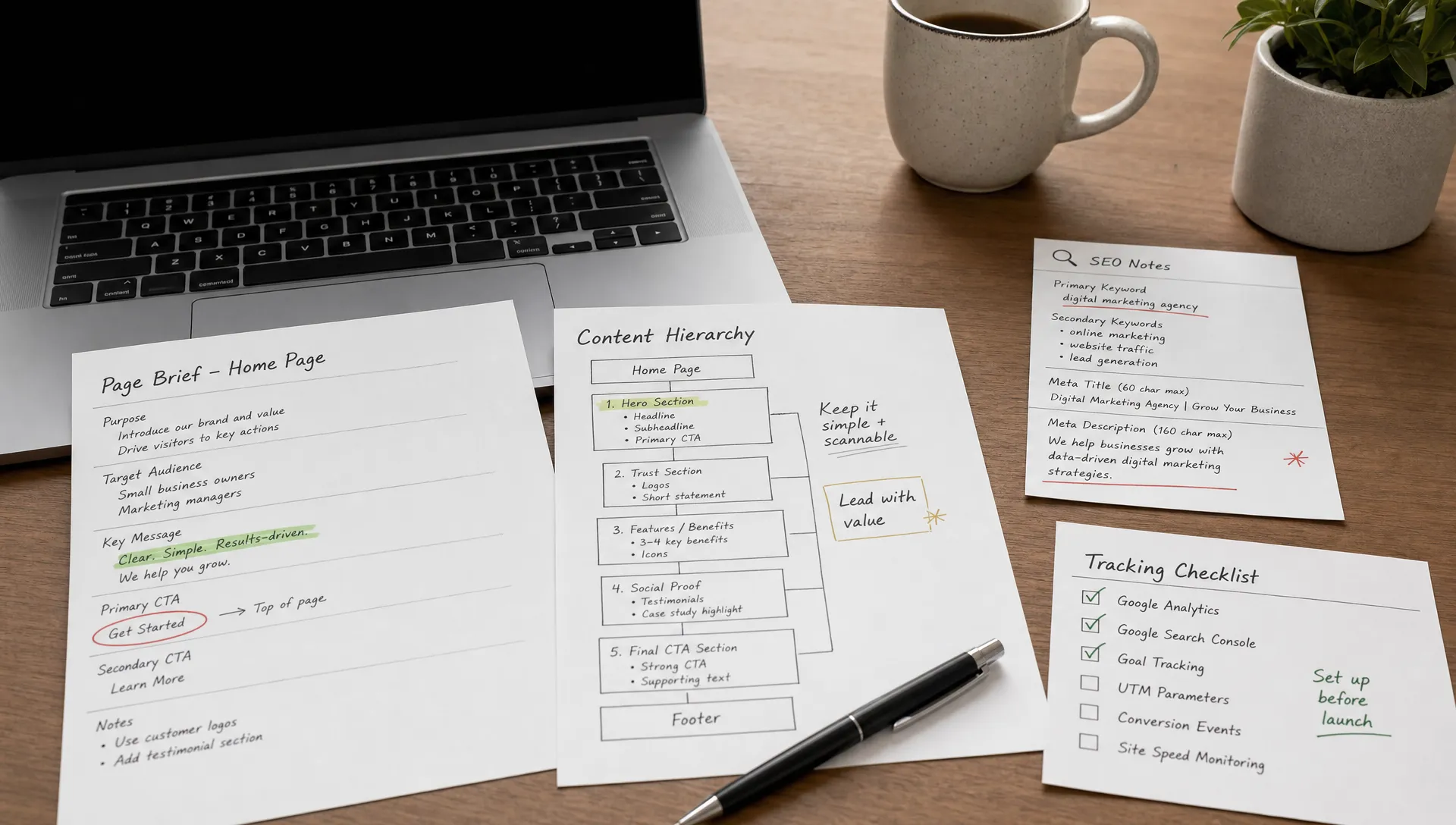
CRO: definition, method and how to apply it on Webflow
Conversion
•
X min
•
Published on
21.02.2026
•
Updated on
02.08.2026
Most websites generate traffic without converting enough of their visitors. Not because the traffic is bad, but because the site isn't doing the conversion work. CRO (conversion rate optimization) consists of identifying what's blocking, testing improvements, and iterating to turn more visitors into leads, customers, or users.
This article gives you a clear definition of CRO, an actionable method, the KPIs that matter, and the specifics of a CRO approach on Webflow. It's written for marketing teams, SMB founders, SaaS and e-commerce leaders who want to get more value from their existing traffic without increasing their acquisition budget.
CRO, or conversion rate optimization, is the discipline of improving the percentage of website visitors who complete a desired action: filling out a form, requesting a demo, buying a product, signing up for a newsletter. The goal isn't to attract more people, but to better convert those who are already there.
It's a process of analysis, testing, and iteration. You observe visitor behavior, identify friction points, formulate hypotheses, test variations, and measure impact. It's not subjective design, and it's not intuition: it's a structured, data-driven process.
These three disciplines overlap, but they don't share the same primary objective. SEO aims to attract qualified traffic via search engines. UX aims to make the experience smooth and pleasant for the user. CRO aims to maximize the conversion rate, meaning turning traffic into business results.
In practice, the three are connected. Good SEO brings the right people. Good UX reduces friction. Good CRO makes sure the journey leads to action. But without CRO, you can have a beautiful, well-ranked site that doesn't convert.
| Discipline | Primary objective | Key question | Typical metric |
|---|---|---|---|
| SEO | Attract qualified traffic | Are the right people finding the site? | Organic traffic, rankings, impressions |
| UX | Make the experience smooth | Can the visitor understand and navigate without friction? | Time on page, bounce rate, satisfaction |
| CRO | Maximize conversions | Is the visitor taking the desired action? | Conversion rate, leads, revenue per visitor |
The formula is simple: conversion rate = (number of conversions / number of visitors) x 100.
If your site gets 10,000 visitors per month and generates 200 leads (form submissions, demo requests, signups), your conversion rate is 2%. If you move to 300 leads with the same traffic, you're at 3%. You've increased your results by 50% without spending a cent more on acquisition.
The calculation seems simple, but misinterpretations are common.
The first mistake is looking at a single aggregate conversion rate. A global rate mixes very different pages and journeys. The homepage, a paid landing page, and a blog article don't have the same objectives or the same expected rates. For CRO to be useful, you need to segment: by traffic source, by landing page, by conversion type.
The second mistake is panicking when the conversion rate drops. A decline can have several causes. If your traffic increases sharply (for example, thanks to a well-performing SEO article), the conversion percentage can drop mechanically without anything having changed on the site. More research-phase visitors dilute the overall rate, while the absolute number of conversions may be rising. Always look at conversion volume alongside the rate.
The third mistake is comparing your rate to "industry averages" without context. An "average" conversion rate is meaningless without knowing the site type, the sector, the traffic source, and the nature of the conversion asked. A B2B SaaS asking for an email for a lead magnet doesn't compare to an e-commerce site asking for a purchase.
CRO has a direct link to profitability, because it works on the traffic you're already paying for.
Every visitor who reaches your site has a cost, whether they come from a paid campaign, SEO (time + content + contractor), or word of mouth (time spent, networks, events). If 98% of those visitors leave without doing anything, you're losing 98% of your acquisition investment. CRO reduces that waste.
Going from a 1.5% to a 2.5% conversion rate on 20,000 monthly visitors means gaining 200 additional leads per month without touching the media budget. In terms of cost per lead, the impact is immediate.
In B2B lead generation, a site generating 80 leads per month through a contact form can move to 120 by reworking the value proposition, the landing page structure, and the form itself. No need to overhaul everything: often, it's a combination of small changes that produces the effect.
In SaaS, CRO typically focuses on the signup journey: simplifying the form, making the value proposition immediately readable, reducing the steps between arrival and first use. Every friction point removed increases the flow.
In e-commerce, the classic levers are the product page, the cart, and the checkout. Clarifying shipping costs, adding social proof (reviews, ratings), simplifying the purchase funnel: these optimizations have a measurable impact on revenue.
CRO isn't a list of random tips. It's a structured cycle: observe, hypothesize, test, learn. And repeat.
Before touching anything, you need to understand what's happening. It starts with quantitative data analysis: Google Analytics (or equivalent) to identify high-traffic, low-conversion pages, abnormal bounce rates, and exit points in the funnel.
Then come the qualitative data: session recordings (Hotjar, Microsoft Clarity) show how visitors actually navigate, where they hesitate, where they drop off. Heatmaps show click and scroll zones. User feedback (forms, support, interviews) completes the picture.
The goal of this phase isn't to measure everything, but to identify the 2 or 3 friction points that cost the most in lost conversions.
Once the problems are identified, you formulate hypotheses. A CRO hypothesis is structured like this: "if I change [element] in [this way], then [metric] should improve, because [reason based on observation]."
Not all hypotheses are equal. To prioritize, the ICE framework is a good starting point: impact (what's the potential gain?), confidence (how sure are you it will work?), ease (how quick and simple is it to implement?). Each hypothesis gets a score on these three criteria, and you start with the highest-rated ones.
It's not an exact science, but it prevents wasting time on low-impact or overly complex optimizations.
The most common CRO test is the A/B test: you create two versions of a page (or an element), split the traffic between them, and measure which one converts better. Tools like Google Optimize (or its successors), VWO, or AB Tasty allow you to set this up without modifying the production code.
Multivariate testing tests several changes simultaneously, which lets you evaluate the combined effect of multiple modifications. It requires more traffic to reach statistical significance.
Iteration without formal testing is also a valid approach, especially when traffic is too low for a reliable A/B test. In that case, you apply a change, measure before/after over a sufficient period, and draw cautious conclusions. It's less rigorous, but it's better than doing nothing while waiting for 50,000 monthly visitors.
Every test, whether conclusive or not, should be documented. What you tested, why, the results, and what you take away for next steps. "Losing" tests are just as useful as winners: they prevent retesting the same thing and refine your understanding of visitor behavior.
CRO documentation is an asset. Over time, it builds a knowledge base of what works and what doesn't for your site, your audience, your market. That's what distinguishes a serious CRO practice from a series of gambles.
Not all elements of a site carry the same weight on conversion. Here are the areas to audit first, ranked by typical impact.
This is the first thing the visitor reads. If within 5 seconds they don't understand what you offer and why it matters to them, they leave. The headline should answer the question "what's in it for me?" in a clear, specific, and credible way. No abstract taglines, no internal jargon, no vague promises. "We help SMBs to..." is a better starting point than "Innovation at the service of your growth."
A poorly placed, poorly worded, or too discreet CTA is a silent conversion killer. The CTA should be visible without scrolling (above the fold), worded in terms of benefit for the visitor ("see pricing" rather than "learn more"), and repeated at strategic points on the page. Too many different CTAs on a single page dilute attention and reduce the effectiveness of each one.
Every additional field in a form is a friction point. For a first contact, name + email + one contextual field are enough in most cases. Long forms with unjustified required fields or unnecessary dropdowns tank completion rates. If you need to qualify further, do it in two steps (a short form first, then qualification).
Testimonials, client logos, case studies, ratings, and reviews reduce visitor uncertainty. But they need to be credible: a generic testimonial without a name or company has virtually no effect. An attributed testimonial with a concrete result ("we reduced our time to launch from 6 weeks to 2") is far more convincing.
Everything that slows down or complicates the visitor's path to conversion is friction. Confusing navigation, an overloaded menu, unnecessary intermediate pages, intrusive pop-ups, poor visual hierarchy. The goal is to make the path to action as short and clear as possible.
A slow site loses visitors before they've even seen the content. Core Web Vitals (LCP, FID/INP, CLS) measure loading speed, responsiveness, and visual stability. A site that takes more than 3 seconds to display its main content loses a significant share of visitors, and therefore potential conversions.
More than half of web traffic is mobile. If your site converts well on desktop but poorly on mobile, the problem isn't the traffic: it's the mobile experience. Forms that are hard to fill, CTAs that are too small, unreadable text, images that are too heavy on mobile networks: every friction is amplified on a 6-inch screen.
Webflow isn't a CRO tool per se. But it's a platform that considerably facilitates the iteration work that sits at the heart of CRO.
Webflow's main advantage for CRO is iteration speed. Modifying a landing page, testing a new section structure, changing a CTA, creating a page variant: all of this happens in the Designer without touching code and without depending on a developer for each change.
Components (symbols/components) let you modify an element in one place and propagate the change everywhere it's used. This is essential when you're iterating on a CTA or a social proof block that appears across multiple pages.
Webflow's default performance (global CDN, pre-rendered pages, no database) provides a solid technical foundation for conversion. A fast site removes an entire category of friction.
Marketing team autonomy is another strong point. Via the Editor, content can be updated without technical intervention. This lets you test wording changes, headline variations, and value proposition tweaks without going through a development cycle.
Webflow doesn't offer built-in native A/B testing. For rigorous tests, you'll need a third-party tool (Google Optimize, VWO, Optimizely, or script-based solutions). It's an extra step, but not a blocker.
Tracking and analytics require careful setup. Webflow lets you integrate Google Analytics, Google Tag Manager, and any third-party script, but setting up conversion events (CTA clicks, form submissions, scroll depth) must be done manually or via a tag manager. It's not automatic.
Governance is a topic not to overlook. On a site where multiple people make changes (marketing, design, content), you need a clear process to prevent untested modifications from breaking a page that was performing well. Documenting changes and their impact is part of the CRO process.
Take a SaaS marketing site on Webflow, with a homepage receiving 8,000 visitors per month and converting at 1.2% (demo request form). The audit shows that the main CTA is below the fold, the value proposition is vague ("the all-in-one solution for your business"), and the form asks for 7 fields.
First iteration: move the CTA above the fold, rewrite the headline with a concrete benefit, reduce the form to 3 fields. Result after 30 days: the rate moves to 1.8%. That's 48 additional leads per month, with the same traffic and no additional acquisition cost.
Second iteration: add a client testimonial below the headline, rephrase the CTA text ("see a demo in 2 minutes" instead of "contact us"). Another few tenths of a percentage point gained.
It's not spectacular in isolation. But compounded over 12 months, with regular iterations, the impact on the commercial pipeline is significant. And all of this was done in the Webflow Designer, without heavy technical intervention.
Tracking 40 metrics is pointless if no one looks at them. Here are the indicators that matter, organized by priority level.
| Level | Metric | What it measures | Typical tool |
|---|---|---|---|
| Primary | Conversion rate (by page / by source) | % of visitors who complete the target action | Google Analytics, Plausible |
| Number of conversions (leads, signups, purchases) | Raw volume of results | CRM, form, analytics | |
| Revenue per visitor (RPV) | Value generated per visit | Analytics + CRM | |
| Secondary | CTA click-through rate (CTR) | Engagement on calls to action | GTM, Hotjar, analytics |
| Form abandonment rate | % of visitors who start a form without finishing it | Hotjar, GTM | |
| Scroll depth | How far visitors scroll on a key page | Hotjar, Microsoft Clarity | |
| Qualitative | User feedback (feedback, support, interviews) | Perception, blockers, unmet expectations | Typeform, Intercom, interviews |
| Session recordings | Actual visitor behavior on pages | Hotjar, Microsoft Clarity |
Primary metrics are the ones you track weekly. Secondary metrics are useful for diagnosing a problem when the primaries shift. Qualitative metrics give you the "why" behind the numbers.
An A/B test only has value if it reaches statistical significance. On a site with 500 monthly visitors, an A/B test will take months to produce a reliable result. In that case, it's better to apply changes based on best practices and qualitative analysis, and save A/B tests for high-traffic pages.
"Improving the conversion rate" is not a business objective. "Going from 80 to 120 leads per month to feed the commercial pipeline" is. CRO must be tied to a measurable result that impacts revenue. Without that anchor, you're optimizing metrics in a vacuum.
"Make the CTA orange," "add an urgency countdown," "reduce the form to a single field": these tips circulate everywhere. Some work in certain contexts. None work universally. A best practice applied without understanding why it works and whether it fits your audience is a waste of time, or even a step backward.
A visually impressive site isn't necessarily a site that converts. If the hero section is a gorgeous full-screen slider but the visitor has to scroll twice to understand what you do, the design is hurting conversion. Design that converts puts the right content and the right action in the right place, with the right hierarchy, at the right time. It's sometimes less "spectacular" than a creative concept, but it's what generates results.
CRO isn't a one-time project, it's a discipline. An ongoing process of observation, hypothesis, testing, and iteration that progressively turns a site into a more effective conversion tool. The fastest wins often come from the fundamentals: a clear value proposition, well-placed CTAs, simple forms, credible social proof, and a fast site. It's not spectacular, but it's what produces results. On Webflow, iteration speed is a concrete advantage. Marketing teams can modify, test, learn, and start again without waiting for a development cycle. That's exactly what CRO demands.
If you want to find out where your site is losing conversions and what to fix first, we can discuss it. A quick audit can identify the 2 or 3 most profitable levers before launching an iteration cycle.