Webflow landing page QA before a paid campaign launch
Development
•
X min
•
Published on
01.09.2026
•
Updated on
26.09.2026
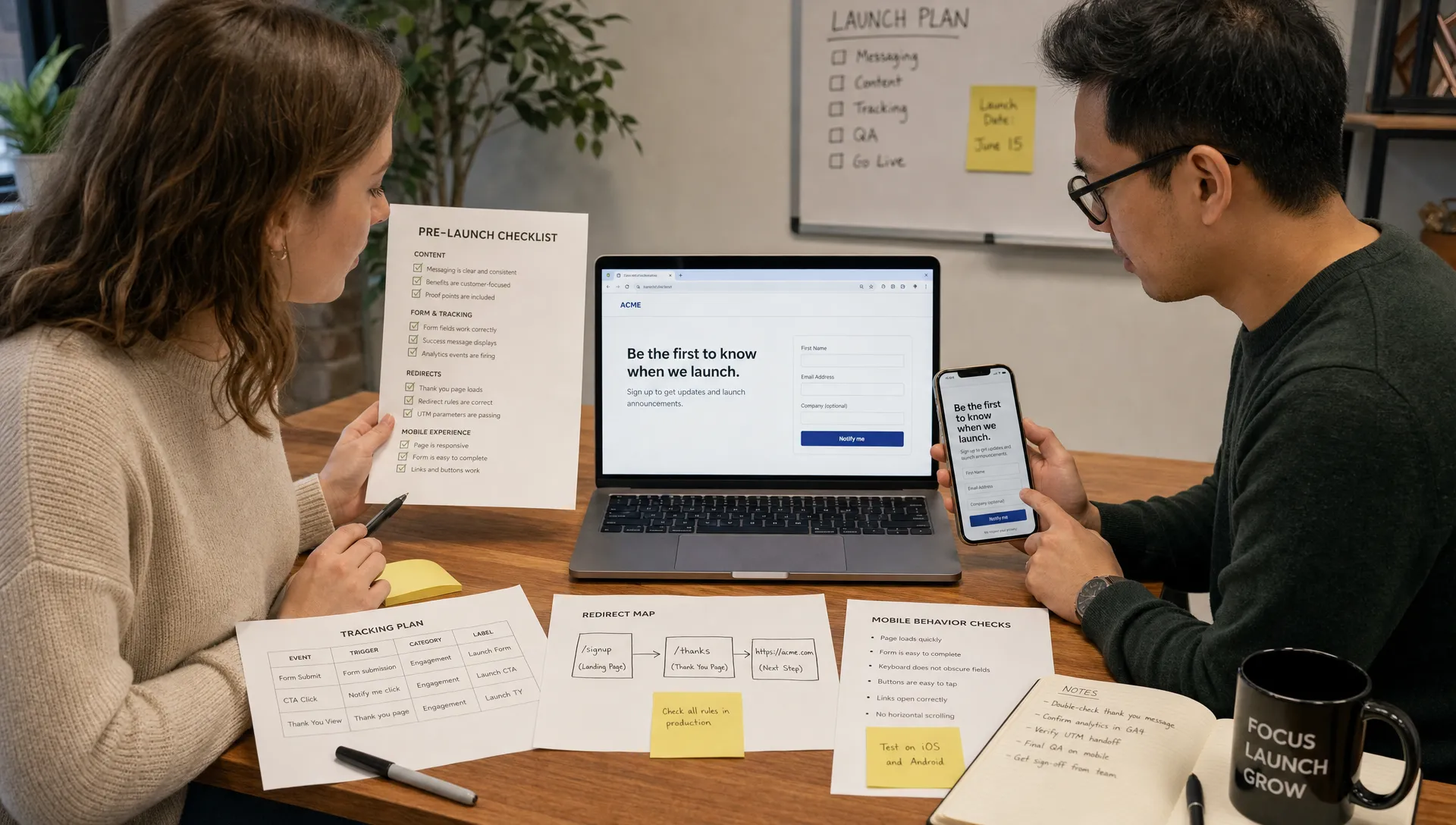
A paid campaign can expose every weak point in a landing page within hours. If the message is unclear, the form breaks on mobile or tracking is misconfigured, the media budget still gets spent.
A Webflow landing page QA process gives your team a final control layer before launch. It is not a design review and it is not a vague “does this look good?” check. It is a structured validation of the campaign promise, conversion path, Webflow build, tracking setup and post-submit experience.
This guide focuses on the practical checks to run before traffic goes live, especially for CEOs, CMOs, founders and marketing managers who need fewer surprises after launch.
Webflow landing page QA is the process of testing a campaign landing page before paid traffic is sent to it. The goal is to confirm that the page works technically, matches the ad promise and captures conversion data correctly.
For paid campaigns, QA must be stricter than a standard website review. A small issue can affect cost per lead, sales team follow-up or attribution. The page may look finished in Webflow Designer, but that does not mean it is ready for Google Ads, LinkedIn Ads or Meta traffic.
If your team is still defining the page structure, start with a conversion-focused foundation before QA. BeBranded’s guide to a Webflow landing page conversion method covers the strategy and page components that should be decided before the final checks begin.
A clear framework prevents the launch review from becoming subjective. Instead of asking for random feedback, review the page across five layers.
Each layer answers one question: will the paid visitor understand the offer, trust the page, complete the action and be tracked correctly?
| QA layer | Main question | Typical owner |
|---|---|---|
| Message match | Does the landing page reflect the ad promise and audience intent? | Marketing lead |
| Conversion path | Can the visitor complete the intended action without friction? | Marketing lead and designer |
| Webflow build | Is the page stable across devices, browsers and breakpoints? | Webflow developer |
| Tracking and attribution | Are conversions, UTMs and events captured correctly? | Performance marketer or analytics owner |
| Post-submit flow | Does the lead receive the right confirmation and handoff? | Marketing operations or sales |
This structure also helps teams separate opinions from blockers. A headline preference is not the same as a broken form. A spacing issue is not the same as a missing conversion event.
Message match is the connection between the ad, the keyword or audience and the landing page. If a user clicks an ad for one specific problem, the first screen should confirm they are in the right place.
Google describes landing page experience as part of ad quality, including how relevant and useful the page is to people who click an ad. You can review the principle in Google’s guidance on landing page experience.
Start by comparing the live ad copy, not an old draft, with the landing page hero. The campaign angle, audience segment and offer should be consistent. If the ad promotes a consultation, the page should not push a newsletter signup. If the ad targets CFOs, the page should not open with generic startup language.
This matters even more in local or regulated services. For example, a campaign for a personal injury law firm in Tampa should make the service area, legal category and contact action clear before asking for an inquiry. The same logic applies to B2B, healthcare, real estate, finance and any market where intent is specific.
If you are auditing the page structure itself, the breakdown of landing page structure and common mistakes can help your team separate essential sections from decorative content.
The conversion path is the sequence from first impression to completed action. On a paid campaign landing page, every extra hesitation has a cost.
Review the primary CTA first. It should be visible in the hero, repeated at logical points and written as a clear action. Avoid competing CTAs unless the campaign strategy requires them. For most paid traffic pages, one primary action is cleaner than three options that split attention.
Then test the page as a visitor, not as the person who built it. Open the page on mobile data, scroll naturally, read the form labels and complete the action. If you need to explain the flow to yourself, the page is not ready.
For form-based campaigns, confirm that required fields are justified. A longer form can work when lead qualification matters, but every field should have a reason. If sales does not use a field, remove it before launch.
Webflow gives marketing teams speed, but fast publishing still needs disciplined QA. A page can look right on one viewport and break at another breakpoint.
Check the published staging URL and the production URL. Webflow Designer previews are useful, but they do not always reveal issues created by custom code, third-party scripts, embeds or live domain settings.
Review the page at common breakpoints, especially desktop, tablet and mobile portrait. Look for overlapping elements, cut-off text, excessive spacing, hidden CTAs and form fields that are hard to tap. Pay attention to sticky navigation, cookie banners and chat widgets because they can cover the CTA on mobile.
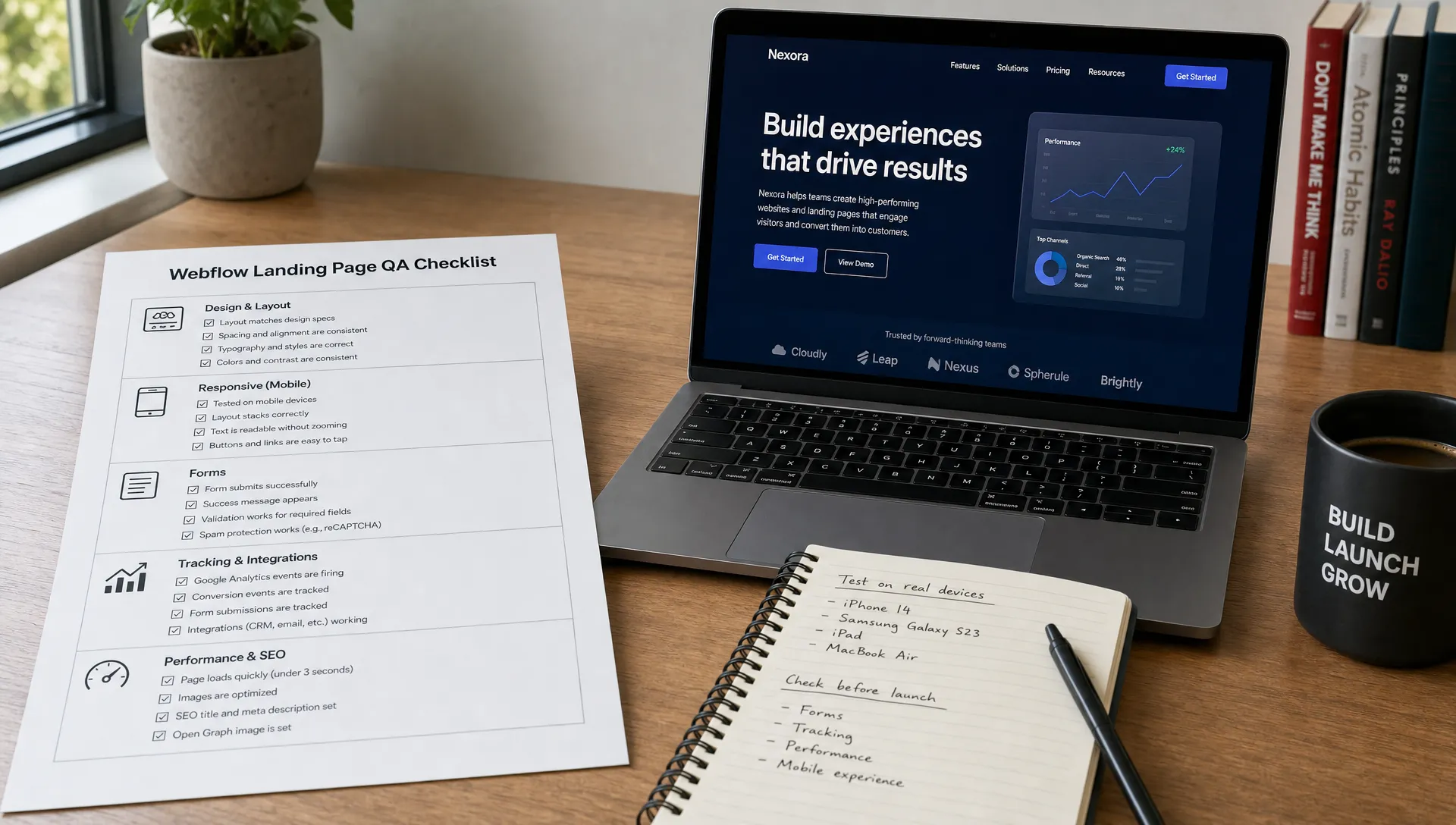
Also check CMS-driven elements if the page uses collections. Incorrect field bindings, missing alt text, unpublished CMS items or empty states can create visible gaps on the published page.
For SEO-related Webflow settings, use the Webflow SEO checklist as a separate review layer. Paid landing pages still need clean metadata, indexation decisions, image optimization and correct canonical logic.
Breakpoint issues are one of the most common reasons a landing page fails after launch, because most reviews only happen on one screen size. A short, deliberate breakpoint pass catches problems before paid traffic does.
Use the reference widths below as a starting point, then adjust to the actual devices your analytics show for the campaign. Check the same three things at every breakpoint: layout, tap targets and readability.
| Breakpoint | Approx. width | What to check |
|---|---|---|
| Desktop | 1440px and above | Hero framing, table and grid alignment, sticky navigation behavior |
| Laptop | 1024–1439px | Content reflow, image cropping, spacing around the CTA |
| Tablet | 768–1023px | Menu collapse, form field width, image and text stacking |
| Mobile landscape | 480–767px | CTA visibility above the fold, keyboard overlap on forms |
| Mobile portrait | 320–479px | Tap target size, sticky elements covering the CTA, line length |
For a deeper breakdown of how Webflow handles breakpoints and fluid layouts, BeBranded’s guide to responsive design covers the settings worth reviewing before this stage.
Forms are often the highest-risk element on a Webflow landing page. They look simple, but several systems may be involved: Webflow form handling, CRM routing, email notifications, automation tools and ad platform tracking.
Do not stop at submitting the form once. Test realistic scenarios. Submit with a business email, a personal email, a missing required field and a mobile keyboard. Confirm that errors are understandable and that the success state appears quickly.
If the form redirects to a thank-you page, make sure the redirect works on the published domain. If it uses an inline success message, confirm that the message is visible above the fold after submission, especially on mobile.
The most practical test is also the simplest: submit a form and follow the lead all the way to its destination. Check the CRM, inbox, Slack alert or automation tool. If sales should receive the lead in a specific format, validate the actual output, not just the landing page front end.
Teams that route Webflow forms through a third-party tool add another link to that chain. If Tally or a similar tool sits between the form and the CRM, test that hop specifically, following the pattern in BeBranded’s guide on connecting Tally to Webflow forms.
Tracking QA is not optional when paid budget is involved. Without clean attribution, your team may optimize toward incomplete or incorrect data.
Start by confirming that the correct tracking stack is installed on the published page. This may include Google Tag Manager, Google Ads conversion tags, Meta Pixel, LinkedIn Insight Tag, analytics events or consent management scripts.
Then test event firing. A page view event is not enough. The primary conversion should fire only when the intended action is completed, not when the form is viewed or a CTA is clicked. If you track micro-conversions, label them clearly so reporting does not confuse button clicks with qualified leads.
UTM handling also needs attention. Click a tagged test URL and verify that campaign parameters persist where needed. If the form passes UTMs into hidden fields, confirm that those values arrive in the CRM or lead notification.
If consent settings apply to your market, test the page with accepted and rejected consent. A tracking setup that only works after accepting cookies may be legally necessary in some contexts, but your reporting team should understand the impact before launch.
Each ad platform expects a specific signal, and a generic check that “it fires” is not enough before spending budget. Confirm the setup platform by platform instead of assuming one tag covers every destination.
The table below lists what to verify for the platforms most paid campaigns rely on. Test each one with the browser’s network tab or the platform’s own preview tool rather than trusting the dashboard alone.
| Platform | What to verify | Common failure |
|---|---|---|
| Google Tag Manager | Container published on the live version, correct trigger firing on the right page. | Preview mode works but the published container is outdated. |
| Google Ads | Conversion action fires only on the completed action, correct value if used. | Conversion counted on page view or button click instead of submission. |
| Meta Pixel | Pixel and the matching Conversions API event fire together with the correct event name. | Pixel fires but the Conversions API event is missing or mismatched. |
| LinkedIn Insight Tag | Conversion event mapped to the correct campaign objective. | Insight Tag installed but the conversion action was never configured. |
| Analytics (GA4 or equivalent) | Event parameters match what reporting expects, UTM persists through the funnel. | Sessions recorded but campaign or source attribution is missing. |
Paid traffic does not wait for a heavy page. Performance issues affect user experience, especially on mobile connections.
Run the page through a performance tool, but do not treat the score as the whole answer. Review practical symptoms: large hero images, uncompressed video embeds, unused scripts, heavy animation and third-party tools that delay interaction. For the metrics that matter most to Google, BeBranded’s Core Web Vitals guide explains what each score measures and which fixes move the needle.
Accessibility should be part of QA as well. Check heading order, contrast, form labels, focus states and keyboard navigation. These are not only compliance concerns. They make the page easier to use for more visitors.
Mobile usability deserves its own pass. Tap every button, open every dropdown, fill every field and check how the keyboard affects the screen. If the CTA is hidden under a banner or the form becomes hard to complete with thumbs, fix it before launch.
For broader launch readiness, the website launch checklist is useful when the landing page is part of a larger site release rather than a standalone campaign asset.
Most paid campaign QA issues are not caused by lack of effort. They happen because the review is rushed, unclear or owned by too many people without a final decision maker.
The table below groups the most frequent launch mistakes with the reason each one matters, so the final review can stay focused on real blockers instead of opinions.
| Mistake | Why it matters |
|---|---|
| Reviewing only the Webflow Designer preview instead of the published URL. | Scripts, redirects and domain settings can behave differently once the page is live. |
| Approving the page visually without testing the form submission flow. | A form can look correct and still fail to submit or notify anyone. |
| Sending traffic before conversion events have been verified. | The campaign team optimizes toward incomplete or wrong data from day one. |
| Using one generic landing page for several campaign intents. | Message match drops and cost per lead usually rises. |
| Hiding the primary CTA below long introductory content. | Visitors from paid traffic rarely scroll far before deciding to leave. |
| Letting cookie banners, chat widgets or sticky elements cover mobile actions. | The CTA or form can become unreachable on the exact devices sending most paid traffic. |
| Forgetting to test thank-you pages, CRM routing and email notifications. | A lead can be lost silently even when the form appears to submit correctly. |
| Making last-minute copy changes without rechecking layout and message match. | A wording change can break spacing or contradict the ad promise. |
| Launching without a rollback plan if tracking or forms fail. | Budget keeps being spent while the issue goes unnoticed. |
| Treating QA as one person’s task when marketing, development and analytics all own part of the risk. | Gaps tend to appear exactly at the handoff points between teams. |
A focused landing page can improve campaign clarity, but only if it is built for the specific traffic source. BeBranded’s article on why campaigns need dedicated landing pages explains this strategic layer in more detail.
Use this checklist once the page is built and before the campaign is activated. Assign one clear owner to each row rather than leaving items unassigned, and record the status in a shared document so nothing depends on memory on launch day.
| # | Action | Focus area | Suggested owner |
|---|---|---|---|
| 1 | Confirm that the ad promise, headline and offer are aligned. | Message match | Marketing lead |
| 2 | Confirm that the target audience is named or clearly implied. | Message match | Marketing lead |
| 3 | Check that the primary CTA is visible in the hero on desktop and mobile. | Conversion path | Designer |
| 4 | Remove or reduce secondary CTAs that compete with the campaign goal. | Conversion path | Marketing lead |
| 5 | Test all buttons, anchor links and navigation links on the published URL. | Webflow build | Webflow developer |
| 6 | Submit the form from desktop and mobile using realistic test data. | Forms | QA owner |
| 7 | Verify required fields, error messages and success states. | Forms | QA owner |
| 8 | Confirm that the thank-you page or inline confirmation appears correctly. | Forms | QA owner |
| 9 | Check that the lead reaches the right CRM, inbox or automation workflow. | Forms and CRM | Marketing operations |
| 10 | Verify Google Ads, Meta, LinkedIn or other conversion events in the relevant testing tools. | Tracking | Performance marketer |
| 11 | Test UTM parameters from a tagged campaign URL. | Tracking | Performance marketer |
| 12 | Review desktop, tablet and mobile breakpoints for layout issues. | Webflow build | Webflow developer |
| 13 | Compress oversized images and remove unnecessary scripts where possible. | Performance | Webflow developer |
| 14 | Check page title, meta description, open graph image and indexation settings. | SEO | SEO owner |
| 15 | Validate cookie consent behavior and tracking expectations. | Tracking and compliance | Performance marketer |
| 16 | Review spelling, legal claims, pricing, disclaimers and contact details. | Content | Marketing lead |
| 17 | Publish final changes, clear caches where relevant and run one final submission test. | Launch | Marketing lead and developer |
Do not treat this as a one-time document. Keep a reusable QA template for future campaigns so the team improves the process instead of rebuilding it each time.
A smooth launch needs one final owner. Input can come from marketing, design, development, analytics and sales, but the final go or no-go decision should not be spread across a group chat.
For most SMBs and scale-ups, the marketing manager or CMO should own campaign readiness. The Webflow developer owns build quality, the performance marketer owns tracking validation and sales owns lead handoff expectations.
The decision should be based on launch blockers, not subjective preferences. A broken form blocks launch. A missing conversion event blocks launch. A minor spacing preference can be scheduled after launch if it does not affect usability or brand standards.
How long should Webflow landing page QA take? For a focused campaign page, plan at least a few hours for a proper review across copy, layout, forms, tracking and mobile behavior. Larger pages or regulated offers may need more time because approvals and compliance checks take longer.
Should QA happen before or after the page is published? Both. Initial QA can happen in Webflow preview, but final QA should always happen on the published URL because scripts, redirects, forms and domain settings can behave differently live.
What is the most common paid campaign launch issue? Broken or incomplete tracking is one of the most common issues. The page may convert correctly, but the campaign team cannot optimize properly if the conversion event, UTM capture or CRM handoff is wrong.
Do paid landing pages need SEO checks? Yes, but the SEO checks depend on the page strategy. Even if the page is mainly for paid traffic, metadata, indexation settings, performance and clean structure still matter for quality, sharing and site hygiene.
Can one Webflow landing page support multiple campaigns? It can, but only when the campaigns share the same audience intent and offer. If keywords, pain points or buyer segments differ significantly, separate landing pages are usually easier to align and measure.
A Webflow landing page can be built quickly, but paid campaign launches need discipline. The page must match the ad, work on real devices, capture leads correctly and send reliable data back to your reporting tools.
The clear next step is to turn the checklist above into a repeatable internal QA document and assign owners before the next launch date.
If you want an experienced team to design, build and QA campaign-ready Webflow pages, BeBranded can help you move from brief to launch with a cleaner process and fewer last-minute fixes.