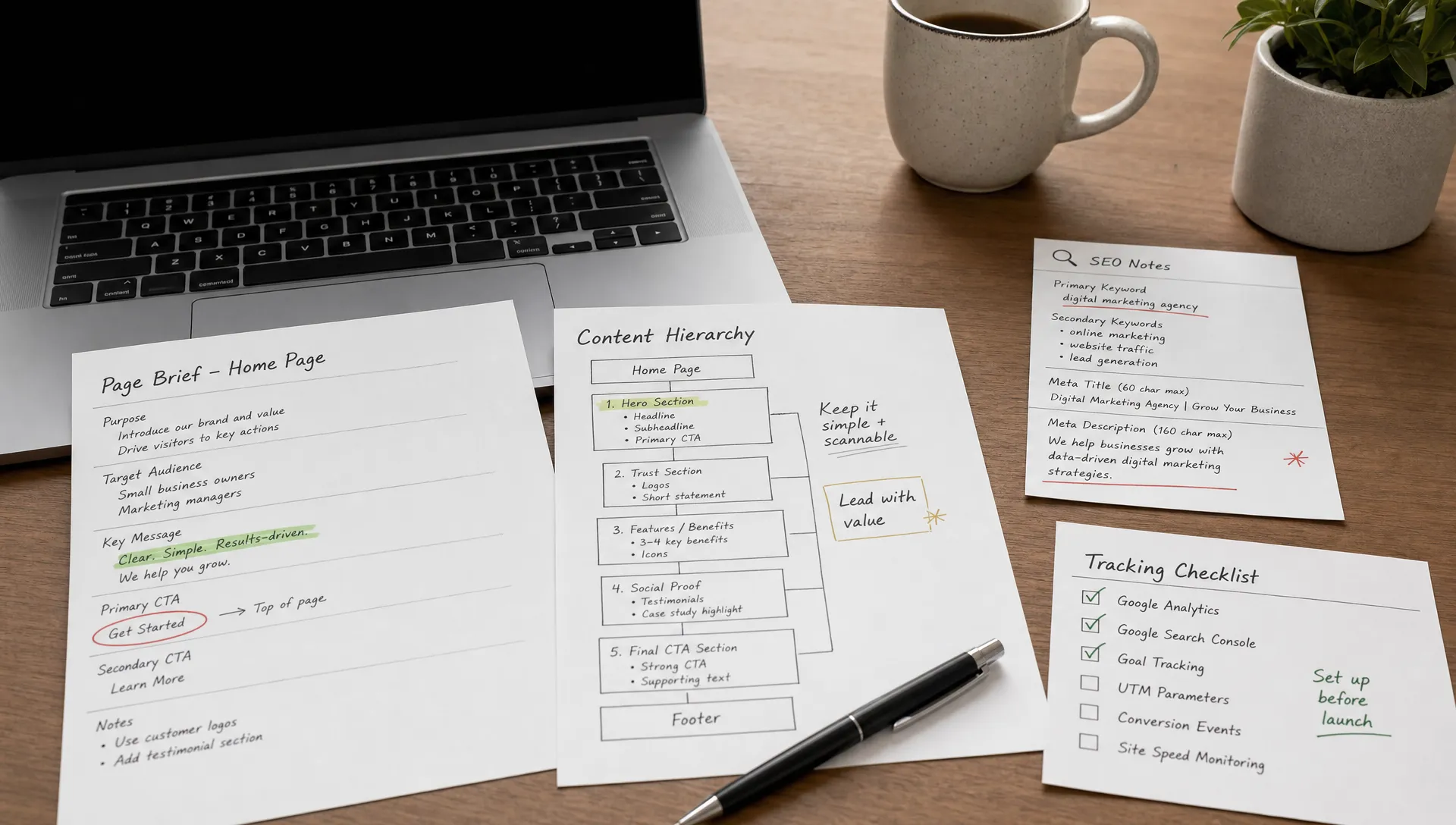
Landing page Webflow: complete method to convert
Webflow
•
X min
•
Published on
30.03.2026
•
Updated on
15.08.2026
Webflow is one of the best platforms for building high-performing landing pages: 100% custom design, native performance (CDN, clean code, SSL), precise responsive on every breakpoint, integrated forms, visual interactions without code, and easy tracking setup. But the tool alone is not enough: the success of a landing page depends first on strategy (single objective, targeted audience, clear value proposition, consistency with the source ad), then on structure (hero, social proof, benefits, single visible CTA, zero distractions), copywriting (benefits rather than features, action verbs on buttons), and continuous optimization (tracking, A/B testing, iteration). This article covers the complete method, from strategy to execution in Webflow, with the components to use and the mistakes to avoid.
Ad campaigns send traffic to a page. The quality of that page determines whether the traffic converts into leads, sign-ups, or sales, or whether it bounces without taking action. In many cases, the problem is not the campaign or the targeting. The problem is the landing page itself: poorly structured, too slow, not adapted for mobile, or with a message that does not match the ad.
Webflow is the ideal platform for creating landing pages that convert, because it combines fully custom design with native technical performance, precise responsive on every breakpoint, integrated forms, and complete autonomy for the marketing team. Unlike WordPress page builders that stack plugins and weigh down the page, or tools like Unbounce that limit design to templates, Webflow gives full control without performance compromise.
This article is a complete guide covering the two inseparable dimensions of a successful landing page: conversion strategy (objective, audience, value proposition, copywriting) and execution in Webflow (Designer components, responsive, forms, tracking, optimization). It complements our existing article on landing page structure and common mistakes by focusing specifically on building in Webflow.
Webflow offers a set of advantages that make it the go-to platform for professional landing pages. These advantages are concrete and translate directly into better conversion performance.
The first advantage is 100% custom design. Each landing page is crafted to match the campaign exactly, without being constrained by a template or a limited page builder. The Webflow Designer allows controlling every aspect of layout, typography, spacing, and interactions. This fidelity between design and final result is hard to achieve on WordPress with Elementor or Divi, where plugins add layers of code that slow the page and limit customization.
The second advantage is native performance. Webflow's integrated hosting (global CDN Fastly/AWS, automatic SSL, GZIP/Brotli compression, clean HTML code) produces fast loading times by default. For a landing page, every extra second of loading increases the abandonment rate. Webflow eliminates this risk at the source, without hosting configuration or manual cache setup.
The third advantage is native responsive. Webflow allows adjusting every detail of the landing page on each breakpoint (desktop, tablet, landscape mobile, portrait mobile). Since a significant share of ad traffic arrives on mobile, this precision is a direct conversion factor. The fourth advantage is marketing autonomy: the team can duplicate an existing landing page, modify text and images via the Editor, and publish variants without a developer. The fifth is the integrated ecosystem: native forms, GSAP interactions and animations for engagement, easy tracking via custom code, and native SEO (tags, sitemap, Open Graph).
In short, Webflow is ideal for landing pages because it combines custom design, native performance, precise responsive, marketing autonomy, and integrated tracking, all without plugins or technical compromise. It is the platform that gives the most control with the least technical friction.
The success of a landing page is determined before opening the Designer. A beautiful design with a bad strategy does not convert. Strategy is what determines whether the visitor understands what is being offered, feels concerned, and wants to take action.
A landing page must have one objective: one expected action from the visitor. Sign up, download, purchase, book a call, request a quote. Not two objectives, not three buttons pointing to three different destinations. This focus is what distinguishes a landing page from a homepage. If the page tries to do everything, it does nothing well. The objective must be measurable: number of sign-ups, number of downloads, number of quote requests. Without measurement, it is impossible to know whether the page works.
The landing page does not speak to "everyone." It speaks to a specific profile with a specific problem looking for a solution. Identifying this profile (who they are, what problem they are trying to solve, what language they use, what their doubts are) allows writing a message that resonates with them directly. The more targeted the message, the higher the conversion rate. A generic message that speaks to everyone reaches no one.
The value proposition is the sentence that explains what the visitor will get and why it matters to them. It is not a feature description ("Our SaaS platform with 12 integrated modules"). It is a concrete benefit ("Cut your project management time in half"). The value proposition must be understandable in three seconds, jargon-free, and specific enough for the visitor to immediately know whether it is relevant to them.
If the Google Ads campaign promises "a free SEO audit within 24 hours" and the landing page talks about "our digital consulting services," the visitor loses trust and leaves. The landing page message must mirror the ad's promise exactly, with the same terms and the same angle. This consistency is one of the most underestimated and most easily correctable conversion factors. For a complete methodology on conversion optimization, our CRO guide covers the fundamental principles.
The structure of a landing page follows a logical order that guides the visitor from discovery to action. Each section has a specific role, and Webflow provides the right components for each.
The hero section is the first thing the visitor sees. It must answer three questions within seconds: what is being offered, why it is relevant to me, and what should I do next. The headline (H1) expresses the value proposition in a clear, benefit-oriented sentence. The subtitle develops the promise in one to two sentences. The main visual illustrates the product, result, or context of use (not a generic stock photo). The primary CTA is visible above the fold, with action-oriented text.
In Webflow, the hero section is built with a Section element containing a Div Block structured in Grid or Flexbox for perfect responsive alignment. The image can be an Image element or a Background Image depending on the desired layout. The CTA button is a Link Block or Button with a dedicated class for styling and hover interactions.
Social proof answers the visitor's implicit question: "Why should I trust you?" Client testimonials (with name, photo, and company), recognizable client logos, ratings and reviews from third-party platforms, and key usage figures are the most effective forms. This section comes right after the hero to reinforce credibility before the visitor scrolls further.
In Webflow, testimonials can be built with a Slider to cycle through multiple reviews, or with a Collection List if testimonials are managed in the CMS. Client logos are placed in a Grid or Flexbox with consistently sized images.
Benefits are not product features. Features describe what the product does. Benefits describe what the visitor gets. This section presents three to five concrete results, framed from the user's perspective. It reinforces the visitor's motivation by showing them what they gain by taking action.
In Webflow, this section uses a two- or three-column Grid, with each benefit being a Div Block containing an icon (SVG or image), a short title, and a two-to-three-line paragraph.
This section simplifies a complex process into three or four numbered steps. It reassures the visitor about the ease of the journey ("Sign up in 30 seconds", "Choose your plan", "Launch your first project"). Its purpose is to reduce uncertainty and show that the path between action and result is short and simple.
In Webflow, this section can use numbered Div Blocks aligned in Flexbox, or a Tabs component if each step requires more detail.
The bottom of the page must offer one last chance to convert and address remaining objections. A short FAQ section (four to six questions) answers the most common doubts: pricing, commitment, conditions, timeline. The final CTA repeats the same text and action as the hero CTA, so the visitor who has scrolled the entire page does not have to scroll back up.
In Webflow, the FAQ is built with an Accordion component (a Div Block with a Toggle interaction to show/hide answers). The final CTA button is identical to the hero button, repeated at the bottom of the page with a hover interaction class.
An important point: everything that does not serve the conversion must be removed. No full navigation menu at the top. No footer with ten links. No sidebar. Every link that is not the CTA is a leak that takes the visitor away from the action.
Here is a summary of the sections and recommended Webflow elements:
| Section | Objective | Recommended Webflow element |
|---|---|---|
| Hero | Capture attention, express value proposition, trigger action | Section + Div Block in Grid or Flexbox + Button |
| Social proof | Lift doubts, reinforce credibility | Slider (testimonials) + Grid (client logos) |
| Benefits | Show what the visitor gets (results, not features) | 2-3 column Grid + Div Blocks (icon + title + text) |
| How it works | Reassure about the simplicity of the journey | Numbered Div Blocks in Flexbox or Tabs |
| Final CTA + FAQ | Address last objections, offer one final chance to convert | Accordion (FAQ) + Button (repeated CTA) |
Design guides the eye. Copywriting triggers the action. A visually perfect landing page with bad copy will not convert.
The main headline is the most-read element on the page. It must express the primary benefit in a clear sentence, without jargon. The visitor must understand in three seconds what is being offered and why it is relevant to them. Example of a weak headline: "Our innovative SaaS platform for teams." Example of an effective headline: "Cut your project management time in half." The first talks about the product. The second talks about the result for the user. This difference is what separates landing pages that convert from those that only generate traffic without action.
The subtitle completes the H1 by adding substance. If the headline says "what," the subtitle says "how" or "for whom." It should stay short (one to two sentences) and reinforce the main message. Example: "A project management tool that centralizes your tasks, files, and deadlines in one place. Used by over 500 teams." The subtitle adds credibility and mechanism, without diluting the headline's promise.
The text on CTA buttons should never be "Submit," "Send," or "Validate." These formulations are passive and tell the visitor nothing about what will happen after the click. Effective formulations start with an action verb and are specific about the result: "Get my free guide," "Book my audit," "Start my trial." Every piece of micro-copy on the page (form labels, confirmation messages, captions) should be written with the same care as the main headline, because these small details either reinforce or weaken the visitor's trust at every step of the journey.
The design of a landing page is not an aesthetic exercise. It is a functional tool that guides the visitor toward the action. Every visual choice (size, color, position, space) must serve conversion.
Visual hierarchy is the first principle. The visitor's eye must be guided naturally toward important elements (headline, CTA) through contrasts in size, color, and typographic weight. A 48-pixel headline draws attention before a 16-pixel paragraph. A bright blue button on a white background stands out immediately. These choices are not decorative: they determine what the visitor sees first and the order in which they consume the information.
White space is the second principle. Giving content room to breathe reduces cognitive load and makes key elements stand out. A page overloaded with text, images, and colors tires the visitor and prevents them from focusing on the main message. White space is not emptiness: it is a tool for emphasis.
Micro-interactions add a layer of engagement. A button that changes color on hover, an element that appears with a subtle animation on scroll, a form that displays an animated confirmation message. These details reinforce the sense of quality and visitor trust. Webflow Interactions allows creating these effects directly in the Designer, without code, and without significant performance impact if they remain simple and targeted.
The mobile-first approach is essential. A significant share of ad traffic arrives on mobile. CTA buttons must be large and thumb-accessible. Text must be concise and readable on a small screen. Forms must be simplified (fewer fields, more space). Images must be lightweight. Webflow allows adjusting every detail for each breakpoint, guaranteeing an optimal experience on all devices.
A landing page without tracking is a blind investment. Without conversion data, it is impossible to know whether the page works, which traffic source converts best, or which elements need improvement.
Webflow offers native forms that cover most landing page needs. The rule is simple: the minimum number of fields possible. For an initial contact, first name and email are sufficient in the vast majority of cases. Each additional field reduces the conversion rate. The form must be visible, well integrated into the design, and its submit button should carry benefit-oriented text. After submission, a clear confirmation message should replace the form to confirm the visitor's action was registered. For more advanced forms (conditional logic, multi-step, calculations), integrating Tally into Webflow offers additional possibilities without technical complexity.
Data collected by the form should be sent automatically to a CRM or email marketing tool. The connection is made via Zapier or Make, which allow linking the Webflow form to tools like HubSpot, Mailchimp, Brevo, Notion, Google Sheets, or any other compatible service. This automation eliminates manual lead processing and ensures rapid follow-up.
Tracking is configured via Webflow's custom code (Project Settings > Custom Code or Page Settings > Custom Code). The recommended approach is to install Google Tag Manager (GTM), which then allows adding and managing all tracking scripts (Google Analytics 4, Meta Pixel, LinkedIn Insight Tag, etc.) without modifying the site code each time. In GTM, a conversion event must be configured to trigger on form submission, and the corresponding goal must be created in GA4.
The conversion rate is the primary indicator of a landing page: the number of conversions divided by the number of visitors. It is the number that measures the page's actual effectiveness. Complementary indicators (bounce rate, time on page, scroll depth) help diagnose problems, but it is the conversion rate that determines whether the page meets its objective. For a complete methodology on measurement and optimization, our ultimate CRO guide covers the topic in depth.
Launching a landing page is not the end of the project. It is the beginning of the optimization phase. The best landing pages are those that are tested and improved continuously, not those considered "done" on launch day.
A/B testing involves creating two versions of an element (headline, CTA, visual, layout) and measuring which converts better. Each test must start with a clear hypothesis ("the result-oriented headline will convert better than the feature-oriented headline") and focus on a single element at a time so the result is interpretable. Dedicated tools (VWO, Optimizely) allow automatic traffic splitting. Alternatively, duplicating the landing page in Webflow and manually splitting traffic via campaign settings is a simpler approach that works for moderate volumes.
The metrics to track beyond conversion rate are bounce rate (visitors who leave immediately), time on page (an engagement indicator), and scroll depth (how far visitors scroll). Tools like Hotjar allow visualizing heatmaps and session recordings to understand how visitors interact with the page.
The improvement loop is simple: measure, formulate a hypothesis, test, analyze, implement the winner, and start again. Each iteration brings the page closer to its maximum conversion potential. Patience is important: each test needs sufficient traffic volume for the results to be reliable.
The first mistake is jumping straight into design without strategy. Opening Webflow and starting to place elements without having defined the objective, audience, and value proposition produces a visually correct page that does not convert. Strategy comes before design, always.
The second mistake is offering too many CTAs or contradictory CTAs. Two buttons with different texts ("Learn more" and "Request a quote") create hesitation. A single CTA, repeated at multiple points on the page with the same text, guides the visitor without ambiguity.
The third mistake is an overly long form. Each additional field adds friction. Asking for name, email, phone, company, job title, and budget at the first point of contact drives visitors away. The right approach is to collect the minimum, then qualify progressively.
The fourth mistake is leaving the full navigation menu and footer with ten links. Every link that is not the CTA is a leak source. On a landing page, navigation should be reduced to the bare minimum: the logo (without a link to the homepage, or with a link to the CTA) and the main action button.
The fifth mistake is not testing responsive. A landing page that works on desktop but displays poorly on mobile loses a significant share of its potential conversions. Mobile testing must be done systematically, with particular attention to buttons (large enough for the thumb), the form (easy to fill in), and images (correctly sized).
The sixth mistake is using uncompressed images. Files of 3 to 5 MB on a landing page degrade loading times and drive visitors away before they even see the content. Compressing images before upload is a simple step that has a direct impact on conversion.
The seventh mistake is a headline that talks about features instead of benefits. "Our cloud-native solution with API integrations" tells the visitor nothing about what they will get. "Automate your processes and save 10 hours per week" gives them a reason to act.
The eighth mistake is the absence of social proof. A visitor arriving via an ad often does not know the company. Without testimonials, client logos, or reviews, the page asks for a leap of trust that few visitors are willing to make.
The ninth mistake is not configuring tracking. Without conversion data, it is impossible to measure the page's effectiveness or identify what needs improvement. Tracking must be in place before the campaign launches, not after.
The tenth mistake is never iterating after launch. A landing page that is not tested and improved stagnates at its initial performance level. A/B testing and data analysis are the levers that transform a decent page into a high-performing one. You can see examples of landing pages built with this approach in our portfolio.
A Webflow landing page that converts rests on three foundations: a clear strategy (single objective, targeted audience, compelling value proposition, consistency with the ad), a proven structure (hero, social proof, benefits, single CTA, zero distractions), and solid technical execution (responsive design, minimalist form, configured tracking, compressed images). Webflow provides the tools for each of these dimensions: custom design, native performance, flexible components, integrated forms, and marketing autonomy.
Going live is not the end of the project. It is the beginning of optimization. Measure, test, iterate: this loop is what transforms a decent landing page into a conversion machine. For a broader perspective on fundamental landing page principles (structure and mistakes), our article on landing pages and conversion complements this guide.
If you have campaigns to launch and need Webflow landing pages designed to convert, from strategy to tracking, you can get in touch with us for an initial conversation. We will start from your campaign objectives to build pages that maximize your ROI.