Webflow: what is it exactly? Complete guide (2026)
No-Code
•
X min
•
Published on
25.02.2026
•
Updated on
17.08.2026
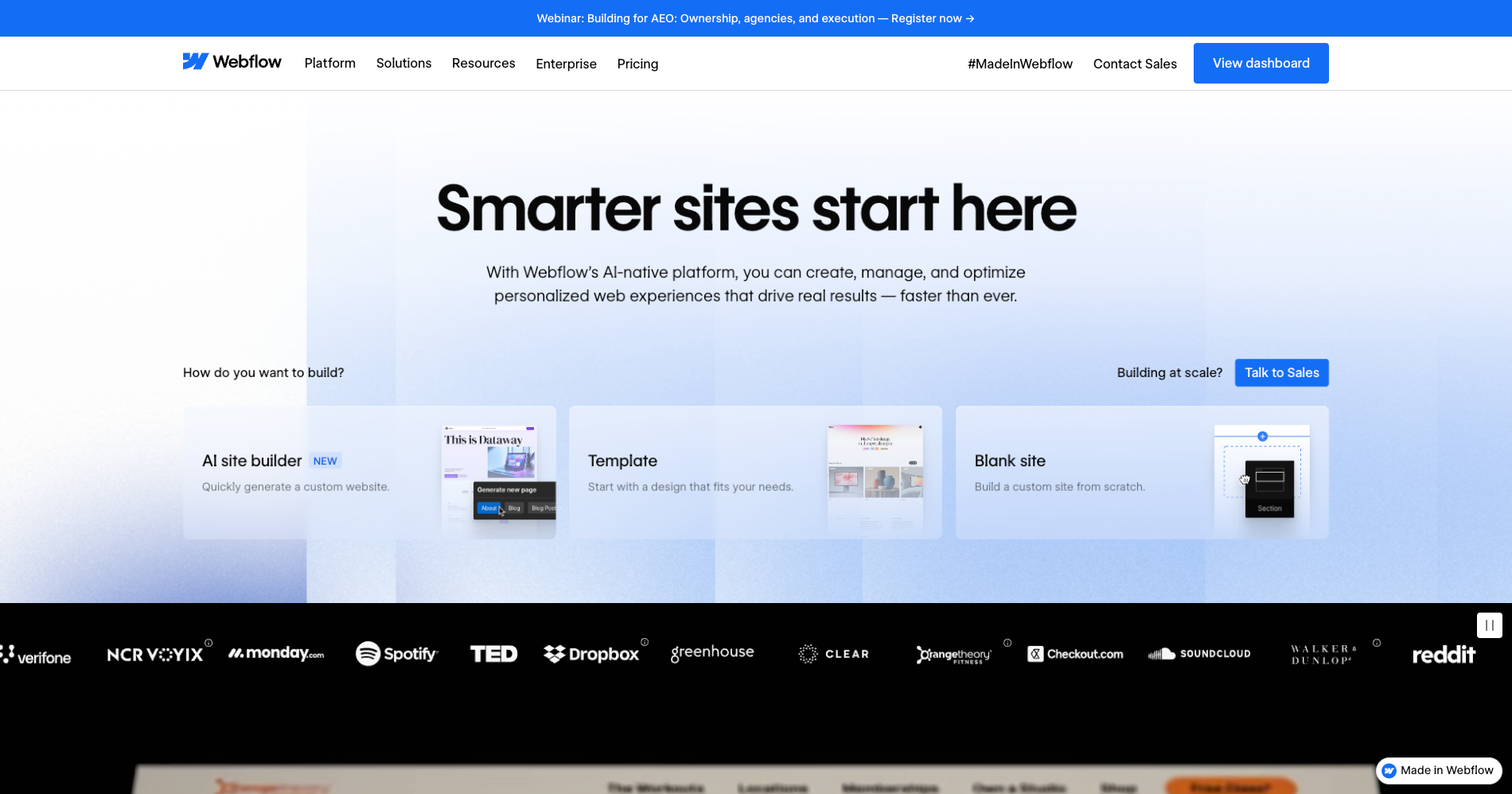
Webflow keeps coming up whenever the topic of building or redesigning a website arises. But between the enthusiastic reviews, the technical comparisons, and the no-code jargon, it's not always easy to understand what the tool actually does, who it's for, and how it compares to WordPress, Framer, or Squarespace.
This article clears things up. It explains what Webflow is, what it lets you do, what's changed recently, which profiles get the most value from it, and when it makes sense to work with a certified freelancer or agency. The goal is straightforward: give you a clear picture so you can decide whether Webflow is the right choice for your project.
Webflow is a website creation platform that combines a visual editor, a CMS, integrated hosting, and SEO tools in a single environment. The core idea is to let designers, marketing teams, and agencies build professional sites without writing code, while maintaining a level of control close to what a front-end developer would have.
Unlike typical drag-and-drop editors, the Webflow Designer generates clean, semantic HTML/CSS code. You manipulate visual elements, but what happens behind the scenes is real web code. That means sites are lightweight, fast, and well-structured for search engines. Design control is total: margins, typography, grids, animations, responsive breakpoints. No rigid templates, no layout compromises.
Webflow's content management system lets you manage dynamic content: blog posts, product pages, case studies, team members, categories. Content is organized into collections with customizable fields (text, image, reference, date, etc.). CMS pages are generated automatically from templates, making it easy to manage content at scale.
Every Webflow site is hosted on a global CDN (via AWS and Cloudflare). No server to configure, no caching plugin to install, no security updates to manage manually. Hosting is included in the site plan, with automatic SSL, backups, and solid performance out of the box.
Webflow provides the SEO fundamentals without complex configuration: meta tags, automatic XML sitemap, 301 redirects, dynamic schema markup, and clean code that makes it easy for search engines to crawl. Core Web Vitals performance (LCP, CLS, INP) is generally good by default, as long as images and third-party scripts are managed properly.
Webflow includes a visual interactions engine that lets you create scroll-based animations, transitions, hover effects, and complex GSAP-powered animations. Everything is configured visually in the Designer, without writing JavaScript. It's a significant advantage for marketing sites that want a polished visual experience without depending on a front-end developer.
Webflow offers a native e-commerce solution for small to medium-sized stores. Cart, checkout, and product page customization are integrated into the Designer. It works well for simple catalogs (a few hundred products), but for high volumes or advanced needs (complex inventory management, marketplaces), other solutions like Shopify remain better suited.
Webflow evolves fast. Here are the most significant updates from February 2026 and what they change in practice.
Webflow has begun migrating all sites to its new CMS architecture. Enterprise sites already benefit from it, and the rollout is underway for all users.
What it changes: the new architecture supports up to 1 million CMS items per site (Enterprise), up to 100 fields per collection, up to 40 collection lists per page (double the previous limit), and up to 3 levels of list nesting. For non-Enterprise users, the migration lays the groundwork for increased design flexibility in the months ahead.
Who it's useful for: any team managing a content-rich site (blog, product catalog, resources, case studies). Sites that were hitting Webflow's CMS limits will have significantly more room. It's also a strong signal for companies that were hesitant to adopt Webflow because of volume constraints.
You can now copy an element with its GSAP interactions from one Webflow site to another, and the animations carry over intact.
What it changes: previously, recreating a complex interaction on a new project meant reconfiguring everything manually. Now, an animated element can be duplicated across sites with its animations preserved, which speeds up production, especially for agencies that reuse proven patterns from one project to the next.
Who it's useful for: agencies, freelancers, and any team managing multiple Webflow sites. It's a direct time saver on production work.
Anthropic launched an official connector that lets you manage a Webflow site directly from Claude, the AI assistant. Through the MCP protocol (Model Context Protocol), Claude can perform bulk CMS updates, audit SEO, check the design system, and suggest optimizations based on site content.
What it changes: repetitive content management and SEO audit tasks become automatable by prompt. Instead of spending 2 hours manually checking meta tags, alt texts, and page structure, you can ask Claude to do it and return a report with suggestions.
Who it's useful for: marketing teams managing a content-heavy site who want to save time on maintenance and optimization. Webflow agencies managing multiple client sites can also find a meaningful efficiency lever here.
Webflow's AI site generator has been updated. It now lets you create a complete multi-page site (structure, styles, animations) from a prompt, then continue building seamlessly in the Webflow Designer.
What it changes: the previous version generated basic pages. The update produces sites with a functional design system (typography, colors, consistent components) and animations. It's not a "finished" site, but it's a solid starting point that saves several hours of initial setup.
Who it's useful for: founders or teams that want to launch an MVP quickly, agencies that want to accelerate the prototyping phase, and users discovering Webflow who want a structured starting point rather than a blank page.
This is the profile that gets the most daily value from Webflow. The ability to edit pages, publish content, and test landing page variations without going through a developer is a direct autonomy gain. The Editor lets non-designers update text and images without touching the site structure.
For a founder who wants a professional site quickly, Webflow offers a good compromise between visual quality, performance, and speed to market. Combined with the AI site builder, it's possible to have a first site live within a few days, then iterate over time.
The Webflow Designer is a production tool for web designers. Control over layout, typography, interactions, and responsive design is comparable to what you get in code, but without writing a single line of CSS. For agencies, it's a delivery tool: the client receives a site they can manage independently via the Editor.
For SaaS product marketing sites, Webflow is well suited. For web applications with business logic, user accounts, or complex databases, it's not the right tool. Webflow is a website platform, not an application framework.
The Designer's learning curve is real. Someone without a web background (HTML/CSS, page structure, responsive design) will need time to get comfortable with the tool. It's not as immediately accessible as Squarespace or Wix for a non-technical user. And certain needs (backend logic, advanced forms, user account management) require third-party tools or custom code. Our getting started with Webflow guide helps shorten that learning curve.
The quality of the generated code is a structural advantage. Webflow sites produce clean, lightweight, well-structured HTML/CSS. This translates into fast load times, strong technical SEO, and lower maintenance compared to a WordPress site loaded with plugins.
Integrated hosting removes an entire layer of technical complexity. No server to configure, no manual security updates, no caching plugin. The global CDN ensures consistent performance everywhere.
Marketing autonomy is real. Teams can publish content, edit pages, and iterate on the site without a development ticket. It's a measurable time and agility gain, especially for organizations where every site change used to go through a heavy technical process.
The design system and components allow you to maintain visual consistency at scale. A button, a testimonial block, or a header modified in the Designer propagates everywhere automatically.
Webflow is not an application development tool. If you need server-side logic, relational databases, user management with roles and permissions, or complex APIs, you'll need a complementary tech stack. Webflow Cloud (launched in 2025) is beginning to bridge this gap, but it's not yet a replacement for a full backend.
Native forms are limited. For multi-step forms, conditional logic, advanced file uploads, or integrated payments, a third-party tool like Tally.so is often necessary.
CMS limits vary by plan. The CMS plan allows 2,000 items. The Business plan goes up to 10,000-20,000 depending on the configuration. For very high volumes, you need an Enterprise plan. These constraints should be anticipated when choosing a plan; our breakdown of Webflow pricing in 2026 covers what each plan really costs.
The learning curve is real. Webflow is not a "5 minutes and you're live" tool. To get the most out of it, you need to invest time in training or get professional support.
Webflow has removed some features recently. Logic (automations) was retired in June 2025, and User Accounts is no longer available since January 2026. These features are now covered by third-party partners via the Marketplace, which adds an integration layer.
Webflow is designed to be usable independently. But there's a difference between "editing text and publishing a blog post" and "building a performant, well-structured, maintainable site." Here are the situations where working with a certified Webflow freelancer or agency pays off.
If your current site has conversion, navigation, or visual consistency issues, a redesign requires design work (UX, site architecture, wireframes) before even touching Webflow. A certified professional designs an architecture that works, not just a site that "looks nice."
A poorly structured CMS from the start becomes a long-term problem. Redundant collections, incorrectly typed fields, missing relationships: these slow down content production and complicate future evolutions. Structuring CMS data is foundational work that requires experience.
Having a Webflow site doesn't guarantee a good Core Web Vitals score. Poorly optimized images, badly loaded third-party scripts, inconsistent page structure, missing internal linking: these problems require a technical audit and targeted fixes.
Migrating a WordPress site to Webflow involves mapping URLs, configuring 301 redirects, restructuring content, and rebuilding the design. It's a technical project that, if poorly executed, can destroy accumulated SEO value. Our guide on migrating without losing traffic explains how to secure that step.
Webflow offers a localization module, but setting it up (multi-language structure, hreflang management, content adaptation, per-language SEO) requires specific expertise. It's rarely a "do it yourself" project for an SMB.
Basic animations are easy to configure in the Designer. But advanced interactions (complex GSAP animations, scroll-triggered sequences, synchronized micro-interactions) require technical mastery of Webflow's interactions engine.
When multiple people edit a site, you need a framework: who can modify what, what's the publication process, how to prevent an untested change from breaking a high-converting page. This framework isn't technical, but it's essential.
Editing text, replacing an image, publishing a blog post: that's day-to-day use, and Webflow is designed for your teams to do it independently. Building a site from scratch, structuring a CMS, optimizing technical SEO, designing a maintainable design system: that's professional web production. Both exist, but they don't require the same skills.
Each tool has its strengths. The right choice depends on your profile, your needs, and your resources.
| Criteria | Webflow | WordPress | Framer | Squarespace |
|---|---|---|---|---|
| Platform type | All-in-one visual platform (design + CMS + hosting) | Open-source CMS (hosting + theme + plugins to assemble) | Component and animation-focused web design tool | All-in-one website builder, templates-first |
| Design control | Total (pixel-level, responsive, GSAP animations) | Variable (depends on theme and page builder) | High (Figma-like, smooth animations) | Limited (customizable templates, not pixel-level) |
| CMS | Built-in, structured, flexible (collections + custom fields) | Powerful and extensible (plugins, custom post types, taxonomies) | Basic (simple collections, less flexible than Webflow) | Built-in but limited in customization |
| Hosting | Included (global CDN, SSL, automatic backups) | Self-managed (third-party host, SSL, backups) | Included | Included |
| SEO | Strong out of the box (clean code, meta, sitemap, schema, redirects) | Excellent with the right plugins (Yoast, Rank Math) | Decent but catching up (meta, sitemap, but less mature) | Decent for simple needs |
| E-commerce | Native, suited for small to medium catalogs | Very comprehensive via WooCommerce (large catalogs, advanced logic) | Limited (no full native solution) | Built-in, suited for simple stores |
| Performance | Very good by default (pre-rendered pages, CDN, lightweight code) | Variable (depends on plugins, theme, hosting) | Good (lightweight, fast loading) | Average to good (less control over optimization) |
| Learning curve | Medium to high (requires HTML/CSS awareness) | Variable (easy with a page builder, complex for custom work) | Medium (Figma-like, intuitive for designers) | Low (designed for non-technical users) |
| Marketing autonomy | High (Editor for content, Designer for structure) | Medium (depends on the quality of the initial setup) | Limited (no dedicated Editor for non-designers) | High (simple interface to edit everything) |
| Maintenance | Low (managed platform, no plugins to update) | High (core + theme + plugin updates + security) | Low (managed platform) | Very low (everything is managed) |
| Ecosystem / extensions | Growing (Marketplace + integrations + MCP) | Very large (60,000+ plugins) | Limited | Limited (proprietary extensions) |
| Price (standard site) | ~$23-49/mo (CMS or Business, annual billing) | ~$5-50/mo (hosting + theme + plugins) | ~$15-30/mo | ~$16-33/mo |
Choose Webflow if you want a performant marketing site, total design control, real marketing autonomy, and reduced technical maintenance. It's the right choice for SMBs, SaaS companies, agencies, and teams that want to iterate fast without depending on a developer for every change.
Choose WordPress if you need a very large plugin ecosystem, advanced e-commerce (WooCommerce), or if you have an in-house technical team capable of managing maintenance, updates, and security. Our 24-month cost comparison puts real numbers on that choice.
Choose Framer if you're a designer, your priority is animation and rapid prototyping, and your CMS and SEO needs are modest. Framer is excellent for portfolios, landing pages, and showcase sites with a strong visual component.
Choose Squarespace if you have a simple need (showcase site, portfolio, small store), no technical skills, and ease of use matters more than design control.
Webflow is a website creation platform that gives marketing teams and designers a level of control usually reserved for developers. Pixel-perfect design, structured CMS, performant hosting, built-in SEO, advanced animations: it's all in one tool, with no plugins to assemble and no server to maintain.
It's not a universal tool. It doesn't replace an application development framework, it has CMS limits depending on the plan, and it requires an initial investment to master. But for building and evolving a performant marketing site with real autonomy, it's one of the most solid tools on the market in 2026.
If you're deciding between Webflow and another solution, or if you want to know whether your current site is taking full advantage of what the platform offers, you can discuss it with our Webflow agency. A quick audit helps identify the most impactful levers before getting started.