Webflow Localization vs Weglot: which one to choose in 2026
Webflow
•
X min
•
Published on
27.02.2026
•
Updated on
19.08.2026
For most Webflow sites in 2026, Webflow Localization is the better choice over Weglot. It offers cleaner international SEO (automatic hreflang, translated URLs and metas), a native architecture, and a more predictable cost. Weglot still makes sense mainly for very small sites or for content Localization can't reach, such as third-party embeds.
When an SMB or startup decides to make their Webflow site multilingual, the question always comes up: should you use Webflow Localization (the native solution) or Weglot (the third-party translation layer)?
For a long time, Weglot was the default answer. Webflow didn't offer a built-in solution, and Weglot filled the gap with a quick setup and automatic translation. But since Webflow launched and matured its own localization solution, the equation has changed. In 2026, Webflow Localization covers the vast majority of needs with better SEO control, a cleaner architecture, and a more rational cost over time.
This article compares both solutions on the criteria that matter: real cost, international SEO, day-to-day workflow, translation quality, and performance. The goal is to give you a clear decision framework, no fluff.
If your site is on Webflow and you want a clean multilingual site with controlled international SEO, localized URLs, and editorial control over every page and CMS collection, choose Webflow Localization. It's the native solution, integrated into the Designer and Editor, and it gives you full control over what gets translated, how, and with what structure.
If you have a very small site (a few pages, under 2,000 words), don't want to manage translation page by page, or need to collaborate with external translators who don't have Webflow access, Weglot can still be an option. But it's increasingly a niche choice, not a default one.

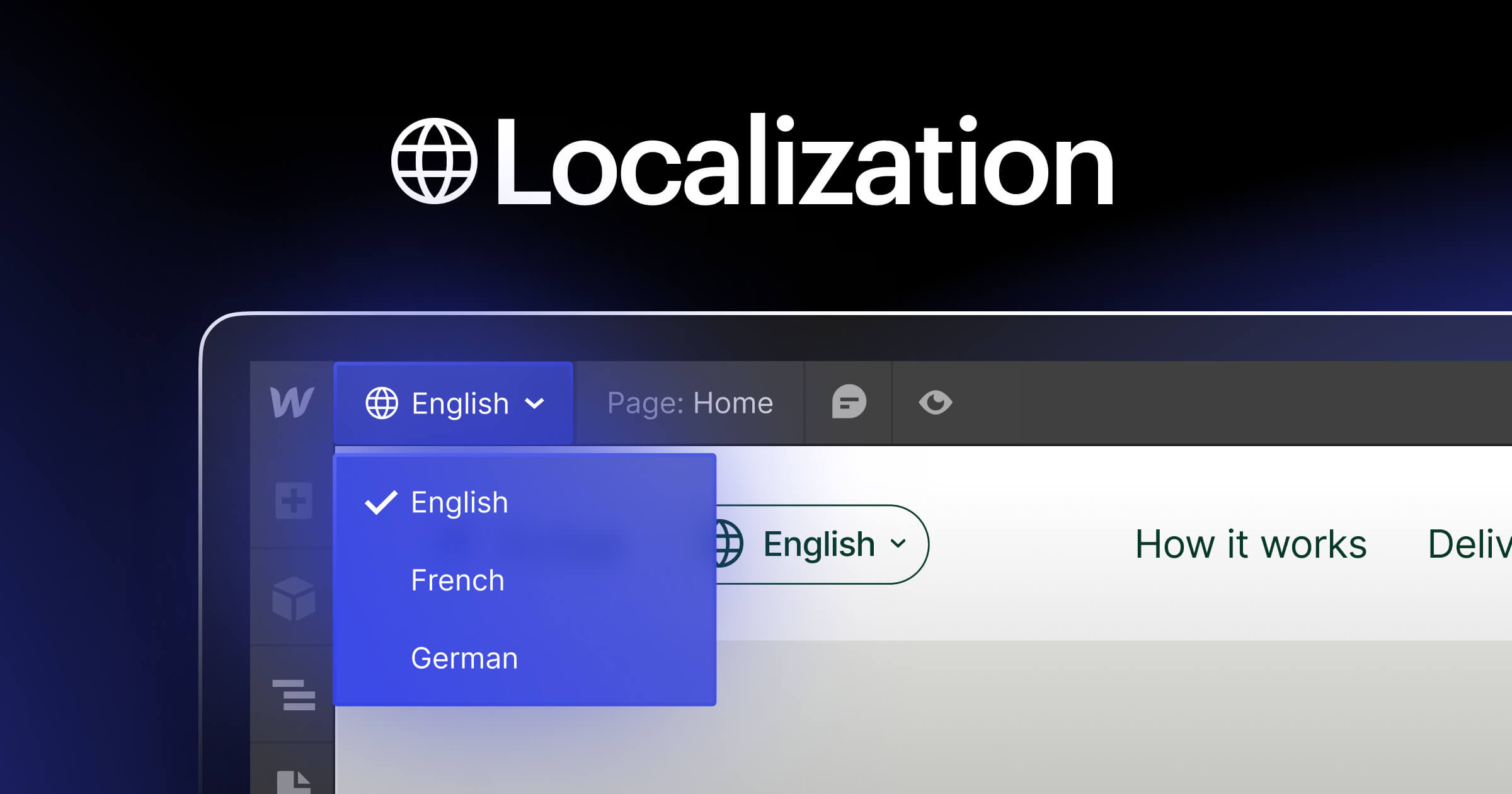
Webflow Localization is a native add-on. The translation lives inside Webflow: each locale has its own content (static pages and CMS collections), its own SEO meta, and depending on the plan, its own URLs and assets. You translate directly in the Designer or Editor, or you use the built-in machine translation as a starting point, then refine. The hreflang structure is generated automatically. Everything is versioned, everything is in the same project.
Weglot works as an external translation layer. A snippet or proxy intercepts the site's content and translates it automatically. The translation is stored with Weglot, not in Webflow. You manage translations from the Weglot dashboard, with the ability to manually edit, add a glossary, and exclude certain pages or blocks. The advantage: it's fast to set up and synchronization is automatic when the source content changes.
The fundamental difference is right there: with Webflow Localization, translated content is an integral part of your site. With Weglot, it's layered on top.
The listed price doesn't tell the whole story. What matters is total cost over a year based on your content volume and number of languages.
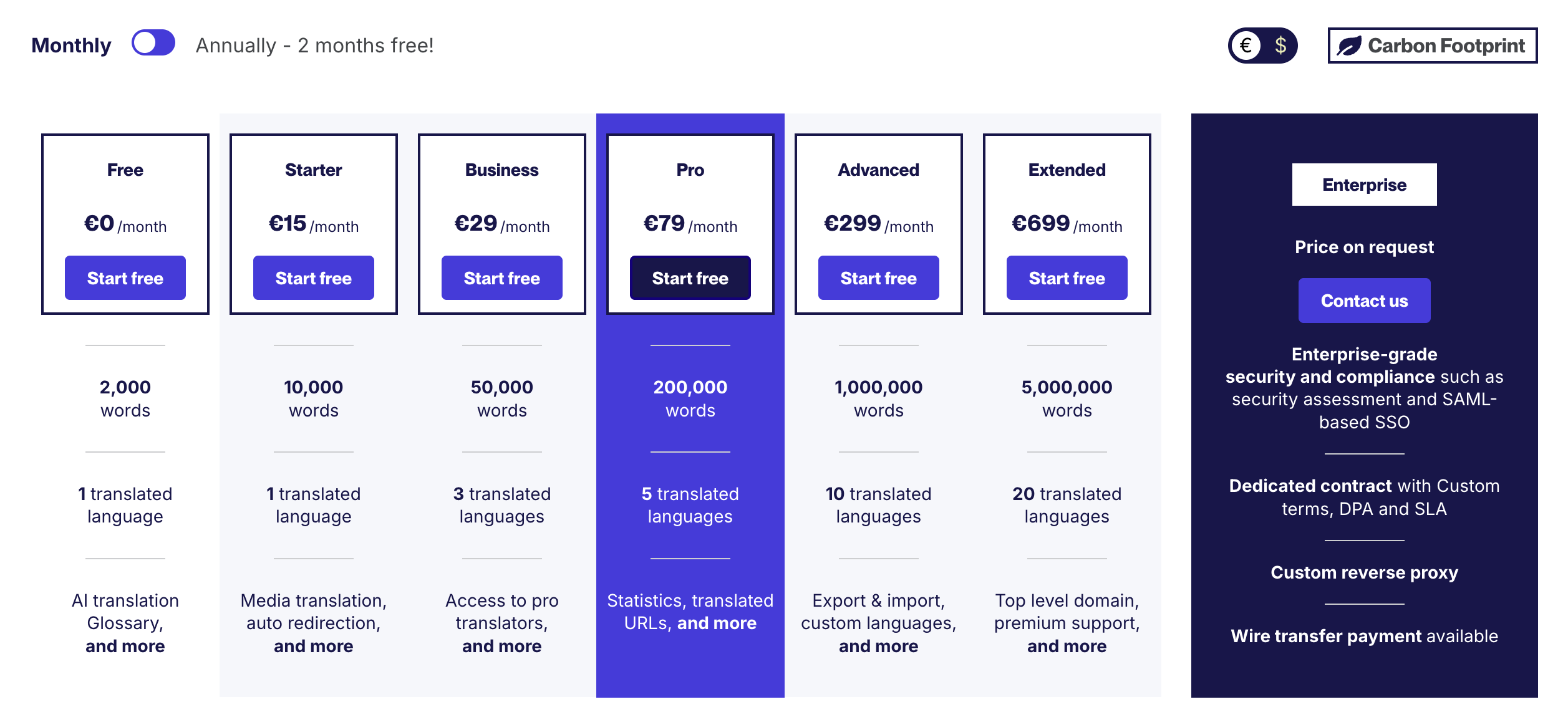
Scenario 1: small corporate site, 1 additional language. With Webflow Localization Essential at $9 per month, the annual cost is roughly $108. With Weglot, if the site stays under 2,000 words, the free plan works. Beyond that (which happens quickly once you have a blog or service pages), the Starter plan at 15 euros per month gives you 10,000 words for one language, or 180 euros per year. The gap is small, but Webflow Localization includes machine translation and native SEO control from the first plan.
Scenario 2: content-driven site (blog + services + CMS), 3 languages. With Webflow Localization, cost depends on the number of locales, not word volume. On Essential, expect around $9 per month per added locale, roughly $27 per month for 3 additional languages (ballpark to verify based on your exact plan structure). With Weglot, a content site quickly exceeds 50,000 words. The Business plan at 29 euros per month covers 50,000 words and 3 languages, but as content grows (which is the whole point of an SEO strategy), you move to the Pro plan at 79 euros per month, then beyond. Over 12 months, the gap widens significantly, and it gets worse with every article published.
The logic is simple: Weglot charges by word volume. The more your content grows, the more it costs. Webflow Localization charges per locale, regardless of volume. For a site that produces content regularly, the TCO difference becomes significant.
This is the most important criterion for many projects, and it's where Webflow Localization has a clear advantage.
With Webflow Localization, hreflang tags are generated automatically. URLs can be localized (translated slugs) on the Advanced plan. Meta titles and descriptions are editable per locale. Content is indexed directly by search engines as native content, with no intermediary layer.
With Weglot, translated content goes through a subdomain or subdirectory managed by Weglot. Hreflang tags are in place, but control is less granular. Translated URLs are possible but depend on Weglot's configuration. And content goes through a proxy, which means Google indexes a version served by a third party, not directly from your Webflow hosting. In practice, it works, but you have less control over the structure and technical details of international SEO.
For a site where multilingual SEO is a growth lever, the native control of Webflow Localization is a structural advantage. Check our guide about Webflow SEO.
With Webflow Localization, translation happens in the Designer or Editor. When you publish a new article or modify a page, you translate in the same environment. It's more manual work (each piece of content needs to be translated or at least reviewed), but the control is total.
With Weglot, synchronization is automatic. When source content changes, Weglot detects the modifications and updates the translation. This is a real time-saver for teams that publish frequently and don't want to manage translation page by page. The Weglot dashboard also allows collaboration with external translators who don't need Webflow access.
On this point, Weglot has an operational advantage for teams that want to minimize translation workload. But it's an advantage that comes at the cost of control: you don't precisely choose what gets translated and how, you trust the machine then edit afterward.
Both solutions offer machine translation as a baseline, with the option to edit manually.
Weglot offers a centralized glossary, exclusions, and a dedicated review dashboard. It's practical for industrializing translation at high volume.
Webflow Localization lets you translate each field, each block, each meta individually. The control is more granular, but the workflow is more manual. For a site where editorial quality per language matters (brand, tone, cultural nuances), this is an advantage.
This is a point where Weglot retains a clear advantage. Its dashboard lets you invite translators who work on the texts without ever touching Webflow. For teams that use translation agencies or freelance linguists, it's a smooth workflow.
With Webflow Localization, translators need access to the Webflow Editor or Designer. It's doable (via Editor roles), but requires training and a framework. For teams with many external translators without Webflow skills, it's a friction point.
Webflow Localization is native. Translated content is served directly by Webflow's infrastructure, with no third-party script or proxy. There's no impact on loading time.
Weglot adds a script and/or goes through a proxy to serve translated content. The performance impact is generally small, but it exists. On heavy pages or sites highly optimized for Core Web Vitals, every millisecond counts. It's not a deal-breaker, but it's a factor to consider.
| Criteria | Webflow Localization | Weglot |
|---|---|---|
| Entry price | $9/mo (Essential, per locale) | Free (2,000 words, 1 language) then €15/mo |
| Cost scaling | Per locale (volume-independent) | Per word volume + number of languages |
| URL management | Native subdirectories, localized slugs (Advanced) | Subdomain or subdirectory via proxy |
| CMS localization | Native (every collection, every field) | Automatic (detects and translates rendered output) |
| Static pages | Block-by-block localization in the Designer | Automatic translation of displayed content |
| SEO (hreflang, metas) | Native, automatic hreflang, per-locale metas | Hreflang managed, meta control via dashboard |
| Visitor routing | Automatic (Advanced plan) | Automatic (all paid plans) |
| Asset localization | Yes (Advanced plan) | No (text content only) |
| Translator collaboration | Via Webflow Editor access | Dedicated dashboard, external invitations |
| Auto-sync | No (manual or AI-assisted per locale) | Yes (change detection, automatic updates) |
| Performance | No impact (native) | Minor impact (third-party script/proxy) |
BeBranded's position is clear: Webflow Localization is the default choice for any multilingual Webflow site in 2026.
The reasons are structural. Translated content lives in Webflow, not with a third party. International SEO is native and controllable. Cost doesn't depend on word volume, which protects your budget as content grows. And translation quality is controlled at the level of every field, every meta, every page.
Weglot remains relevant in a limited number of cases. If you have a very small site that fits within the free plan's 2,000 words, if you need automatic synchronization with zero manual intervention, if your external translators can't access Webflow, or if you need to translate content inside embeds that Webflow Localization doesn't cover natively, Weglot can be a pragmatic solution.
But for the majority of SMBs, startups, and SaaS companies building their international presence on Webflow, the native solution is better in terms of control, SEO, long-term cost, and maintainability.
Start by defining your locales in Webflow's site settings. Each locale corresponds to a language and, if needed, a region (fr-FR, en-US, de-DE). Configure the URL structure: subdirectories by default, localized slugs if you're on the Advanced plan. Verify that hreflang tags are automatically generated in the head of each page. Translate meta titles and descriptions for each locale, not just visible content. Use machine translation as a starting point, then review and adjust each key page. If you're on the Advanced plan, configure automatic routing to redirect visitors based on their browser language. Localize assets (images with text, PDFs, visuals) if your plan allows it.
Install the Weglot snippet on your site via Webflow's custom code settings. Configure target languages in the Weglot dashboard. Set up a glossary for technical terms, brand names, and expressions that shouldn't be translated. Configure exclusions: certain pages (client portal, specific legal pages, internal pages) shouldn't be translated automatically. Check indexation: make sure hreflang tags are properly in place and Google is correctly indexing each language version. Review key pages (home, pricing, landing pages) in each language, as machine translation makes mistakes on commercial nuances. Regularly monitor word volume to anticipate plan changes.
In 2026, the choice between Webflow Localization and Weglot is no longer a real debate for the majority of Webflow sites. The native solution offers better SEO control, a cleaner architecture, more predictable cost, and full integration with the Designer and CMS. Weglot retains a place in niche cases: very small sites, strong need for automatic synchronization, or collaboration with external translators outside Webflow. But for a site that wants to perform internationally with controlled SEO and quality content per language, Webflow Localization is the right choice. If you're still using Weglot and wondering whether migrating to Webflow Localization is worth it, or if you're launching a multilingual project and want to structure things properly from the start, you can review it with our Webflow agency.