Webflow + Claude AI: the official connector (2026 guide)
Webflow
•
X min
•
Published on
26.02.2026
•
Updated on
17.08.2026
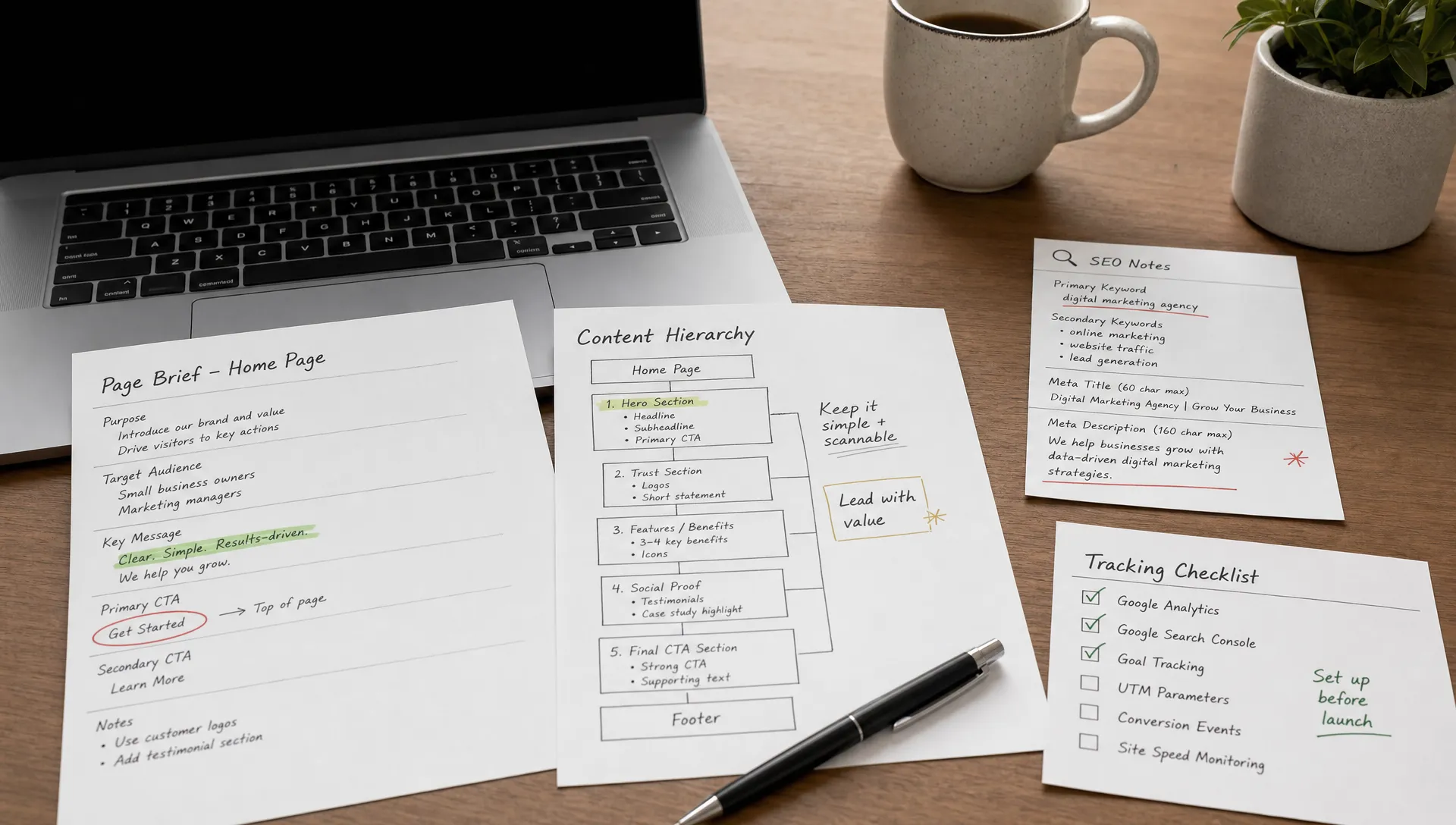
Until now, using AI with Webflow meant generating content in one tab and copy-pasting it into the CMS in another. Claude could recommend, structure, and write, but execution remained entirely manual. Since February 9, 2026, that is no longer the case. Webflow and Anthropic launched a native connector that lets Claude act directly inside a Webflow project: update CMS items, audit SEO metadata, clean up a design system, create draft pages. The real shift is not "AI writes for you." It is "AI executes repetitive tasks under your control." This article explains what the connector actually does, what it does not do, and how to use it safely, whether you are a marketing team, a freelancer, or an agency.
On February 9, 2026, Webflow officially released a native connector in Claude. This is not a Zapier integration or a script to install and maintain. It is an official connector, activated in minutes from the Claude interface, that gives the assistant authenticated access to your Webflow project.
In practice, the connector relies on MCP (Model Context Protocol), an open protocol developed by Anthropic that allows AI models to interact with third-party platforms through structured tool calls. In Webflow's case, the MCP exposes two families of tools. The first is the Data API: CMS operations (collections, items, fields), SEO metadata management, pages, assets, and scripts. The second is the Designer API: canvas manipulation, element creation, style management, CSS variables, components, and responsive breakpoints.
To activate it, go to the connector settings in Claude, search for Webflow, authenticate via OAuth, and select the sites you want to grant access to. The whole process takes under three minutes. One important prerequisite: you need a paid Claude subscription (Pro or Team), and for operations that involve the canvas via the Designer API, the Webflow companion app must remain open in the Designer. CMS and metadata operations via the Data API work without the Designer open.
The Model Context Protocol is the open standard Anthropic created to connect AI models to external platforms. The concept is straightforward: instead of asking a user to manually bridge Claude and a tool, MCP gives Claude direct, structured access to that tool's APIs, with defined permissions.
The difference with Zapier, Make, or n8n is fundamental. These automation platforms operate on a trigger-action model: an event triggers a predefined action. They are excellent for repetitive, predictable flows (a form submission sends an email, a new CMS item triggers a notification). But they do not understand the context of your site. They move data from point A to point B.
MCP works differently. Claude does not simply move data. It reads the structure of your Webflow project (collections, fields, pages, styles, hierarchy), understands the context, and can make informed decisions before acting. For example, Claude can read your last 50 blog posts, analyze the structure of the meta titles, identify those exceeding 60 characters, suggest corrections, and then apply them after your approval. With Zapier, you would need to build a specific workflow for each type of correction, without the contextual analysis layer.
This does not mean MCP replaces standard automations. Zapier remains relevant for event-triggered flows (form submissions, item creation). MCP is complementary: it serves one-off or semi-recurring operations that require context and judgment, such as an audit, a cleanup, or a bulk update guided by qualitative criteria.
The connector gives Claude real capabilities, but they have clear limits worth understanding before getting started.
Claude can read and modify CMS items: create, update, publish, or archive items in any collection. It can manipulate fields (text, rich text, options, references, dates, slugs). It can read page metadata (meta titles, meta descriptions, slugs, publication status) and modify them. It can access assets, custom scripts, and site settings. Via the Designer API, it can create elements on the canvas, modify styles, manage CSS variables and components. It can read the full site structure for analysis purposes (SEO audit, naming audit, design system consistency).
Claude cannot upload images directly to Webflow. If your workflow involves visuals, that step remains manual. Designer API operations require the Designer to be open with the companion app active, which limits "background" automations. The connector does not include a built-in staging mode: changes are made on the actual site (though you can create unpublished drafts). Managing 301 redirects and the robots.txt file is restricted to Enterprise plans. And as with any API-based system, OAuth disconnections, rate limits, and latency issues can occur, especially during high-volume operations.
One important point often overlooked: Claude acts with the permissions you grant. This means if you give it write access to the CMS, it can publish. The responsibility of defining the scope of action rests with the user.
The connector delivers the most value on repetitive, structured, high-volume tasks. Here are six use cases that show where the time savings are most tangible.
You have 80 blog posts and need to add a new "category" field, fix inconsistent slugs, or update a text field across all items in a collection. Manually, that is half a day of repetitive work. With the connector, Claude reads the collection, identifies the items to modify based on your criteria, presents the changes in a summary table, then applies them after your approval. The process goes from several hours to a few minutes of oversight.
Claude can scan every page on a site and check, for each one, whether the meta title stays under 60 characters, whether the meta description is present and under 160 characters, whether the heading structure is consistent, and whether images have alt text. It produces a table with the problematic pages, the issue identified, and a suggested fix. You approve line by line, then Claude applies the changes. For a site with 30 to 50 pages, this is an audit that would normally take one to two hours of manual work and shrinks to a single structured conversation. If you want to go deeper on the technical SEO side, our Webflow SEO guide covers what to check before publishing.
On a Webflow project that has been through several months or several contributors, CSS classes accumulate: duplicates, inconsistent naming, orphan classes. Claude can read the full set of styles on the site, identify inconsistencies against a naming convention (for example Client-First), and suggest a cleanup plan. This operation is particularly useful before a redesign or a handoff between service providers. If you work with an agency or freelancer, design system consistency directly determines long-term maintainability and therefore maintenance cost.
Imagine you have a pillar page for your main service and need to create variations for 6 cities (Paris, Lyon, Marseille, Toulouse, Lille, Bordeaux). Each page must follow the same architecture but with sufficiently differentiated content to avoid duplicate content issues. Claude can read the pillar page, understand its structure, then create 6 CMS items in draft mode with content adapted to each city. You review, adjust, then publish. The gain is not just in time: it is also in structural consistency, because Claude applies the same template to every variation.
When migrating from WordPress, Squarespace, or another CMS, content often arrives poorly formatted: stray HTML tags, inconsistent headings, missing images, absent metadata. Claude can read the imported CMS items, clean up the rich text formatting, harmonize the heading structure, fill in missing fields, and suggest consistent meta descriptions. On a migration of 100 articles, this cleanup easily represents several days of manual work.
Claude can analyze the structure of a page (section hierarchy, CTA placement, content density, clarity of the value proposition) and suggest conversion optimization recommendations. The connector's advantage is that these recommendations can then be applied directly: moving a CTA, rewriting a headline, adding a social proof section. The approach remains assisted: Claude suggests, you approve, Claude executes. For a deeper look at CRO methodology, our article on conversion rate optimization covers the full framework.
This is the most common question. And the honest answer is: yes, but not just any way.
Community feedback (particularly on Reddit and from early agency reports) shows clear positives: bulk CMS works well, class and metadata audits are reliable, and the time savings on repetitive tasks are real. But they also surface legitimate concerns.
First objection: instability. Some users report OAuth disconnections, latency on high-volume operations, and occasional errors. This is a recent connector (only a few weeks old at the time of writing), and these early-stage issues are expected. They generally resolve by restarting the session or reducing batch sizes.
Second objection: no staging or CI/CD. Webflow does not natively offer a separate staging environment. Changes are made on the live site. This is a platform limitation, not a connector limitation. The workaround: work in draft mode and only publish after human review. You can also clone the site to test operations on a copy before applying them to the live site.
Third objection: fear of "breaking something." This concern is legitimate. A poorly scoped bulk update on 200 CMS items can cause real damage. The answer is not to avoid the connector, but to use it with a strict method: small batches, intermediate validation, backup before operation, monitoring after publication.
BeBranded's position on this is pragmatic. The Webflow-Claude connector is a maintenance and optimization accelerator, not a replacement for human expertise. It is particularly useful for low-risk, high-volume tasks (text field updates, metadata audits, naming cleanup). For structural operations (architecture redesign, layout changes, design system modifications), human oversight remains essential.
Here is our 10-point approach for integrating the Webflow-Claude connector into a production workflow without incident.
Here are five prompts you can copy-paste directly into Claude with the Webflow connector active. Each prompt is scoped to produce a clear deliverable without unapproved modifications.
Prompt 1: meta title audit
"Read all published pages on my Webflow site [site name]. For each page, check whether the meta title is under 60 characters and contains the main term visible in the slug. Present the results in a table with four columns: page URL, current meta title, issue identified, suggested fix. Do not modify anything yet, wait for my approval."
Prompt 2: bulk CMS field update
"Read all items in the [collection name] collection. For each item where the [field name] field is empty, suggest a consistent value based on the content of the 'name' and 'body' fields. Present your suggestions in a numbered list with the item name and the proposed value. Do not publish anything, wait for my approval before making any changes."
Prompt 3: design system audit
"Analyze all CSS classes used on my Webflow site [site name]. Identify classes that do not follow the Client-First naming convention (or specify your convention). List the inconsistencies in a table with three columns: current class name, issue identified, suggested correction. Do not modify any class, present the diagnosis only."
Prompt 4: local page creation in draft
"Read the page [name or URL of the pillar page] on my Webflow site. Create 5 CMS items in draft mode in the [collection name] collection for the following cities: Paris, Lyon, Marseille, Toulouse, Lille. Each item must follow the same structure as the pillar page but with content adapted to the city (city name in the title, description, and at least two paragraphs of the body). Do not publish any item, leave them in draft for review."
Prompt 5: CRO recommendations on a page
"Analyze the page [name or URL of the page] on my Webflow site. Evaluate the clarity of the value proposition, CTA placement, content density above the fold, and section structure. Suggest 5 conversion optimization recommendations ranked by estimated impact (high, medium, low). Present them in a numbered list with the recommendation, the justification, and the concrete action to take for each point. Do not modify anything on the site."
The Webflow-Claude connector is particularly useful for three profiles. Marketing teams managing a Webflow site day to day (content publishing, landing page updates, SEO monitoring) gain a concrete lever to reduce time spent on repetitive tasks. Webflow freelancers can accelerate their maintenance, cleanup, and audit operations on client projects. Small product teams without a dedicated developer but with a need to evolve their site regularly gain autonomy.
However, the connector does not replace human expertise on structural topics. Information architecture (how to organize 30 pages, a blog, dynamic pages, and a coherent navigation system) remains a design exercise that requires experience. A site redesign, even a partial one, involves design, hierarchy, and content decisions that AI cannot make alone. Advanced technical SEO (redirect strategy during a migration, internal linking structure, schema markup) requires specific expertise. Design system governance (naming conventions, reusable components, variables) must be defined by a human before Claude can audit or clean it up. Complex integrations (advanced tracking, CRM, conditional logic) and accessibility remain areas where support from a certified Webflow agency or an experienced freelancer makes the difference.
The right way to think about the connector: it is a productivity multiplier for routine operations, provided the foundation (architecture, design system, SEO strategy, tracking) has been properly laid by competent humans.
The Webflow-Claude connector launched in February 2026 marks a concrete shift in how Webflow sites are managed day to day. The main gain is not that AI writes for you. It is that AI can execute repetitive tasks (CMS updates, SEO audits, class cleanup, draft creation) under your control, in minutes instead of hours.
The condition: use it with a method. Draft mode, small batches, human validation, backup before operations, verification after publication. It is an accelerator, not autopilot.
If you want to integrate the connector into your workflow or need guidance before activating it on your site (architecture, design system, SEO strategy, tracking), you can book a slot for a 30-minute scoping call. We will review your setup, your priority use cases, and the approach suited to your situation.