


The essentials · 30-second read
Hootsuite manages social media at scale. No free plan, 14-day trial. Standard $99, Professional $199, Advanced up to $399 per user a month on annual billing.
- Hootsuite brings publishing, a shared inbox, listening, analytics and an AI assistant (Wisdom) for networks such as Facebook, Instagram, X, LinkedIn, TikTok, YouTube, Threads, Pinterest and WhatsApp.
- No free plan. On annual billing, per user and per month: Standard $99 (10 social accounts), Professional $199 (unlimited accounts), Advanced up to $399. Enterprise is on quote.
- Standard, Professional and Advanced come with a 14-day free trial, limited to 10 to 20 posts a day and without bulk scheduling.
- Our verdict: worth it for teams with approvals, many accounts and customer care on social; too expensive for a freelancer or a small business that only schedules posts.
Summarize this page with AI
Hootsuite is one of the oldest names in social media management, and one of the most searched when teams compare scheduling tools. The question most people have is simple: is it worth the price now that there is no free plan? This review explains what Hootsuite does in 2026, what each plan includes, how much it really costs per user, and when we point clients to Hootsuite, to a lighter tool, or to no tool at all.
01What is Hootsuite?
Hootsuite is a platform for managing several social media accounts from one place. It covers four jobs: publishing (planning and scheduling posts on a shared calendar), engagement (a single inbox for public comments and private messages), listening (tracking mentions, topics, hashtags and competitors) and analytics (reports on performance and the best time to post per network). An AI assistant called Hootsuite Wisdom sits across the product. The company says that more than 25 million people have used Hootsuite, and its site talks about 18 years in the market.
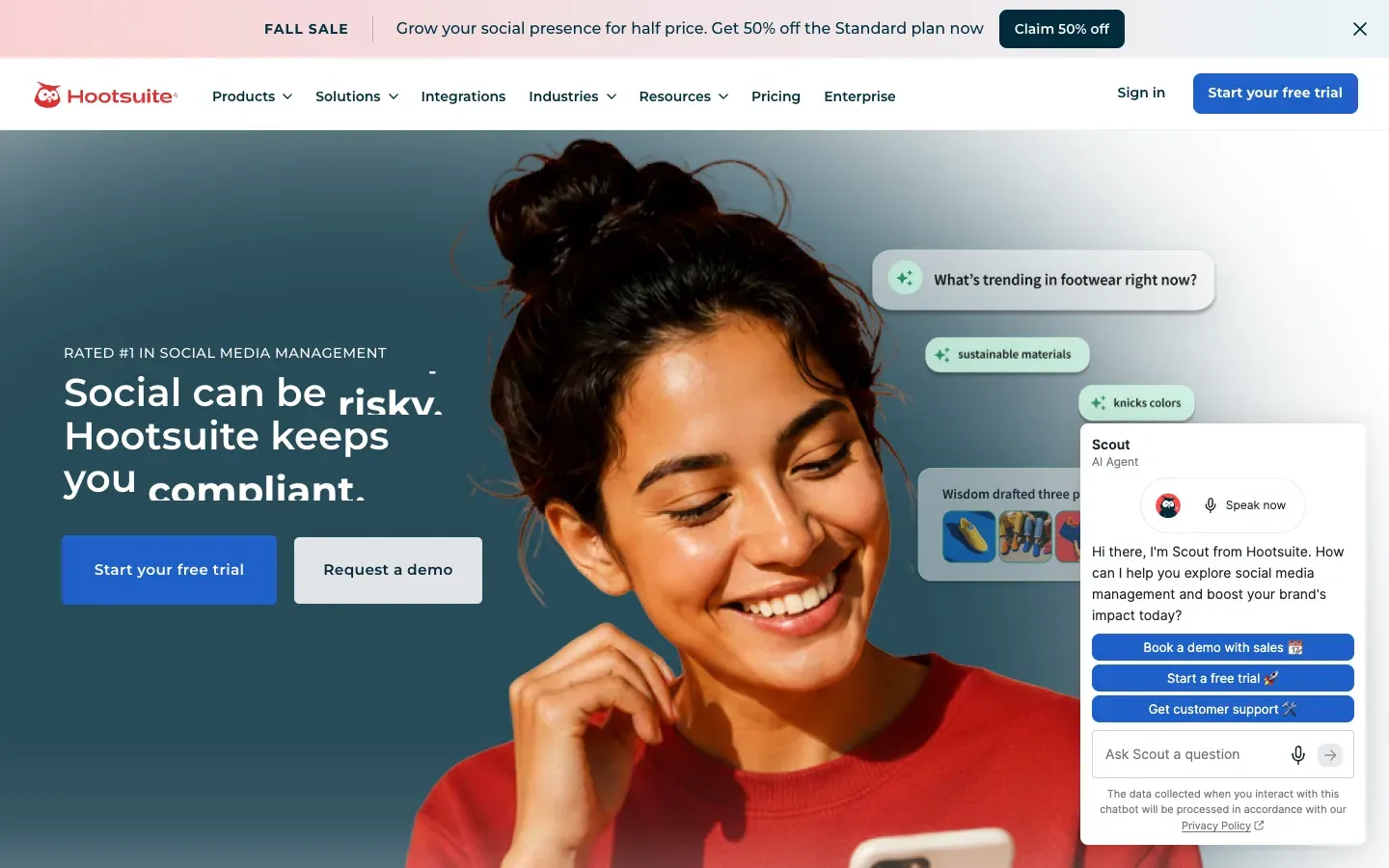
Hootsuite's own pages name Facebook, Instagram, X, LinkedIn, TikTok, YouTube, Threads, Pinterest and WhatsApp among the supported networks. The product targets teams more than individuals: user seats, approvals, message routing, permissions and team performance reports are where it differs from simpler schedulers.
02How we look at Hootsuite at BeBranded
We do not run our own social media on Hootsuite: we are a two-person agency, and a tool priced per seat at this level would be out of proportion for us. Hootsuite comes up when clients ask us how to organise their content and communication as part of a digital strategy. Our rule of thumb:
- We recommend Hootsuite when a team manages many accounts or brands, needs approvals before posts go live, answers customers on social media, or must report results to management every month. In those cases, the shared inbox, routing and reporting save more time than they cost.
- We advise against it for a founder, a freelancer or a small business that publishes a few posts a week on two or three networks. Buffer, with a free plan and per-channel pricing, or the native schedulers of each network are enough.
- We look at the workflow before the tool. If the real problem is producing content (no calendar, no visuals, no clear owner), changing the scheduler will not fix it. And if posts should come automatically from your site or your CMS, an automation built with Make or Zapier may replace part of the manual work.
03Key features
- Publishing and calendar: schedule posts across networks, see them on a shared calendar, and reuse or adapt content per network.
- Single inbox: public comments and private messages in one place, with saved and suggested replies, assignments, routing and internal notes.
- Listening: trend tracking, discovery streams and searches by topic, company or hashtag; advanced listening on Enterprise.
- Analytics: performance reports, competitor tracking, best time to post per network, custom reports from Professional.
- Hootsuite Wisdom: an AI assistant included in every plan, plus AI generation of posts and images.
- Approvals and collaboration: content approvals, internal team collaboration and team performance measurement on Advanced.
- Automation: inbox and workflow automation from Professional, including automated Instagram DMs mentioned on the home page.
- Integrations: over 100 integrations, according to Hootsuite.
- Security: single sign-on (SSO) and custom compliance solutions on Enterprise.
04Use cases
Multi-brand or multi-location marketing team
A company with several brands, countries or shops can end up with dozens of social accounts. Hootsuite gives each team its own streams while management sees everything in one calendar and one report. What to know: Standard stops at 10 accounts, so multi-brand setups usually start at Professional.
Agency managing client accounts
Agencies use Hootsuite to schedule client content, collect approvals and send monthly reports. Approvals are on Advanced, which matters when clients must validate posts. Count seats carefully: pricing is per user, so a large team gets expensive quickly.
Customer care on social media
When customers ask questions or complain in comments and DMs, the single inbox, routing and assignments make sure each message has an owner. Saved replies keep answers consistent. This is often the strongest reason to choose Hootsuite over a pure scheduler.
Brand and competitor monitoring
Listening and competitor tracking help a marketing team spot conversations about its brand, its market or a campaign. The basic version is included from Standard; deeper listening is an Enterprise feature, so teams with serious monitoring needs should check the scope during the trial.
Regulated or large organisations
Banks, public bodies and large companies need control over who publishes what. Approvals, permissions, SSO and compliance options on the higher plans answer that need, and are the reason these organisations accept the higher price.
05Integrations
Hootsuite says it offers more than 100 integrations that bring other tools into its dashboard, from CRM and support tools to design and content apps. Beyond the native catalogue, automation platforms such as Make, Zapier or n8n can connect social networks to a CMS, a spreadsheet or a CRM like HubSpot. Visuals often come from Canva. Check the specific integration you need on Hootsuite's integrations page before buying, because availability can depend on the plan.
06Hootsuite pricing in 2026
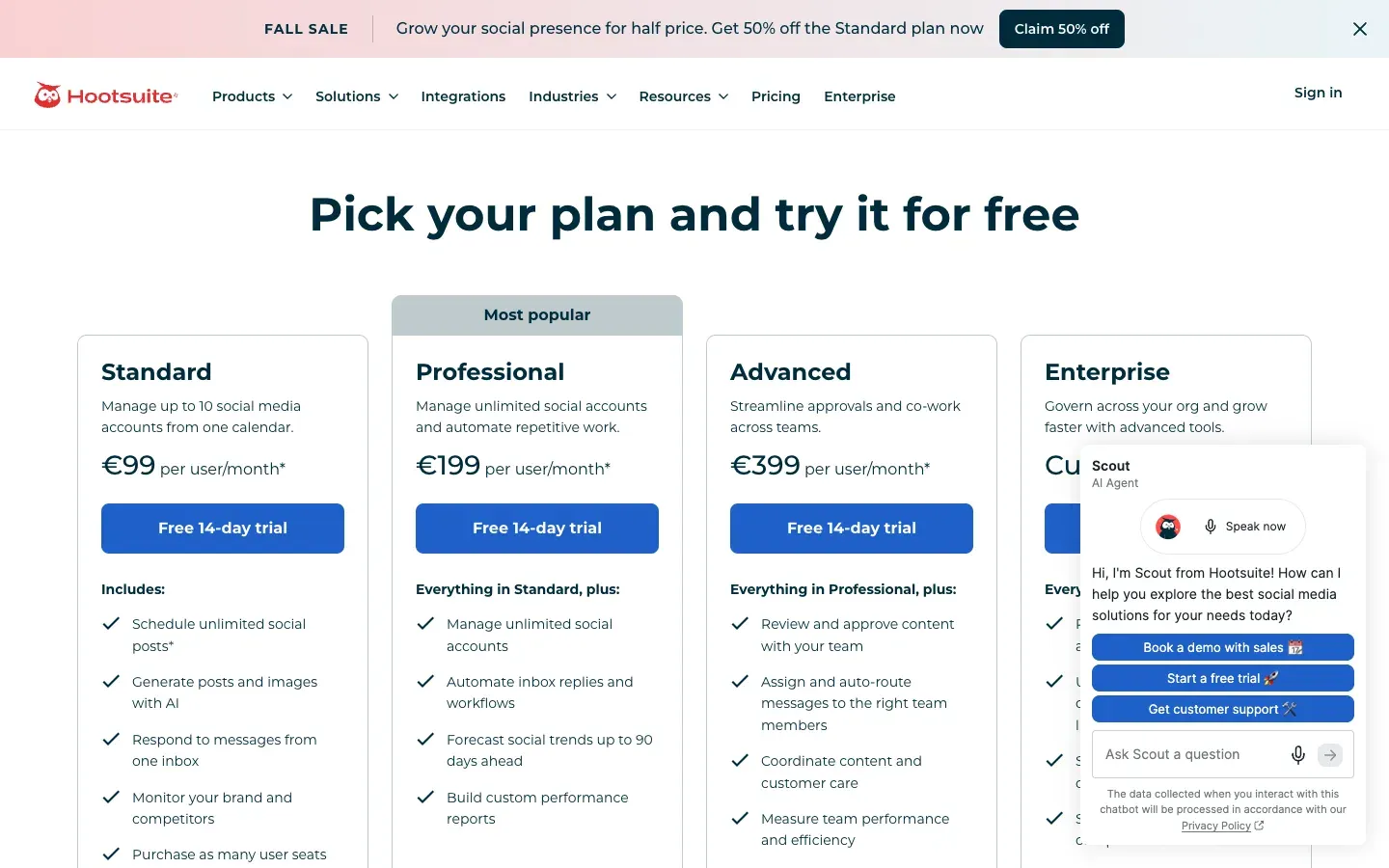
Prices checked on hootsuite.com/plans on 17 November 2026, in US dollars as stated in the page's FAQ, per user and per month, billed annually and excluding taxes. Viewed from Europe, the plan cards show the same amounts in euros (€99, €199 and €399), as in the screenshot below. The page has a monthly/annual switch; Hootsuite states that annual billing gives a lower monthly rate but does not list the monthly amounts in its text, so they are not shown here.
| Plan | |||
|---|---|---|---|
| Standard | Price (annual billing) $99 per user a month | Social accounts 10 | Main inclusions Scheduling, AI post and image generation, single inbox, brand and competitor monitoring |
| Professional | Price (annual billing) $199 per user a month | Social accounts Unlimited | Main inclusions Everything in Standard, inbox and workflow automation, 90-day trend forecasting, custom reports |
| Advanced | Price (annual billing) Up to $399 per user a month | Social accounts Unlimited | Main inclusions Everything in Professional, content approvals, team collaboration, message assignment and routing, team performance |
| Enterprise | Price (annual billing) On quote | Social accounts Unlimited | Main inclusions Everything in Advanced, advanced analytics, advanced listening, SSO, custom compliance |
Every plan includes Hootsuite Wisdom. Standard, Professional and Advanced start with a 14-day free trial; during the trial, publishing is limited to 10 to 20 posts per organisation per day depending on the plan, and bulk scheduling is not available. On the day we checked, a "Fall Sale" banner offered 50% off the Standard plan: check current promotions, as they change often. The FAQ describes Advanced as "up to $399", which suggests the final price depends on the configuration: ask for a quote if you plan several seats.
Is Hootsuite free? No. There is no free plan in 2026, only the 14-day trial. For a team of three on Professional, the annual budget is around $7,000 before taxes ($199 × 3 users × 12 months). If that looks out of proportion, a tool with a free plan such as Buffer is the logical first step.
07Pros and cons
Advantages
- One platform for publishing, inbox, listening and reporting.
- A shared inbox with routing and assignments, strong for customer care.
- Approvals, permissions and SSO for organisations that need control.
- Broad network coverage, including TikTok, Threads and WhatsApp.
- AI assistant included in every plan.
- Many integrations and a long track record.
Drawbacks
- No free plan, and a high entry price per user.
- Per-seat pricing adds up quickly for larger teams.
- Approvals and routing only on Advanced; advanced listening only on Enterprise.
- Standard is capped at 10 social accounts.
- Monthly billing is not shown publicly and costs more than the annual rate.
- A lot of features to learn for a team that only needs to schedule posts.
08Our verdict
Who it's for
- Marketing teams managing many accounts, brands or locations.
- Agencies that need client approvals and recurring reports.
- Companies doing customer care on social networks.
- Large or regulated organisations that need permissions, SSO and compliance.
Who it's not for
- Freelancers, founders and small businesses posting a few times a week.
- Teams whose main need is designing visuals rather than managing accounts.
- Tight budgets: a free or per-channel tool covers basic scheduling.
- Organisations that need deep listening without an Enterprise budget.
09Hootsuite alternatives
| Tool | ||
|---|---|---|
| Hootsuite | Best for Teams, approvals, inbox and listening | Model No free plan, per user |
| Buffer | Best for Simple scheduling for small teams | Model Free plan, then per channel |
| Canva | Best for Designing visuals and scheduling them in one place | Model Freemium |
| HubSpot | Best for Social publishing inside a marketing and CRM suite | Model CRM and marketing suite |
| Make or Zapier | Best for Automatic posts from your site, CMS or spreadsheet | Model Automation platforms |
Our rule: start with Buffer if you mainly schedule posts, and move to Hootsuite when the inbox, approvals or reporting become the bottleneck. If your marketing already runs on HubSpot, check its social tools before adding another subscription. And if posts should flow from your content automatically, an automation may be cheaper than extra seats.
10Hootsuite vs Buffer
These two are compared more than any other pair in the category. Buffer focuses on publishing: a clear calendar, simple analytics, a free plan for 3 channels and a price per channel rather than per user. Hootsuite covers more ground: a shared inbox with routing, listening, approvals, team reporting and enterprise security, at a price per user that starts much higher. For a team of one or two people publishing on a handful of networks, Buffer usually does everything needed. For a team of five answering customers every day and reporting to management, Hootsuite's extra modules justify the cost. Both offer a trial or free start: test them on your real accounts for a week before choosing.
11Getting started with Hootsuite
- List your accounts and owners. Count networks, brands and people who publish or answer messages: this decides between Standard and Professional and the number of seats.
- Start the 14-day trial with your real accounts, keeping in mind the daily post limit and the absence of bulk scheduling during the trial.
- Set up the inbox first if customer care matters: routing rules and saved replies show quickly whether the tool fits.
- Build one month of calendar and test approvals with the people who validate content.
- Create the report you will send every month and check it answers management's questions.
- Compare with your current tool after two weeks, and only then choose annual billing, which is cheaper but locks you in for a year. Our training sessions can help a team adopt the new process.