


The essentials · 30-second read
EmailOctopus is a low-cost newsletter tool. Free up to 2,500 subscribers and 10,000 emails a month. Pro from $10 a month, or $9 billed yearly, priced by list size.
- A simple email marketing platform: drag-and-drop editor, 100+ templates, automations with conditional paths, forms, landing pages, tags and segments.
- Free up to 2,500 subscribers and 10,000 emails a month. Pro is priced by list size: $10 a month (or $9 billed yearly) up to 500 subscribers, $44.50 (or $40) up to 10,000.
- A UK company (Three Hearts Digital Ltd, London) that stores lists and sends emails from the EU, mainly Ireland. A Connect version runs on your own Amazon SES account.
- Our verdict: a very good value newsletter tool for small lists and simple journeys; too light for e-commerce teams that need deep store data.
Summarize this page with AI
EmailOctopus is one of the cheapest serious ways to send a newsletter in 2026. This page explains what the tool does, what each Pro tier really costs depending on your list size, where your data lives, how it compares with Kit, beehiiv and Brevo, and when we recommend it to clients. Prices were read on the official pricing page on 17 November 2026.
01What is EmailOctopus?
EmailOctopus is an email marketing platform. You collect subscribers with forms and landing pages, write emails in a drag-and-drop editor or in HTML, send campaigns, run automated sequences and read reports. It is built for people who want the essentials done well without the price and complexity of the large marketing suites.
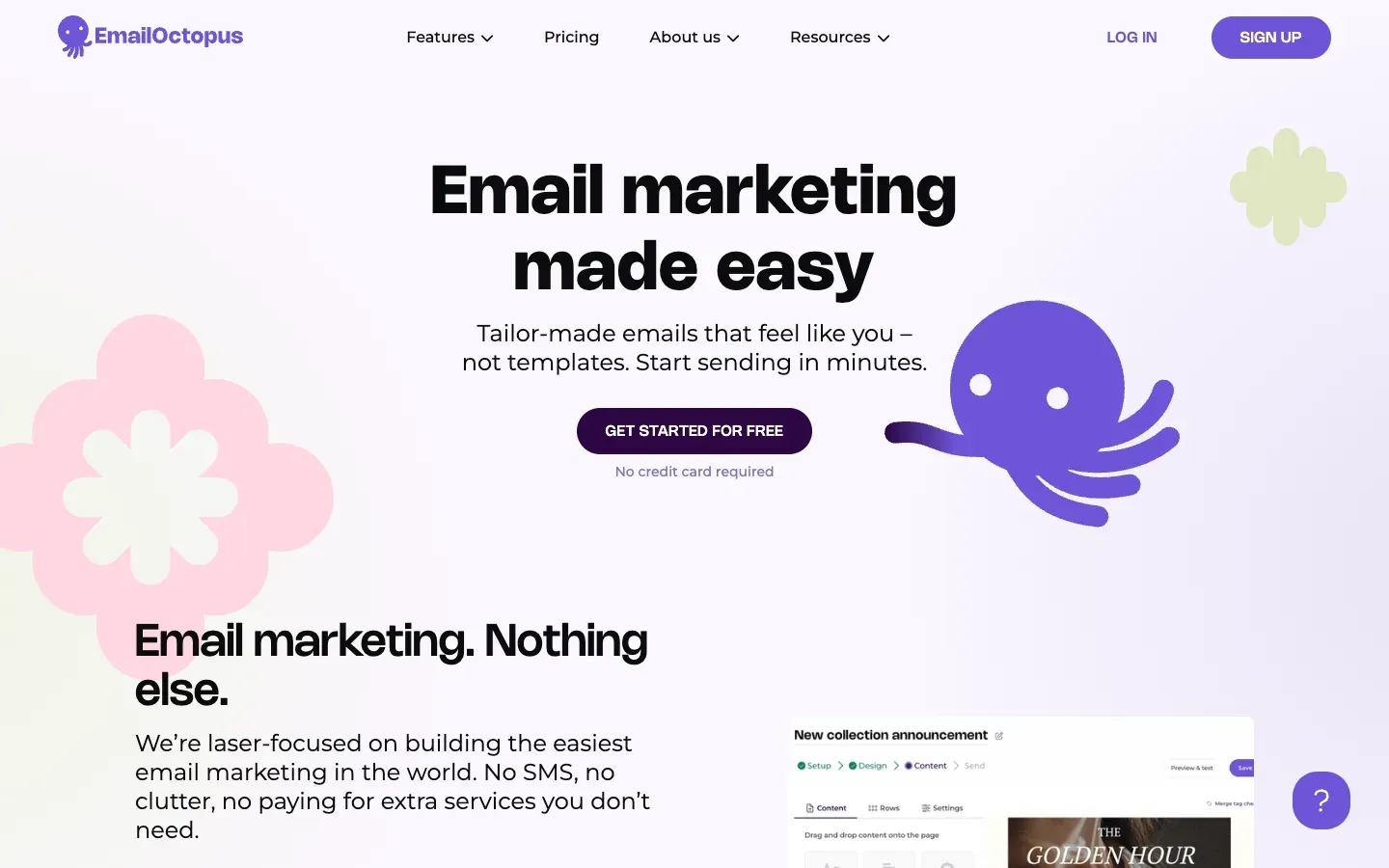
The company behind it is Three Hearts Digital Ltd, based in London. Its about page says the founders started the product in 2015 because the tools of the time felt clunky and overpriced, and that more than 100,000 users have used it since. The team describes itself as small, and the support chat is a selling point: the pricing page quotes an average live chat response time of 9 seconds.
There are two products. The standard EmailOctopus plans include sending, with a monthly email allowance per tier. EmailOctopus Connect is the original idea of the product: you plug in your own Amazon SES account, EmailOctopus becomes the interface, and Amazon handles the sending at its own rates.
02How we look at EmailOctopus at BeBranded
EmailOctopus is not part of our own stack. It comes up when a client needs a newsletter attached to a site we build, and the budget or the list size does not justify a larger platform. Our position:
- We recommend EmailOctopus to small businesses, associations, independent authors and local brands that send a regular newsletter to a few hundred or a few thousand people, and want something their team can run alone.
- We recommend another tool when email is the business itself (paid newsletter, sponsorship, referral programme: look at beehiiv), when the client sells digital products to its audience (Kit), or when email, SMS and CRM must live together (Brevo).
- Our usual job is the connection: the site's forms feeding the right list and tags, consent recorded properly, and new subscribers entering the welcome automation. That is what our automation and integrations and API services cover.
03Key features
- Email builder: drag-and-drop editor, more than 100 mobile-friendly templates, HTML import, and templates generated in your brand's colours.
- Sending options: scheduled campaigns, gradual sending spread over up to 24 hours, and smart timing that sends each email when a subscriber is most likely to open.
- Automations: welcome series, birthday emails and re-engagement journeys, with templates, a tree view of every step and conditional paths based on behaviour or data.
- Audience: custom fields, tags and segments, double opt-in and consent checkboxes.
- Forms and landing pages: embedded forms, pop-ups and hosted landing pages (one each on the free plan, unlimited on Pro).
- Reports: opens, clicks, bounces and unsubscribes for campaigns and automations, kept 30 days on Free and forever on Pro.
- API and integrations: a documented API, a WordPress plugin and more than 1,000 apps through Zapier.
04Use cases
A small business newsletter
A shop, a studio or a consultancy sends one email a month to customers and prospects. The free plan covers up to 2,500 subscribers, and the editor is simple enough for a non-specialist. What to know: the free plan adds EmailOctopus branding to every email and keeps reports for only 30 days.
An association or charity
Non-profits get a 20% lifetime discount on EmailOctopus, according to the pricing page. Combined with low tiers, that keeps a member newsletter affordable. Double opt-in and consent checkboxes help document who agreed to receive what.
An author or blogger growing a list
A writer wants to collect emails from a website and send new posts or book news. A landing page and a form are enough to start, and an automated welcome series introduces the reader to the best content. When the list becomes a business with sponsors or paid subscriptions, a newsletter platform like beehiiv usually fits better.
A developer who already uses Amazon SES
A technical team already sends transactional email through Amazon SES and wants a marketing interface on top. EmailOctopus Connect gives editor, lists, automations and reports with no email cap from EmailOctopus. The trade-off: you manage the SES account, its quotas and its reputation yourself.
Website sign-ups feeding a welcome sequence
A company site collects sign-ups (newsletter, guide download, waiting list). Through the API, Zapier, Make or n8n, each sign-up lands in the right list with tags, and an automation sends the welcome emails. Keep the consent wording on the form consistent with what you actually send.
05Integrations
EmailOctopus publishes an API (version 2 documentation on its site), an official WordPress plugin for sign-up forms, and lists more than 1,000 apps through Zapier, with Shopify among the most popular. Form tools like Tally or Typeform connect through the same automation layer. Deep e-commerce data (purchase history, abandoned carts) is not its strength: a store that relies on those flows needs a dedicated e-commerce email tool.
06EmailOctopus pricing in 2026
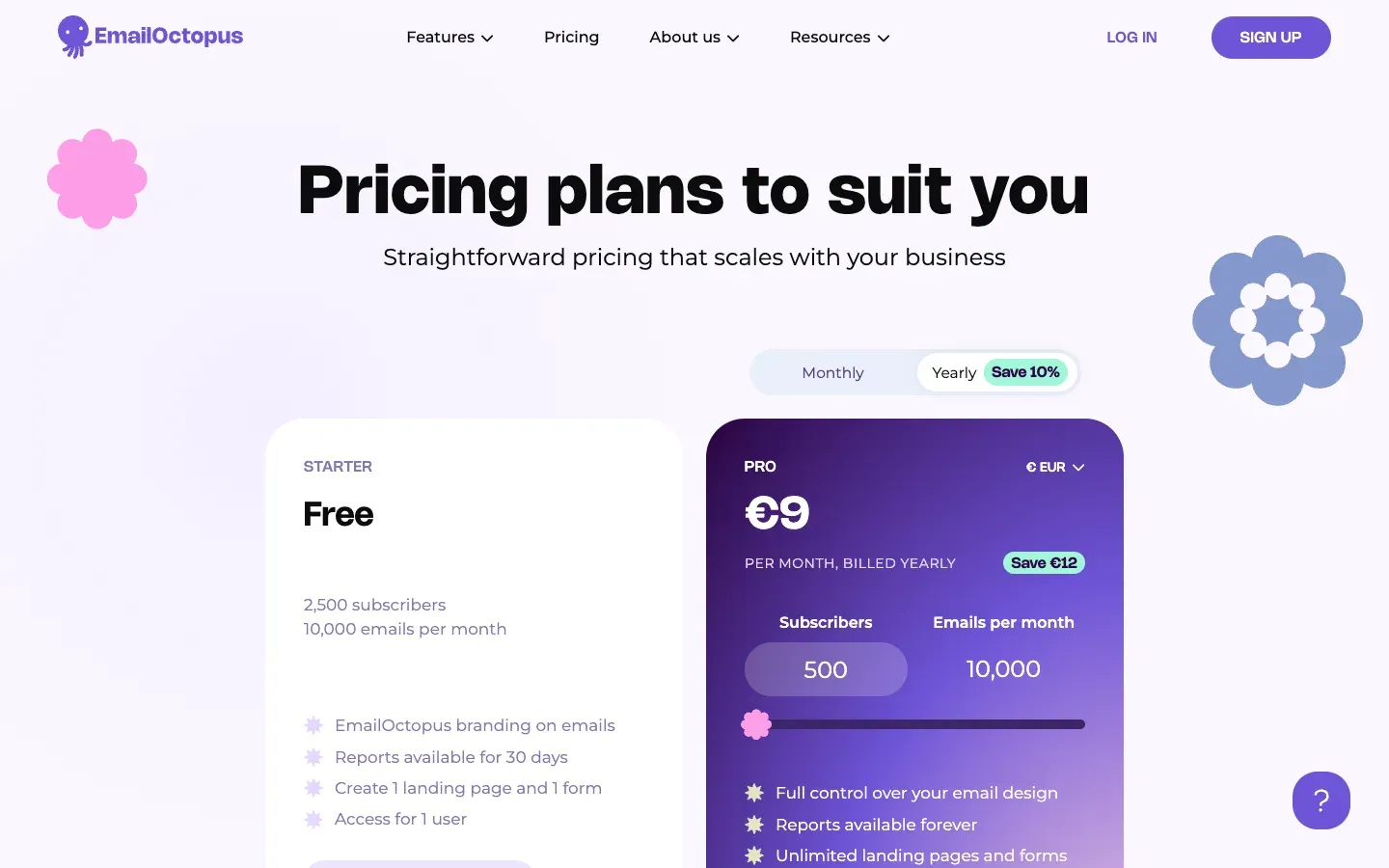
Prices checked on emailoctopus.com/pricing on 17 November 2026, in US dollars (the page also offers euros, pounds, Canadian and Australian dollars). The page does not mention taxes. Pro is priced by number of subscribers, and each tier includes a monthly email allowance; yearly billing is paid upfront and saves about 10%.
| Plan and list size | |||
|---|---|---|---|
| Starter (free), up to 2,500 subscribers | Emails a month 10,000 | Billed monthly $0 | Billed yearly $0 |
| Pro, up to 500 subscribers | Emails a month 10,000 | Billed monthly $10 a month | Billed yearly $9 a month ($108 a year) |
| Pro, 501 to 1,000 | Emails a month 10,000 | Billed monthly $13.50 a month | Billed yearly $12 a month ($144 a year) |
| Pro, 1,001 to 2,500 | Emails a month 25,000 | Billed monthly $20 a month | Billed yearly $18 a month ($216 a year) |
| Pro, 2,501 to 5,000 | Emails a month 50,000 | Billed monthly $31.50 a month | Billed yearly $28 a month ($336 a year) |
| Pro, 7,501 to 10,000 | Emails a month 100,000 | Billed monthly $44.50 a month | Billed yearly $40 a month ($480 a year) |
| Pro, 20,001 to 25,000 | Emails a month 250,000 | Billed monthly $94.50 a month | Billed yearly $85 a month ($1,020 a year) |
| Pro, 45,001 to 50,000 | Emails a month 500,000 | Billed monthly $178 a month | Billed yearly $160 a month ($1,920 a year) |
| Pro, 95,001 to 100,000 | Emails a month 1,000,000 | Billed monthly $345 a month | Billed yearly $310 a month ($3,720 a year) |
| Pro, up to 500,000 | Emails a month 5,000,000 | Billed monthly $1,478 a month | Billed yearly $1,330 a month |
Above 500,000 subscribers, the price is on quote. EmailOctopus Connect (sending through your Amazon SES) starts at $9 a month, or $8 billed yearly, up to 500 subscribers, with no email cap from EmailOctopus. Payment is by card or PayPal through Stripe, and you can downgrade or cancel before the next billing period. During our check, new yearly Pro subscriptions got 30% off the first year until 30 November 2026; the table shows the standard prices.
Is EmailOctopus free? Yes, for up to 2,500 subscribers and 10,000 emails a month, with no time limit. The free plan keeps the branding, one form, one landing page, one user and 30 days of reports. Pro removes those limits, starting at $108 a year for a list under 500 people.
07Pros and cons
Advantages
- One of the lowest price levels on the market for small and medium lists.
- A genuinely usable free plan, up to 2,500 subscribers.
- Simple interface and responsive human support (chat for the first 30 days on Free, priority support on Pro).
- Data stored and emails sent from the EU, with the GDPR data processing agreement built into the terms.
- Unlimited users on Pro, and a Connect option for teams already on Amazon SES.
Drawbacks
- Fewer advanced features than the big suites: no built-in CRM, limited e-commerce data.
- Each tier caps emails a month, so frequent senders can be pushed to a higher tier.
- The free plan shows branding and deletes reports after 30 days.
- No free trial of Pro: you test on the free plan.
- Monetisation tools (paid subscriptions, ad network, referrals) are not its focus.
08Our verdict
Who it's for
- Small businesses and shops that send a regular newsletter.
- Associations and non-profits, helped by the 20% discount.
- Authors, bloggers and local media starting a list.
- Technical teams that want a marketing interface on Amazon SES.
Who it's not for
- Newsletter businesses that need paid subscriptions and sponsorship tools.
- E-commerce brands built on abandoned cart and purchase-based flows.
- Teams that want email, SMS, chat and CRM in a single suite.
- Cold outreach: prospecting tools like Hunter or lemlist do that job, and sending cold email from a marketing platform breaks its rules.
09EmailOctopus alternatives
| Tool | |||
|---|---|---|---|
| EmailOctopus | Best for Simple, low-cost newsletters | Free plan Up to 2,500 subscribers | Paid from $9 a month billed yearly |
| Kit (formerly ConvertKit) | Best for Creators selling to their audience | Free plan Up to 10,000 subscribers | Paid from $33 a month billed yearly (Creator, 1,000 subscribers) |
| beehiiv | Best for Newsletters as a business | Free plan Up to 2,500 subscribers | Paid from $49 a month billed yearly (Lite) |
| Brevo | Best for Email, SMS and CRM in one suite | Free plan Yes | Paid from Paid plans by volume |
| Substack | Best for Paid writing and publications | Free plan Free to publish | Paid from Percentage of paid subscriptions |
Our rule: EmailOctopus when you want a clean newsletter at the lowest cost and your journeys are simple. Kit when you sell courses or digital products to your list, beehiiv when the newsletter itself earns money, and Brevo when email is one channel among several in a sales process. Our guide on how to select the right no-code tools lists the questions to ask before you commit.
10EmailOctopus vs Kit
Kit (the new name of ConvertKit) and EmailOctopus both target small senders, but not with the same promise. Kit is a creator platform: its free plan goes up to 10,000 subscribers and lets you sell digital products and subscriptions, and its paid plans add automations, a referral system and many app integrations. EmailOctopus is a sending tool: fewer creator features, but lower prices once you need a paid plan.
In numbers, from the two official pricing pages: at 1,000 subscribers, Kit Creator costs $33 a month billed yearly, against $12 a month for EmailOctopus Pro on yearly billing. If your list is mostly a way to keep in touch with customers, EmailOctopus is the economical choice. If the list is how you earn money, Kit's creator tools can justify the difference.
11Getting started with EmailOctopus
- Prepare the sending domain. Use an address on your own domain and set up the DNS authentication the tool asks for, before the first campaign.
- Import only consenting contacts. EmailOctopus forbids bought, rented or scraped lists in its acceptable use policy.
- Create fields and tags first, based on how you will segment (language, interest, customer or prospect).
- Connect the site's forms with double opt-in, either through the embedded form or through the API and an automation tool.
- Build one welcome automation, then measure clicks and unsubscribes for a month before adding more journeys. If your site needs a dedicated sign-up page, our landing pages service can help.