


The essentials · 30-second read
Yousign is now called Youtrust. Free plan with 2 signature requests a month; One €9 a month, Plus €23 and Pro €38 per user a month excl. VAT. API from €104 a month.
- Yousign became Youtrust in 2026: same company, same pricing and contracts, with a broader offer (signature, seal and verification).
- App plans excluding VAT: Free (2 signature requests a month), One €9 a month (10 requests), Plus €23 and Pro €38 per user a month with unlimited signatures, on annual billing. 14-day trial.
- API plans are billed yearly: Plus from €104 a month, Pro from €129 a month, each with 500 simple signatures a year; qualified signatures from €10 each.
- Our verdict: a strong European choice for everyday contracts and regulated signature levels; for global, enterprise-wide agreements, DocuSign remains the usual benchmark.
Summarize this page with AI
Yousign is one of the best-known electronic signature tools in Europe, and in 2026 it changed its name: Yousign is now Youtrust. The product you know is still there (the login even still points to yousign.app), but the company now sells a broader digital trust platform. This guide explains what changed, what Yousign (Youtrust) costs in 2026 for the app and the API, what the eIDAS signature levels mean in practice, and when we recommend it over DocuSign or a CRM's built-in signature. Prices were read on the official pricing pages on 17 November 2026.
01What is Yousign (Youtrust)?
Yousign is a French electronic signature platform. You upload a document, place the fields, add the signers, and each signer receives an email to sign online from any device. Yousign tracks the status, sends reminders and stores the signed document with its audit trail. Signatures follow the European eIDAS regulation at its three levels: simple, advanced and qualified.
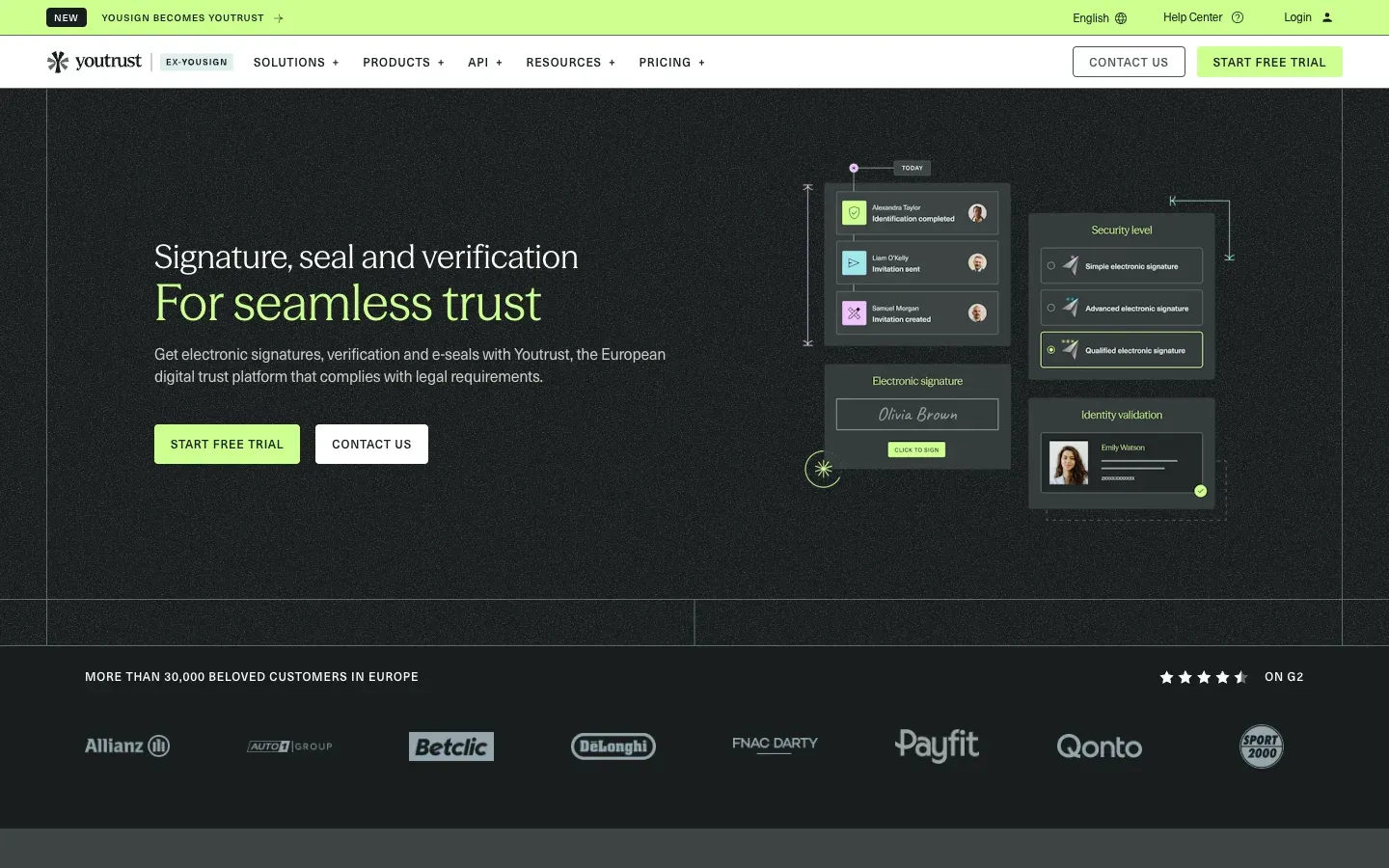
The name change. According to the page the company published about the change, the new name marks the expansion of the offer from signature to a digital trust platform with three pillars: Sign, Verify and Seal. The timeline published by the company: name change from mid-May 2026 (with a contract amendment where applicable), website moved to youtrust.com in mid-July 2026, and progressive migration of the application by 2027. The page states that pricing, contracts and support remain the same.
The company says it is headquartered in France and has more than 30,000 customers in Europe. Its site shows eIDAS and ANSSI badges and a B Corp certification. Beyond signature, Youtrust now sells electronic seals and verification products: identity, company registry and bank account checks, document fraud detection and watchlist screening, combined in "all-in-one workflows" for KYC and anti-money-laundering needs.
02How we look at Yousign at BeBranded
Yousign is not one of the tools in our own stack or public toolbox. It comes up in client projects, mostly when an onboarding flow, a quote or a contract must be signed without paper. Our position:
- We recommend Yousign to French and European SMEs that sign contracts, quotes, HR documents or leases, want prices in euros and a European provider, and sometimes need advanced or qualified signatures.
- We advise against a dedicated tool when signatures are rare and simple: the e-signature built into a CRM such as Pipedrive Premium, or a basic signing tool, may be enough. For worldwide enterprise agreements, we compare with DocuSign.
- Our work is the connection: a form or a CRM stage that generates the document and sends it for signature, then stores the signed file and updates the record. That is what our CRM integrations and automation services cover.
03Key features
- Electronic signature: simple, advanced and qualified eIDAS levels.
- Electronic seal: a company-level seal to guarantee the origin and integrity of documents.
- Verification: identity, company registry, bank account, document fraud and watchlist checks.
- Templates and fields: reusable templates, basic fields from One, more advanced fields and approvals from Plus.
- Reminders and tracking: automatic reminders and real-time monitoring.
- SMS authentication: an extra check for signers, from Plus.
- Bulk send: one per month on Plus, ten per month on Pro, up to 500 recipients.
- Document collection: request supporting documents from signers, on Pro.
- Workspaces: 1 on Free and One, 5 on Plus, 10 on Pro.
- Automated forms: from €10 a month on One and Plus.
04Use cases
Client contracts and quotes
An agency or consultancy sends a quote; once accepted, the contract must be signed. With Yousign, the document goes out with the right fields, the client signs on mobile, and the signed file comes back with its audit trail. Connected to the CRM, the deal moves to "won" automatically. What to know: build templates for your standard documents early; it is where most time is saved.
HR onboarding
An HR team sends employment contracts, policies and forms to new hires. Templates and bulk send on Pro handle recurring documents, and document collection gathers ID or bank details in the same flow. For sensitive steps, SMS authentication or an advanced signature adds assurance.
Real estate and leases
Agencies and property managers sign leases, mandates and inventories with tenants and owners who are rarely in the same place. Electronic signature removes appointments for signing, and reminders keep the process moving.
Regulated onboarding with verification
Financial, insurance or legal businesses must check identity or company details before signing. Youtrust's verification products and all-in-one workflows combine checks and signature in one journey, which used to require two providers. Check carefully which level of signature and verification your regulation requires.
Signature inside your own app
A software product or a client portal needs users to sign directly in the interface. The API, with its sandbox, lets developers embed the signing flow and receive status updates. Plan the API subscription (billed yearly) in the project budget.
05Integrations
- CRM: a HubSpot integration is listed on the pricing page (Plus and Pro).
- Automation: a Zapier connector, which opens connections to thousands of apps, and an AI connector.
- API: signature and verification APIs with a developer center and a 40-day sandbox.
- Other tools: through Zapier or the API, Yousign can be triggered from forms such as Tally, CRMs such as Attio, or internal tools.
06Yousign (Youtrust) pricing in 2026
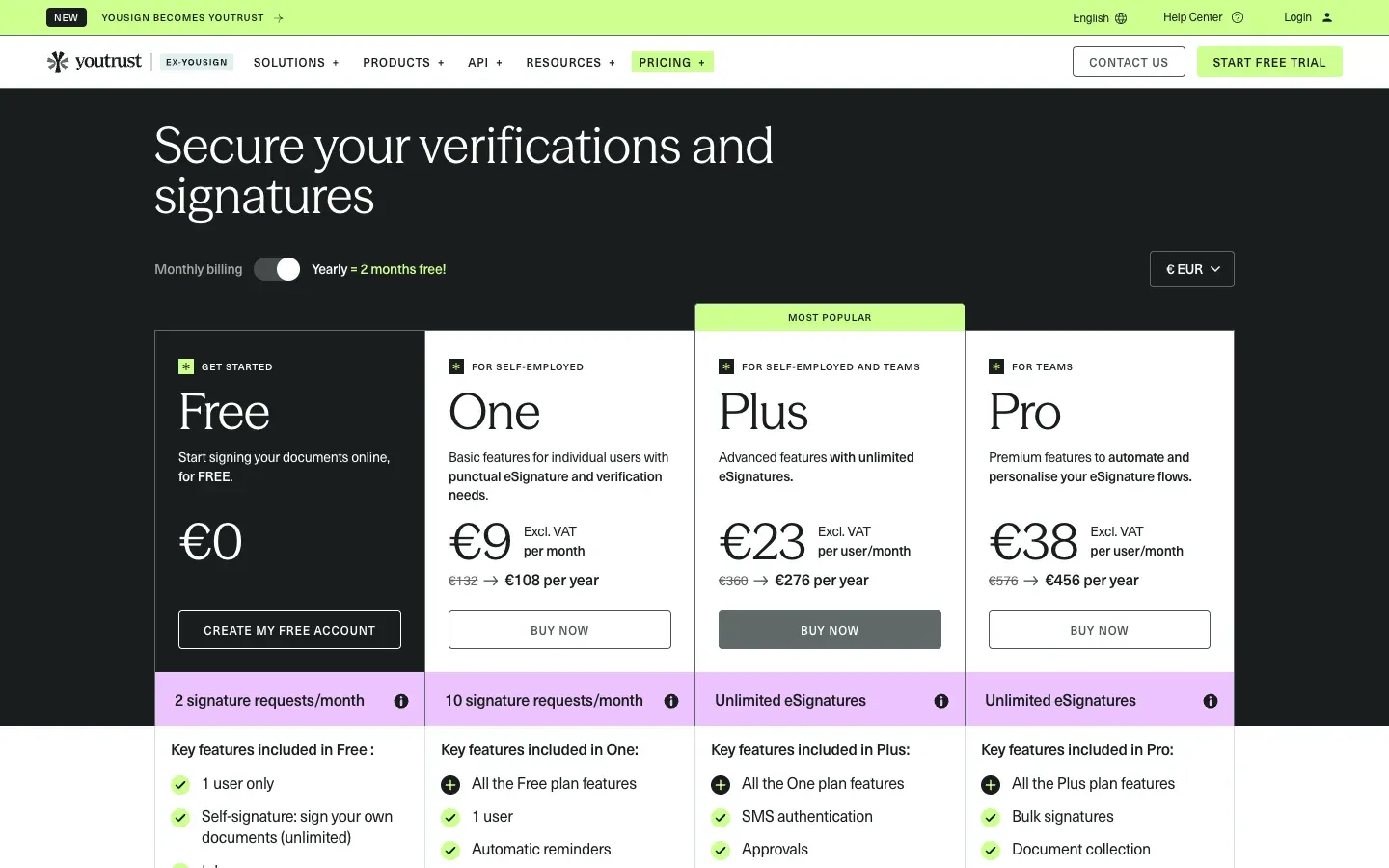
Prices checked on youtrust.com/pricing-application (the address yousign.com/pricing now redirects to) on 17 November 2026, in euros, excluding VAT. The page has $ and £ selectors but shows no amounts in those currencies.
| Plan | ||||
|---|---|---|---|---|
| Free | Annual billing (excl. VAT) €0 | Billed per year Not applicable | Signatures 2 signature requests a month | Users and workspaces 1 user, 1 workspace |
| One | Annual billing (excl. VAT) €9 a month | Billed per year €108 (instead of €132) | Signatures 10 signature requests a month | Users and workspaces 1 user, 1 workspace |
| Plus | Annual billing (excl. VAT) €23 per user a month | Billed per year €276 per user (instead of €360) | Signatures Unlimited | Users and workspaces 5 workspaces |
| Pro | Annual billing (excl. VAT) €38 per user a month | Billed per year €456 per user (instead of €576) | Signatures Unlimited | Users and workspaces 10 workspaces |
These are the prices with the yearly switch on, which the page presents as "2 months free": the crossed-out yearly totals (€132, €360, €576) are what the same plans cost over twelve months on monthly billing, which works out at €11, €30 and €48 a month. Paid plans include free verification credits (5 identity, 3 company registry and 2 bank account verifications). Qualified signatures cost from €10 each on Plus and Pro (€10 in bundles of 10 or more on annual billing, €15 for 1 to 9 on monthly billing). SLA: 99% on Plus, 99.9% on Pro.
API pricing. On youtrust.com/pricing-api: Plus from €104 a month (€1,248 a year), Pro from €129 a month (€1,548 a year), Scale on quote. Each includes 500 simple signatures a year and one application licence; extra signatures cost €2 each and accounts are not blocked above the quota. All API plans are yearly subscriptions. The home page mentions an API "from €106 a month", slightly different from the API pricing page.
Is Yousign free? Yes, for very light use: the Free plan allows 2 signature requests a month for one user, with unlimited self-signature. Paid plans start with a 14-day free trial, and developers get a free 40-day sandbox.
07Pros and cons
Advantages
- A European provider with eIDAS signature levels and euro pricing excluding VAT.
- A real free plan and an entry plan at €9 a month.
- Unlimited signatures from Plus, which keeps costs predictable.
- Verification and signature in the same platform, useful for regulated onboarding.
- A HubSpot integration, a Zapier connector and a documented API with a sandbox.
Drawbacks
- The rebrand to Youtrust can confuse users for a while (two names, two domains).
- Qualified signatures, advanced options, SSO and verification beyond the credits are paid extras.
- The API is a separate yearly subscription, on top of app plans.
- Customer support is by email on all plans, according to the comparison table.
- Fewer native integrations than the largest global players.
08Our verdict
Who it's for
- French and European SMEs signing contracts, quotes and HR documents.
- Agencies, consultancies and real estate professionals.
- Regulated businesses that need advanced or qualified signatures and identity checks.
- Product teams embedding signature in an app through an API.
Who it's not for
- Individuals who sign one document a year (a free tool or the Free plan is enough).
- Global enterprises standardised on another signature provider.
- Teams that need signature only inside their CRM's sales documents.
- Projects that need many native integrations without Zapier or code.
09Yousign alternatives
| Tool | ||
|---|---|---|
| Yousign (Youtrust) | Best for European SMEs, eIDAS levels, verification | Notes Free plan, from €9 a month |
| DocuSign | Best for Global and enterprise agreement workflows | Notes Large ecosystem |
| Pipedrive Premium | Best for Quotes and contracts signed inside the CRM | Notes Included in the Premium plan |
| PandaDoc | Best for Proposals and quotes with built-in signature | Notes Document-first approach |
Our rule: Yousign when you are in Europe, sign contracts regularly and may need advanced or qualified signatures. DocuSign for global, enterprise-wide workflows. A CRM's built-in signature, such as in Pipedrive Premium, when signatures are part of a simple sales flow.
10Yousign vs DocuSign
Both do the essentials: send, sign, track, store. The differences are positioning and fit. Yousign (Youtrust) is European, priced in euros excluding VAT, with a free plan and plans designed for SMEs, and it puts eIDAS levels and verification at the centre. DocuSign is the global reference, used by large companies across many countries, with a very broad ecosystem of integrations and agreement management features.
For a French or European SME, Yousign is often simpler to adopt and cheaper. For a multinational with legal teams in several jurisdictions and existing DocuSign workflows, switching rarely makes sense. Check the signature level your documents require, then compare total cost including qualified signatures and API.
11Getting started with Yousign
- List the documents you sign and the level each needs (simple for most commercial contracts, advanced or qualified for higher-risk cases).
- Start on the Free plan or the 14-day trial with a real document.
- Create templates for recurring documents with fields and signer roles.
- Choose the plan by volume: One for up to 10 requests a month, Plus or Pro for unlimited signatures and team features.
- Connect your tools: HubSpot, Zapier, or the API to trigger signatures from your CRM or website forms.
- Inform signers if your emails still mention Yousign while the platform moves to the Youtrust name.
Want contracts to go out for signature automatically from your site or CRM? Our automation team can build the flow.