


The essentials · 30-second read
Gumroad sells digital products with no monthly fee. Direct sales: 10% + $0.50, plus 2.9% + $0.30 card processing. Discover marketplace sales: 30% all in. Gumroad handles sales tax.
- A platform to sell ebooks, courses, templates, software, memberships and subscriptions, with hosted product pages, checkout, file delivery and license keys.
- No monthly fee. Direct sales cost 10% + $0.50, plus card processing (2.9% + $0.30) or PayPal fees. Sales through the Discover marketplace cost a flat 30%.
- Gumroad is the merchant of record for all sales: it collects and remits sales tax and VAT. Payouts need a $100 minimum balance.
- Our verdict: the fastest way to test a digital product; expensive at scale, where a store or your own checkout keeps more of each sale.
Summarize this page with AI
Gumroad is the tool many creators use to sell their first digital product: upload a file, set a price, share a link. This page explains what Gumroad does in 2026, what it really takes from each sale, how payouts and taxes work, how it compares with Stripe, Shopify and Kit, and when we recommend it to clients. Fees were read on Gumroad's pricing page and help center on 17 November 2026.
01What is Gumroad?
Gumroad is an e-commerce platform for creators. You create a product (an ebook, a course, a template pack, a piece of software, a membership), Gumroad gives you a product page and a checkout, takes the payment, delivers the file or the access, sends the receipt and handles the tax. You can sell from your Gumroad profile, from direct links, from your own website, or through Discover, Gumroad's marketplace.
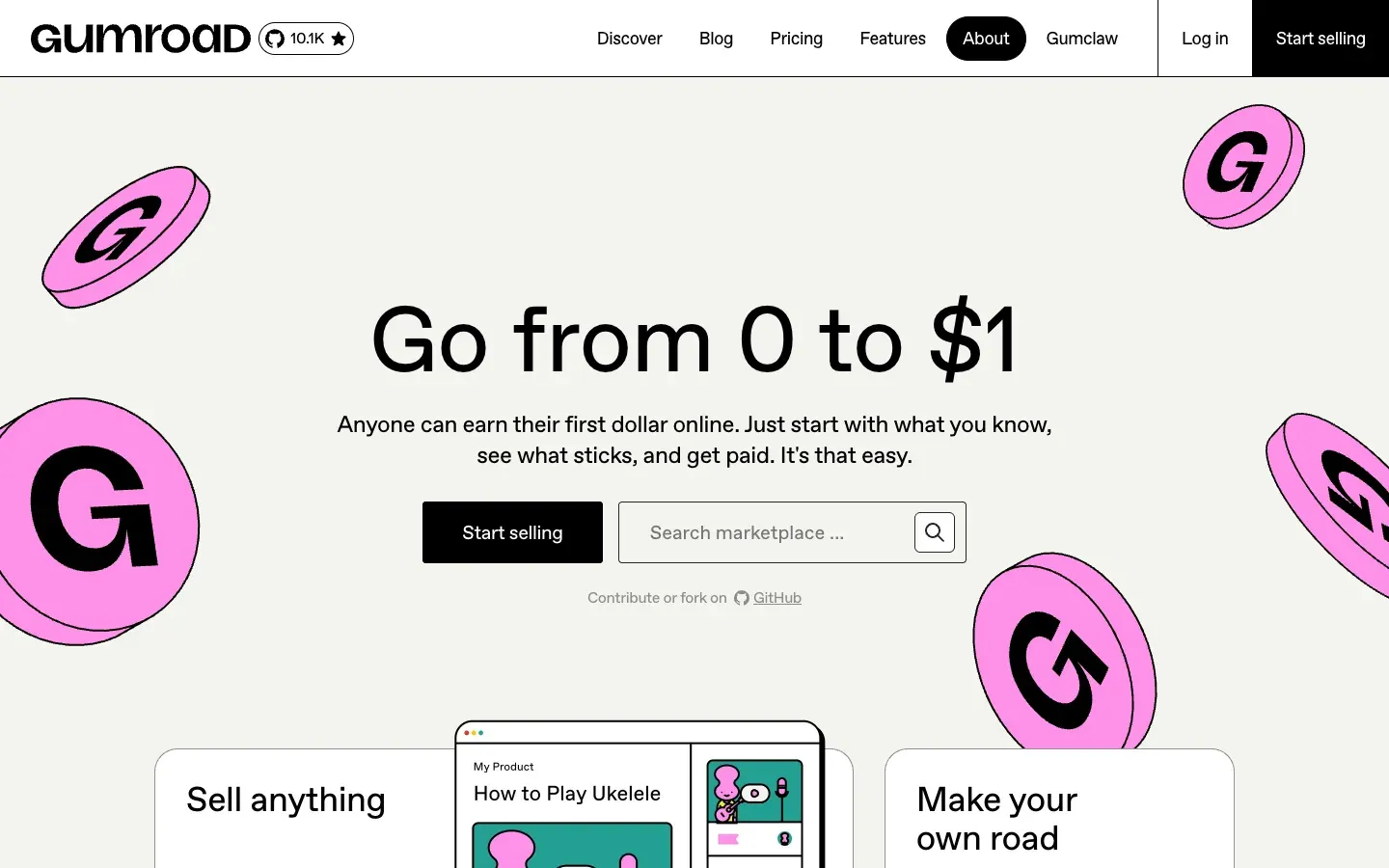
The promise is speed and simplicity. Gumroad's features page describes an end-to-end platform built over ten years so you can start selling in seconds, and its home page invites people to "go from 0 to $1". There is no plan to choose: every seller has the same tools and pays a fee per sale. Gumroad's home page also links to its code on GitHub, where it invites people to contribute or fork it.
02How we look at Gumroad at BeBranded
Gumroad is not part of our own stack. It comes up when a client wants to sell a guide, a course, templates or a paid community from the site we build, and asks whether to use a platform or a custom checkout. Our position:
- We recommend Gumroad to test a first digital product quickly, for creators who sell a few products to their own audience, and when nobody on the team wants to deal with VAT registration abroad. The merchant of record model is the main reason.
- We advise against it once revenue becomes significant and regular: 10% + $0.50 plus processing on every sale adds up, and a store on Shopify or a checkout built on Stripe keeps more margin, at the cost of handling tax yourself or with another service.
- Our usual job is the site around it: product pages on a Webflow or custom site that link to Gumroad, a clear buying path, and purchase data sent to the CRM or the newsletter through Zapier or the API. When the product needs accounts, member areas or custom logic, we build it as a web app.
03Key features
- Products: digital files, courses, memberships, subscriptions (monthly, quarterly, every six months, yearly) and physical goods.
- Pricing options: fixed price, pay what you want, several versions of the same product (PDF or ePub, standard or lossless audio), discount codes and upsells.
- Delivery: file hosting and automatic delivery, license keys for software, and lightweight protection of files.
- Storefront: a customisable profile page, custom domain, and embeddable checkout and follow button for an existing site.
- Payments and tax: cards, PayPal and local methods depending on the buyer's country, customer currencies for eligible card purchases, and tax collected as merchant of record.
- Audience tools: emails to customers and followers, and Workflows triggered by a purchase, a new subscriber, a cancelled membership, a new affiliate or an abandoned cart.
- Growth: an affiliate programme, the Discover marketplace, ratings, and sales exports with a full fee breakdown.
04Use cases
A first digital product to test demand
A consultant or designer wants to know if people will pay for a guide or a template pack. On Gumroad, the product can be online the same day, with nothing to pay upfront. If it does not sell, nothing is lost but time. What to know: only sales count toward the $100 needed for your first payout.
Templates and assets sold to a design audience
Designers sell Notion, Figma or Webflow templates, fonts, brushes and 3D assets. Versions let one product offer several formats, and license keys or file updates keep buyers served. The Discover marketplace can bring new buyers, but each sale through it costs 30%.
Software and plugins with license keys
An independent developer sells a plugin or a desktop tool. Gumroad generates a license key per buyer, and the software can check it through Gumroad's API. Updates are delivered as new files on the same product.
A paid membership or subscription
A writer or an educator charges monthly for exclusive content or a community. Gumroad bills the subscription, gives access to the content library while the member pays, and a Workflow can email a member who cancels. For a large community with its own platform features, a dedicated membership tool or a custom build fits better.
Selling from your own website
A company already has a site and wants a buy button on a product page. Gumroad's embeddable checkout keeps the visitor on the site while Gumroad takes the payment. This works well on Webflow, where the native e-commerce is often more than a single digital product needs. See our Webflow e-commerce guide for that comparison.
05Integrations
Gumroad connects to other apps mainly through Zapier: its help center cites Mailchimp, Google Sheets, AWeber, ConvertKit (now Kit), Discord, Slack and Campaign Monitor among common connections, for example to add a buyer to a mailing list or to a private channel. Gumroad also offers an API with OAuth applications, used for license checks and custom integrations, and third-party analytics on product pages. Note that Zapier can take 24 to 48 hours to see changes made to your products.
06Gumroad fees in 2026
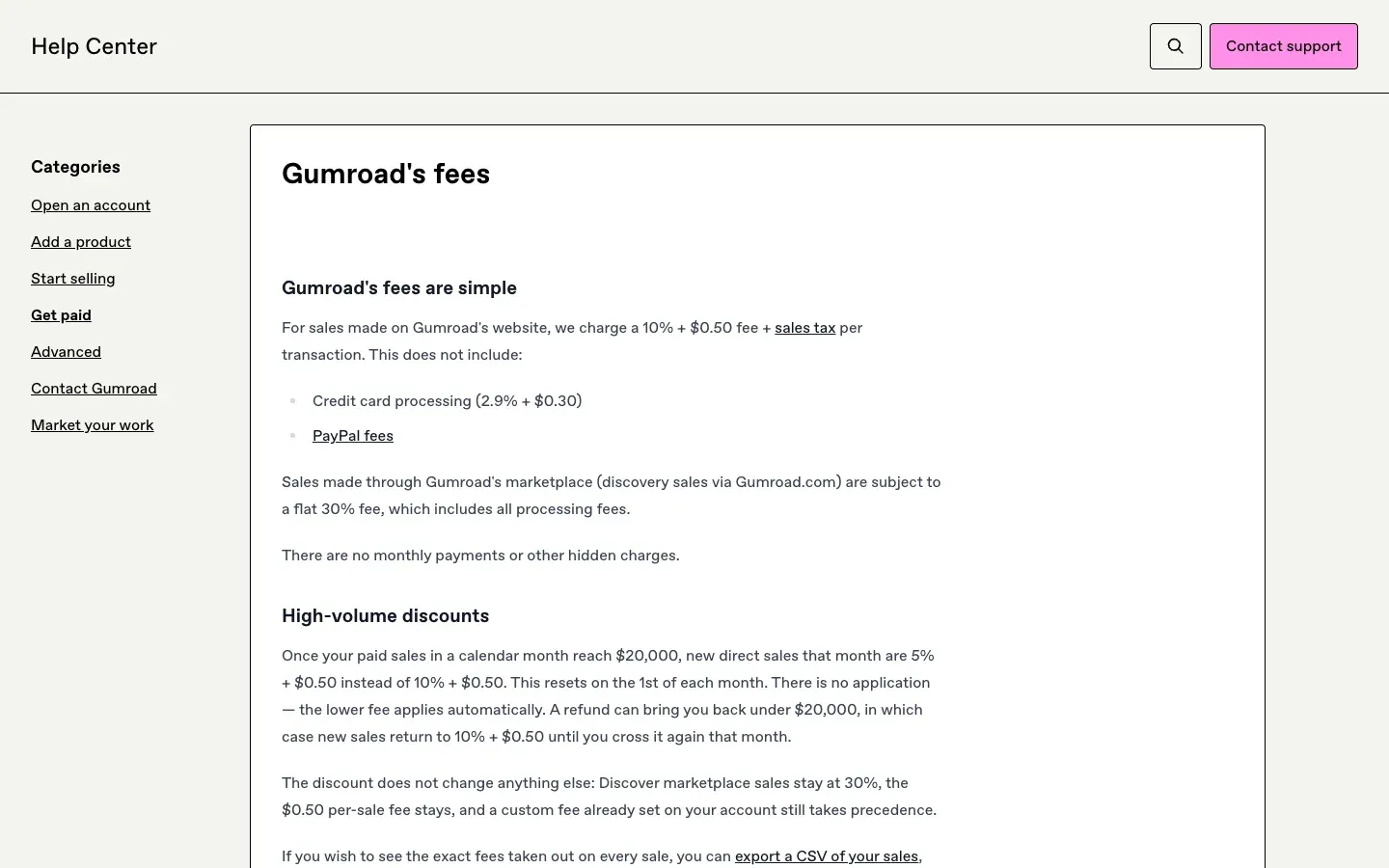
Fees checked on gumroad.com/pricing and in Gumroad's help center ("Gumroad's fees") on 17 November 2026, in US dollars. There are no plans and no monthly fee: every seller pays per sale.
| Type of sale | ||
|---|---|---|
| Direct sale (profile, link, embed on your site) | Gumroad fee 10% + $0.50 per transaction | Payment processing Extra: 2.9% + $0.30 per card payment, or PayPal fees |
| Direct sale after $20,000 of paid sales in the calendar month | Gumroad fee 5% + $0.50 per transaction | Payment processing Same as above |
| Sale through the Discover marketplace | Gumroad fee 30% flat | Payment processing Included |
| Monthly fee | Gumroad fee None | Payment processing None |
Other rules from the help center: on affiliate sales, fees are split between you and the affiliate in proportion to the commission; on a refund, Gumroad returns its own fee but keeps the payment processing part. Sales tax and VAT are collected on top by Gumroad as merchant of record. Payouts require a balance of at least $100 and arrive by bank deposit in your local currency in most countries, or by PayPal. New sellers can no longer connect their own Stripe account, except in Brazil.
A worked example from these rates: on a $20 ebook sold through a direct link with a card, Gumroad keeps $2.50 and card processing costs $0.88, so you receive $16.62. The same ebook sold through Discover leaves you $14.
Is Gumroad free? Yes, to start: there is no subscription, and creating products and sharing links costs nothing. You pay only when you sell, with fees that add up to roughly 16 to 17% on a $20 product sold directly by card.
07Pros and cons
Advantages
- Nothing to pay before the first sale, and a product online in minutes.
- Gumroad is the merchant of record: sales tax and VAT are collected and remitted for you.
- Delivery, license keys, memberships, upsells and affiliates are built in.
- A marketplace (Discover) that can bring buyers beyond your own audience.
- Customers can pay in their own currency on eligible card purchases.
Drawbacks
- Expensive at scale: 10% + $0.50 plus processing on every direct sale, and 30% on Discover.
- Payouts start at a $100 balance, with a 7-day holding period on standard schedules.
- Limited branding and page design compared with a real store or a custom site.
- Your customer relationship and sales data live inside the platform, and email Workflows only unlock after $100 earned and a first payout.
- Discover eligibility requires a risk review that takes about three weeks on average, according to the help center.
08Our verdict
Who it's for
- Creators testing a first paid product.
- Designers, writers, educators and musicians selling digital files to their audience.
- Independent developers selling software with license keys.
- Small teams that do not want to handle VAT and sales tax registrations abroad.
Who it's not for
- Businesses with a large catalogue, physical stock and complex shipping: see Shopify.
- Products with high and regular revenue, where the per-sale fee outweighs the convenience.
- Brands that need full control over checkout design and customer data.
- SaaS products with accounts, usage and complex billing, better served by Stripe and a custom app.
09Gumroad alternatives
| Tool | |||
|---|---|---|---|
| Gumroad | Best for Selling digital products fast, tax handled | Monthly fee None | Per-sale cost 10% + $0.50 plus processing (30% on Discover) |
| Stripe | Best for Your own checkout, SaaS billing | Monthly fee None | Per-sale cost 1.5% + €0.25 per standard European card (France) |
| Shopify | Best for Full online stores, physical products | Monthly fee From €24 a month billed yearly (France) | Per-sale cost Payment fees per plan |
| Kit | Best for Creators selling to an email list | Monthly fee Free up to 10,000 subscribers | Per-sale cost 3.5% + $0.30 per sale on the free plan |
| Substack | Best for Paid newsletters and writing | Monthly fee None | Per-sale cost 10% of paid subscriptions plus processing |
| Memberstack | Best for Memberships on a Webflow site | Monthly fee From $25 a month billed yearly | Per-sale cost 4% fee on the entry plan, plus Stripe fees |
Our rule: Gumroad to start and to test, or when tax handling is the main headache. Stripe with a custom checkout when volume grows and you want the margin, Shopify for a real store, and Kit or Substack when the email list is the product. Lemon Squeezy is another merchant of record often compared with Gumroad, especially for software. Our e-commerce team can help you choose and build the path.
10Gumroad vs Stripe and Shopify
The question is not only the percentage. Gumroad sells you a complete service: checkout, delivery, licensing, affiliates, emails and tax as merchant of record. Stripe sells you payment processing: much cheaper per sale, but everything else is yours to build, including working out where you owe VAT. Shopify sells you a store: monthly fees and payment fees, a full catalogue, themes and apps, and its own tax settings that you configure.
In practice, a creator making a few hundred dollars a month loses little with Gumroad and saves a lot of setup. A business making tens of thousands a month on digital products should compare the fees with the cost of a Stripe or Shopify setup plus a tax service. Gumroad's own high-volume rate (5% + $0.50 after $20,000 in a month) narrows the gap for the largest sellers.
11Getting started with Gumroad
- Fill in your payout settings first, with your legal name and address: Stripe's identity checks apply to bank payouts.
- Create one product with a clear description, a cover and a fixed price; add pay what you want later if it fits.
- Decide on Discover: it is on by default when a product has a category, and Discover products are opted into the affiliate programme.
- Connect the product to your site with a buy link or the embedded checkout, and test a real purchase end to end.
- Plan the exit: export your sales CSV regularly, and connect buyers to your own email list through Zapier so the relationship does not depend on one platform.