


The essentials · 30-second read
Buffer schedules social posts on 12 networks. Free for 3 channels and 10 queued posts each; Essentials costs $6 per channel a month ($5 billed yearly), Team $12 ($10).
- Free plan: up to 3 channels, 10 scheduled posts per channel, 1 user, basic analytics.
- Essentials: $6 per channel a month, or $5 billed yearly ($60 a year). Team: $12, or $10 billed yearly ($120 a year).
- Team adds unlimited users, approval workflows and branded reports; both paid plans have a 14-day free trial.
- Our verdict: the clearest scheduler for small teams, but the per-channel price adds up once you manage many accounts.
Summarize this page with AI
Buffer is the social media scheduler people recommend when they want something that just works. You connect your accounts, write posts, put them in a queue and Buffer publishes them at the right time. The real questions are about cost: is Buffer free, what does the free plan allow, and how much will you pay per channel? This page answers with prices checked on buffer.com, then explains when Buffer is enough and when to look elsewhere.
01What is Buffer?
Buffer is a social media management tool founded in 2010 by Joel Gascoigne. It lets you plan, publish and analyse posts on 12 channels: Instagram, Facebook, TikTok, LinkedIn, X, YouTube, Threads, Pinterest, Google Business Profile, Bluesky, Mastodon and Substack.
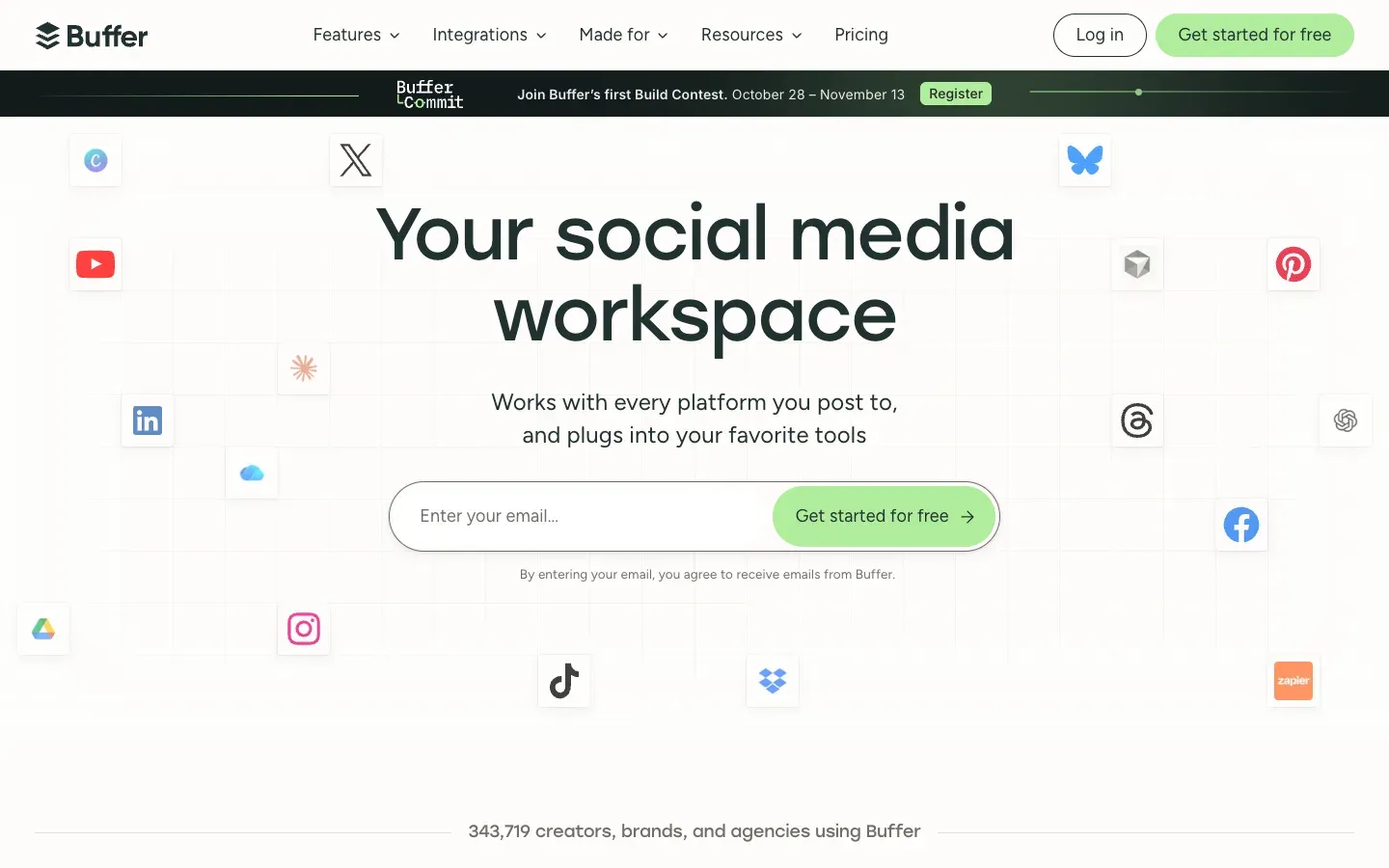
The product is organised in four parts: Create to collect and draft ideas, Publish to schedule posts in a calendar or queue, Community to reply to comments from one inbox, and Insights for analytics. An AI assistant helps rewrite and adapt posts for each network. Buffer is also known for working fully remote and publishing a lot about how it runs.
02How we see Buffer at BeBranded
Social media management is not one of our services, and Buffer is not in our own toolbox. We meet it on the client side: marketing teams that schedule LinkedIn and Instagram posts around a new site launch, a blog or a product release.
Where we come in is the connection between the website and the social calendar:
- Content pipeline: when a client publishes articles from a CMS, we can push a draft post to Buffer automatically through its API, using Make, Zapier or n8n.
- Tracking: we add UTM parameters to links so social traffic is measured properly on the site.
- Landing pages: campaigns need pages that convert, which is where our landing page work fits.
We recommend Buffer to small teams who want a clean scheduler without enterprise complexity. We suggest something else when the client needs social listening, many brands or complex approval chains. Building that kind of flow is part of our automation projects.
03Key features
- Queue and calendar to schedule posts, threads, carousels, Reels, Shorts and stories.
- Network-specific customisation: adapt text, media and first comment for each channel.
- Ideas library to collect drafts and plan campaigns.
- AI assistant to generate, shorten or rephrase posts.
- Community inbox to reply to comments from one dashboard.
- Insights: post and channel analytics, with 2 years of history on paid plans.
- Team features: approval workflows, access levels and branded reports on Team.
- API keys on every plan to connect your own tools.
04Use cases
A founder posting on LinkedIn every week
A founder wants a steady presence on LinkedIn without opening the app every morning. They write a batch of posts on Sunday, drop them in the queue and let Buffer publish at set times. The free plan covers this if the queue stays under 10 posts per channel; beyond that, one Essentials channel is enough.
A small brand on Instagram, TikTok and Pinterest
A shop or a café shares the same photos and videos on three networks. Buffer lets them write once, then adjust the caption, the first comment or the format for each channel. Watch the price: on Essentials, each of the three channels is billed, including the ones that were free before.
A marketing team with an approval step
A team of three writes posts and a manager validates them before they go out. The Team plan adds approval workflows and access levels with unlimited users, so the bill depends only on the number of channels. It is a simple answer to "who posted that?" without an enterprise suite.
Sharing every new blog article automatically
When a company publishes articles from a CMS, the social post is often forgotten. Buffer lists integrations with WordPress, Zapier, Make and n8n, and its API accepts posts from your own tools. We build this kind of flow so a new article creates a draft in Buffer, ready to edit, with UTM parameters already on the link.
A non-profit with a tight budget
Buffer offers 50% off paid plans for non-profits and charities, according to its pricing FAQ. Combined with unlimited users on Team, a volunteer team can share the work without paying per person.
05Integrations
Buffer's integrations page lists 26 apps, including Canva, Google Drive, Google Photos, Dropbox, OneDrive, Unsplash, Bitly, Feedly, WordPress, IFTTT, Zapier, Make, n8n, Microsoft Power Automate and Raycast. AI assistants also appear on the list (ChatGPT, Claude, Cursor, Grok and Perplexity), and Buffer offers an MCP server, included on every plan including Free, to draft, schedule and review posts from an AI assistant. Posts land in your Buffer queue for review before they go out.
Beyond those, Buffer has a browser extension to share a page or an image from any site, iOS and Android apps, and a public API. API limits depend on the plan: 1,000 requests per channel a month on Free (up to 3,000), 3,000 on Essentials (up to 30,000) and 10,000 on Team (up to 100,000).
06Getting started with Buffer
- List your channels before you connect them. Every connected channel is billed on paid plans, so connect only the accounts you actually post to.
- Start on Free with up to 3 channels and see whether the 10-post queue limits you.
- Set posting times per channel based on when your audience is active, then adjust after a few weeks of Insights data.
- Add UTM parameters to your links so social traffic is measured on your site, not just in Buffer.
- Use the 14-day trial of Essentials or Team when you need more: compare yearly and monthly billing before you commit.
07Buffer pricing in 2026
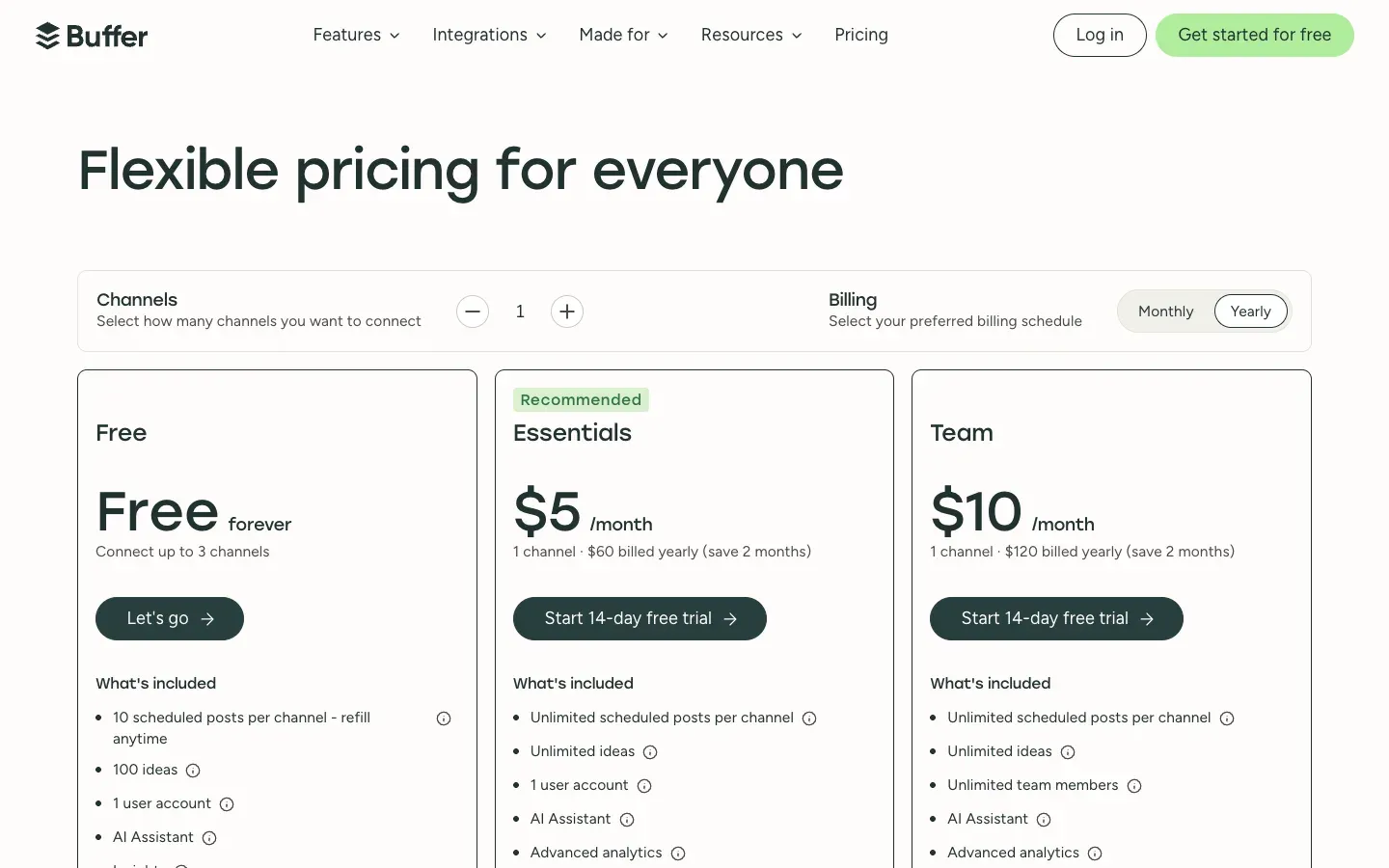
Prices checked on buffer.com/pricing on 18 November 2026 (unchanged since our 14 November reading), in US dollars. Paid plans are priced per connected channel. The plan cards show yearly billing as "save 2 months", while the FAQ on the same page speaks of a 20% discount: check the amount at checkout.
| Plan | |||
|---|---|---|---|
| Free | Billed monthly $0 | Billed yearly $0 | What you get Up to 3 channels, 10 scheduled posts per channel, 1 user, 30-day analytics history, AI assistant, community inbox |
| Essentials | Billed monthly $6/channel/month | Billed yearly $5/channel/month ($60/year) | What you get Unlimited scheduled posts, advanced analytics with 2-year history, hashtag manager, first comment scheduling, 1 user |
| Team | Billed monthly $12/channel/month | Billed yearly $10/channel/month ($120/year) | What you get Everything in Essentials, unlimited users, access levels, approval workflows, branded reports |
Paid plans come with a 14-day free trial. Buffer says channels above 10 are charged at a lower rate, non-profits get 50% off, and "unlimited" posts are capped by a fair use policy at 5,000 posts per channel. When you upgrade from Free, you pay for every connected channel, including the first three.
Is Buffer free? Yes, the free plan has no time limit and suits a solo creator or a small business with up to 3 accounts. The 10-post queue per channel is the real constraint: if you plan more than a week or two ahead, you will need Essentials. For a team of four managing 5 channels on Team billed yearly, the bill is $600 a year, since users are unlimited and the price depends only on channels.
08Pros and cons
Advantages
- One of the simplest interfaces on the market: quick to learn, pleasant to use.
- A real free plan for 3 channels.
- Transparent, predictable pricing per channel, with unlimited users on Team.
- Wide network coverage, including Bluesky, Threads, Mastodon and Substack.
- An API on every plan for automation.
Drawbacks
- The per-channel price adds up quickly for agencies or brands with many accounts.
- No social listening: Buffer does not monitor mentions or keywords across the web.
- Analytics stay simple compared with enterprise suites.
- The free plan's 10-post queue limits planning ahead.
09Our verdict
Who it's for
- Solo creators, founders and small businesses posting on a few networks.
- Small marketing teams that want an approval step without a complex tool.
- Teams that automate posting from a blog, a CMS or a newsletter.
- Non-profits, thanks to the 50% discount.
Who it's not for
- Agencies managing dozens of client accounts, where per-channel pricing becomes expensive.
- Brands that need social listening, sentiment analysis or advanced customer care.
- Large organisations with strict governance, SSO and complex reporting needs.
10Buffer alternatives
| Tool | ||
|---|---|---|
| Buffer | Best for Simple scheduling for small teams | Model Free plan, then per channel |
| Hootsuite | Best for Larger teams, listening and advanced reporting | Model Paid plans |
| Canva | Best for Designing and scheduling visuals in one place | Model Freemium |
| Make | Best for Custom publishing flows from your own content | Model Automation platform, per operation |
| Zapier | Best for Simple triggers from your apps to social networks | Model Automation platform, per task |
Our rule of thumb: Buffer for most small teams, Hootsuite when listening and reporting matter, and an automation with Make or n8n when posts should come straight from your CMS. Not sure which to pick? Our comparison of Zapier vs Make helps with the automation side.
11Buffer vs Hootsuite
People comparing social schedulers usually end up with these two names. Hootsuite is built for larger teams: social listening, advanced reporting, customer care workflows and governance features. Buffer is built for simplicity: a queue, a calendar, light analytics and a price that depends only on the number of channels.
Pick Buffer when a small team mostly needs to publish on a few networks and wants to start for free. Pick Hootsuite when you monitor mentions across the web, handle many brands with strict approvals, or report to several departments. If what you really need is posts generated from your own content, neither tool is the core of the solution: an automation built with Make or n8n, feeding Buffer through its API, often costs less and fits better.